
FluentCommunity allows you to manage member enrollments directly from a user’s individual profile. This article covers the process of granting access to specific Spaces or Courses without leaving the member management area.
Enrolling Members into Spaces or Courses #
To enroll a member in a new Space or Course from their profile, follow these instructions:
First, navigate to the specific User Profile and select the Spaces & Courses tab to view their current list of joined areas.
Click the + Add to Space / Course button located at the top right of the enrollment list.
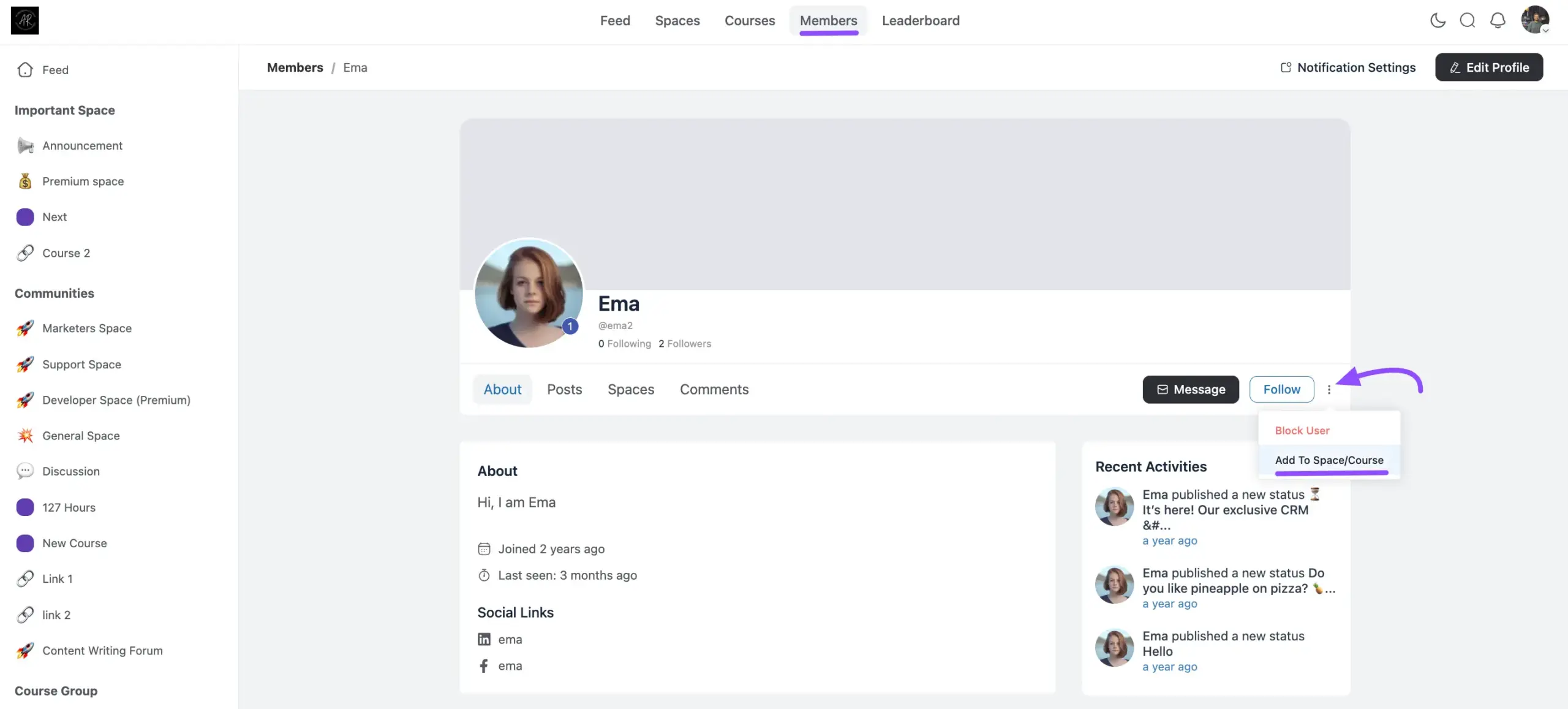
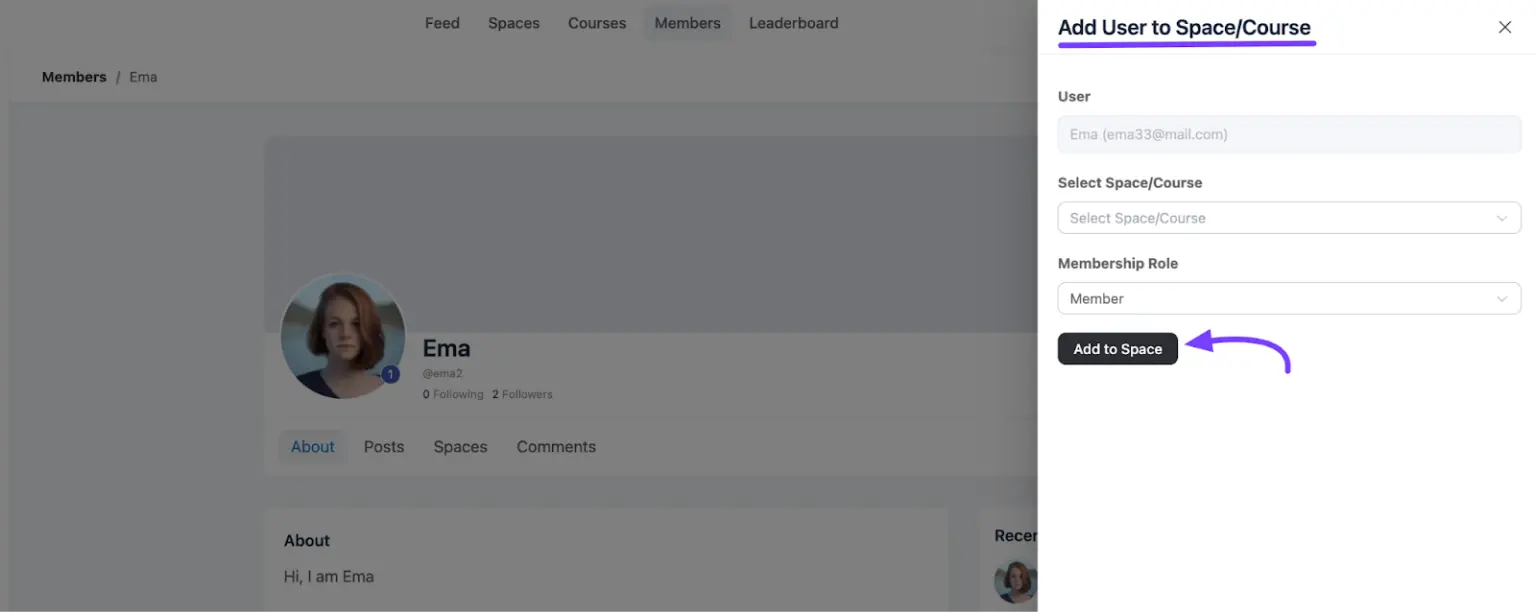
An Add User to Spaces/Courses ” pop-up modal will appear on your screen. Select the desired Space/Course from the dropdown options.
After selecting the space, choose the Membership Role (such as Member, Moderator, or Admin) from the corresponding dropdown option. Click the Add to Space button to finalize the enrollment.
Once you click the button, the new Space or Course will immediately appear in the user’s enrollment list.
Note: Only Administrators can add members to Spaces or Courses directly from their profile pages.
If you have further questions, please don’t hesitate to contact us for assistance.


