

FluentCommunity: The Best Community Management Software for WordPress

Table of Content
Subscribe To Get
WordPress Guides, Tips, and Tutorials


Search for the best community management software and you’ll get list after list of SaaS tools. Circle, Mighty Networks, Hivebrite, repeat. What you won’t find is WordPress, even though it runs 38.5% of all websites. So if your business already lives on WordPress, those lists only tell half the story.
This guide covers the other half: what the job needs, what it costs, and where FluentCommunity fits.
Key Takeaways
- Community management software is the tool you use to run an online community day to day: members, spaces, moderation, engagement, and reports.
- The best community management software handles six jobs well, and it doesn’t take a cut of your revenue as you grow.
- None of the top-ranking “best community software” lists we reviewed mention WordPress, so WordPress owners are left comparing tools that ignore the site they already own.
- FluentCommunity runs inside your WordPress site, with spaces, moderation queues, community roles, reports, chat, and courses in one plugin.
- On a paid community making $90,000 a year, platform transaction fees alone cost $900 to $2,610 on the main paid plans of Circle, Mighty Networks, and Skool. FluentCommunity’s pricing page lists a license fee, not a revenue share.
What Is Community Management Software?
Community management software is a platform for hosting, organizing, moderating, and growing an online community in one place. It gives members a space to post, chat, and learn, and it gives you the tools to approve people, handle bad content, and see what’s working.
Think of it like the front desk, security team, and event planner of a busy coworking space, all rolled into one dashboard. Members see a friendly place to hang out. You see who joined today, what got reported, and which room is buzzing.
Most tools in this category cover the same basics:
- Spaces or groups to organize conversations by topic
- Member profiles, a directory, and private messaging
- Moderation tools for reports, spam, and approvals
- Roles so you can share the workload
- Engagement features like reactions, notifications, and leaderboards
- Reports that show growth and activity
Community management software vs social media management tools
Here’s where a lot of buyers get tripped up. Some articles list tools like Brand24 or Sprout Social as “community management tools.” Those are social media management tools. They help you schedule posts and watch mentions on Facebook, X, or Instagram.
Community management software is different. It creates a space you control, on your own domain, where the members, posts, and data belong to your community rather than a social network. If you want to schedule tweets, you need the first kind. If you want a place your customers or students call home, you need the second.
What the Best Community Management Software Actually Needs to Do
Feature lists are easy to pad. A better test is to ask: what will I actually do in this tool every week? Strip away the marketing and the honest answer is six jobs.
The six jobs every community management platform should handle:
- Organize: group people and topics into spaces with the right privacy
- Moderate: catch spam and rude posts before members see them
- Delegate: hand moderation to trusted members without giving away the keys
- Engage: give people reasons to come back, like notifications, chat, and recognition
- Measure: show who’s active, what’s popular, and when people show up
- Monetize: let you charge for access without a painful setup
Then there’s a seventh question most comparison posts skip. Who owns all of it? Your member list, your posts, your files. If you leave a SaaS platform, can you take everything with you? If the platform raises prices or changes its fee structure, can you walk away?
This matters more than it sounds. The 2026 CMX Community Industry Report found that 84% of community professionals say their community had a positive impact, but only 17.2% can confidently put a number on that value (figures summarized by Bettermode’s breakdown of the report). When value is hard to prove, a tool that quietly takes a percentage of every sale is a cost you’ll feel at budget time.
Why Most Community Software Lists Skip WordPress
We read the strongest pages ranking for “best community management software” right now. Innoloft covers 11 tools. Guideflow covers 12. CheckThat.ai covers seven. Every single one is a hosted SaaS platform, or Discord. Not one mentions WordPress.
That’s a strange blind spot. WordPress powers 38.5% of all websites and holds 57.5% of the CMS market, according to W3Techs. Plenty of course creators, coaches, agencies, nonprofits, and store owners already have a WordPress site with their users, payments, and email list in it.
For those owners, a SaaS community means running two homes. Your website lives in one place. Your community lives on someone else’s servers, with a separate login, a separate member list, and a separate bill.
The community world is already scattered. In the same CMX research, no single platform dominated. Slack led at 19.9% of primary platforms, followed by WhatsApp at 16.7%, Discord at 12.8%, and Discourse and Circle at 12.2% each (via Bettermode). In simple terms, there’s no default choice. That’s good news. It means you can pick the setup that fits your business instead of the one everyone else uses.
Meet FluentCommunity: Community Management Built Into WordPress
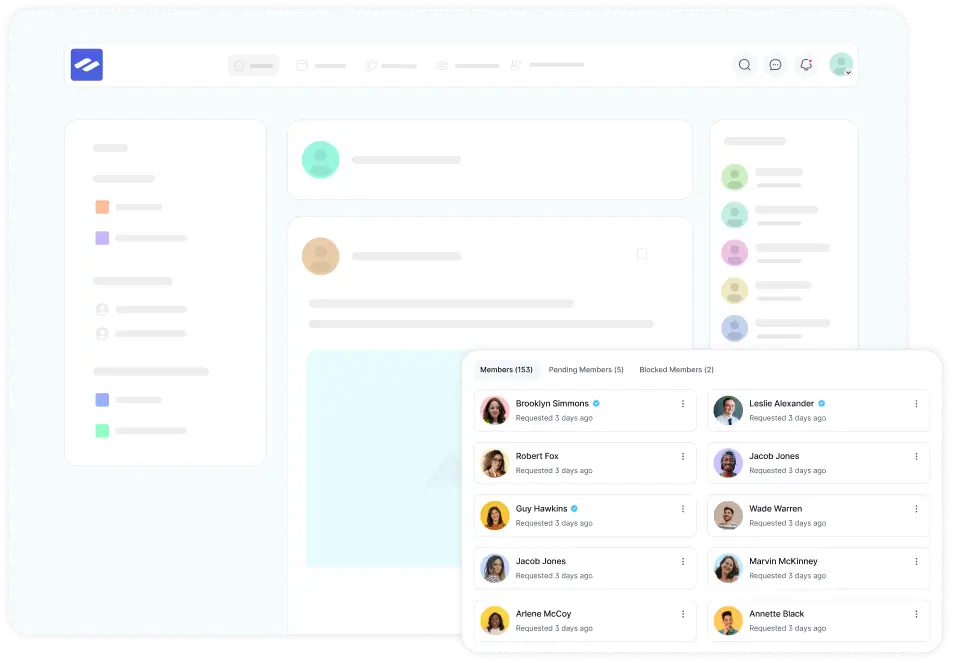
FluentCommunity is a WordPress plugin that turns your site into a full community and course platform. Members get a modern, app-like portal with feeds, spaces, chat, and courses. You manage everything from your own WordPress dashboard, and every post, member, and file stays in your own database.
It comes from WPManageNinja, the team behind FluentCRM and Fluent Forms. On WordPress.org, FluentCommunity has 8,000+ active installations and a 4.8 out of 5 rating from 99 reviews. There’s a free version you can install today, and paid plans unlock the Pro features.
So how does it handle those six jobs? Let’s walk through it the way you’d actually use it.
How FluentCommunity Handles the Daily Work of Community Management
Organize members into spaces with the right privacy
Spaces are where conversations live. FluentCommunity gives you unlimited spaces, and each one gets one of three privacy settings:
- Public: anyone can read posts, but only members can post
- Private: people see the space exists, but only approved members can read and post
- Secret: the space is hidden, and only invited members get in
Private spaces have a handy trick. For people who haven’t joined yet, you can show the default lock screen, a custom one, or redirect them to a URL like your sales page. A “VIP Mastermind” space can quietly sell itself.
Moderate without babysitting the feed
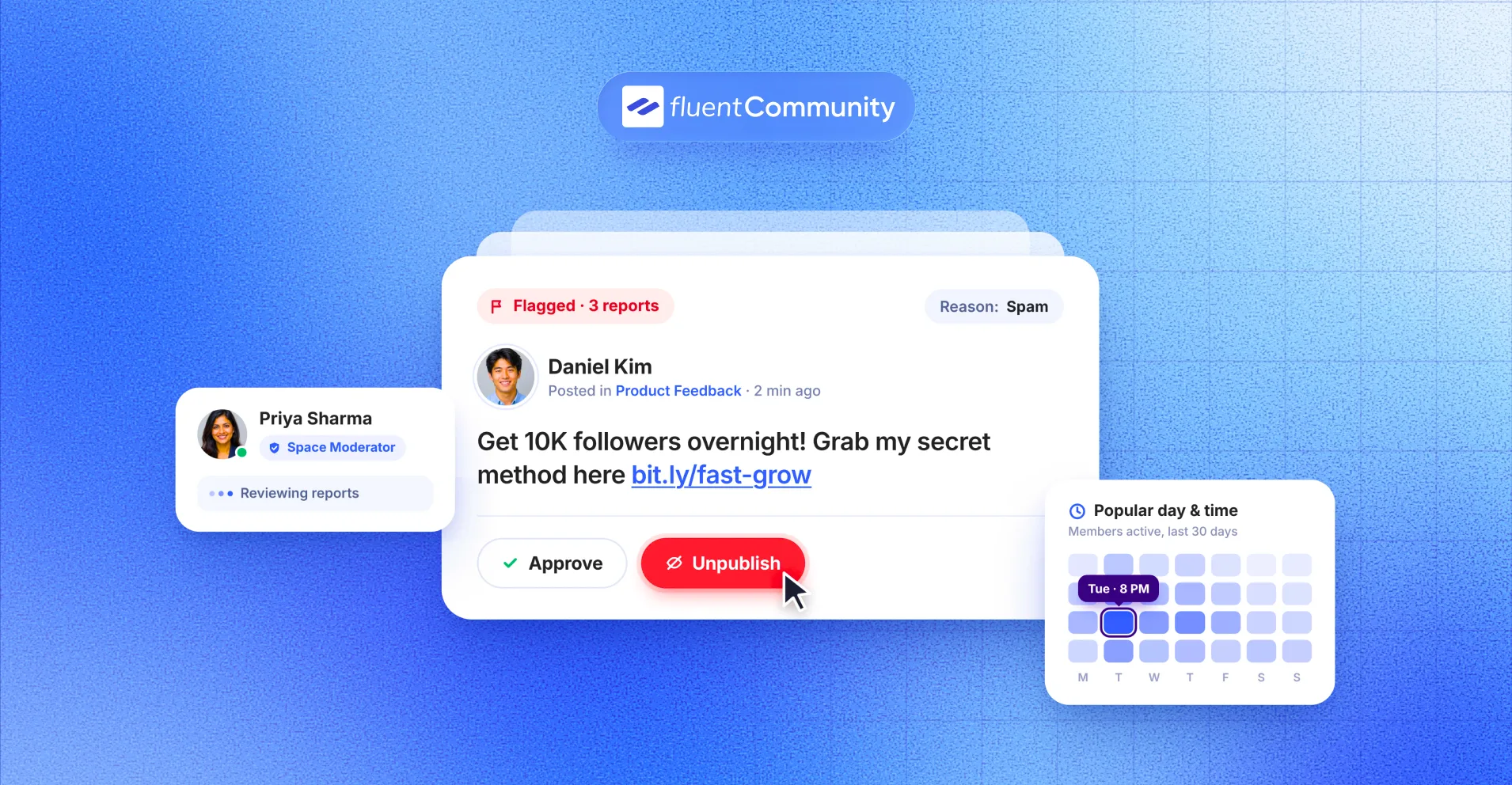
Honestly, this is the part that decides whether you enjoy running a community or dread opening it. FluentCommunity’s content moderation gives you a few layers of protection.
Moderation tools you can switch on in FluentCommunity:
- A Report option on every post and comment, with a reason and optional note
- A moderation queue with Pending, Flagged, Dismissed, and Unpublished tabs
- A profanity filter that sends posts with blocked words to review
- Auto-unpublish after a set number of reports
- Approval for a member’s first post only, or for all new posts
- Pending review limited to specific spaces
That first-post approval setting is a quiet hero. Most spam comes from brand-new accounts. Holding just the first post stops the junk without slowing down your regulars.
Share the load with community roles
No one should moderate a 2,000-member community alone. FluentCommunity’s manager settings include four roles:
- Space Admin: full control of a space, its members, and its content
- Space Moderator: watches a space and edits or deletes problem posts
- Course Admin: manages course settings, enrollments, and learners
- Course Creator: builds course content and controls access
Only the WordPress admin can assign these roles. That’s a good safety rail. Your most helpful member can clean up a space without ever touching your site settings.
Keep members coming back
A community can be beautifully organized and still feel like an empty mall. Engagement tools fix that.
Engagement features in FluentCommunity include:
- An activity feed with posts, comments, and reactions
- Real-time chat for direct conversations
- Email notifications for comments, replies, and tags, plus a digest of unread notifications
- Leaderboards, user badges, and a verification sign (Pro)
- Dark and light mode for members
Pro also includes a Progressive Web App. Members can install your community on their phone or desktop with your icon and name, and it opens without a browser bar. On iPhone, they add it through Safari’s Share menu. No app store approval needed.
Measure what’s working with built-in reports
You can’t improve what you can’t see. The Reports dashboard shows a growth graph for members, posts, comments, and spaces. It also shows total, active, new, and pending members, your top members and commenters, and which spaces are most active.
My favorite part is the “Popular Day and Time” heatmap. It shows when your members are most active. If it says Tuesday at 8 p.m., that’s when your weekly discussion prompt should go live. Simple, but it beats guessing.
Run courses inside the same community
If you teach, this is a big one. FluentCommunity includes a course builder with lesson discussions, progress tracking, and drip content, according to its WordPress.org listing. Pro adds quizzes and sequential lesson locks.
Why does that matter for community management? Because students ask questions inside the lesson, right where they got stuck. You’re not chasing the same conversation across a course platform, an email thread, and a Facebook group.
Connect your community to the rest of your WordPress stack
This is where living on WordPress pays off. FluentCommunity connects with tools many WordPress owners already use.
Integrations you can use with FluentCommunity:
- FluentCRM for tagging members, email automation, and tag-based access
- Fluent Forms, FluentCart, Paymattic, or WooCommerce with FluentCRM for selling access
- Fluent Support for helpdesk tickets
- FluentSMTP for reliable email delivery
- Webhooks and automation actions (Pro)
Here’s a real flow. Someone buys your course through a payment form. They’re added to the right space automatically, tagged in your CRM, and welcomed by email. No spreadsheets, no Zapier bill.
That CRM link isn’t a small detail either. CMX data shows communities connected to a CRM were rated “extremely or very successful” 57.6% of the time, versus 30.6% without one (via Bettermode).
Want to test all this on your own site? You can install the free FluentCommunity plugin from WordPress.org and set up a test space in a few minutes.
Community Management Software Pricing: What You Really Pay in a Year
Starting prices look small. Transaction fees are where the real cost hides, because they grow every time your community earns more.
We checked each vendor’s live pricing page on November 18, 2026. Monthly prices below are the annual-billing rates where vendors show them.
| Platform | Entry plan | Platform fee on member payments |
| Circle | Professional, $89/month | 2% (1% on Business at $199/month) |
| Mighty Networks | Launch, $950/year | 2% (1% on Scale at $179/month) |
| Skool | Hobby, $9/month | 10% (2.9% on Pro at $99/month) |
| Bettermode | Starter, $149/month billed yearly | Not listed on pricing page |
| BuddyBoss | Launch, $199 first year, $399 renewal | None listed (self-hosted on WordPress) |
| FluentCommunity | Single Site, $199/year list price | Free |
A worked example: a paid community making $90,000 a year
Let’s say you run a paid community with 300 members at $25 a month. That’s $7,500 a month, or $90,000 a year.
Here’s what the platform alone costs over 12 months:
- Circle Professional: $1,068 plan + $1,800 in fees = $2,868
- Mighty Networks Launch: $950 plan + $1,800 in fees = $2,750
- Skool Pro: $1,188 plan + $2,610 in fees = $3,798
- FluentCommunity Single Site: $199 license, with no platform fee
Now double the community to 600 members. The FluentCommunity license stays the same. Circle Professional’s 2% fee doubles to $3,600 a year.
To be fair, FluentCommunity isn’t zero cost beyond the license. You’ll pay for WordPress hosting, and to sell space access you’ll use a payment tool like Fluent Forms Pro, FluentCart, Paymattic, or WooCommerce. Card processing fees from Stripe or PayPal apply on every platform, so they’re left out of all the numbers above. Skool may bundle card processing into its fee, so check its page for your case.
Even after hosting, the gap usually widens as you grow. That’s the whole point of owning the platform: your costs stay flat while your revenue climbs. You can compare FluentCommunity’s plans, including lifetime licenses.
FluentCommunity vs Popular Community Management Platforms
Here’s how the options stack up on the things that affect you long term.
| FluentCommunity | Circle | Mighty Networks | Skool | BuddyBoss | |
| Where it runs | Your WordPress site | Circle’s cloud | Mighty’s cloud | Skool’s cloud | Your WordPress site |
| Who holds the data | You, in your database | Vendor | Vendor | Vendor | You, in your database |
| Platform fee on sales | None listed | 2% to 0.5% | 2% to 0.5% | 10% or 2.9% | None listed |
| Courses | Built in | Yes | Yes | Yes | Through LMS integrations |
| Free version | Yes, on WordPress.org | Trial only | Trial only | Trial only | Not on pricing page |
| Installable app | PWA (Pro) | Check vendor | Check vendor | Check vendor | Separate app subscription |
BuddyBoss is the closest WordPress comparison. It’s a full platform plus theme, with gamification on its higher plan and a separate mobile app subscription. FluentCommunity takes a lighter approach. It runs as its own portal without forcing a theme on the rest of your site. If you’re already on BuddyBoss, FluentCommunity has a BuddyBoss migration tool that moves groups, members, posts, comments, and reactions. Uploaded profile and space pictures don’t migrate, so plan to re-add those.
When a SaaS platform might suit you better
FluentCommunity isn’t the right fit for everyone, and that’s fine. A hosted platform may be the better call if:
- You don’t have a WordPress site and don’t want to manage one
- You’d rather not handle hosting, backups, and plugin updates yourself
- You need branded native apps in the App Store and Google Play
- You’re an enterprise buyer that needs a sales-led setup and a dedicated account team
If none of those apply, and you already run WordPress, the case for paying rent on someone else’s platform gets thin.
How to Set Up Community Management in FluentCommunity: Your First Week
Good community management starts before your first member joins. Here’s a simple first-week plan.
- Install FluentCommunity from WordPress.org and run the setup wizard. The onboarding guide walks you through the basics.
- Create three or four spaces, not fifteen. A welcome space, one or two topic spaces, and a members-only space is plenty. Set the privacy for each.
- Turn on content moderation before launch. Enable reporting, add a short profanity list, and switch on approval for first posts.
- Pick one moderator for each busy space. Choose people who already help others without being asked, then assign them as Space Moderators.
- Set up email notifications and the unread digest. People forget to log in. A digest reminds them there’s something waiting.
- Post three conversation starters yourself. An empty feed scares people off. Ask questions that are easy to answer, like “What are you working on this week?”
- Check your Reports dashboard at the end of the week. Look at active members and the popular day and time heatmap, then schedule next week’s posts around it.
That’s it. Seven steps, and your community has structure, safety, and a rhythm from day one.
Your Community, Your Rules
The best community management software isn’t the one with the flashiest demo. It’s the one that makes the weekly work easy, keeps your members safe, and doesn’t grow its cut as you grow your revenue.
If your business already runs on WordPress, FluentCommunity gives you spaces, moderation queues, community roles, reports, chat, and courses right inside the site you own. Your members stay on your domain. Your data stays in your database. And your costs stay predictable, whether you have 50 members or 5,000.
The easiest way to decide is to try it. Install the free version of FluentCommunity, build your first space, and run through the first-week plan above. When you’re ready for Pro moderation helpers, badges, and the installable app, pick the plan that fits your site.
Frequently Asked Questions
What is the best community management software for WordPress?
FluentCommunity is a strong pick for WordPress because it runs inside your own site and covers spaces, moderation, roles, reports, chat, and courses in one plugin. BuddyBoss is the main WordPress alternative. It’s a bigger platform-plus-theme package with renewal pricing that doubles after the first year.
Is FluentCommunity free?
Yes, there’s a free version on WordPress.org with spaces, activity feeds, chat, notifications, and course tools. Paid plans start at $199 a year at list price for one site and add Pro features like leaderboards, badges, the installable app, webhooks, and quizzes.
Does FluentCommunity take a cut of my membership sales?
FluentCommunity’s pricing page lists license fees only, with no revenue share. You’ll still pay standard card processing fees through your payment tool, such as Stripe or PayPal, just like on any platform.
Can I move my community from BuddyBoss or BuddyPress to FluentCommunity?
Yes. FluentCommunity has migration tools for both. The BuddyBoss migration moves groups (as spaces), members, posts, comments, and reactions. Uploaded profile and space pictures don’t carry over, so back up your site before migrating.
What’s the difference between community management software and social media management tools?
Community management software hosts a community on your own platform, where you control members and data. Social media management tools schedule posts and track mentions on networks like Facebook and Instagram. They solve different problems.
Do my members need to download an app?
No. Members can use FluentCommunity in any browser. With Pro, you can turn on the Progressive Web App so members can install your community on their phone or desktop with your icon, without going through an app store.

Ashik Elahi
Ashik Elahi is a seasoned Digital Marketing Strategist with a passion for Content Marketing. He believes in the power of storytelling and crafting valuable content that resonates with readers.


Add your first comment to this post