

Community Engagement Platform for Businesses Using WordPress

Table of Content
Subscribe To Get
WordPress Guides, Tips, and Tutorials


Launching a community takes an afternoon. Keeping people talking in month three is the real job.
If your business already runs on WordPress, you don’t need to rent that engagement from another app.
This guide explains what a community engagement platform does, why WordPress works, and how FluentCommunity helps turn members into regulars.
Key Takeaways
- A community engagement platform gives members one home to talk, learn, and come back
- Engagement is the hard part: 41% of community pros named it a top frustration in 2025
- WordPress keeps your members, content, checkout, and CRM data on a site you own
- FluentCommunity adds Spaces, courses, chat, gamification, and automation inside WordPress
- Start small with one promise, two Spaces, a founding group, and an automated welcome
What a Community Engagement Platform Actually Does
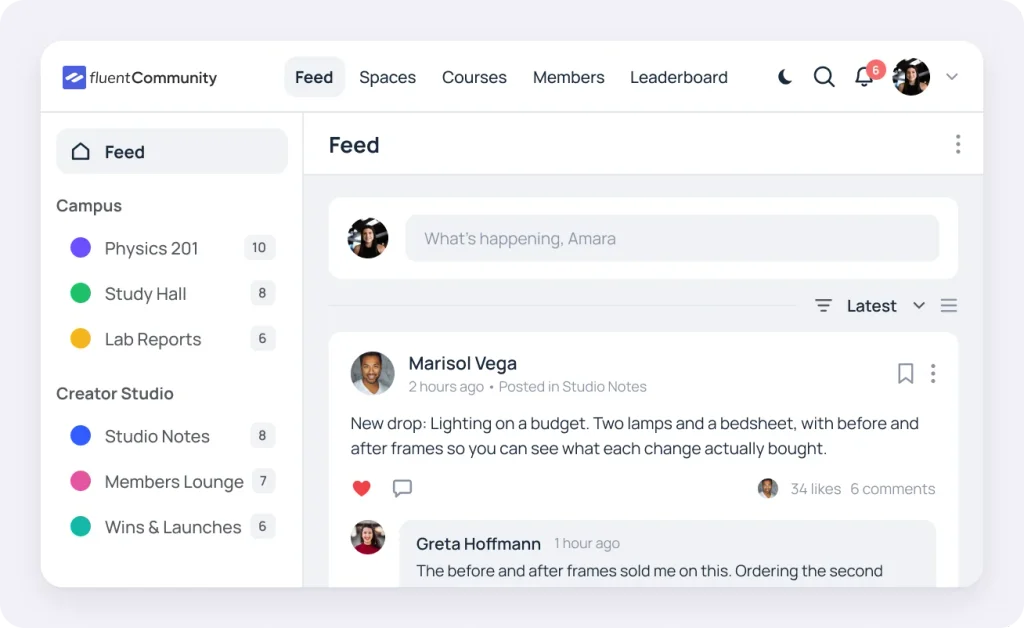
A community engagement platform is software that gives your members one shared home to talk, learn, and take part, plus the tools you need to keep them active over time. Most include discussion spaces, member profiles, notifications, and simple ways to recognize the people who show up.
In simple terms, it’s the line between an audience and a community. An audience listens to you. A community talks to each other, even when you’re offline.
That shift matters for a business. Members who build relationships inside your community have a reason to stay that has nothing to do with your next email or discount.
One quick heads-up. The same phrase also describes civic software that cities and public agencies use to collect resident feedback. That’s a different job with different tools. This guide covers the business kind, where the goal is customers, students, or members who keep coming back.
Engagement Platform vs. Social Media Group
Plenty of businesses start with a Facebook group or Discord server, and that’s fine for testing an idea. Here’s how a dedicated platform on your own WordPress site compares:
| Social Media Group | Community Engagement Platform on WordPress | |
| Who owns the member list | The social network | You, in your own database |
| Who decides what members see | The platform and its feed | You and your members |
| Selling access | Limited by platform rules | Paid Spaces and courses on plans you set |
| Courses and lessons | Not built for it | Lessons, quizzes, and progress tracking |
| Link to your email list and CRM | Manual exports at best | Direct, when your CRM runs on the same site |
| Branding | Their logo, their layout | Your domain, colors, and logo |
Social groups are great for discovery. They’re shaky ground for a business, though, because the rules, the reach, and the member list all belong to someone else.
Why Engagement Is Harder Than Launch
Setting up a community is quick. Getting people to come back in week six is where most efforts stall.
The 2025 CMX Community Industry Trends Report surveyed 589 community professionals. Consistently engaging members was their most common frustration, named by 41% of respondents. And these are people who run communities for a living.
Small businesses face two extra hurdles on top of that.
Attention Gets Scattered Across Apps
The same report found no clear winner among discussion tools. WhatsApp (21%) and Slack (20%) led a long, fragmented list.
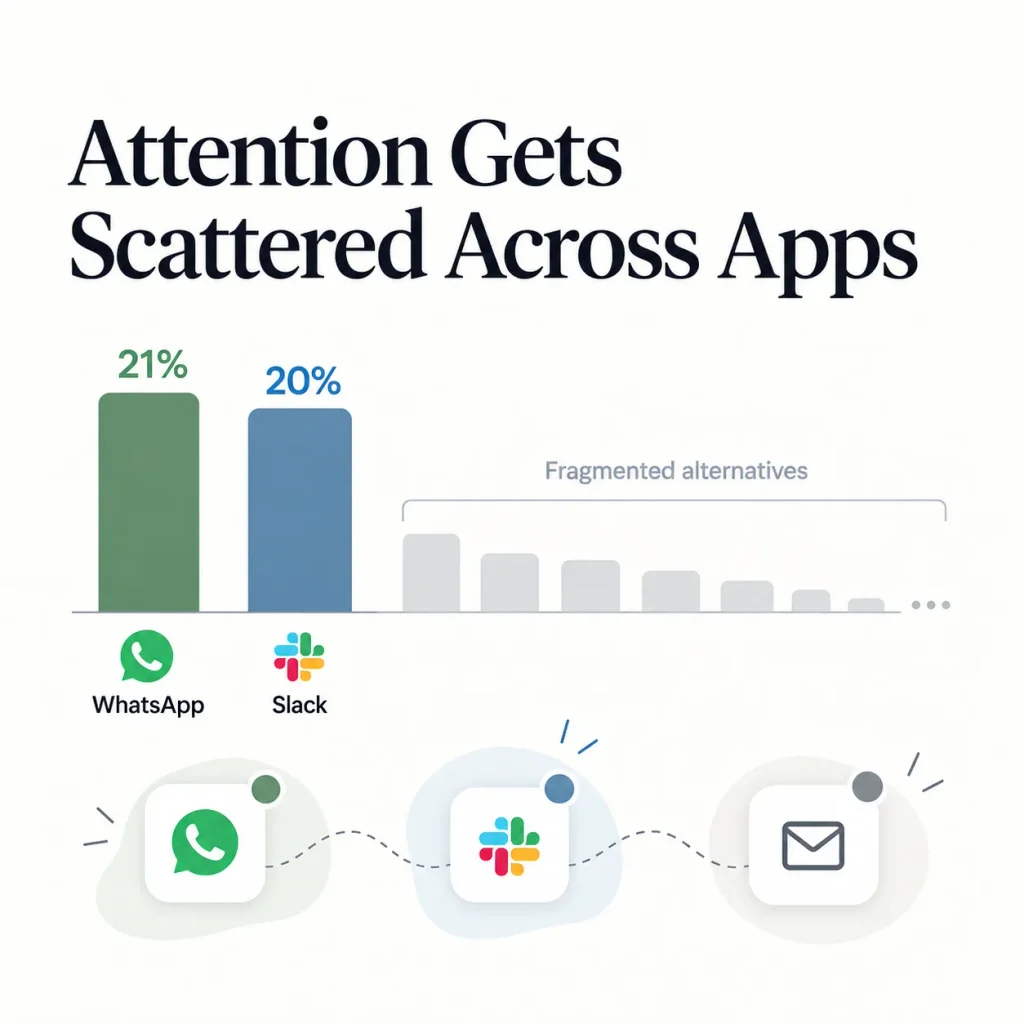
When your chat lives in one app, your courses in another, and your emails in a third, members have three places to check. Most will check none.
Learning Alone Is Easy to Quit
Course creators know this one well. A 2019 study in Science by MIT researchers looked at six years of Harvard and MIT courses on edX. Completion rates stayed low the whole time, falling to roughly 3% of all enrollees in 2017 to 2018.
Those were free, open courses, so paid programs usually do better. Still, the pattern feels familiar to anyone who sells courses. People start strong, then life gets busy.
So what keeps people around? Not more features. A loop. Members need a reason to show up, something easy to do when they arrive, a sense of progress, and a friendly nudge to return. First, let’s settle where that loop should live.
Why WordPress Works as a Community Engagement Platform
If your business already runs on WordPress, you have a head start that most hosted community tools can’t match.
Your Audience Already Lands on Your Site
WordPress powers 40.1% of all websites and 58.6% of sites with a known content management system, according to W3Techs data from October 2026. Your blog, sales pages, checkout, and courses are probably there already.
Putting your community on the same site removes a handoff. A reader finishes a blog post, clicks “Join the discussion,” and stays on your domain instead of signing up for someone else’s platform.
Store owners get the same benefit. W3Techs counts WooCommerce on 19.8% of WordPress sites, so plenty of customers already shop where a community could live.
You Own the Members, the Content, and the Data
On a hosted platform, your member list and every conversation sit on another company’s servers, under its terms. If prices rise or features change, you adapt or you migrate.
With a WordPress plugin, community data lives in your own database. You pick the host, the backup schedule, the privacy rules, and the moderation policy. Honestly, that control is the main reason many teams bring community work back home.
Community Data Can Sit Next to Your CRM
This one gets overlooked. In the CMX report, teams whose community data connected to their CRM were about twice as likely to rate their community “extremely successful.” The split was 24% versus 11% for teams whose CRM wasn’t connected. Yet only 34% of respondents had that connection in place.
On WordPress, your community and your CRM can run on the same install. When a member joins a Space or finishes a course, your email tool knows right away. No Zapier chains and no weekly CSV exports.
The Cost Math Shifts as You Grow
Many hosted platforms pair a monthly plan with a cut of every sale. That’s easy to accept at launch and painful once revenue grows.
Here’s a simple example. Picture a coaching community with 200 members paying $30 a month, which adds up to $72,000 a year:
| Yearly Cost (Before Payment Processing) | Circle Professional | WordPress + FluentCommunity + FluentCart |
| Platform plan | 1,068(89/month, billed yearly) | $199 (single-site annual license, list price) |
| Transaction fee on $72,000 | $1,440 (2%) | $0 (FluentCart charges no transaction fees) |
| Hosting | Included | About $300 to $720 (our estimate) |
| Estimated yearly total | About $2,508 | About $499 to $919 |
Payment processing from Stripe or PayPal applies either way, so it’s left out. Circle figures use its published Professional plan as of mid-2026, so check Circle’s pricing page for current rates. Hosting is our estimate for a VPS or cloud plan and varies by provider.
Other hosted tools structure their fees differently, so run the same math with their current pricing. FluentCommunity also offers a lifetime license, listed on the FluentCommunity pricing page. For a feature-by-feature look, see the Circle vs FluentCommunity comparison.
The Engagement Loop: How Members Become Regulars
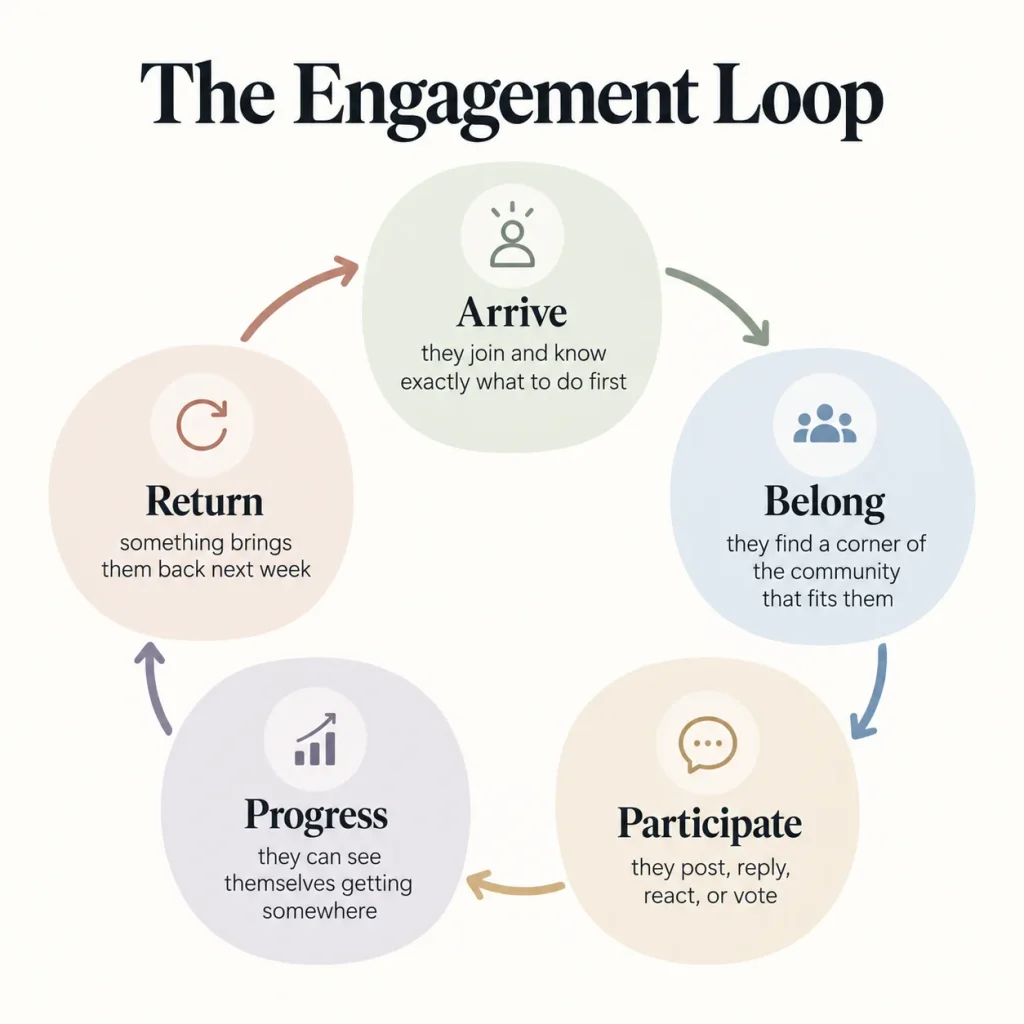
Most community tip lists throw 40 ideas at you. It’s easier to think in five stages that every active member moves through, again and again:
- Arrive: they join and know exactly what to do first
- Belong: they find a corner of the community that fits them
- Participate: they post, reply, react, or vote
- Progress: they can see themselves getting somewhere
- Return: something brings them back next week
When one stage breaks, the whole loop slows down. Here’s what each stage needs and how FluentCommunity handles it inside WordPress.
Arrive: Make Joining Feel Obvious
First impressions decide whether someone posts or disappears. New members need a clear door and one clear first step.
FluentCommunity gives you several doors. You can invite members by email, share an invitation link to a Space, or bulk add members and students from other sources. If you want to screen people first, user approval lets you review signups before they get in.
The Fluent Forms integration can enroll someone in a Space or course the moment they submit a form, and even log them in automatically. A coach could add a short intake form to a sales page, so new clients land straight in a “Start Here” Space.
Then use the welcome message and a pinned post to ask for one specific action. “Introduce yourself and share your biggest goal this month” works far better than “Welcome! Feel free to look around.”
Belong: Give People a Place That Fits
People rarely bond with “everyone.” They bond with a small group that shares a goal, a product, or a problem.
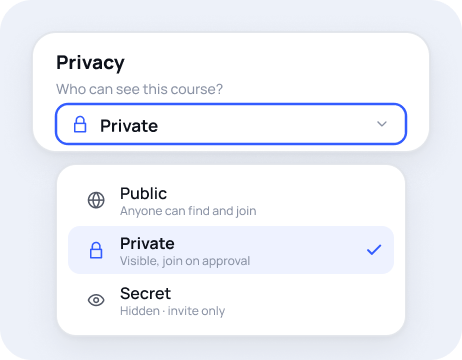
That’s what Spaces are for. FluentCommunity lets you create unlimited Spaces, organize them into groups in the sidebar, and set each one as public or private. A skincare brand might run one Space per product line. A course creator might open a new Space for each cohort.
Profiles do a lot of quiet work here. Custom profile fields let you collect details that matter in your niche, like industry, skill level, or city. With the member directory and the option to follow other members, people can find their people without you playing matchmaker.
You can see the full list on the FluentCommunity community features page.
Participate: Lower the Bar to Speak Up
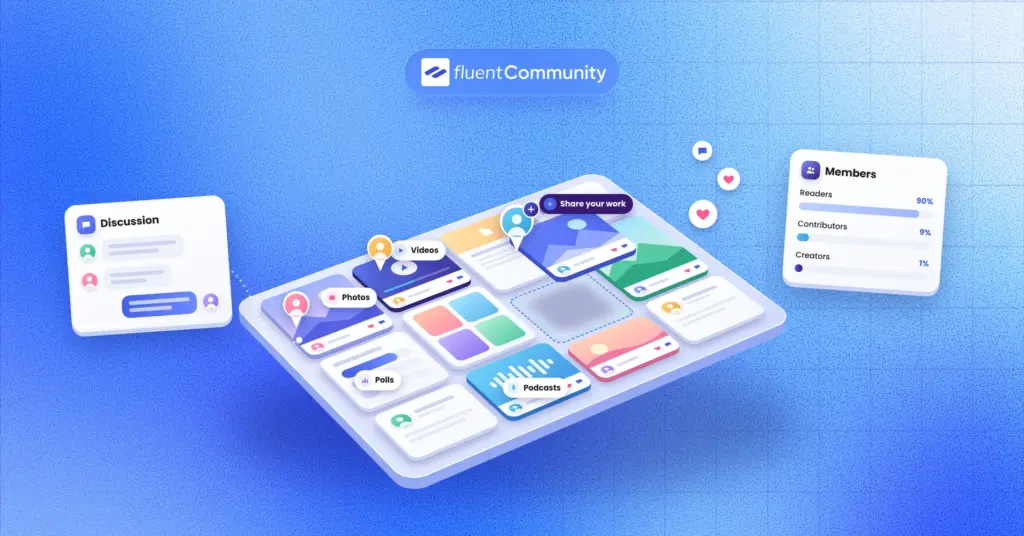
Most members read far more than they post. That’s normal. Your job is to make the first contribution feel small and safe.
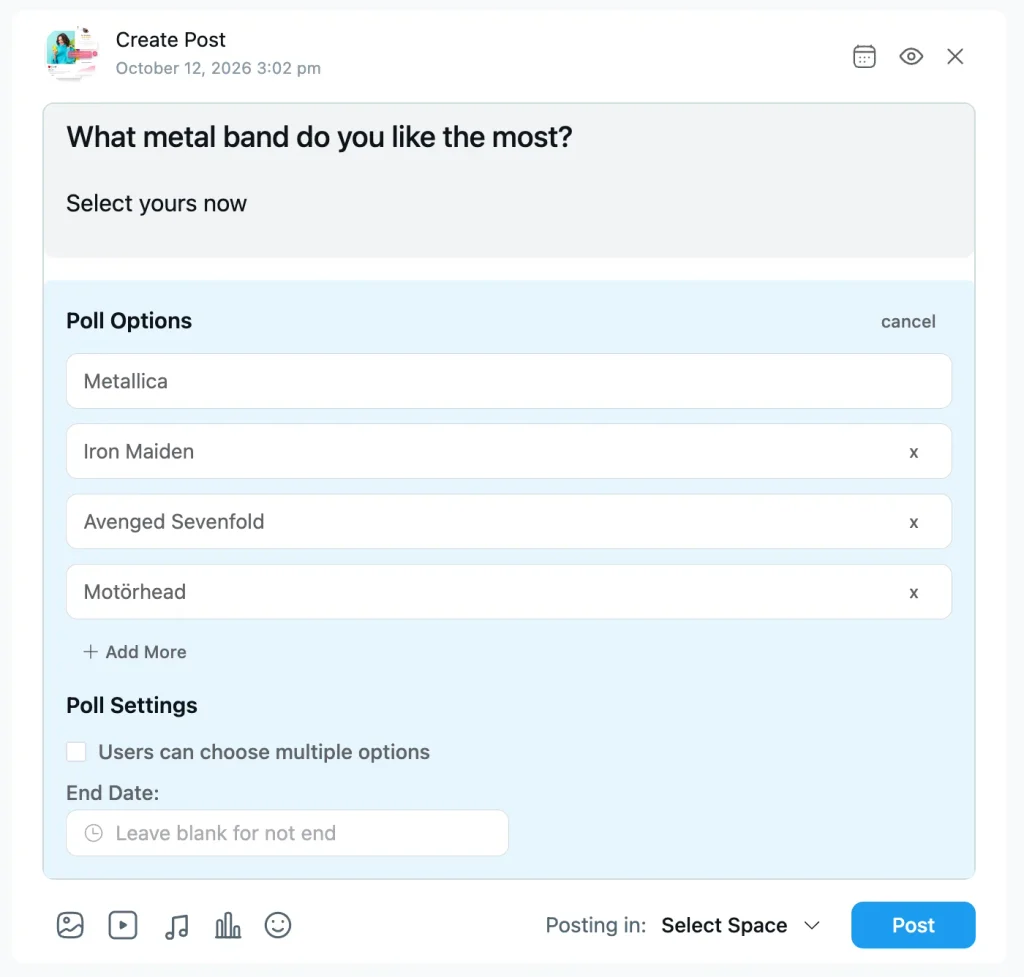
Polls and surveys are the easiest on-ramp, since tapping an option takes two seconds. Reactions, comments, mentions, and hashtags make replying feel natural. Real-time chat handles quick back-and-forth, and members can share images, video, audio, GIFs, and files.
Two features help you keep the room lively without living in it. Post scheduling lets you queue conversation starters for the whole week. Lesson discussions give every course lesson its own thread, so questions land right next to the content.
Safety drives participation too. FluentCommunity’s moderation tools include a profanity filter, auto-flag thresholds, first-comment approval, and a review queue. When people trust a space, they say more.
Progress: Make Growth Visible
People stay where they feel themselves improving. Progress gives them a story to tell, like “I finished module three” or “I just hit level four.”
For learning businesses, FluentCommunity includes a course builder that uses the WordPress block editor, plus progress tracking, drip content, sequential lesson locks, quizzes, and free lesson previews. The September 2026 update added new quiz types, including fill-in-the-blank, matching, and written answers.
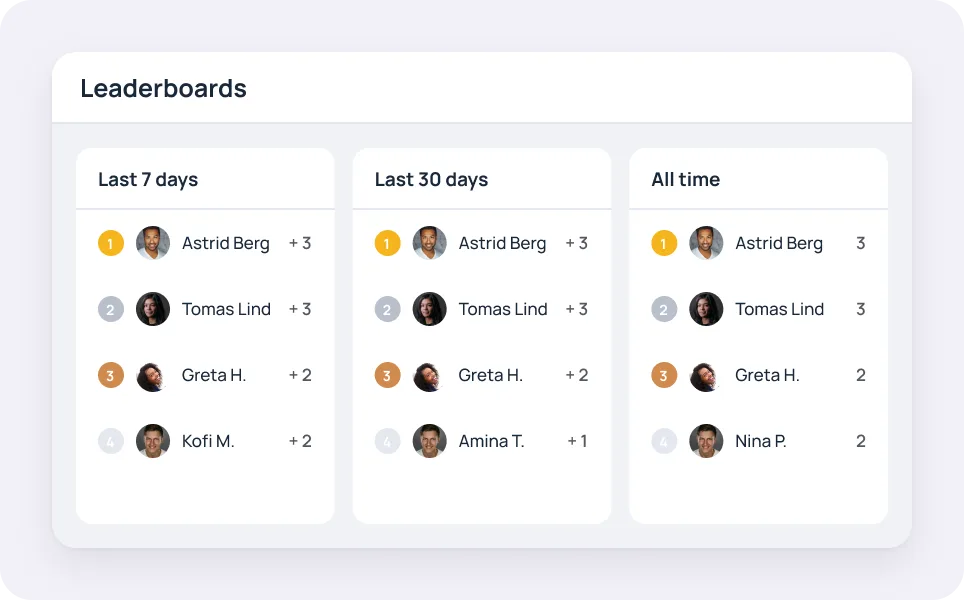
For community activity, the leaderboard and user badges reward people who show up and help. That matches what community pros already do. In the CMX report, 67% reward active members with public recognition and 39% use digital badges.
A practical tip: badge the behavior you want more of. A “First Helpful Answer” badge does more for engagement than a badge for logging in.
Return: Bring Them Back Without Nagging
Even happy members forget to check in. The goal is a friendly reminder that points to something worth seeing.
FluentCommunity covers the basics with in-app notifications and email digests that summarize recent activity. Recent versions also added a Progressive Web App (PWA) module, so members can install your community on their phone’s home screen, plus push notifications through FluentNotify.
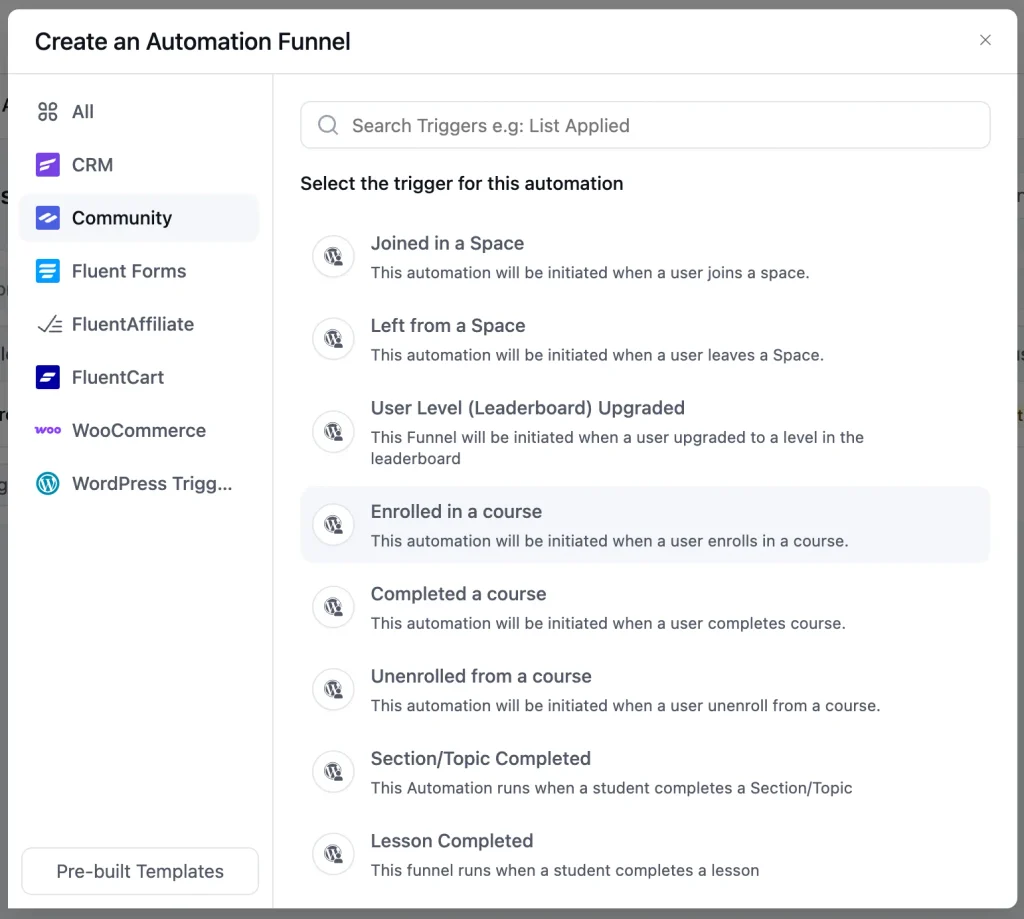
The bigger win is automation. With FluentCRM on the same site, community activity can trigger emails and actions. FluentCRM’s FluentCommunity triggers include:
- Joined in a Space
- Left from a Space
- Enrolled in a course
- Completed a course
- Completed a lesson
- Leaderboard level upgraded
So when someone leaves a Space, you can send a short “what could we do better?” email. When a student finishes a course, you can invite them to an alumni Space.
According to FluentCRM’s documentation, the free version of FluentCRM handles these community automations. This FluentCommunity and FluentCRM walkthrough shows a few real workflows.
How FluentCommunity Fits Into Your WordPress Stack
FluentCommunity is a WordPress community and LMS plugin by WPManageNinja. It works on its own, so you don’t need any other plugin to start. It also connects with tools many WordPress businesses already use.
Here’s how the pieces fit together:
| Job | Tool | How It Connects |
| Community and courses | FluentCommunity | Spaces, feeds, chat, courses, leaderboards, and moderation |
| Selling access | FluentCart | Paywalls and multiple pricing plans for Spaces and courses, with no transaction fees |
| Email and automation | FluentCRM | Community triggers and actions for Spaces, courses, and badges |
| Signups and applications | Fluent Forms | Enrolls people in a Space or course when they submit a form |
| Video lessons | FluentPlayer | Video uploads for posts and lessons |
| Other payment options | Paymattic | Another way to charge for private Spaces and courses |
FluentCommunity also works with popular themes like Astra, Kadence, GeneratePress, Blocksy, and Bricks. It includes one-click migration from BuddyBoss and BuddyPress, too.
On WordPress.org, the plugin shows 8,000+ active installations and a 4.8 out of 5 rating as of October 2026. You can see every connection on the FluentCommunity integrations page.
What does this look like in practice? WordPress.org reviewer Carly J Hahn, who has built WordPress sites for years, described running a private community with multiple membership levels, drip content, workshops, and courses.
Hahn uses FluentCart for subscriptions, FluentCRM for automation, Fluent Forms for data collection, and FluentBooking for scheduling. FluentCommunity is where the member experience happens. Before that setup, Hahn wrote, piecing separate plugins together turned into “plugin hell.”
One note: some features in this guide, including leaderboards, badges, quizzes, sequential lessons, and Space media galleries, belong to FluentCommunity Pro. The free vs Pro comparison breaks it down.
Community Engagement Ideas for Creators, Coaches, and Brands
The loop stays the same for everyone. What changes is the reason people show up. Here’s how different businesses can put it to work.
Online Course Creators
Your biggest risk is the silent student who buys, starts, and drifts away. Turn on lesson discussions so each lesson becomes a conversation, and open one Space per cohort so students move through the material together.
Pair drip content with a FluentCRM “Lesson Completed” automation that cheers students on and points to the next lesson. When someone finishes, the “Completed a course” trigger can invite them to your next program. The FluentCommunity LMS features page lists every course tool.
Coaches and Consultants
Coaching communities run on accountability. Create a private Space for each program, then schedule a weekly check-in post so the thread is waiting when clients log in on Monday.
Use polls to let clients vote on the next group call topic. People show up to calls they helped shape. If you also sell one-on-one sessions, FluentBooking can handle scheduling on the same WordPress site. The FluentCommunity for coaching page has more setups.
Creators and Membership Sites
Creators usually need two doors: a free one for fans and a paid one for superfans. Run a public Space as your open lounge, then sell access to private Spaces with FluentCart pricing plans.
With Pro, each Space gets a media gallery for images, video, and audio, which suits podcasters, artists, and video creators. Schedule behind-the-scenes posts ahead of time so your paid Space never goes quiet during a busy week. Find more ideas on the FluentCommunity for creators page.
Brands and Ecommerce Stores
A customer community answers questions, collects product ideas, and turns happy buyers into advocates. In the CMX report, product suggestions and feedback were the most common ways members contributed.
Create Spaces for how-to help, feature requests, and customer show-and-tell. Give staff the verification badge so customers know who’s official.
With FluentCRM, a paid FluentCart order can trigger an automation that adds the buyer to a customers-only Space. FluentCart triggers ship with free FluentCRM, while WooCommerce order triggers require FluentCRM Pro. Explore more on the FluentCommunity for brands page.
Agencies
Agencies can build branded communities for clients without stacking a monthly SaaS bill on every client account. FluentCommunity’s 5-site and 15-site licenses make that easier to price into retainers.
If a client is stuck on an older stack, the built-in BuddyBoss migration is a strong selling point. This BuddyBoss alternative guide explains the switch.
Nonprofits, Clubs, and Associations
Member organizations need structure more than hype. Custom profile fields can capture chapter, role, or volunteer skills, and the member directory helps people find each other.
Use private Spaces for board members or volunteer teams, polls for quick decisions, and user approval to keep membership verified. See ideas for nonprofit communities and clubs and associations.
A 30-Day Plan to Launch Your Community on WordPress
Big launches get attention. Small, deliberate launches get engagement. This four-week plan works for most small businesses.
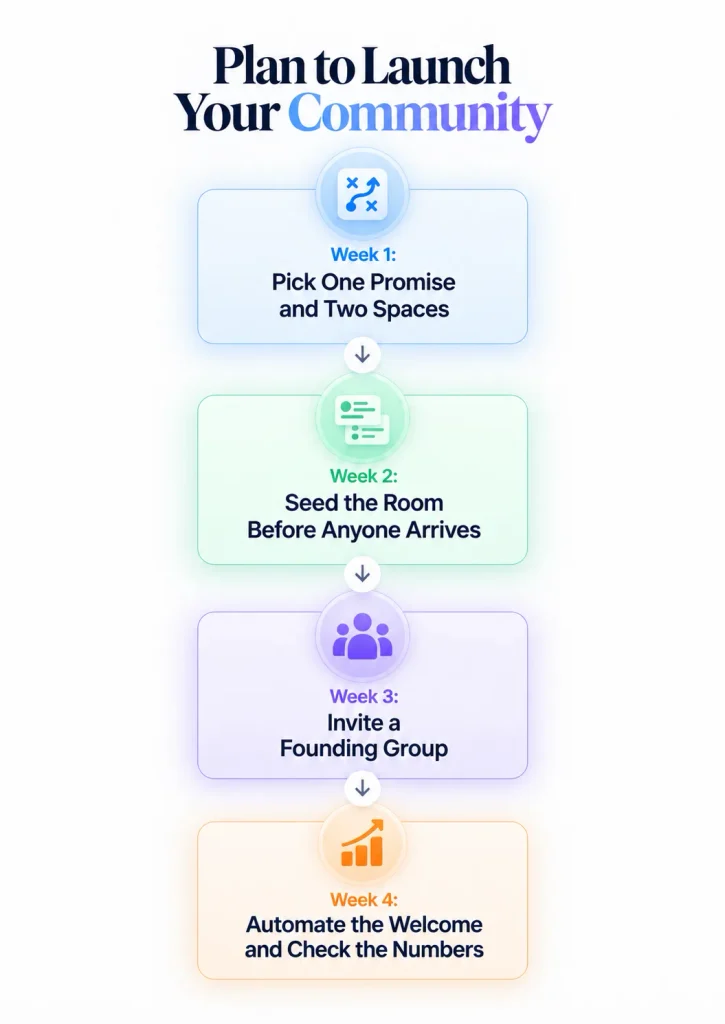
Week 1: Pick One Promise and Two Spaces
Write one sentence about what members get. “Get feedback on your sales page within 48 hours” is a promise. “A place for entrepreneurs to connect” is a shrug.
Install FluentCommunity from your WordPress dashboard and run the setup wizard. Create just two Spaces: a “Start Here” Space for introductions and one Space built around your promise. Add your logo and brand colors, then write the welcome message.
Week 2: Seed the Room Before Anyone Arrives
Nobody wants to be first at a party. Use post scheduling to queue 8 to 10 posts for the first two weeks, including a poll, an intro thread, a quick win, and a few open questions.
Then line up three to five helpers, such as early customers or colleagues, who agree to reply during week one. Give one of them moderator access so you’re not the only voice in the room.
Week 3: Invite a Founding Group
Skip the big announcement for now. Personally invite 20 to 50 people who already trust you, using email invites or a Space invitation link. Call them founding members and tell them exactly what you need from them.
Reply to every post within a day. Early on, your response time is your engagement strategy.
Week 4: Automate the Welcome and Check the Numbers
Now bring in FluentCRM. Set a “Joined in a Space” automation that sends a short welcome email with one clear first action. Add a “Left from a Space” automation that asks for honest feedback.
At the end of the month, open the FluentCommunity dashboard and review members, posts, and comments. Keep what worked, cut what didn’t, and only then plan a bigger public launch.
Community Engagement Metrics Worth Tracking
Vanity numbers feel nice and tell you very little. Total members only ever goes up. What you need to know is whether people are doing anything.
The CMX report found that the number of active members is the most common health metric, used by 84% of community teams. Start there, then add a few that show depth:
- Active members per week or month
- Share of members who post or comment, not just log in
- Average replies per post
- Time until a new post gets its first reply
- Lesson and course completion rates
- Members who leave a Space each month
FluentCommunity’s dashboard tracks members, posts, comments, and Space activity, and course progress tracking covers learning. FluentCRM adds email and automation reports. Check these monthly rather than daily, so you react to trends instead of noise.
Mistakes That Quietly Kill Engagement
Most engagement problems are self-inflicted. Watch out for these:
- Opening ten Spaces for fifty members
- Inviting people into an empty room
- Using the community only for announcements
- Splitting conversations across three different apps
- Writing community rules only after the first argument
- Rewarding only the loudest members
They all share one root cause. Members need a reason to talk to each other, not just to you. Fewer Spaces mean busier Spaces. Clear rules help quiet members feel safe. And recognizing helpful answers shows everyone what good looks like here.
Your Next Step
Here’s a small challenge for this week. Install FluentCommunity, create a “Start Here” Space, and write the one sentence that explains why someone should join. Then invite ten people you know by name.
That’s it. No big launch and no ad budget. Just a real room with a few real conversations on the WordPress site you already own.
Once those first members start replying, you’ll see which part of the engagement loop needs work. That’s when FluentCart paywalls, FluentCRM automations, leaderboards, and badges start to pay off.
You can download FluentCommunity free from WordPress.org today. When you’re ready for Pro features, compare plans on the FluentCommunity pricing page. Every plan includes all features, so the only choice is how many sites you need.
Frequently Asked Questions
What Is a Community Engagement Platform?
A community engagement platform is software that gives a business’s members, customers, or students a shared online space to talk, learn, and take part. It usually includes discussion spaces, member profiles, notifications, and recognition tools. Businesses use it to build loyalty and retention, while civic versions help governments collect public feedback.
Is WordPress Good for Building an Online Community?
Yes, as long as you’re comfortable managing a WordPress site or you use a managed host. WordPress powers about 40% of all websites, so many businesses already keep their content, store, and email tools there. A plugin like FluentCommunity keeps members and data on your own domain.
Can I Sell Memberships and Courses With FluentCommunity?
Yes. FluentCommunity has native monetization through FluentCart, so you can sell Spaces and courses with paywalls and multiple pricing plans. FluentCart charges no transaction fees on its free or Pro versions. Fluent Forms Pro payment forms and Paymattic are other ways to collect payments.
Do I Need FluentCRM to Use FluentCommunity?
No. FluentCommunity works on its own. FluentCRM is optional, but it adds email automation based on community activity, such as joining a Space, completing a lesson, or reaching a new leaderboard level. FluentCRM’s docs state that its free version handles these FluentCommunity automations.
Can FluentCommunity Replace Circle, Skool, or a Facebook Group?
For many WordPress businesses, yes. FluentCommunity covers discussion Spaces, chat, courses, gamification, and paid access inside your own site. The main trade-off is that you manage hosting and updates. If you want zero technical responsibility, a hosted platform may still be the simpler choice.
What Hosting Does a WordPress Community Need?
FluentCommunity recommends a VPS or cloud server rather than shared hosting. Its suggested setup includes PHP 8.1 or higher, MySQL 8.0+ or MariaDB 10.5+, Nginx, Redis object caching, at least 2 CPU cores, 4GB of RAM, and NVMe SSD storage.
Can I Migrate From BuddyBoss or BuddyPress?
Yes. FluentCommunity includes a migration tool for BuddyBoss and BuddyPress that moves content, activities, media, and user profiles. For large BuddyBoss communities, it also supports migration through WP-CLI commands.

Ashik Elahi
Ashik Elahi is a seasoned Digital Marketing Strategist with a passion for Content Marketing. He believes in the power of storytelling and crafting valuable content that resonates with readers.

Add your first comment to this post