

What Is a Content Community? How to Build One That Lasts

Table of Content
Subscribe To Get
WordPress Guides, Tips, and Tutorials


Open any recipe video and scroll to the comments. Half the value sits there: ingredient swaps, quick fixes, a reader’s photo of their own attempt. That pile of shared work is a content community in action. Most brands only see the video. The smart ones see the comments.
This guide explains what a content community is, why most of them stall, and how to build one you actually own.
Key Takeaways
- A content community is a group that creates, shares, and discusses content around one shared interest
- Expect most members to read, not post, since roughly 1% create most of the content
- Small, repeatable prompts work better than big asks on day one
- Hosting your community on a platform you own keeps members, content, and data under your control
What Is a Content Community?
A content community is a group of people who gather around a shared interest to create, share, and discuss content together. Members, not just one brand or creator, supply much of the content, and the conversation around that content is what keeps people coming back.
In simple terms, it’s the difference between a library and a book club. A library holds content. A book club holds content plus people who bring their own notes, opinions, and recommendations every week. The second one is a lot harder to leave.
Three things have to be present: a shared interest, content that members can add to or react to, and a place where the conversation lives. Remove any one of those and you’re left with an audience, a group chat, or a shared folder.
Three Meanings You’ll Run Into
Search for this term and you’ll find three different answers. They’re all correct, just in different contexts:
- The social media category: In their widely cited 2010 Business Horizons paper, Andreas Kaplan and Michael Haenlein grouped social media into six types, and content communities were one of them
- The content-led community: Duct Tape Marketing described people joining a community to access a whole content library instead of grabbing one free download
- A community of content professionals: Groups like the GOV.UK content community bring content designers together to share standards
This guide blends the first two. We’ll focus on a space you run, where members create, share, and talk about content around your topic. That’s the version most brands, course creators, agencies, and nonprofits actually want to build.
Content Community vs Other Types of Online Communities
People often lump every online group together. That makes planning harder, because each type needs different tools and a different kind of effort from you. Here’s how a content community compares with the other formats you’ll hear about:
| Community type | Main activity | Who creates most content | What brings people back |
| Content community | Creating, sharing, and reacting to content | Members, with the host seeding early posts | New work from peers |
| Discussion forum | Asking and answering questions | Members | Fast, useful answers |
| Audience (followers) | Consuming what one creator publishes | The creator | The creator’s next post |
| Membership site | Accessing gated resources | The site owner | Exclusive material |
| Support community | Solving product problems | Members and staff | Fixes and workarounds |
The column that matters most is the third one. If you create everything, you’re running an audience. That’s fine, but it only grows as fast as you can publish. A content community grows because members keep adding to the pile.
Content Community Examples Worth Learning From
Real examples make this concept easier to picture. Some of these run at a massive scale, while others are small and focused, and each one teaches a different lesson.
Wikipedia: The Content Is the Whole Product
Wikipedia might be the purest content community ever built, since every article comes from members. Yet participation there is extremely lopsided. Back in 2006, Nielsen Norman Group reported that Wikipedia’s most active 1,000 people, about 0.003% of users, made roughly two-thirds of all edits.
The lesson is encouraging, honestly. A small group of committed contributors can carry an enormous library, as long as everyone else finds value in reading it. You don’t need every member to post. You need the right few, plus a reason for the rest to visit.
YouTube and Reddit: Comments Become Content
On both platforms, the replies often matter as much as the original post. A tutorial gets corrected, extended, and remixed in the comments. The creator sets the topic, and the community finishes the job.
Kaplan and Haenlein used YouTube as a textbook example of this category.
G2: Experts Feed a Brand’s Library
Software review site G2 built what it calls a content community around its Learning Hub, bringing in industry experts to write long-form guest articles. It’s a brand-run model.
The company sets the standards and topics, while outside voices add depth an in-house team can’t cover alone.
GOV.UK: Practitioners Sharing Standards
The UK government’s content community connects content designers across departments. Members define best practice together, share guidance, and support each other’s growth. It proves content communities aren’t only for consumer brands.
Professional groups run on the very same engine of shared work and feedback.
Smaller Setups You Could Launch This Month
You don’t need YouTube’s scale to make this work. Here are realistic content community setups for smaller organizations:
- A course creator running a weekly “show your work” thread for peer feedback
- An ecommerce store hosting a customer gallery of styled or used products
- A nonprofit collecting volunteer stories and event photos in one space
- An agency sharing templates, swipe files, and teardown posts with clients
- A local club archiving event recaps, photos, and member tips
Why Content Communities Are Worth Building
So why bother, when you could just keep publishing your own blog posts and videos? Well, member-created content does a few things your own content simply can’t do.
Members Trust Peers More Than Brands
People believe other people. In a Stackla consumer survey (2017 data, now part of Nosto), consumers were three times more likely to call consumer-created content authentic compared with brand-created content.
A member’s honest “here’s how it went for me” post often persuades better than your polished copy.
Every Answer Becomes a Reusable Asset
When a member explains how they fixed a problem, that post keeps helping people for months. Compare that with a social media post that disappears from feeds within a day.
A searchable community turns one-time conversations into a growing library that new members can browse on their own.
You Get a Free Research Team
Members tell you, through their posts and questions, exactly what they’re stuck on. That’s your next course module, blog post, or product fix.
Instead of guessing what to create next, you’re reading a live list of real problems, written in your audience’s own words.
An Honest alert: Value Is Hard to Prove
Community leaders believe in this, but proving it is tricky. In the CMX 2022 Community Industry Report, 87% agreed community is critical to their company’s mission, yet only 10% could financially quantify its value.
So set clear goals early and track a few simple numbers, which we’ll cover below.
The 90-9-1 Rule: Why Most Content Communities Go Quiet
Here’s the part most guides skip. You launch, invite people, post a warm welcome, and then hear crickets. It feels personal. It isn’t. It’s a pattern researchers have documented for decades, and once you understand it, you can plan around it.
Jakob Nielsen called it participation inequality. In most online communities, about 90% of users lurk and never contribute, 9% contribute a little, and 1% account for almost all the action. His advice was blunt: you can’t remove this pattern. You can only shape the curve, for example nudging it toward 80-16-4.
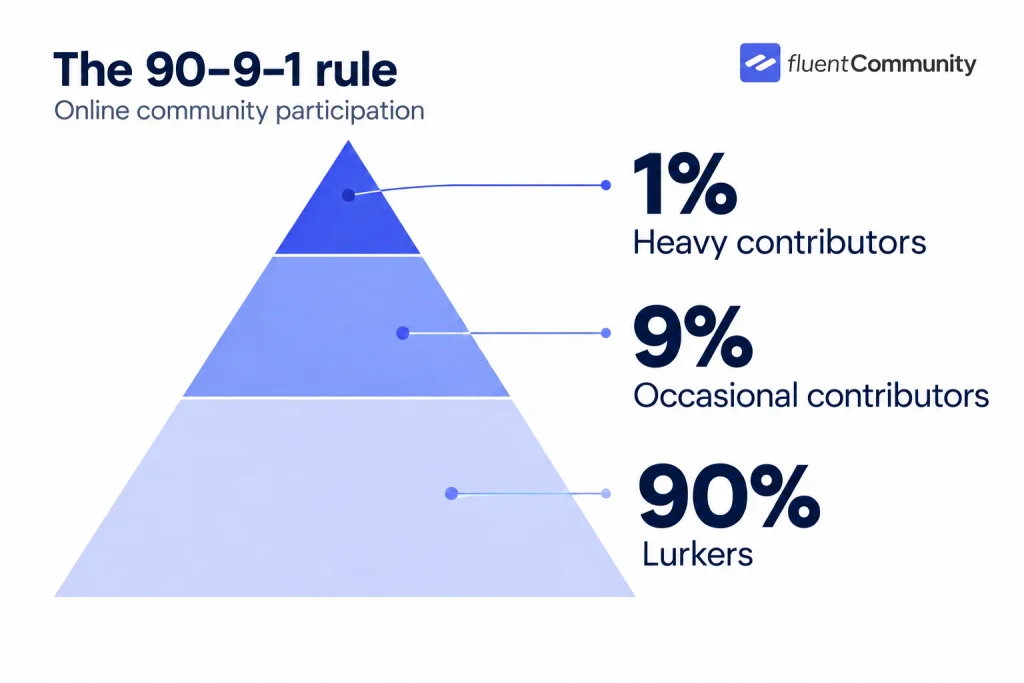
One mindset shift helps a lot. Lurkers aren’t failures. They’re readers, and in a content community, readers are the audience your contributors are writing for. Nielsen suggested several ways to widen participation, and here’s how they translate into community design.
Make Contributing Feel Tiny
The lower the barrier, the more people act. A reaction is a contribution. A poll vote is a contribution.
A one-line answer counts too. Start by asking for these small actions, and treat them as wins, because they’re often the first step before someone writes a full post.
Give People a Template, Not a Blank Page
Nielsen’s advice was to let people edit instead of create from scratch. In practice, pin a post with a fill-in format like “My project / Where I’m stuck / One thing that worked.”
Members just copy it and fill in the blanks. Suddenly posting feels like answering a form, not writing an essay.
Reward Contributors, But Don’t Crown a Few
Badges, leaderboards, and shoutouts motivate people who have busy lives outside your community. Nielsen also warned against over-rewarding your most active members, because they’ll dominate even more.
Spread recognition around, and celebrate first-time posters as loudly as your regulars.
Put the Best Work Where People Can See It
If every post gets equal weight, thoughtful members get buried under the noisy ones. Pin standout posts, feature them in your email digest, and mention great contributions by name.
Quality work that gets seen sets the bar for everyone else.
How to Build a Content Community in 7 Steps
Order matters here, so treat these steps as a sequence. Skipping ahead, like inviting everyone before you’ve seeded any content, is the most common reason a new community feels empty.
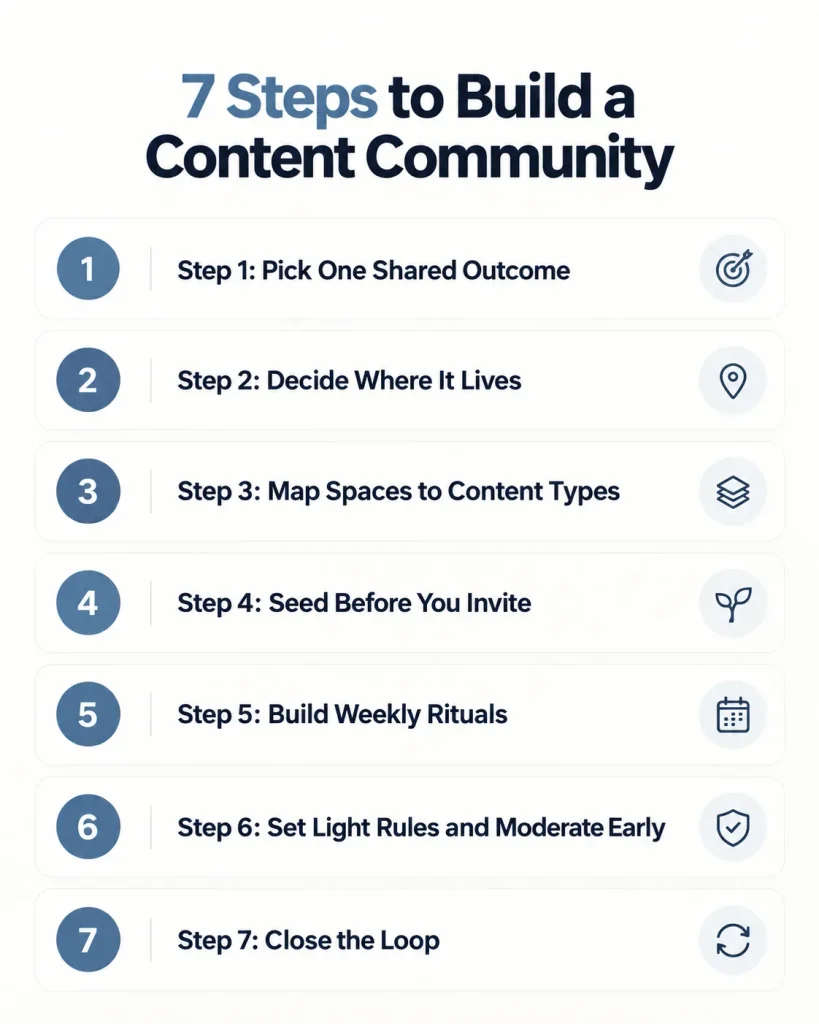
Step 1: Pick One Shared Outcome
“Photography” is a topic. “Take better portraits with the camera you already own” is an outcome. Outcomes tell members what kind of content belongs and what doesn’t.
Pick one core format too, such as photos, written breakdowns, short videos, or templates, so the first posts look alike.
Step 2: Decide Where It Lives
You have two choices: rented or owned. Rented spaces like social media groups are free and familiar, but an algorithm decides who sees posts, rules can change overnight, and you’re limited in what member data you can take with you. If the platform shifts, your community shifts with it.
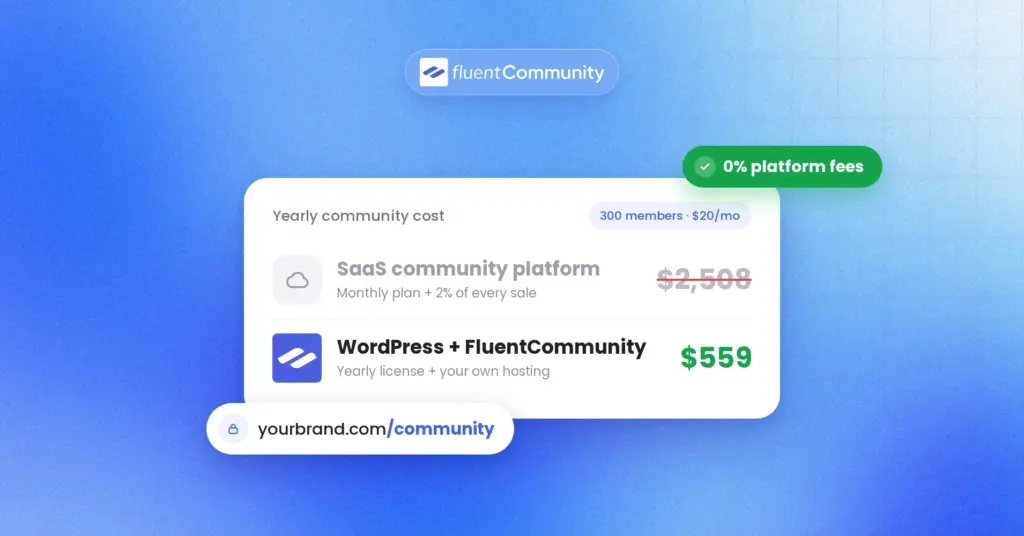
An owned platform, like a community on your own WordPress site, puts you in charge of the domain, design, rules, and member data. The tradeoff is real: you handle hosting and setup. For most businesses building for the long term, though, owning the home base is worth that small extra effort.
Step 3: Map Spaces to Content Types
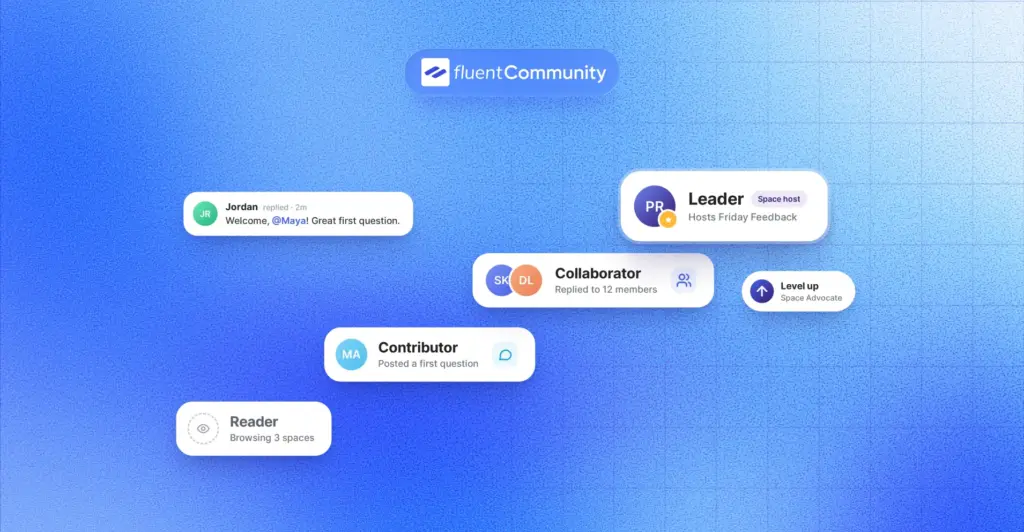
Start with 3 or 4 spaces, not 15. Each space should hold one kind of content: a weekly showcase, a resource library, a questions area, and maybe a members’ gallery.
Too many empty rooms make a new community feel abandoned, even when people are actually inside.
Step 4: Seed Before You Invite
Nobody wants to post first in an empty room. Before launch, publish your own example posts in every space, aiming for something like 15 to 20 total.
Then privately invite 5 to 10 founding members who already engage with your content, and ask each one to post once before the public launch.
Step 5: Build Weekly Rituals
Rituals turn random posting into a habit. Think “Show Your Work Friday,” a Monday goal-setting thread, or a monthly challenge where members vote on the theme.
Schedule these posts ahead of time, so the community keeps its rhythm even during weeks when you’re busy elsewhere.
Step 6: Set Light Rules and Moderate Early
Keep rules short, around three to five lines, written in plain language. Then moderate visibly in the first few weeks. How you handle the first spam post or rude comment shows everyone what this place is about.
Early consistency saves you hours of cleanup later.
Step 7: Close the Loop
With permission and clear credit, feature member content outside the community. Share a standout post in your newsletter, add a member’s tip to a course lesson, or turn a great thread into a blog post.
When members see their work spotlighted, others want in. That’s the loop that keeps a content community growing.
Building a Content Community on WordPress With FluentCommunity
Now let’s look at how the pieces fit on an owned platform. Think of it like a building. Spaces are the rooms, the activity feed is the hallway where everyone passes by, profiles are name tags, and moderation settings are the house rules posted by the door.
FluentCommunity is a WordPress plugin that combines community features with a built-in learning management system. It runs on your own WordPress site, so your community lives on your domain alongside your existing content. Here’s how its features map to the needs of a content community:
| What your content community needs | FluentCommunity feature | Plan |
| Separate rooms for each content type | Unlimited spaces with public, private, or secret privacy | Free |
| One place where new work shows up | Activity feed with list and card layouts | Free |
| Easy, low-effort contributions | Comments, reactions, polls, and surveys | Free |
| Rich media posts | Image uploads, video via FluentPlayer, and audio uploads | Free |
| Organizing posts | Hashtags (free) and topics (Pro) | Mixed |
| Saving favorite posts | Bookmarks | Free |
| Planning weekly rituals | Post scheduling | Free |
| Browsing past member work | Media gallery inside each space | Pro |
| Sharing files and templates | Document library | Pro |
| Rewarding contributors | Leaderboard and user badges | Pro |
| Keeping the space healthy | Content moderation with profanity filter, auto-flag thresholds, first-comment approval, and a review queue | Check plan |
| Bringing readers back | Email digest and notifications, plus push notifications through FluentNotify | Free (push needs FluentNotify) |
| Turning it into a business | Courses with lesson discussions, plus FluentCart monetization for spaces and courses | Free (FluentCart required for payments) |
A Sample Setup for a Home Baking Teacher
Let’s make this concrete with a sample. Picture a baking teacher with a newsletter of 2,000 readers and one paid sourdough course. Here’s a simple space plan for that kind of content community:
- Start Here: a short welcome post with the rules and an intro template
- Bake of the Week: members post photos plus one thing that went wrong
- Recipe Swaps: written recipes, tagged with hashtags like #bread or #cookies
- Members’ Gallery: the media gallery, so great bakes stay easy to find
- Resource Library: printable conversion charts in the document library
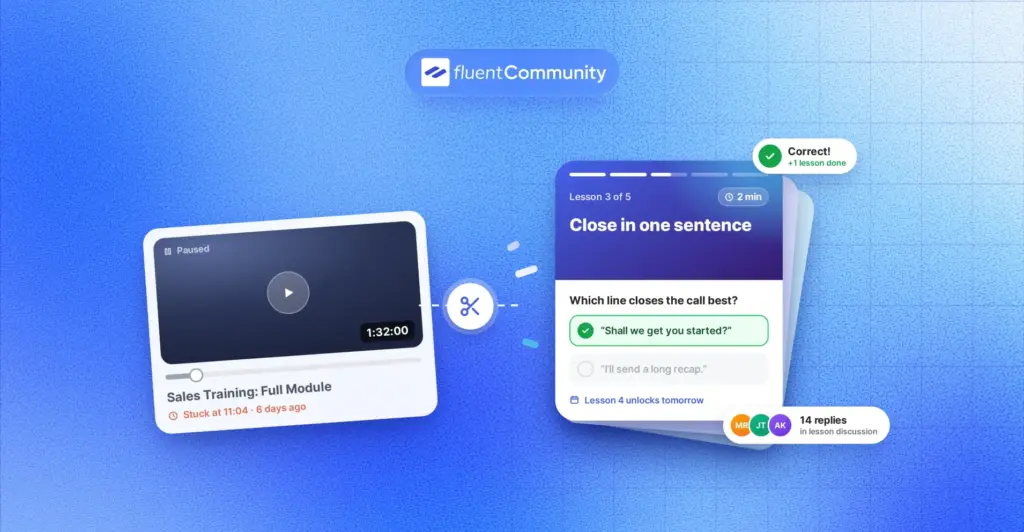
- Sourdough Course: the paid course, with discussions under each lesson
The rituals do the heavy lifting here. A pinned “Fail Friday” thread invites members to share flops, which feels far less scary than showing off. A monthly poll lets members pick the next challenge theme. The weekly email digest pulls lurkers back with a few of the best bakes.
Connecting It to the Rest of Your Stack
FluentCommunity works on its own, but it also integrates with other WPManageNinja plugins. FluentCRM can tag members and send follow-up emails based on community activity. Fluent Forms can collect applications for private spaces. FluentCart handles payments when you’re ready to sell access to a premium space or course.
New to the plugin? The FluentCommunity 101 guide walks through installation and your first discussion space, and the official docs cover each setting in detail.
How to Tell If Your Content Community Is Working
You don’t need a data team for this. In the CMX 2024 Community Industry Trends Report, 16% of respondents had no full-time team members dedicated to their community at all. So keep tracking simple. These content community metrics tell you the most:
- Contributor ratio: members who posted or commented this month, divided by active members
- Time to first post: how many days a new member takes to contribute once
- Reply rate: the share of new posts that get a reply within 24 hours
- Returning members: how many people come back week after week
- Saves: bookmarks on member posts, a strong signal of useful content
- Reuse: member posts you featured in emails, courses, or blog posts
FluentCommunity’s dashboard includes reporting and analytics on member engagement and growth, which covers part of this list. A few items, like reuse and time to first post, are easier to track in a simple monthly spreadsheet. Check these numbers once a month, not every day.
Mistakes That Quietly Kill a Content Community
Most communities don’t fail with a bang. They fade slowly because of small habits nobody notices at first. Watch for these content community mistakes:
- Launching with too many empty spaces
- Asking for big, polished contributions on day one
- Posting mostly your own promotions
- Letting new members’ first posts go unanswered
- Rewarding volume instead of quality
- Building on a platform you can’t take with you
- Never featuring member work outside the community
The fourth one deserves extra attention. A new member’s first post is a test. If nobody replies, the lesson they learn is “nobody’s listening here,” and they rarely try again. Reply to every first post yourself, at least until your founding members start doing it for you.
Start Small, Then Hand the Mic to Your Members
A content community doesn’t start with a big launch. It starts with one clear outcome, a few well-named spaces, and a weekly prompt that makes posting feel easy. Expect most people to read before they write. That’s normal, and those readers are exactly who your contributors are writing for.
Your next step is simple. Sketch three spaces on paper, write your first ten seed posts, and choose one weekly ritual. Then set it all up somewhere you own.
If WordPress already runs your site, FluentCommunity lets you build spaces, feeds, galleries, and courses on your own domain. Install the free version from WordPress.org, follow the FluentCommunity 101 guide, and invite your first founding members this week.
Frequently Asked Questions
What Is the Difference Between a Content Community and a Social Network?
A social network centers on people and connections, like following friends or colleagues. A content community centers on the work itself. Members join because of the posts, photos, tutorials, or templates being shared, and relationships grow around that content rather than the other way around.
Is YouTube a Content Community?
Yes. In Kaplan and Haenlein’s 2010 classification of social media, YouTube is a classic content community, because its main purpose is sharing media created by users. The comments, replies, and response videos add the community layer on top of the uploads.
How Many Members Do I Need to Start a Content Community?
Fewer than you’d think. Because most members will read rather than post, what matters early is a small core of contributors. Five to ten founding members who post regularly can make a community feel active for the next hundred people who join.
How Do I Get Lurkers to Post?
Lower the effort. Ask for reactions, poll votes, and one-line replies before full posts. Give people a fill-in template, reply quickly to first posts, and publicly thank first-time contributors. Some members will always prefer reading, and that’s completely fine.
Can a Content Community Help My Website’s SEO?
It can, if public posts are indexable. Member discussions create fresh, specific pages around real questions. FluentCommunity includes server-rendered portal pages for search engines, and the Pro version adds SEO and XML sitemap features. Keep private spaces private, though, since member trust matters more than traffic.
Should I Build My Content Community on Social Media or My Own Site?
Social media is easier to start, but the platform controls reach, rules, and member data. Your own site takes more setup, yet you keep the domain, design, and relationships. Many businesses use social media to attract people and their own site to keep them.

Ashik Elahi
Ashik Elahi is a seasoned Digital Marketing Strategist with a passion for Content Marketing. He believes in the power of storytelling and crafting valuable content that resonates with readers.
![SEO Title: 5 Best Community Portal Software [WordPress + SaaS Options]](https://fluentcommunity.co/wp-content/uploads/2026/10/community-portal-software-featured-1-1024x536.webp)

Add your first comment to this post