

How to Make a Social Media Site on WordPress

Table of Content
Subscribe To Get
WordPress Guides, Tips, and Tutorials


You don’t have to be Elon Musk to own a social media platform. And you definitely don’t need $44 billion, which is what he paid for Twitter back in 2022.
If you run a business, a course, or a club, you can build your own social network on WordPress in an afternoon.
Here’s how to do it, what it really costs, and how it can actually make you money.
Key Takeaways
- You can make a social media site on WordPress with three things: hosting, WordPress, and a community plugin like FluentCommunity.
- Custom-coded social apps can cost tens of thousands of dollars and take many months. A plugin gets you live the same day.
- Owning your platform means your posts reach your members, not an algorithm’s shortlist.
- Niche wins. A few hundred active members in one focused space can do more for your business than 10,000 quiet followers.
- The real payoff is business: paid spaces, courses, customer support, and loyal repeat buyers.
What Is a Social Media Site?
A social media site is a website where members create profiles, share posts, and interact with each other through comments, reactions, and messages. Facebook, LinkedIn, and Reddit are giant examples. Yours can be much smaller and built around one group of people who share a goal or interest.
In simple terms, it’s a digital clubhouse. There’s a front door (signup), a lobby (the activity feed), rooms for different topics (groups), and name tags (profiles). The difference is that you hold the keys.
Most small social sites fall into one of these types:
- Interest networks for hobbies like photography, gardening, or running
- Professional networks for an industry, a trade, or a local business group
- Brand communities where customers help each other and share feedback
- Learning communities built around a course or coaching program
- Membership networks for clubs, alumni groups, churches, and nonprofits
One quick clarification: a “social media site” is not the same as your “social media presence.” A presence is your Instagram or Facebook page. A social media site is a platform you own, where your people come to you.
Why Make Your Own Social Media Site Instead of Renting One
Here’s the story behind that intro. In October 2022, Elon Musk completed his $44 billion purchase of Twitter. Soon after, the platform got a new name, new rules, and a new owner calling the shots. Millions of creators and brands woke up to a place that felt different overnight.
That’s the lesson. When you build on someone else’s platform, you’re a tenant. The landlord can change the rent, the rules, or even the name on the door, and you don’t get a vote.
People aren’t leaving social media, though. According to DataReportal, there were 5.79 billion social media user identities worldwide in April 2026. The crowd is still there. What’s changing is where the real conversations happen.
Your Reach Is No Longer Rented
Organic reach on big platforms keeps shrinking. Socialinsider’s 2026 research puts the average Facebook reach rate at just 1.80% of a Page’s followers.
Let’s do the math. If your business page has 10,000 followers, a typical post reaches about 180 of them. The other 9,820 never see it unless you pay. On your own social media site, a post in a Space shows up in your members’ feed, and notifications and email digests can nudge the rest.
Your Members and Data Stay With You
On a rented platform, you can’t export your followers’ emails or move your group somewhere else. On your own WordPress site, member profiles, posts, and files live in your database.
If you ever change hosts or tools, your community comes with you.
Your Conversations Can Work for You in Search
Community discussions carry a lot of weight online. A Semrush study of over 100 million AI citations found that Reddit and LinkedIn were among the top five most-cited domains across ChatGPT, Google AI Mode, and Perplexity.
Real conversations are what search engines and AI tools love. When those discussions happen in a closed Facebook group, they help Facebook. When they happen on your own domain, they can help your site instead.
FluentCommunity Pro includes an SEO module with XML sitemaps, and version 2.10 added server-rendered portal pages built for search engines. You still choose which Spaces stay private.
3 Ways to Make a Social Media Site and What Each One Really Costs
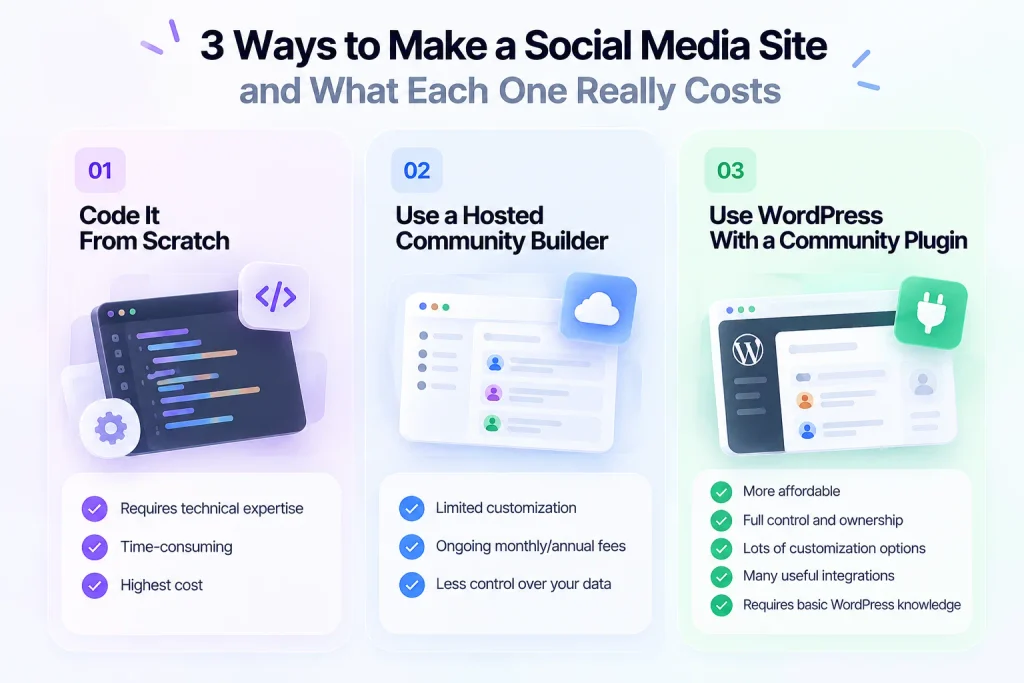
There are three realistic paths to build a social networking website. Each one fits a different budget and goal.
Option 1: Code It From Scratch
This is the Silicon Valley route. You hire developers, design a database, and build every feature by hand. Development agency Solveit estimates a basic social media app costs $50,000 to $200,000. Software Mind says a full-featured social site with feeds, chat, and media can take 9 to 18 months.
Honestly, this only makes sense if you’re building a venture-backed startup with a truly new idea. For a coach, club, or store owner, it’s like building a car factory to get groceries.
Option 2: Use a Hosted Community Builder
Hosted platforms let you sign up and start in minutes. The trade-off is that you’re renting again. You pay monthly fees that often rise as you grow, you follow their rules, and your community lives on their servers.
If you want a full breakdown of these tools, see our guide to community website builders compared.
Option 3: Use WordPress With a Community Plugin
This is the sweet spot for most small businesses and organizations. WordPress powers your site, and a plugin adds the social features: profiles, feeds, groups, and messaging. You own the site, the data, and the member relationships.
Several plugins can do this. BuddyPress is free but older and often needs theme work to look modern. BuddyBoss is a popular paid option. FluentCommunity is the newer, lightweight choice with a built-in course system, and it has 8,000+ active installs and a 4.9 out of 5 rating on WordPress.org.
Here’s how the three paths compare side by side:
| Path | Upfront cost | Time to launch | Who owns the data | Best for |
| Custom code | $50k to $200k+ (agency estimate) | Months, often 9 to 18 for full features | You | Funded startups with a unique product |
| Hosted builder | Low upfront, ongoing monthly fees | Minutes to days | The platform | Testing an idea quickly |
| WordPress + FluentCommunity | Free core plugin, Pro from $159/year, plus hosting | An afternoon for the basics | You | Businesses, creators, clubs, and nonprofits |
If the WordPress route sounds right, here’s a closer look at FluentCommunity for social networks.
What Your Social Media Site Needs Before Launch
Before you install anything, know which features make a site feel “social.” Here’s what people expect from any social media site, and how FluentCommunity covers each one:
| What members expect | Why it matters | FluentCommunity feature |
| Profiles | People connect with people, not usernames | User Profiles, Custom Profile Fields |
| A news feed | Gives members a reason to scroll and return | Activity Feeds |
| Groups | Keeps topics organized | Unlimited Spaces and Space Groups |
| Posting tools | Makes sharing easy | Posts, polls, images, video, audio, file uploads, post scheduling |
| Reactions and comments | The heartbeat of engagement | Comments, reactions, mentions, hashtags |
| Private messages | One-to-one relationships | Real-time chat |
| Following | Lets members keep up with favorite people | Follow members (Pro) |
| Notifications | Brings people back | In-app notifications, email digest, push notifications |
| Safety | Protects the vibe | Profanity filter, auto-flag thresholds, first-comment approval, review queue |
| Motivation | Rewards active members | Leaderboard, badges (Pro) |
| Mobile access | Most people browse on phones | Progressive Web App (PWA) module |
| Monetization | Turns activity into revenue | Paywalls and pricing plans through FluentCart |
That’s a full social platform in one plugin. No stack of five add-ons that break every time one updates.
How to Make a Social Media Site on WordPress Step by Step
Now for the fun part. Follow these steps in order, and you’ll have a working social network by the end of the day.
Step 1: Pick a Niche and a Clear Promise
Don’t build “a social network for everyone.” That’s Facebook’s job. Instead, finish this sentence: “My site is where ___ come to ___.”
For example, “where home bakers come to swap recipes and fix failed loaves” or “where our customers come to get help and share wins.” A clear promise tells people why they should join and what to post on day one.
Step 2: Choose Hosting That Can Handle Real Conversations
A social site is busier than a brochure website. Members post, comment, and refresh all day, so cheap shared hosting can struggle.
FluentCommunity recommends a VPS or cloud server for the best performance.
- PHP 8.1 or higher
- MySQL 8.0+ or MariaDB 10.5+
- Nginx as the web server, with Redis for object caching
- At least 2 CPU cores, 4GB of RAM, and NVMe SSD storage
You can start smaller and upgrade as your community grows. Just don’t wait until members complain about slow pages.
Step 3: Install WordPress and FluentCommunity
Most hosts offer one-click WordPress installs.
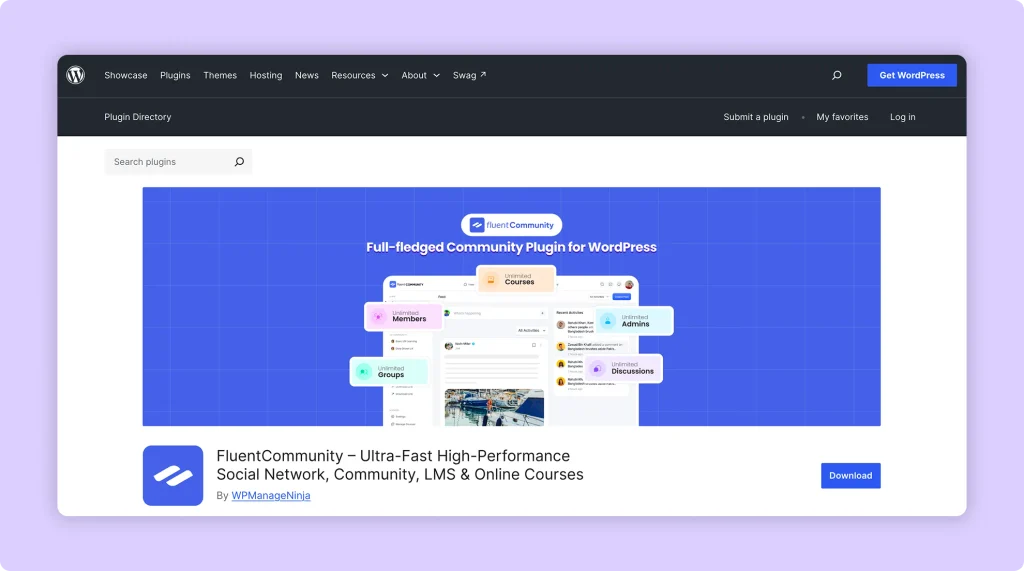
Once WordPress is ready, go to Plugins > Add New, search for “FluentCommunity,” then click Install and Activate. The core plugin is free on WordPress.org, and you don’t need to write a single line of code.
Step 4: Run the Setup Wizard
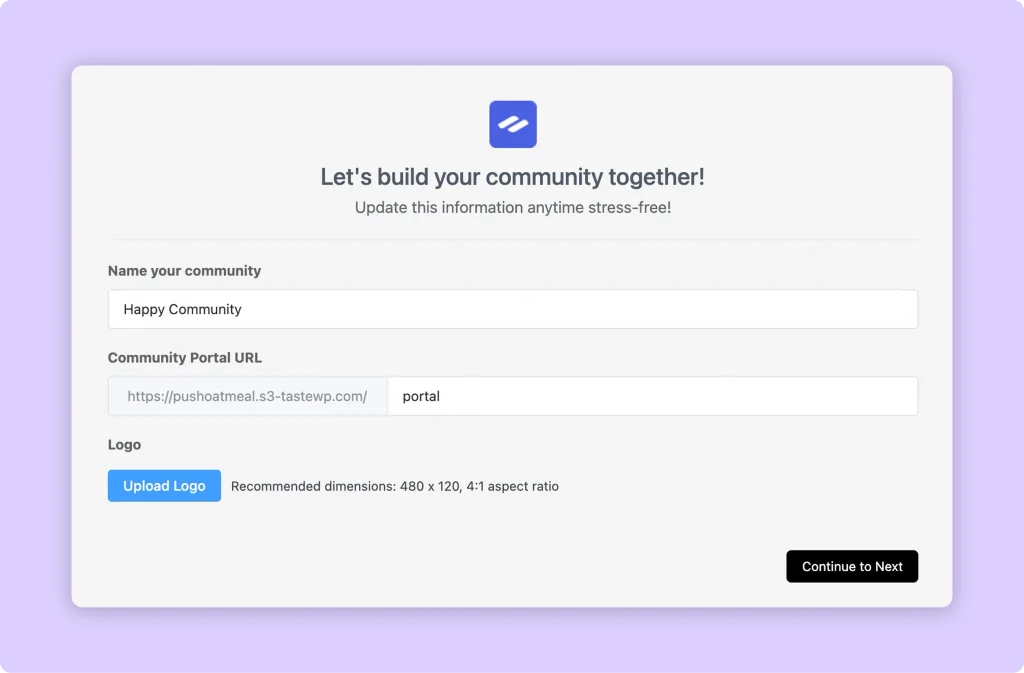
Right after activation, FluentCommunity opens a quick 3-step Setup Wizard. According to the Setup Wizard documentation, here’s what you’ll do:
- Name your community and set its URL. The default is yoursite.com/portal, but you can change it to something like /members or /hub.
- Upload your logo. A 4:1 image, such as 480 x 120 pixels, looks best.
- Pick a template: Basic for discussion communities, Course for student groups, Product for customer communities, or Blank if you want a clean slate.
- Choose your access and feature settings. You can also install companion plugins like FluentCRM, FluentSMTP, and FluentCart here.
Every choice can be changed later, so don’t overthink it.
Step 5: Build Your First Spaces
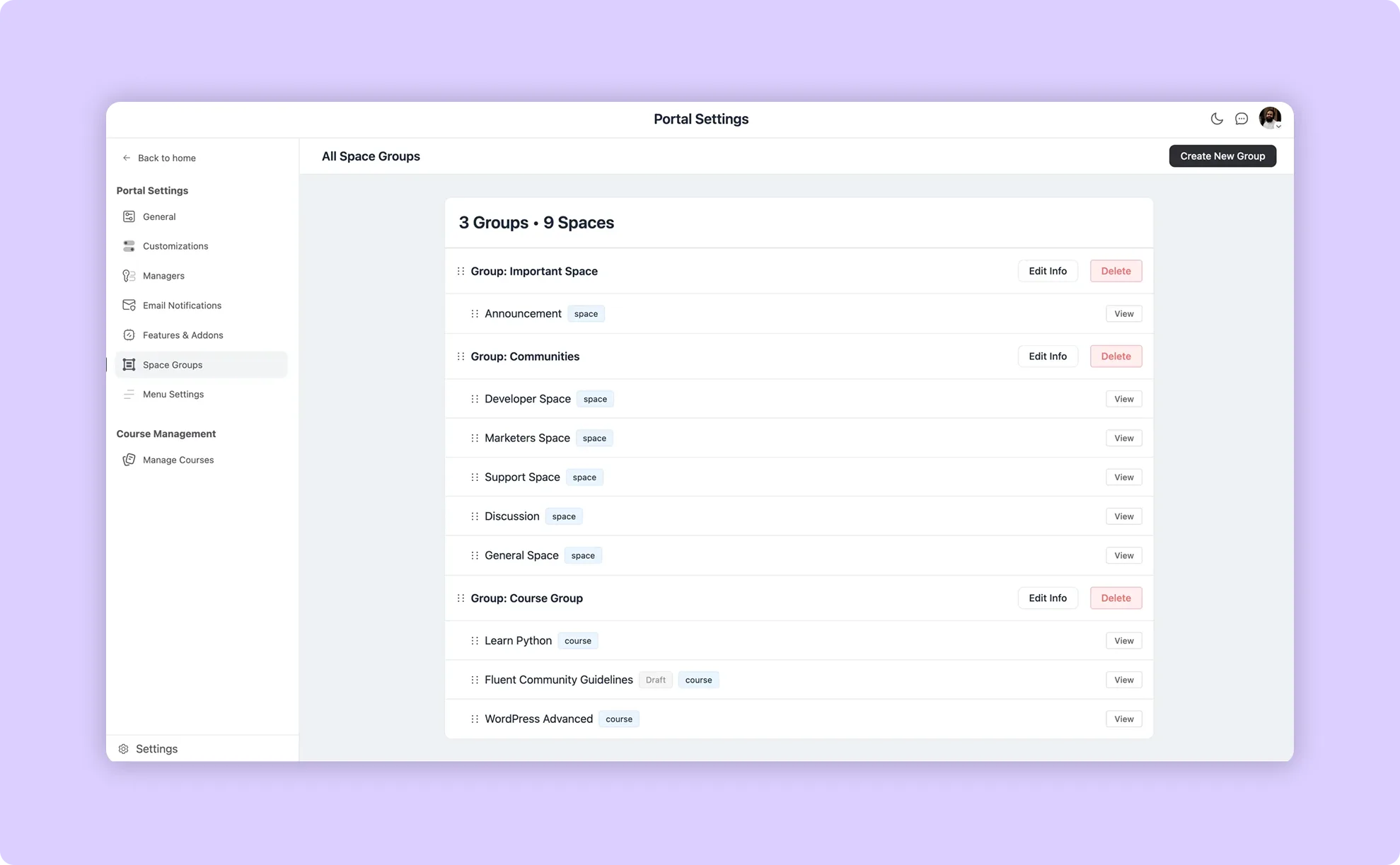
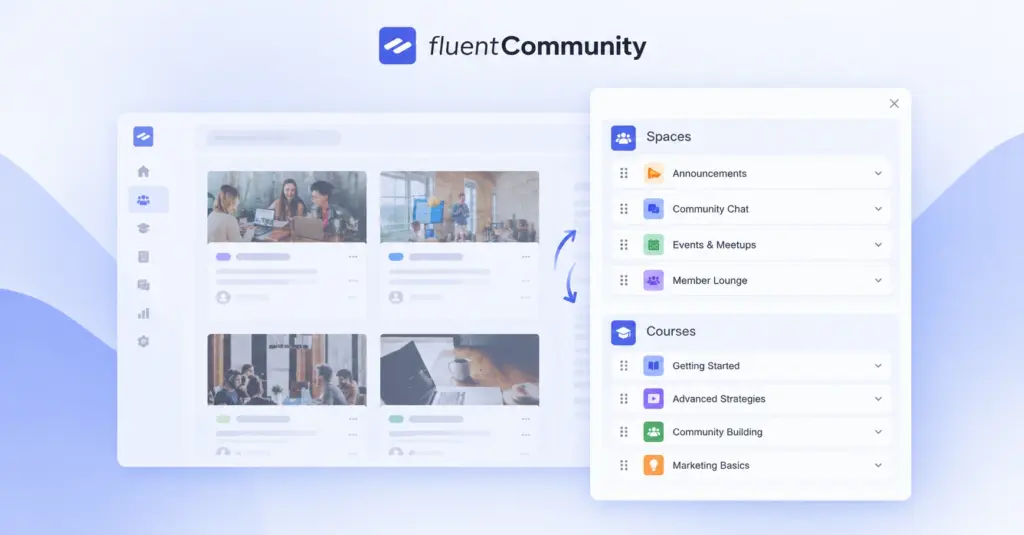
Spaces are the rooms of your social network. Each one has its own feed, members, and privacy settings. You can make a Space public, private, or paid, and group related Spaces together in the sidebar.
Start small. Three to five Spaces is plenty for launch. A local running club might start with:
- Start Here, for introductions and house rules
- Training Talk, for questions and advice
- Race Day, for events and meetups
- Wins, for sharing personal bests
It’s much better to have three busy rooms than ten empty ones.
Step 6: Make Profiles Worth Filling Out
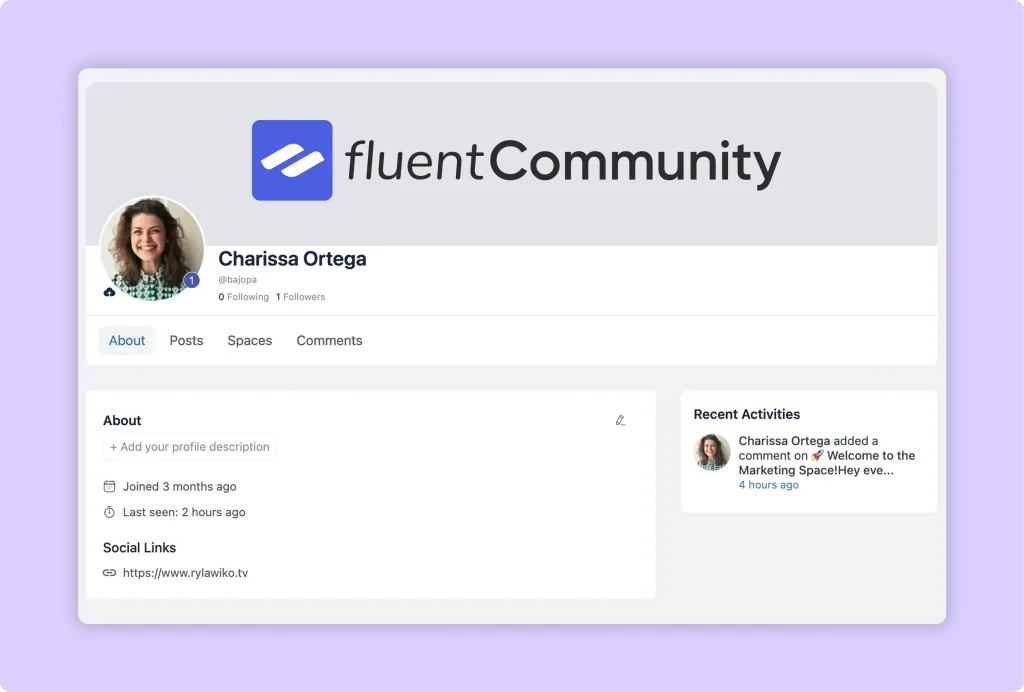
Profiles are where strangers become friends. With Custom Profile Fields, you can ask questions that fit your niche, like “What city are you in?” or “What’s your current goal?”
Members can add a headline, avatar, and cover photo. In Pro, you can award badges and verification signs, which help new members spot experts and trusted voices quickly.
Step 7: Turn On the Engagement Features
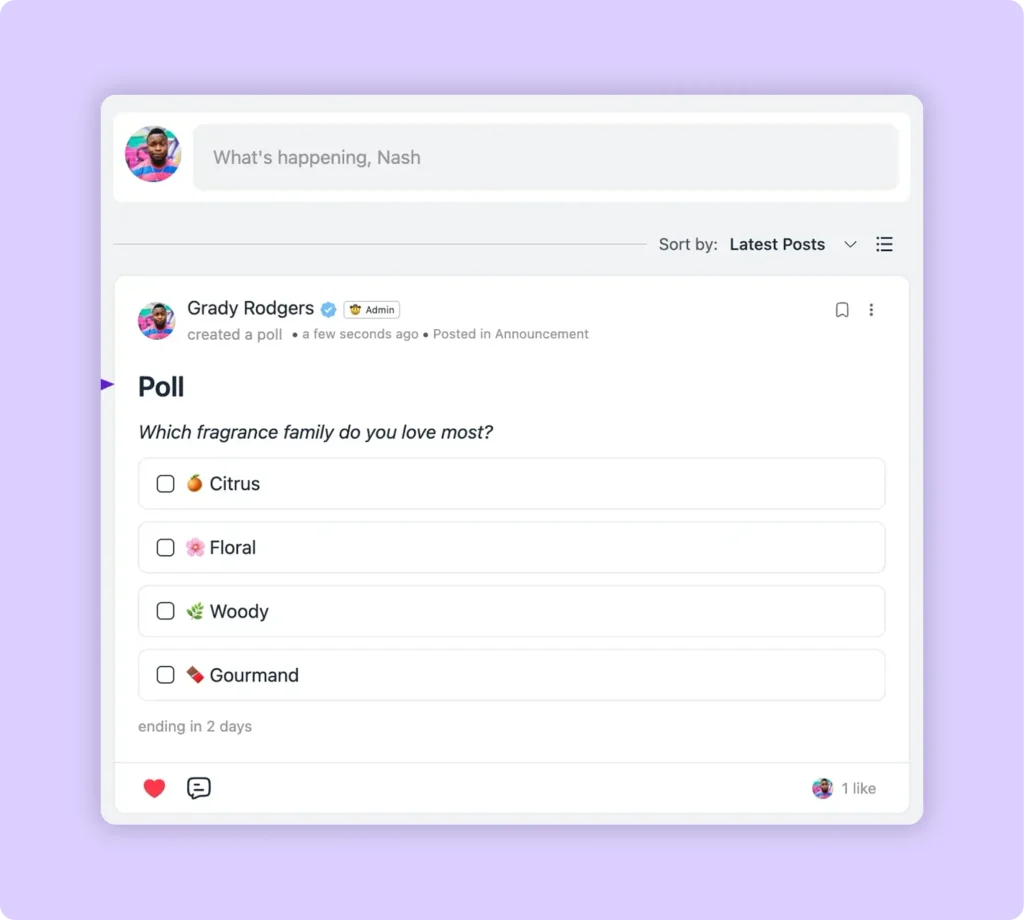
This is where your site starts to feel alive. Polls and surveys are the easiest way to get a quiet member to participate. Mentions and hashtags help conversations travel. Reactions give people a low-effort way to say “I’m here.”
If you’re on Pro, switch on the leaderboard and follow feature. A little friendly competition goes a long way, and following lets members build their own mini-network inside yours.
Step 8: Set Your House Rules and Moderation
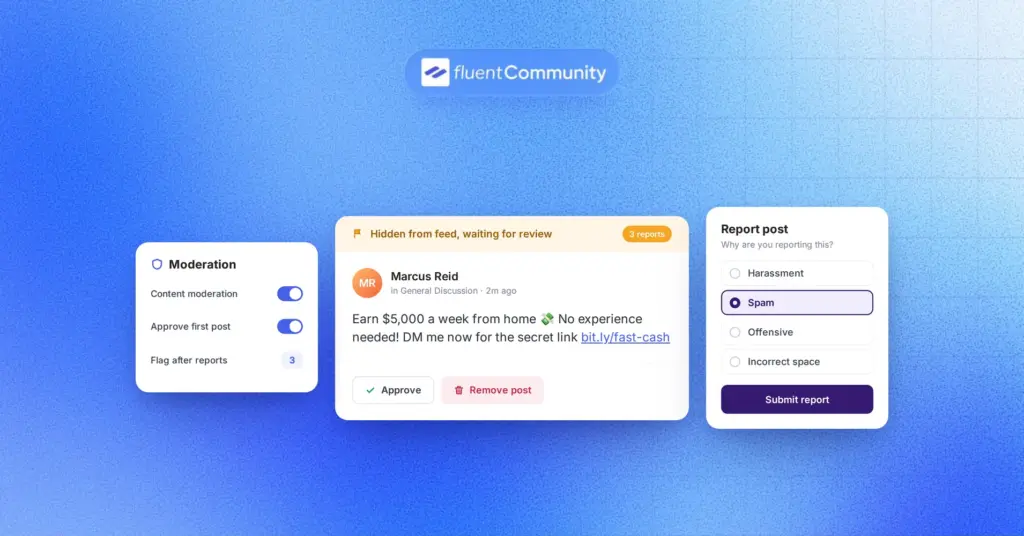
Every good party has a bouncer. Write three to five simple rules and pin them in your Start Here Space. Then set up moderation.
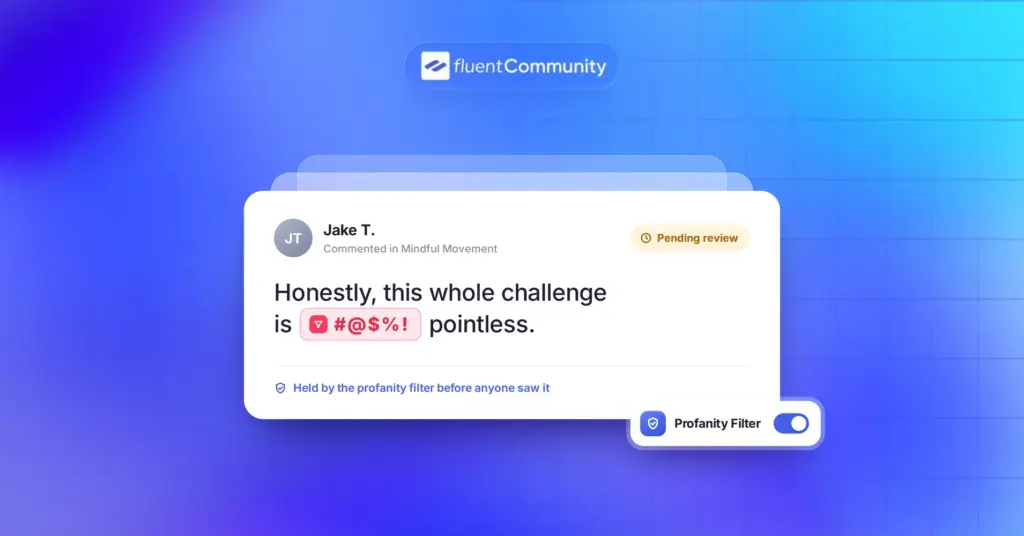
FluentCommunity’s built-in moderation includes profanity filtering, auto-flag thresholds that catch repeat offenders, first-comment approval for new members, and a review queue for moderators. You can also require admin approval before new users join, which is great for private or professional networks.
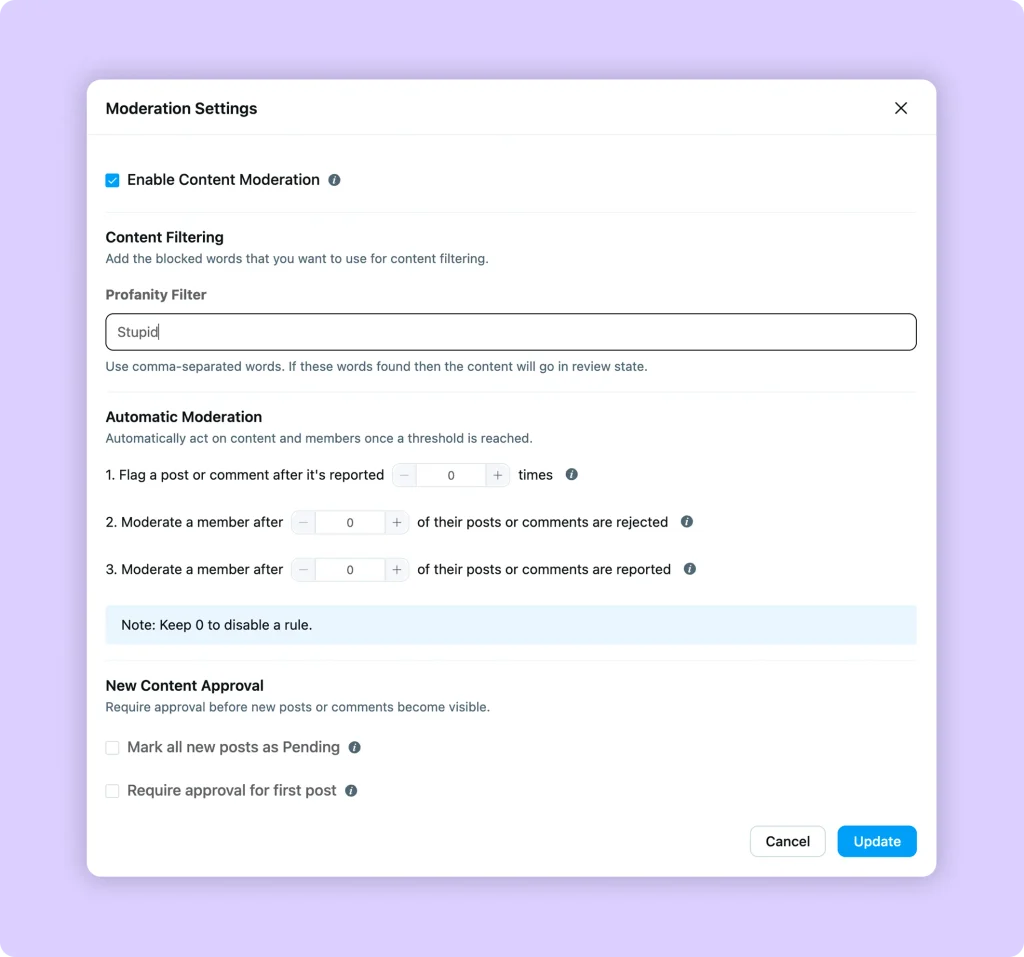
Image: fluentcommunity-content-moderation-settings.webp | Alt: FluentCommunity content moderation settings with profanity filter and auto-flag threshold
Step 9: Brand It So It Feels Like Your Own App
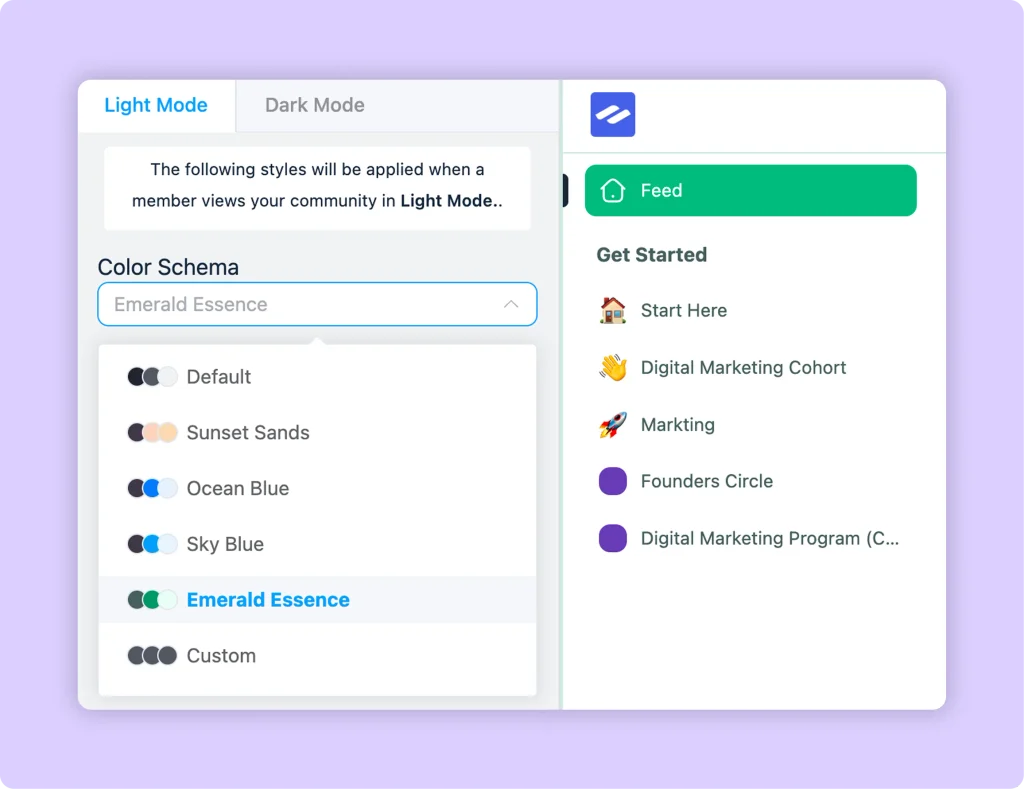
Add your colors, logo, and a default light or dark mode. You can even make the community your site’s homepage, so visitors land right in the action.
For mobile users, FluentCommunity includes a Progressive Web App (PWA) module. Members can install your community on their phone’s home screen, and it opens like a regular app. No App Store approval, no developer account, no extra build.
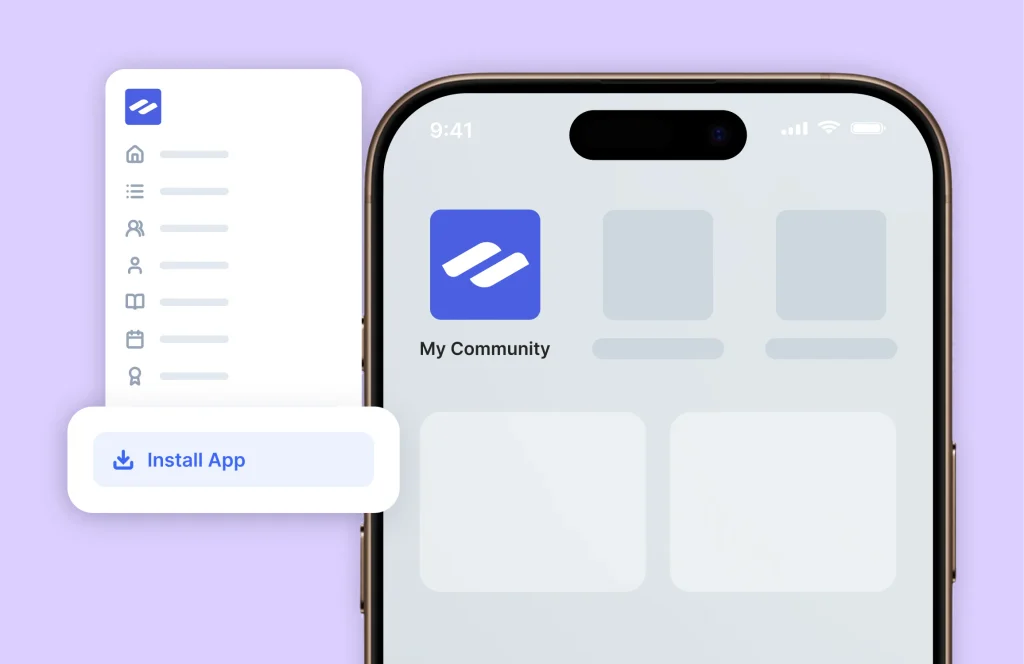
Image: fluentcommunity-pwa-install-mobile.webp | Alt: FluentCommunity community installed as an app on a phone home screen
Step 10: Connect Email So Members Come Back
Notifications and email digests are how quiet members remember you exist. FluentCommunity can send a regular digest of popular posts, plus alerts for replies and mentions. It also supports push notifications through FluentNotify.
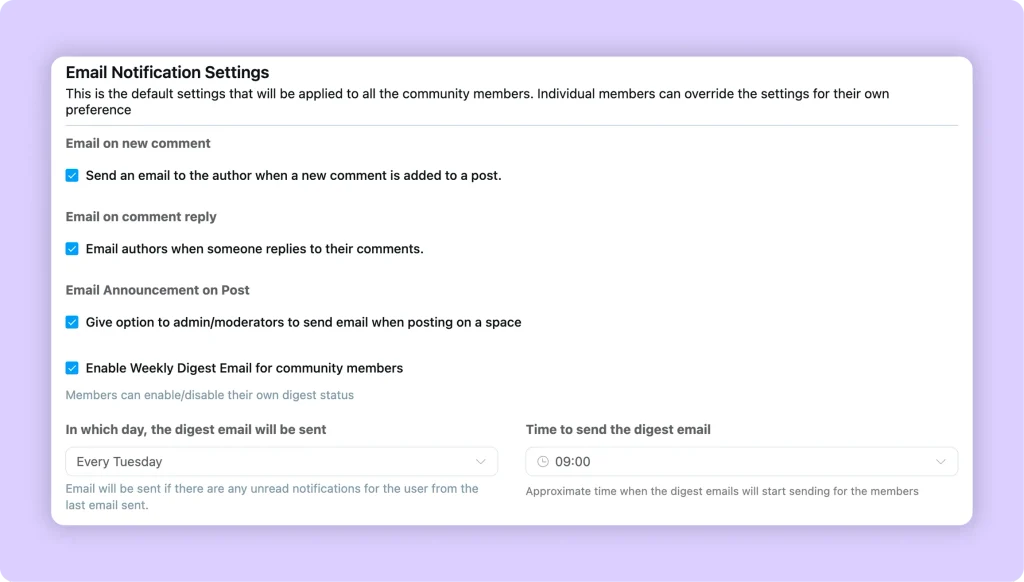
One tip from experience: install an SMTP plugin like FluentSMTP. WordPress’s default email often lands in spam, and a digest nobody sees is a digest that doesn’t work.
How a Social Media Site Brings Serious Business
A social media site isn’t just a fun side project. When people talk to each other on your turf, every conversation builds trust in your brand.
Community pros see it too. In the 2026 CMX Community Industry Report, 84% of community professionals said community had a positive impact on their organization.
And FluentCommunity gives you tools to turn that impact into income.
Sell Access to Premium Spaces
Keep a free Space open for everyone, then offer a paid Space for deeper help. FluentCommunity has native monetization through FluentCart, so you can sell Spaces with multiple pricing plans and paywalls, without a third-party checkout.
A fitness coach might offer free workout tips in a public Space and a paid Space with weekly check-ins and live Q&A replays.
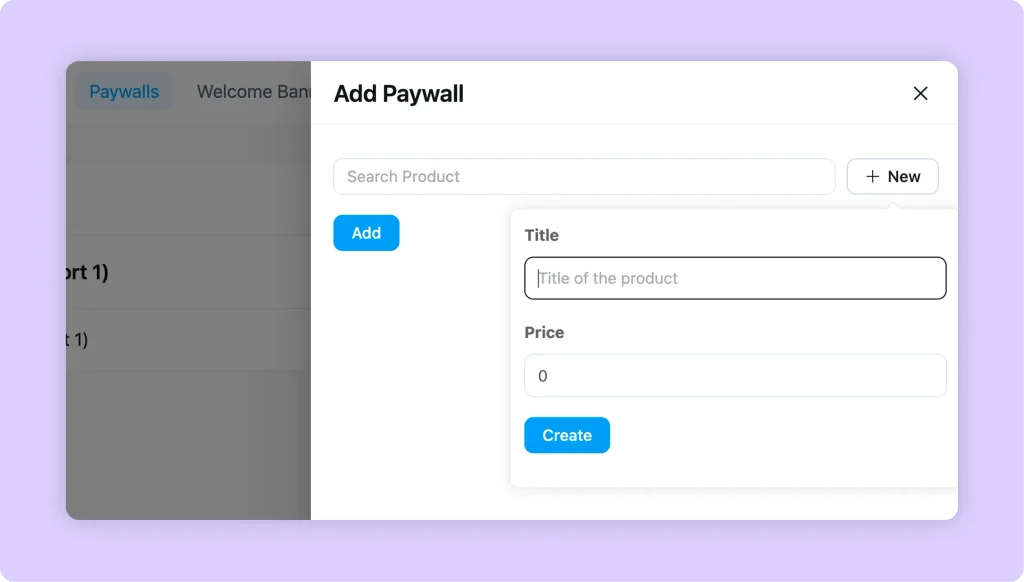
Image: fluentcommunity-fluentcart-paywall-space.webp | Alt: FluentCommunity paid Space lock screen with FluentCart pricing plans
Build a Course Business Around the Conversation
FluentCommunity has a full learning management system built in. You can create courses with the Gutenberg editor, add quizzes, drip content, lock lessons in order, and give every lesson its own discussion thread.
Students who talk to each other tend to stick around. If this is your model, read our guide on building a community around your course.
Turn Customers Into a Brand Community
Ecommerce store owners, this one’s for you. The Product template in the Setup Wizard is built for customer communities focused on feedback, support, and engagement.
Picture a skincare brand where customers share routines, post before-and-after photos, and answer each other’s questions. Every helpful reply is a support ticket you didn’t have to answer, and every success story is social proof for the next buyer.
Grow Leads and Automate Follow-Ups With FluentCRM
FluentCommunity connects with FluentCRM, the email marketing plugin for WordPress. You can manage Space access with CRM tags, trigger automations when someone completes a lesson or course, and send targeted emails based on what members actually do.
So when a free member keeps showing up in your “beginner questions” Space, you can automatically invite them to your paid program.
Offer Community Building as an Agency Service
WordPress agencies can add community builds to their service menu. FluentCommunity’s 15-site license lets you set up branded social networks for multiple clients, each on their own domain with their own members.
Give Clubs, Nonprofits, and Associations a Home
Clubs and nonprofits often run on scattered group chats and email threads. A single social site pulls everything together. You can approve members before they join, limit posting in announcement Spaces to verified members, and keep files in one place.
Real users are already doing this. One WordPress.org reviewer, Carly J Hahn, described building a private community with multiple membership levels, courses, drip content, and workshops, using FluentCart for payments and FluentCRM for communication. Another agency owner said they moved clients off a custom-built community and it was working from the get-go.
Not sure which plan fits your business model? Compare FluentCommunity Free and Pro to see what’s included.
How to Get Your First 100 Members on Your Social Network
Here’s the honest truth: the hardest part of making a social media site isn’t the tech. It’s the empty room. Nobody wants to post first at a party where nobody’s talking.
Try this launch playbook to fill your social network fast:
- Seed 15 to 20 posts before you invite anyone, like questions, tips, and a welcome thread
- Invite 20 founding members personally with the invite-by-email feature
- Set a welcome message so every new member knows exactly what to do first
- Schedule one recurring post each week, like “Monday Wins” or “Friday Questions”
- Reply to every post yourself for the first 30 days
- Link your community in your email signature, newsletter, and social bios
Your existing audience is your launch fuel. If 50 people from your email list join and start chatting, the next 50 will feel welcome instead of lost.
Mistakes to Avoid When You Create Your Own Social Network
We’ve seen plenty of communities stall for avoidable reasons. Watch out for these common mistakes:
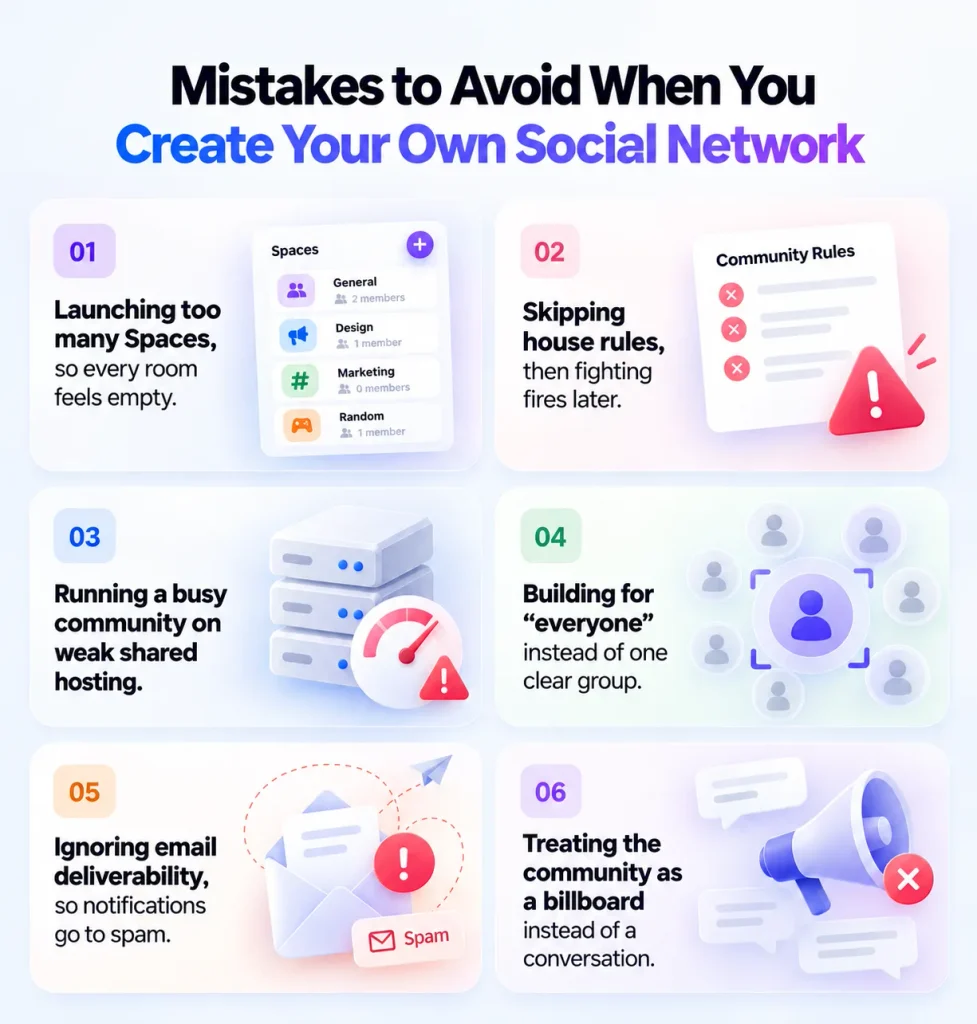
- Launching too many Spaces, so every room feels empty
- Skipping house rules, then fighting fires later
- Running a busy community on weak shared hosting
- Building for “everyone” instead of one clear group
- Ignoring email deliverability, so notifications go to spam
- Treating the community as a billboard instead of a conversation
That last one matters most. If every post is a sales pitch, members leave. If every post helps, members stay and eventually buy.
Is WordPress Enough for a Real Social Media Site?
Yes, for the kind of social media site most people actually need. WordPress with FluentCommunity is built for focused communities, not for competing with Facebook’s billions of users. And that’s the point. You don’t need to beat Facebook. You just need to serve your people better than a crowded feed can.
FluentCommunity plans come with unlimited Spaces and members, so you’re not charged more as your community grows. Performance depends on your hosting, so scale your server as activity picks up.
Already running BuddyBoss or BuddyPress? FluentCommunity offers one-click migration for profiles, activities, and media, plus a WP-CLI option for large communities. You can see how the two compare in our BuddyBoss vs FluentCommunity breakdown.
Your Own Social Network Is Closer Than You Think
Elon Musk needed $44 billion to own a social platform. You need a clear niche, decent hosting, and a plugin built for the job. Start with one promise, three Spaces, and 20 founding members. Get the first conversations going, then add paid Spaces, courses, or customer support as your community grows.
The best time to move your people off rented land is before the next algorithm change, not after it. Install FluentCommunity free from WordPress.org today and build your first Space this afternoon. When you’re ready for leaderboards, badges, SEO tools, and more, check out FluentCommunity pricing. Every plan includes all features, and there’s a 14-day money-back guarantee.
Frequently Asked Questions
Can I make a social media site for free?
Partly. WordPress and the FluentCommunity core plugin are both free. You still need a domain name and web hosting. Pro features like leaderboards, badges, follow, and the SEO module require a paid license.
How long does it take to make a social media site on WordPress?
You can have a basic social media site running in an afternoon: install WordPress, add FluentCommunity, run the Setup Wizard, and create your first Spaces. Seeding content and inviting founding members usually takes another week or two.
Do I need coding skills to build a social network website?
No. FluentCommunity is a no-code plugin. You install it from the WordPress dashboard and set everything up with menus and settings. Custom CSS and JavaScript options exist in Pro for people who want extra control.
How much does it cost to make a social media site?
It depends on the path. Agency estimates for a custom-coded social app start around $50,000. With WordPress, the FluentCommunity core is free, and Pro starts at $159 per year for a single site at the current discount (regular price $199), plus hosting.
Can members use my social media site on their phones?
Yes. FluentCommunity is mobile-friendly, and its Progressive Web App (PWA) module lets members install your community on their phone’s home screen so it opens like a native app.
Can I charge people to join my social media site?
Yes. FluentCommunity has native monetization through FluentCart. You can sell access to Spaces and courses with multiple pricing plans and paywalls, all inside WordPress.
Can I move my BuddyBoss or BuddyPress community to FluentCommunity?
Yes. FluentCommunity includes a migration tool for BuddyBoss and BuddyPress that transfers profiles, activities, and media. Large BuddyBoss communities can use a WP-CLI command for the migration.

Ashik Elahi
Ashik Elahi is a seasoned Digital Marketing Strategist with a passion for Content Marketing. He believes in the power of storytelling and crafting valuable content that resonates with readers.

Add your first comment to this post