


7 Best Community Website Builders for a Thriving Community

Table of Content
Subscribe To Get
WordPress Guides, Tips, and Tutorials


There are a number of great community platforms that I am sure would fulfill your needs in the first place, but until you look at year three. It’s often overlooked when buying software for the first time; the monthly fee usually goes high in later years.
Plus, the transaction cut grows with your revenue, and your members’ conversations live on someone else’s server.
This guide compares seven community website builders on what they actually cost, who each one genuinely fits, and where every single one falls short.
Key Takeaways
- FluentCommunity is the only self-hosted WordPress option on this list, so your cost stays flat as your member count grows
- Most SaaS builders charge a platform fee on top of Stripe, which quietly scales with your revenue instead of your usage
- Bettermode raised its entry price to $399 per month and retired its free plan in March 2026
- Skool and Circle fit solo creators and coaches, while Bettermode and Hivebrite fit organizations with dedicated staff
- Data ownership and SEO control matter more than feature counts once your community passes a few hundred members
What a Community Website Builder Is (And What It Isn’t)
A community website builder is software that lets you create a private, branded online space where members post, comment, message each other, and join groups, without writing code. It handles member accounts, discussion feeds, permissions, moderation, and usually payments too.
What it isn’t: a social media page.
On Facebook or Discord, you rent the audience. The platform owns the member list, controls the feed, and can change the rules overnight. A community website builder gives you the member data, the domain, and the rules.
Some builders are SaaS products you rent monthly. Others are software you install on hosting you already pay for. That single difference shapes almost everything else, including your bill five years from now.
Why Your Choice of Community Platform Actually Matters
Honestly, most people pick a platform based on a demo video and a starting price. Then reality shows up.
The community industry has matured fast. The 2025 report by CMXHub found a record 24% of teams could quantify their community’s business value, and nearly half of those reported over $1 million in impact.
So communities are producing real money. Which means the platform holding them is holding a business asset, not a hobby.
Here are the three costs almost nobody quotes you upfront:
- The platform fee that sits on top of your payment processor and grows with every sale you make
- The upgrade tax, where the one feature you actually need lives two tiers above where you started
- The exit cost, meaning the work of rebuilding your spaces, permissions, and member habits somewhere else
That third one is the quiet killer. Software migrates. Member habits do not. When people lose their post history and have to relearn where things live, engagement drops for months.
There is also a search angle most comparison posts skip entirely. If your community lives on a SaaS subdomain, the discussions your members create build authority for that vendor’s domain, not yours. If it lives on your own site, every helpful thread is a page Google and AI answer engines can find and attribute to you.
How I Picked These Seven Platforms
I verified pricing directly on each vendor’s own pricing page in August 2026, not from older roundups. A lot of published comparisons are quoting numbers that changed a year ago. Bettermode is the clearest example, and you will see why below.
I also picked for spread rather than sameness. There is one WordPress-based option and six SaaS platforms, covering creators, coaches, SaaS companies, forums, and large member organizations. Recommending seven near-identical creator tools would not help anyone choose.
Where a platform has a real weakness, I say so. Every tool here is the wrong tool for somebody.
The 7 Best Community Website Builders at a Glance
| Platform | Best for | Model | Starting price | Fee on your sales |
| FluentCommunity | Owning your community on WordPress | Self-hosted plugin | $199/yr, single site | None beyond your processor |
| Circle | Polished creator communities with courses | SaaS | $89/mo annual | 2% (Professional tier) |
| Skool | Simple, gamified coaching groups | SaaS | $9/mo | 10% on Hobby, 2.9% on Pro |
| Mighty Networks | Member-to-member matchmaking | SaaS | $79/mo annual | Applies on every plan |
| Bettermode | SaaS and B2B customer communities | SaaS | $399/mo annual | No native monetization |
| Discourse | Open, searchable public forums | Open source or SaaS | Free self-host, $20/mo hosted | No native monetization |
| Hivebrite | Alumni networks and associations | SaaS | Quote only | Reported 1.5% platform cut |
1. FluentCommunity: Best Overall for Owning What You Build
FluentCommunity is a community and LMS plugin for WordPress, built by WPManageNinja, the team behind Fluent Forms and FluentCRM. Install it on a site you already run, and it creates a full community portal at your own domain, separate from your theme.
It sits in an unusual spot. Older WordPress community plugins are powerful but need a developer to look decent. SaaS platforms look great but charge you more as you grow. FluentCommunity aims at both problems: modern interface, flat annual fee, your server.
What makes it different
The portal is a real product, not a widget bolted onto a page. You get Spaces for topic-based groups, an activity feed, member profiles with custom fields, real-time chat, polls, bookmarks, hashtags, and a media gallery per Space.
The moderation tooling is more serious than most people expect at this price. There is profanity filtering, auto-flag thresholds that catch repeat offenders, first-comment approval for new members, and a review queue for moderators.
The built-in LMS is the part that surprises people. You build courses in the Gutenberg editor, with quizzes, drip content, sequential lesson locking, per-lesson discussions, progress tracking, and free lesson previews. You can sell courses and Spaces natively through FluentCart with multiple pricing plans and paywalls.
Two things matter here that no SaaS platform on this list can offer. First, Pro includes an SEO module, so your community content is indexable on your own domain. Your threads build your authority. Second, version 2.8.0 added a Progressive Web App module, meaning members can install your community to their phone home screen like an app.
If you are moving from an older setup, there is one-click BuddyBoss and BuddyPress migration, with a WP CLI command for large communities that would otherwise time out.
Who it fits best
- Course creators and coaches who want the community and the classroom in one login
- WordPress site owners who already have hosting, a domain, and traffic
- Agencies managing communities for several clients, since multi-site licenses cover 5 or 15 domains
- Nonprofits, clubs, and associations that need a members-only space without an enterprise quote
- Anyone whose revenue is growing fast enough that percentage fees start to sting
Where it falls short
There is no native iOS or Android app in the app stores. The PWA module closes a lot of that gap, but if your members expect a branded icon downloaded from the App Store, that is a genuine miss.
And you need a WordPress site to begin with. If you do not have one and never want one, start elsewhere.
FluentCommunity pricing
The core plugin is free on WordPress.org, where it holds a 4.9 out of 5 rating across 87 reviews and 8,000+ active installations as of August 2026. That free version is genuinely usable, not a trial.
Pro is $199 per year for a single site, $399 for five sites, and $699 for fifteen, with all features included at every tier. Lifetime licenses run $399, $799, and $1,599. There is a 14-day money-back guarantee, and discounts appear regularly, so check current pricing before you buy.
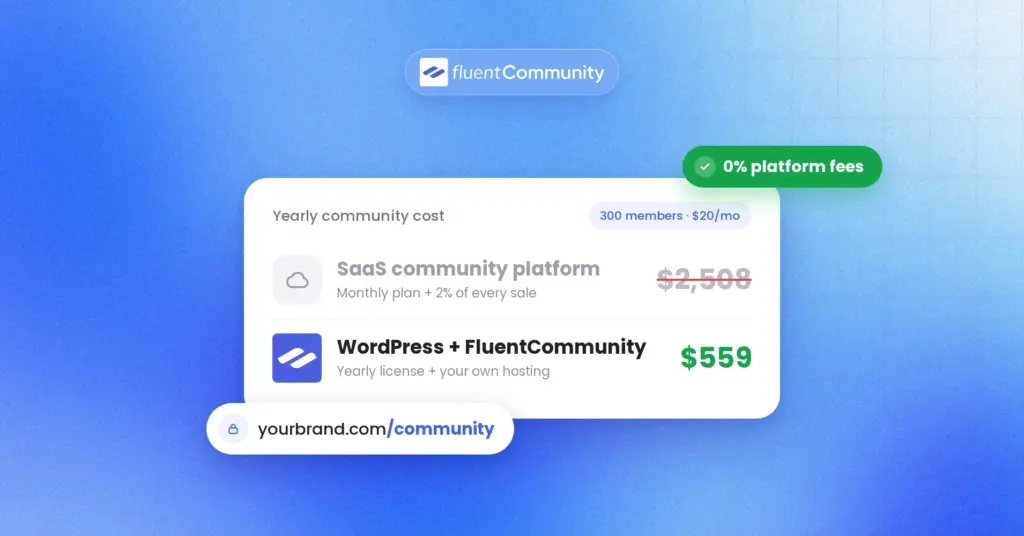
Here is the number that matters. At $199 per year, you are paying roughly $17 a month whether you have 50 members or 50,000. Circle’s entry plan costs more than that every single month, before transaction fees.
2. Circle: Best for Polished Creator Communities With Courses
Circle is the platform most creators compare everything else against, and for good reason. It is the best-designed product in this category. Spaces, courses, events, live rooms, live streams, gamification, and a website builder all sit in one clean interface that members find easy on day one.
Unlimited members on every plan is a real advantage. You are not punished for growth in seat count.
What an ideal buyer should know
Circle’s published prices are $89 per month for Professional and $199 for Business, both on annual billing. Circle Plus, which adds fully branded mobile apps, is quote-only.
The published price is not the full price. Circle charges a platform fee on payments you collect: 2% on Professional, 1% on Business, and 0.5% on Circle Plus. That sits on top of Stripe’s usual 2.9% plus 30 cents. So on a $5,000 revenue month at Professional, Circle takes about $100 before Stripe takes its share.
The bigger gotcha is feature gating. Automation workflows live on Business at $199 per month. Plenty of people buy Professional thinking automation is optional, then discover six months in that manual onboarding is eating their week. That is a $1,320 annual jump. Email Hub is a separate add-on starting around $99 per month.
There is no free plan, only a 14-day trial, though Circle does offer a 30-day money-back guarantee.
Choose Circle if design quality and a mature feature set justify a bill that rises with your revenue. Skip it if your margins are thin or your revenue is growing faster than your budget. If you like the Circle experience but want it on your own domain, the Circle versus FluentCommunity comparison is worth a read.
3. Skool: Best for Simple, Gamified Coaching Communities
Skool is deliberately plain, and that is the whole point. One feed, one classroom, one calendar, one leaderboard. New members understand it in about ten seconds because it looks like a message board with a video course attached.
The gamification actually works. Points, levels, and a visible leaderboard drive participation in a way that more sophisticated platforms often fail to match.
What an ideal buyer should know
Pricing is two lines. Hobby is $9 per month with a 10% platform fee plus 30 cents per transaction and one admin. Pro is $99 per month with a 2.9% fee plus 30 cents on payments up to $900, rising to 3.9% on anything above $901, with unlimited admins. Annual billing gives you two months free on either plan.
The break-even between the two lands around $1,270 in monthly revenue. Below that, Hobby is cheaper even with the 10% cut. Above it, Pro pulls away quickly.
Two things trip people up. Each community needs its own subscription, so running three groups means three bills. And Skool deliberately leaves out features many course businesses assume are standard: no certificates, no assignments, no drip content, no email marketing, and no website builder. You will pay separately for an email tool.
Choose Skool if you sell one coaching program or mastermind and want zero setup friction. Skip it if you need structured course delivery, multiple communities, or email automation in the same place.
4. Mighty Networks: Best for Member-to-Member Connection
Mighty Networks is built around a specific idea: the value of a community is members finding each other, not members watching you. Its matching features actively introduce people based on shared interests and goals, which is genuinely different from a feed everyone scrolls past.
It is also the most mobile-committed platform here. Mighty reports that 60% more activity happens on mobile than web across its networks, and members get real iOS and Android apps rather than a browser wrapper.
What an ideal buyer should know
The current lineup is Launch at $79 per month, Scale at $179, and Growth at $354, all on annual billing, plus Mighty Pro for custom-built branded apps at quote-only pricing. Monthly billing costs noticeably more.
Transaction fees apply on every single plan and, unusually, never reach zero. Reported rates range from about 2% on the entry plan down to 0.5% at the top. You will pay a percentage of your revenue forever, on top of Stripe.
Two other notes worth knowing before you commit. The branded mobile app is gated well above the entry plan, and a genuinely white-labeled app with your own name in the app stores requires Mighty Pro. Mighty also renamed and restructured its plans in 2025, and some users reported limits shifting on them mid-build, so confirm your specific quotas in writing.
Choose Mighty Networks if peer-to-peer connection and mobile engagement are the core of your offer. Skip it if a permanent revenue share is a dealbreaker.
5. Bettermode: Best for SaaS and B2B Customer Communities
Bettermode is not a creator tool, and it stopped pretending to be one. It is a customer community platform for software companies and brands that want a support hub, an ideas board, and a Q&A knowledge base under their own branding. IBM, Lenovo, HubSpot, and DeepL all run on it.
The customization goes deep. You build layouts from blocks, define custom content models, and connect the community to Salesforce, HubSpot, Zendesk, Intercom, and Jira so conversations feed your existing systems. It is SOC 2 Type II compliant with US and EU data residency options.
What an ideal buyer should know
This is the section where most comparison articles are badly out of date, so read carefully.
Bettermode’s Starter plan is now $399 per month on annual billing, which works out to $4,788 per year, or $499 per month billed monthly. Growth is $1,500 per month annually, or $18,000 per year. Premium is quote-only. The free plan was discontinued, with free communities removed in March 2026.
If you see a roundup quoting Bettermode at $19 or $49 per month, that article has not been updated in over a year.
Two gates matter. Removing the “Powered by Bettermode” badge requires the Growth tier at $1,500 per month. API and webhook access sit at the same tier. So true white-labeling is an $18,000 per year decision, not a $4,788 one.
There is no native LMS and no built-in monetization. Setup also takes real time, several hours rather than several minutes, because flexibility always costs configuration.
Choose Bettermode if you are a funded company deflecting support tickets and your budget has a comma in it. Skip it if you are a creator, a coach, or anyone who needs to sell access.
6. Discourse: Best for Open, Searchable Public Forums
Discourse is the grown-up forum. Built in 2013 by Jeff Atwood, co-founder of Stack Overflow, alongside Robin Ward and Sam Saffron, it powers a huge share of the technical and open-source communities you have probably read threads on without noticing.
It is genuinely excellent at one thing: long-lived, searchable public discussion. Trust levels promote reliable members automatically. Community flagging handles moderation at scale. Threads stay readable years later, and they rank in search.
What an ideal buyer should know
Discourse is free and open source under a GPL license, so you can self-host it via Docker and pay only for your server. Managed hosting starts with a limited free tier, then Starter at $20 per month, Pro at $100, Business at $500, and Enterprise by quote.
The nonprofit and education discounts are unusually generous, at 50% and 85% respectively, and rarely mentioned in comparison posts.
Data portability is a genuine strength. You can back up everything from your browser at any time and move to or from any provider, including between self-hosted and managed. Very few platforms make leaving this easy.
The trade-offs are real. There is no LMS, no native way to sell memberships, and self-hosting requires someone comfortable with Ruby on Rails operations. It is also a forum, not a social feed, so if you want an activity stream and member profiles that feel like a social network, this is the wrong shape.
Choose Discourse if public, indexable, knowledge-building discussion is your goal. Skip it if you need courses or paid access.
7. Hivebrite: Best for Alumni Networks and Associations
Hivebrite is the enterprise pick for organizations that manage members rather than followers. Universities, professional associations, nonprofits, and accelerator programs use it to run alumni directories, mentoring programs, ticketed events, job boards, and fundraising from one place. CERN’s alumni community and the Obama Foundation’s leader network both run on it, and over 2,000 organizations use the platform.
The feature depth is where it earns the price. Mapped member directories, chapter structures, segmentation, CRM integrations, SSO, and a white-label mobile app are all built for organizations with complex membership tiers.
What an ideal buyer should know
Hivebrite publishes no pricing at all. You book a demo and get a quote. Third-party estimates put the entry tier somewhere around $799 to $895 per month, or roughly $8,000 to $9,600 per year, with enterprise deals reported well into five figures annually.
There is also a reported 1.5% platform commission on paid memberships and event tickets, which sits on top of Stripe’s processing. That brings your effective cost on collected revenue to somewhere above 4%.
Course tools stay thin. If teaching is central to your offer, Hivebrite is an expensive suit that does not fit. Reviews are strong overall at around 4.4 out of 5, though several mention upselling and features gated to higher tiers.
Choose Hivebrite if you are an alumni office or association with dedicated staff and a real budget. Skip it if you are a small team or a solo operator.
Self-Hosted vs SaaS: The Decision Under the Decision
Every platform above falls into one of two camps, and picking the camp matters more than picking the brand.
SaaS platforms handle hosting, updates, security, and scaling. You trade money and control for convenience, and the trade is often worth it early on. The catch is that your bill is tied to your success rather than your usage. Grow your revenue and you pay more for the same software.
Self-hosted platforms flip that. You handle the server and pay a flat license fee. WordPress makes this practical for most people because it already runs about 41% of all websites and 59% of sites using a known CMS, according to W3Techs. Odds are decent you already have a WordPress site sitting there.
Three questions usually settle it:
- Will your community generate revenue? If yes, percentage fees compound and self-hosting wins on cost over time
- Do you want community content indexed on your domain? Only self-hosting gives you that fully
- Does anyone on your team want to own the server? If nobody does, pay for SaaS and stop reading
How to Choose the Best Website Builder for Your Online Community
Skip the feature comparison for a minute and answer these instead.
What is the community actually for? A support hub, a paid membership, an alumni network, and a course cohort need genuinely different tools. Bettermode and Skool are both good products and terrible substitutes for each other.
What will you pay at 10x your current size? Take your realistic revenue in two years, apply the platform fee, and add the plan you will have upgraded to by then. That number is your real price, not the one on the pricing page.
Which single feature would you leave over? Automation, courses, a branded app, SSO, or an export. Find which tier it lives on. That tier is your actual starting plan.
Can you get your data out? Ask for the export format before you sign. Discourse and self-hosted options are honest here. Some SaaS tools are not.
Who runs this on Tuesday morning? A platform your team will not moderate is a platform that dies quietly, no matter how good the demo looked.
Mistakes People Make When Picking a Community Platform
A few patterns come up over and over.
Buying for the launch instead of month twelve. Launch day is the easiest day. Pick for the boring middle, when engagement dips and you need automation and moderation.
Ignoring the transaction fee because the number looks small. Two percent sounds like nothing until you run the annual math on a growing membership. At $10,000 a month in revenue, 2% is $2,400 a year, which is more than a lifetime license for a self-hosted plugin.
Splitting community and courses across two tools. Members forget the second login. Completion rates fall. If you teach anything, keep the classroom and the conversation behind one door.
Treating the free plan as permanent. Bettermode’s users learned this the hard way when free communities were removed in March 2026. Free tiers are marketing, not contracts.
Final Thoughts
The right community website builder is the one you will still be happy paying for in three years, after your member count has doubled and your revenue has grown. That usually rules out anything taking a percentage of every sale.
If you already run WordPress, start with the free version of FluentCommunity this week. Install it, create two Spaces, invite ten people, and see how it feels before you spend anything. If it clicks, a single-site Pro license unlocks leaderboards, badges, quizzes, the SEO module, and cloud storage for less than most SaaS tools charge per month.
Compare FluentCommunity plans or download the free plugin and build something you actually own.
Frequently Asked Questions
What is the best community website builder?
For most businesses and creators, FluentCommunity is the best overall community website builder because it combines community, courses, and monetization on your own WordPress site for a flat annual fee with no transaction cut. Circle is the strongest SaaS alternative, and Bettermode is the better fit for B2B customer communities.
Can I build a community website for free?
Yes. FluentCommunity’s core plugin is free on WordPress.org and includes Spaces, feeds, profiles, chat, polls, and the course builder. Discourse is free to self-host under an open-source license. You will still pay for hosting and a domain in both cases, typically $5 to $30 per month.
Do community platforms charge fees on my membership revenue?
Most SaaS platforms do. Circle charges 0.5% to 2% depending on tier, Skool charges 2.9% to 10%, Mighty Networks charges a fee on every plan that never drops to zero, and Hivebrite reportedly takes 1.5%. All of these sit on top of your payment processor. Self-hosted options like FluentCommunity add no platform fee.
Is WordPress good for building an online community?
Yes, particularly if you already have a WordPress site. WordPress powers roughly 41% of all websites, so the hosting, security, and developer ecosystem is mature. Modern plugins like FluentCommunity give you a dedicated community portal with an interface comparable to SaaS tools, while keeping your data and search authority on your own domain.
Should I use Facebook Groups or a community website builder?
Use a community website builder if the community matters to your business. Facebook owns the member list, controls what people see, and can restrict or remove your group without warning. A community platform gives you member emails, engagement data, and rules you set. Facebook is fine for casual, free, low-stakes groups.
How much does a community website cost per year?
Self-hosted setups typically run $200 to $600 per year including hosting and a license. Creator-focused SaaS platforms run roughly $1,000 to $2,400 per year before transaction fees. Business platforms like Bettermode start near $4,800 per year, and enterprise tools like Hivebrite commonly exceed $9,000.
Can I move my community to a different platform later?
Technically yes, but plan for it to be harder than the vendor suggests. Discourse and self-hosted options make full exports straightforward. FluentCommunity offers one-click migration from BuddyBoss and BuddyPress. The real cost is rarely the data. It is rebuilding your space structure, permissions, and member habits, which usually depresses engagement for a few months.

Ashik Elahi
Ashik Elahi is a seasoned Digital Marketing Strategist with a passion for Content Marketing. He believes in the power of storytelling and crafting valuable content that resonates with readers.


![SEO Title: 5 Best Community Portal Software [WordPress + SaaS Options]](https://fluentcommunity.co/wp-content/uploads/2026/10/community-portal-software-featured-1-1024x536.webp)

Add your first comment to this post