

7 Best Community Platforms for Creators [WordPress + SaaS Options]

Table of Content
Subscribe To Get
WordPress Guides, Tips, and Tutorials


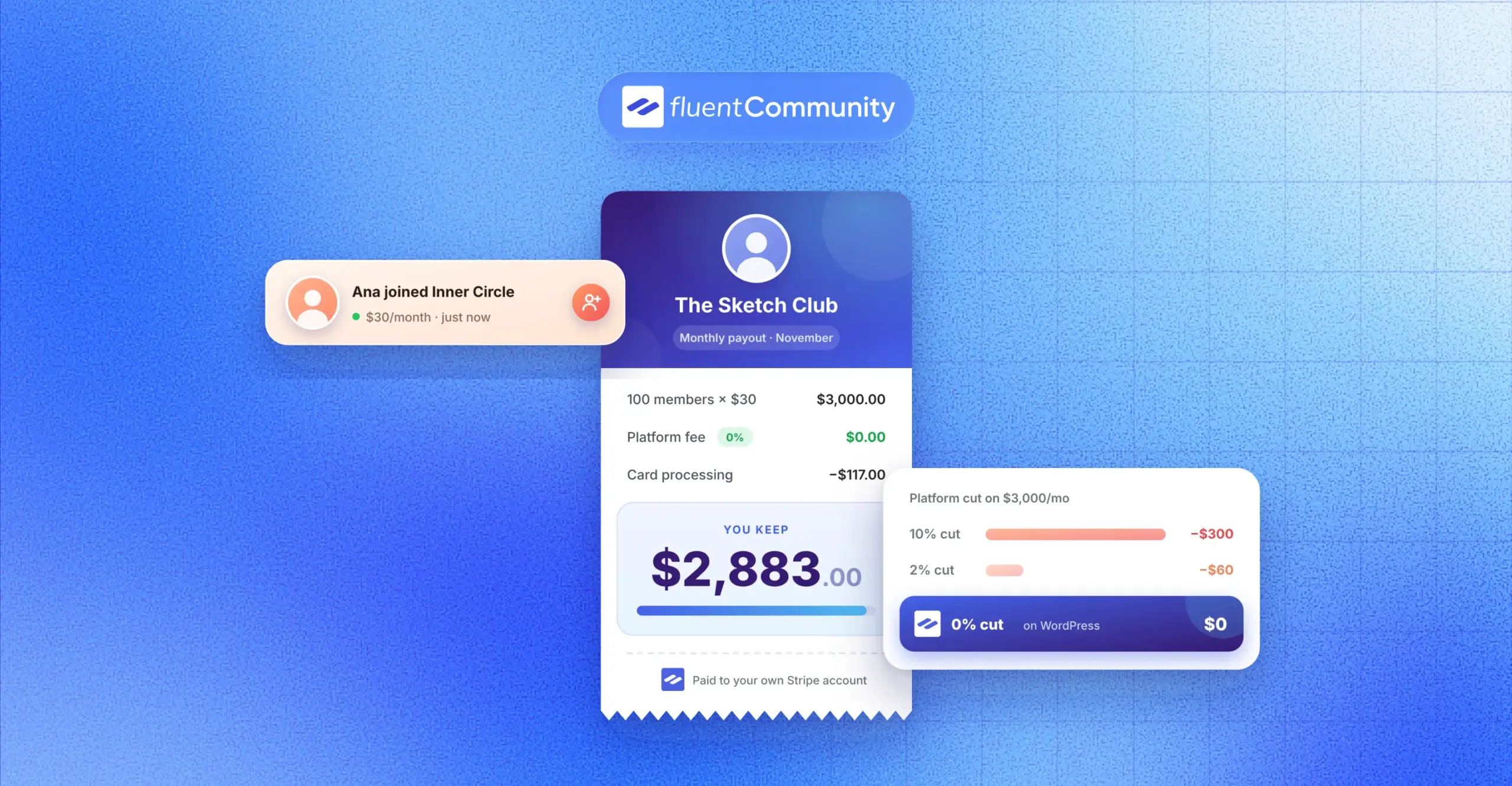
Suppose 100 fans paying you $30 a month. That’s $3,000. On Patreon, you’d keep about $2,580 of it. On a self-hosted WordPress setup, closer to $2,830. Same fans, same content, roughly $250 a month apart.
Choosing between community platforms for creators mostly comes down to that gap and one more question: who owns your member list? Here are seven options, compared honestly.
Key Takeaways
- The best community platforms for creators combine posts, courses, chat, and payments in one place you control
- Platform fees range from 0% to 10% of your revenue, and they matter more than the monthly price once you grow
- FluentCommunity is the strongest pick if you want to own your data on WordPress with no cut taken from sales
- SaaS tools like Circle, Mighty Networks, and Skool are faster to launch but keep a slice of every sale
What Is a Community Platform for Creators?
A community platform for creators is software that gives you a members-only home online where fans can post, chat, take courses, and pay you, all inside a space you run instead of a social media feed.
Think of social media as a busy street. Lots of people walk by, but the landlord decides who sees your sign. A community platform is your own shop on that street. Fewer people walk in, but the ones who do came for you.
That shift matters because the money in the creator world is lopsided. Goldman Sachs Research projects the creator economy could reach about $480 billion by 2027, yet only around 4% of creators earn more than $100,000 a year. Most working creators don’t win by chasing reach. They win by turning a smaller group of true fans into steady income.
Community is one of the clearest ways to do that. In Kajabi’s 2025 State of Creator Commerce report, creators with community offerings reported earning about twice as much as those without one. Keep in mind that Kajabi sells creator software, so treat it as a strong signal rather than neutral proof.
What Makes the Best Community Platform for Creators
Every tool on this list can host a group chat. That’s not the bar. The best community building platforms for creators get six things right, and the weak spots usually show up after you start earning, not on launch day.
You Own the Member Relationship
Ask one simple question before you sign up: if this platform changed its rules tomorrow, could you take your members with you? Owning your email list, member profiles, and content is the difference between a business and a rented booth.
The Platform Takes a Small Cut, or None
Monthly prices look small. Transaction fees don’t stay small. A 2% fee on $3,000 a month is $60. A 10% fee is $300. Over a year, that 10% fee costs more than most annual software plans combined.
Courses, Posts, and Chat Live Under One Roof
Fans don’t want five logins. If your course lives in one tool, your chat in another, and your payments in a third, members drift off. A good creator community platform keeps learning and talking side by side.
Members Can Use It Easily on Their Phones
Most of your members will open your community on a phone between other things. A clean mobile experience, whether through an app or an installable web app, is not optional anymore.
Pricing That Doesn’t Punish Growth
Some tools charge more as your member count climbs or lock key features behind expensive tiers. Look for pricing that stays predictable when you go from 100 members to 1,000.
Your Brand Comes First
Your community should feel like yours. Custom domains, your colors, and no loud platform branding all help members connect with you instead of the software company.
7 Best Online Community Platforms for Creators
Here’s a quick comparison of the seven community platforms for creators covered below. Prices reflect public pricing as of November 2026 and can change, so check each vendor’s page before you buy.
| Platform | Type | Starting price | Fee on your sales | Best for |
| FluentCommunity | WordPress plugin | Free core, Pro from $199/year | 0% | Creators who want full ownership |
| Circle | Hosted SaaS | $89/month (billed yearly) | 2%, 1%, or 0.5% by plan | Polished paid communities and courses |
| Mighty Networks | Hosted SaaS | $79/month (billed yearly) | 2% Launch, 1% Scale | Creators who want an app-style experience |
| Discourse | Open source or hosted | Free, hosted Pro $100/month | Not built for selling | Discussion-heavy fan forums |
| Bettermode | Hosted SaaS | $149/month (billed yearly) | Check current plans | Brand-backed creators needing custom design |
| Patreon | Membership marketplace | Free to join | 10% for new creators, plus processing | Fan support with tiered perks |
| Skool | Hosted SaaS | $9/month Hobby | 10% Hobby, 2.9% Pro (processing included) | Gamified course communities |
Fees on SaaS platforms are charged on top of card processing, except Skool, whose rate already includes it.
1. FluentCommunity: The Best WordPress Community Platform for Creators
FluentCommunity is a WordPress plugin that turns your own website into a full community and course platform. Your posts, members, and payments live in your own WordPress database, not on someone else’s servers.
That’s a big deal when you consider WordPress runs about 40% of all websites, according to W3Techs. Many creators already have a WordPress blog or portfolio. FluentCommunity lets them add a members area to that same site instead of sending fans to a separate platform.
On WordPress.org, the plugin has 8,000+ active installations and a 4.8 out of 5 rating at the time of writing. Here’s what creators get to work with:
- Unlimited spaces and members, with activity feeds, posts, polls, and reactions
- Real-time chat and private messaging between members
- A built-in course builder with quizzes, drip content, and lesson discussions
- Native paywalls and multiple pricing plans for courses and spaces through FluentCart
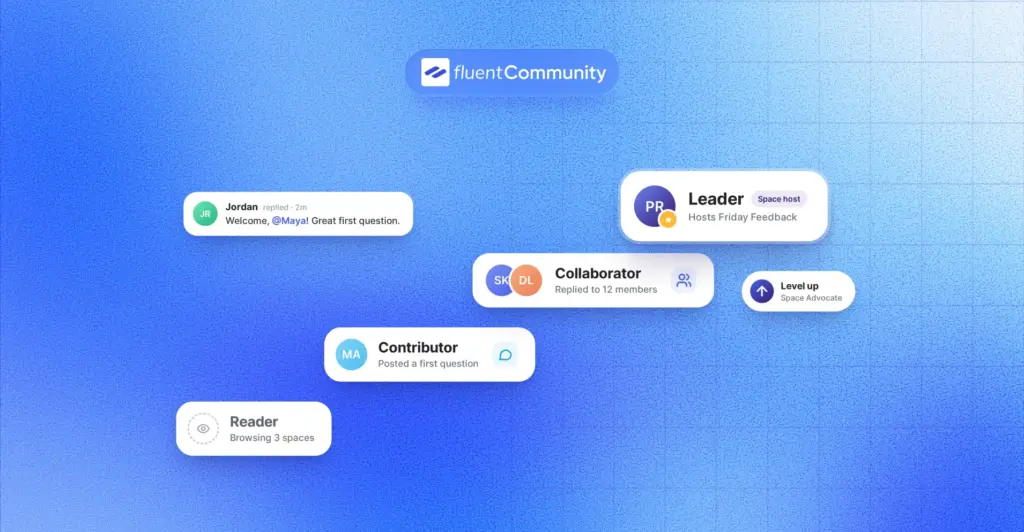
- Leaderboards and badges to reward your most active fans
- An installable web app (PWA) and push notifications so members can use it like an app
- One-click migration from BuddyBoss and BuddyPress
The money part is where it stands out. FluentCart, the checkout plugin FluentCommunity uses for paid spaces and courses, charges zero transaction fees on both its free and Pro versions. You only pay your payment processor, like Stripe or PayPal.
Pricing: The core plugin is free on WordPress.org. Pro starts at $199 per year for one site, and there’s a $399 lifetime option. You can see the current plans on the FluentCommunity pricing page. Every plan includes all features. The price changes only with the number of sites.
Watch out for:
- You need WordPress hosting, and a busy community runs best on a VPS or cloud server
- You handle plugin updates and backups yourself, or your host does
- There’s no built-in discovery marketplace sending you new members
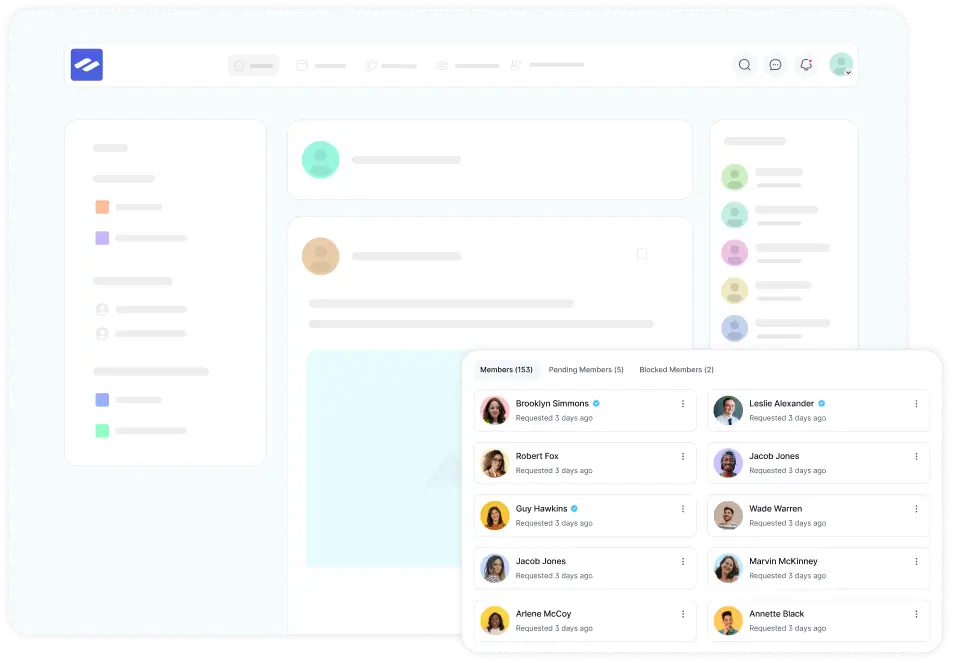
In simple terms, FluentCommunity costs a little more effort upfront and much less money over time. If you plan to build a creator business that lasts years, owning the platform is hard to beat. Here’s how it looks for creators running fan communities.
2. Circle
Circle is a hosted community platform known for its clean design. It bundles spaces, courses, events, live streams, and paid memberships into one dashboard, and it’s popular with coaches and course creators who want things to look polished on day one.
Pricing: Professional costs $89 per month and Business $199 per month, both billed yearly. A newer Scale plan at $419 per month was added in late September 2026, and Circle Plus is custom-priced. Circle takes a transaction fee of 2% on Professional, 1% on Business and Scale, and 0.5% on Plus, on top of card processing. Check the live numbers on Circle’s pricing page.
What creators like:
- A modern, tidy member experience that needs little setup
- Courses, events, and chat in one place
- Strong options for paid memberships
Watch out for: There’s no free plan, only a trial. Add-ons like the email tool cost extra, and the transaction fee never fully disappears. If you’re weighing the two directly, our Circle vs FluentCommunity comparison breaks down the cost difference.
3. Mighty Networks
Mighty Networks positions itself as an all-in-one platform for communities, courses, events, and memberships, with mobile apps your members download. It’s a good fit for creators whose fans live on their phones.
Pricing: Launch runs $79 per month and Scale $179 per month when billed yearly, or $95 and $215 monthly, according to a recent pricing breakdown. Launch carries a 2% transaction fee and Scale 1%. A branded app requires Mighty Pro, which is quote-based. Confirm on the Mighty Networks pricing page before buying.
What creators like:
- Members get a real mobile app experience
- Courses, live events, and community feeds work together
- Built-in tools for growing paid memberships
Watch out for: The old $49 entry plan is gone, so the starting price is higher than many older reviews suggest. Integrations and richer space features sit on the higher Scale plan.
4. Discourse
Discourse is open-source forum software. It’s built for long, searchable conversations rather than quick social posts, which makes it a favorite for tech creators, game communities, and anyone whose fans love deep discussion.
Pricing: You can self-host Discourse for free if you’re comfortable managing a server. Hosted plans include a free tier and paid plans such as Pro at $100 per month and Business at $500 per month, per Discourse’s pricing page.
What creators like:
- Excellent threaded discussions that stay organized for years
- Trust levels that reward helpful members over time
- Real-time chat alongside the forum
Watch out for: Discourse isn’t built to sell courses or memberships out of the box. Paid access usually needs extra setup, and the forum style can feel heavy for casual fans.
5. Bettermode
Bettermode is a customizable, no-code community platform mostly used by brands and SaaS companies. Creators who partner with a brand, or who want a community that blends into their own website design, may find it useful.
Pricing: Bettermode removed its free plan on March 15, 2026. Then, in late September 2026, it cut its Starter plan to $149 per month billed yearly, down from $399. Many comparison posts still quote the old price, so check Bettermode’s pricing page.
What creators like:
- Deep design control without code
- Flexible spaces and embeddable community widgets
- A strong fit for customer and brand communities
Watch out for: It’s built for companies first. Courses and creator-style monetization aren’t its main focus, and $149 a month is a lot for a solo creator testing an idea.
6. Patreon
Patreon isn’t a classic community platform. It’s a membership marketplace where fans pay you monthly for perks, posts, videos, and access to member chats. Its biggest strength is trust, since many fans already have an account and a saved card.
Pricing: Patreon is free to join. Creators who published their page after August 4, 2025 pay a standard 10% platform fee, plus payment processing, currency conversion, and payout fees. Older creators may keep legacy rates as long as their page stays published.
What creators like:
- Fans recognize the brand and sign up quickly
- Tiered memberships are easy to set up
- Posts, video, and chats in one app
Watch out for: That 10% cut grows with you, and your page lives on Patreon’s terms. If you’re thinking about moving, see our list of Patreon alternatives or the Patreon vs FluentCommunity breakdown.
7. Skool
Skool combines a community feed, a course classroom, a calendar, and gamification in a very simple layout. Members earn points and levels, and you can unlock lessons as they level up. It’s popular with coaches and info creators who sell programs.
Pricing: Hobby costs $9 per month and takes 10% plus 30 cents per payment. Pro costs $99 per month and takes 2.9% plus 30 cents, rising to 3.9% on payments above roughly $900, according to this Skool pricing analysis. Unlike most platforms, Skool’s rate includes card processing. See Skool’s pricing for the latest.
What creators like:
- Very easy to set up and use
- Gamification keeps members coming back
- Courses and community share one screen
Watch out for: Your community lives on skool.com, design options are limited, and the Hobby plan’s 10% fee gets expensive quickly. Pro becomes cheaper than Hobby once you pass about $1,270 a month in revenue.
How to Choose the Right Creator Community Platform for Your Stage
There’s no single winner for every creator. Here’s how I’d match the platform to where you are right now.
You’re Testing an Idea
If you don’t know yet whether people will pay, start cheap. Skool Hobby or a free FluentCommunity install on an existing WordPress site both let you test without a big bill. Just plan your exit from high-fee plans before revenue arrives.
You Sell Courses or Cohort Programs
You need courses and discussion in the same place. FluentCommunity, Circle, Skool, and Mighty Networks all cover this. If you want lesson quizzes, drip schedules, and no sales cut, FluentCommunity gives you the most control.
You Run a Fan Membership
Patreon is the fastest way to start because fans already trust it. Once your membership is steady, moving to your own platform can save you hundreds a month.
Your Fans Love Deep Discussion
Tech, gaming, and hobby creators with chatty audiences often do best on Discourse, where threads stay organized and searchable.
You’re Building for the Long Haul
If you see your community as a five-year asset, ownership wins. A WordPress community plugin puts your member data, content, and payment setup under your control.
How to Launch a Creator Community on WordPress With FluentCommunity
Here’s the basic path from zero to a paid creator community on your own site. Each step is short, and you can do the whole thing in an afternoon:
- Install FluentCommunity from your WordPress dashboard under Plugins, then run the setup wizard
- Create a free welcome space where new fans introduce themselves
- Create a paid space for your inner circle and turn on a paywall with a FluentCart pricing plan
- Build your first course with the course builder and attach it to your paid space
- Invite your existing audience by email, then pin a welcome post that explains what to do first
- Turn on the installable web app so members can add your community to their phone home screen
Want a deeper walkthrough? The FluentCommunity documentation covers each setting, and the free vs Pro comparison shows which features need a license.
Mistakes Creators Make When Choosing a Community Platform
I’ve seen creators lose months by picking the wrong tool. Here are the most common traps to avoid:
- Comparing only the monthly price and ignoring the transaction fee
- Launching on a free Facebook group or Discord server, then struggling to charge for it later
- Splitting courses, chat, and payments across three tools that don’t talk to each other
- Trusting old pricing in review posts, since Circle, Bettermode, and Mighty Networks all changed plans in 2026
- Never checking whether you can export your members and content if you leave
Conclusion
The best community platform for creators is the one that still makes sense when you have 1,000 paying fans, not just 10. SaaS tools like Circle, Mighty Networks, and Skool get you live quickly. Patreon gets fans paying fast. Discourse shines for deep conversations.
But if you want to own your members, keep what they pay, and build on a website that’s already yours, FluentCommunity is the strongest pick on this list.
A simple next step: install the free FluentCommunity plugin on a test site, create one welcome space, and invite five of your most loyal fans. You’ll know within a week whether it fits your style. When you’re ready to add courses and paid spaces, the FluentCommunity Pro plans unlock everything for a single yearly price.
FAQs
What is the best community platform for creators?
The best community platform for creators depends on your goals. FluentCommunity is best if you want ownership and zero platform fees on WordPress. Circle suits creators who want a polished hosted tool. Skool works well for gamified courses, and Patreon is easiest for fan memberships.
Which creator community platform has no transaction fees?
FluentCommunity has no platform transaction fees on paid spaces and courses because its FluentCart checkout charges 0% on both free and Pro versions. You still pay your payment processor, such as Stripe or PayPal. Circle, Mighty Networks, Skool, and Patreon all take a percentage.
Is Patreon a community platform?
Patreon is a membership platform with some community features, like posts and member chats. It’s great for collecting monthly support from fans. However, it’s not built for structured courses or deep discussions, and new creators pay a 10% platform fee plus processing.
Can I build a creator community on WordPress?
Yes. A WordPress community plugin like FluentCommunity adds spaces, feeds, chat, courses, and paid memberships to your existing WordPress site. You keep full control of your member data and design, but you’ll need reliable hosting.
How much does a creator community platform cost?
Costs range from free to several hundred dollars a month. FluentCommunity Pro starts at $199 per year plus hosting. Circle starts at $89 per month, Mighty Networks at $79, and Skool at $9, all with transaction fees. Patreon is free to join but takes 10% of earnings for new creators.
Is Skool or Circle better for creators?
Skool is simpler and better for gamified course communities, while Circle offers more design and feature flexibility. Skool Pro costs $99 per month with a 2.9% fee that includes processing. Circle Professional costs $89 per month with a 2% fee on top of processing.
Do I need a separate course platform if I use a community platform?
Not always. FluentCommunity, Circle, Mighty Networks, and Skool all include built-in courses. Keeping courses and community together usually improves engagement because members can discuss lessons right where they learn.

Ashik Elahi
Ashik Elahi is a seasoned Digital Marketing Strategist with a passion for Content Marketing. He believes in the power of storytelling and crafting valuable content that resonates with readers.


Add your first comment to this post