

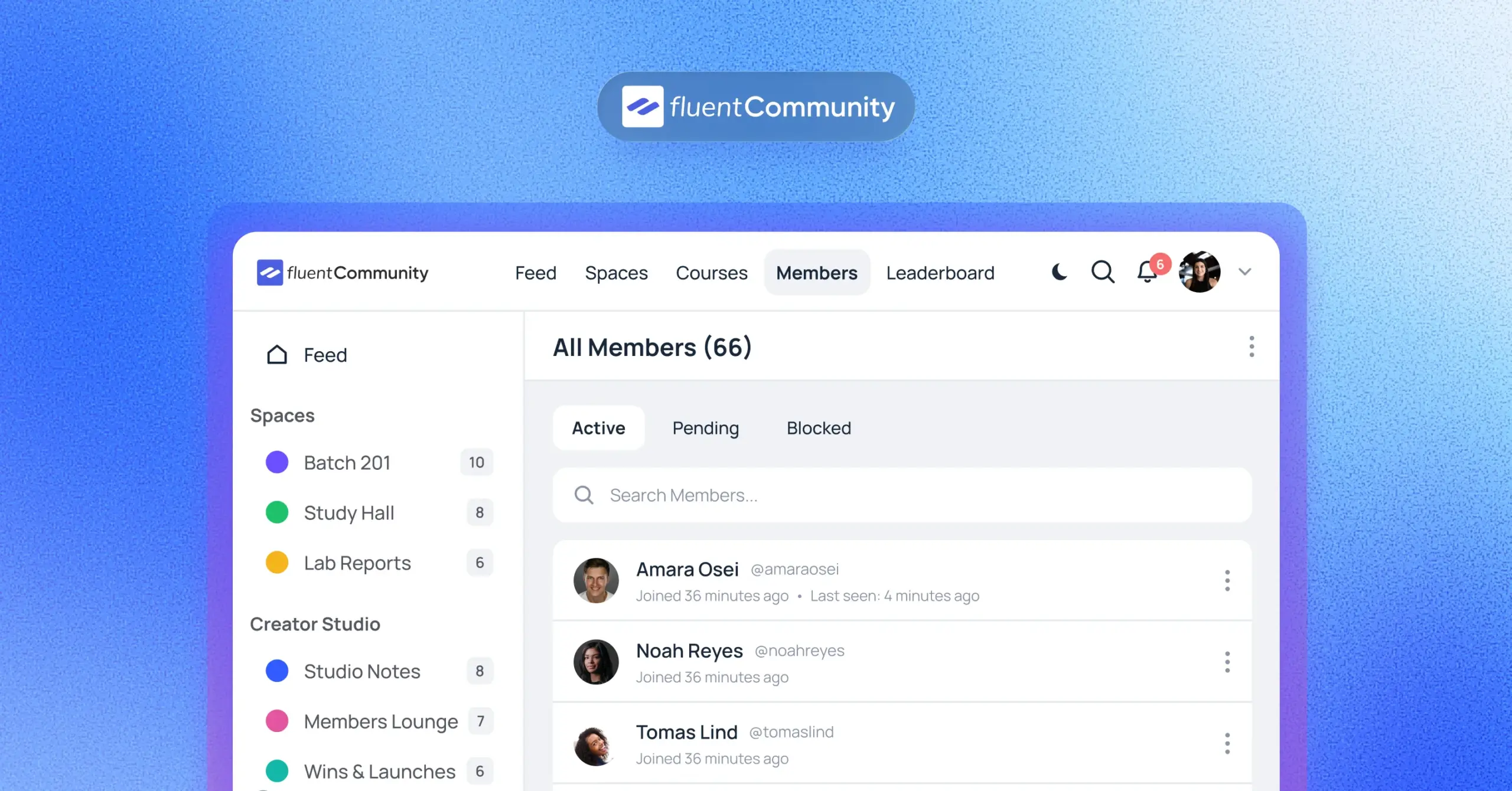
What Is a Virtual Community? How to Create One with WordPress

Table of Content
Subscribe To Get
WordPress Guides, Tips, and Tutorials


People join a virtual community without calling it that. A Facebook group for new parents, a Discord server for a game, a Slack for freelancers.
The hard part isn’t understanding the idea.
It’s building one people actually return to. This guide explains what a virtual community is and walks you through creating yours.
Key Takeaways
- A virtual community is a group of people who connect online around a shared interest or goal
- Purpose and people come before platform and features
- Where your community lives decides who controls your members, content, and history
- A small, active launch group beats a big, silent member list
- WordPress plus FluentCommunity lets you run a virtual community on your own domain
What Is a Virtual Community?
A virtual community is a group of people who connect and interact online around a shared interest, goal, or identity. Instead of meeting in one physical place, members talk, learn, and support each other through digital spaces like discussion feeds, chat, and live sessions.
In simple terms, it’s a club that lives on the internet. You don’t need to share a zip code. You just need to share a reason to show up.
The term isn’t new. Writer Howard Rheingold popularized it in his 1993 book The Virtual Community, describing groups that form online when people keep talking long enough, with enough real feeling, to build personal relationships (Wikipedia). That last part matters. Chatting isn’t the same as belonging.
The 4 Traits Every Virtual Community Shares
Whether it has 12 members or 12,000, a working virtual community usually has these four traits:
- A shared purpose members can explain in one sentence
- Ongoing interaction, not one-off visits
- Some shared rules, written or unwritten
- Relationships between members, not just with the host
If one of these is missing, you usually have an audience, not a community. An audience listens to you. A community talks to each other.
Virtual Community vs. Social Media Group vs. Online Forum
People use these terms like they mean the same thing. They overlap, but they aren’t identical. Here’s a quick way to tell them apart:
| Virtual community | Social media group | Online forum | Membership site | |
| Main goal | Relationships around a shared purpose | Quick conversation and reach | Searchable Q&A and threads | Paid access to content |
| Who owns member data | Depends on where it’s hosted | The social platform | Forum owner | Site owner |
| Typical tools | Feeds, chat, events, courses, profiles | Posts, comments, reactions | Threads, categories, replies | Gated pages, downloads |
| Distractions | Low if self-hosted | High (ads, other groups, notifications) | Low | Low |
| Can you charge for access? | Yes, on most platforms | Limited | Sometimes | Yes |
So a Facebook group can host a virtual community. But the group is only the container. The community is the people and the habits they build together.
Common Types of Virtual Communities
Most virtual communities fall into a handful of types. Here’s how they usually show up for different kinds of organizations:
- Brand and customer communities: an ecommerce store where buyers share setups, reviews, and tips
- Learning communities: course students who discuss lessons and keep each other accountable
- Coaching and mastermind groups: small, often paid groups working toward one result
- Nonprofit and cause communities: supporters and volunteers who organize around a mission
- Clubs and associations: members of a local club, alumni group, or professional body
- Product support communities: users who help each other solve problems faster than a ticket queue
- Workplace communities: internal teams or partner networks sharing updates and resources
One community can mix types. A yoga teacher might run a course, a paid monthly circle, and a free space for beginners, all under one roof.
Why Brands, Creators, and Nonprofits Build Virtual Communities
Honestly, the main reason is simple. People stay longer when they know other people are there. A course without classmates feels like homework. A product without other users feels like a gamble.
The data backs up what community builders have been saying for years. In the 2026 CMX Community Industry Report, 93% of community professionals said they now use AI tools, up from 81% the year before (CMX). A summary of the same report notes that 84% say community had a positive impact on their organization, but only 17.2% can confidently put a number on its business value (Bettermode, citing CMX 2026).
That gap tells you something useful. Community clearly works, but you need to decide early what “working” means for you. More course completions? Fewer support tickets? Repeat purchases? Pick one before you launch.
Here are the benefits most organizations are chasing:
- Higher retention for courses, memberships, and subscriptions
- Faster support, since members answer each other
- Honest product feedback from the people who use it
- A direct channel that doesn’t depend on social media algorithms
- Content ideas pulled straight from real member questions
There’s also a newer reason. Community conversations are increasingly part of how people research. G2’s 2026 research found 51% of B2B software buyers now start research with an AI chatbot more often than Google, and those chatbots regularly pull from community discussions (Bettermode, citing G2 2026 and Semrush 2025). Real conversations are becoming a visibility asset, not just a support channel.
Where Your Virtual Community Lives Matters More Than You Think
This is the part most guides skip. Where you host your virtual community decides who controls your members, your content, and your history. Think of it like renting an apartment versus owning a house. Renting is easier on day one. Owning is safer on day 1,000.
Here’s a real example. In September 2022, Slack limited free workspaces to the last 90 days of message history, and many long-running free communities suddenly lost access to years of searchable conversations (Zulip). In August 2024, Slack went further and began deleting messages and files older than one year on free plans (Digital Trends).
Even very large communities felt it. The Cloud Native Computing Foundation announced its Slack workspace would be downgraded to a free plan on June 20, 2025, which meant only 90 days of history and disabled workflows, including its welcome messages (CNCF).
None of this makes Slack, Discord, or Facebook bad tools. They’re great for casual chat. But if your community is part of your business, ask three questions before you commit:
- Can I export my members and content if I leave?
- Can the platform change pricing or limits without my say?
- Do members see my community, or a feed full of other people’s content?
If the answers worry you, a self-hosted option on your own website is worth a serious look. That’s where WordPress comes in, and we’ll get to it right after the steps.
How to Create a Virtual Community in 8 Steps
Here’s the whole process in one place. The order matters, because each step makes the next one easier.
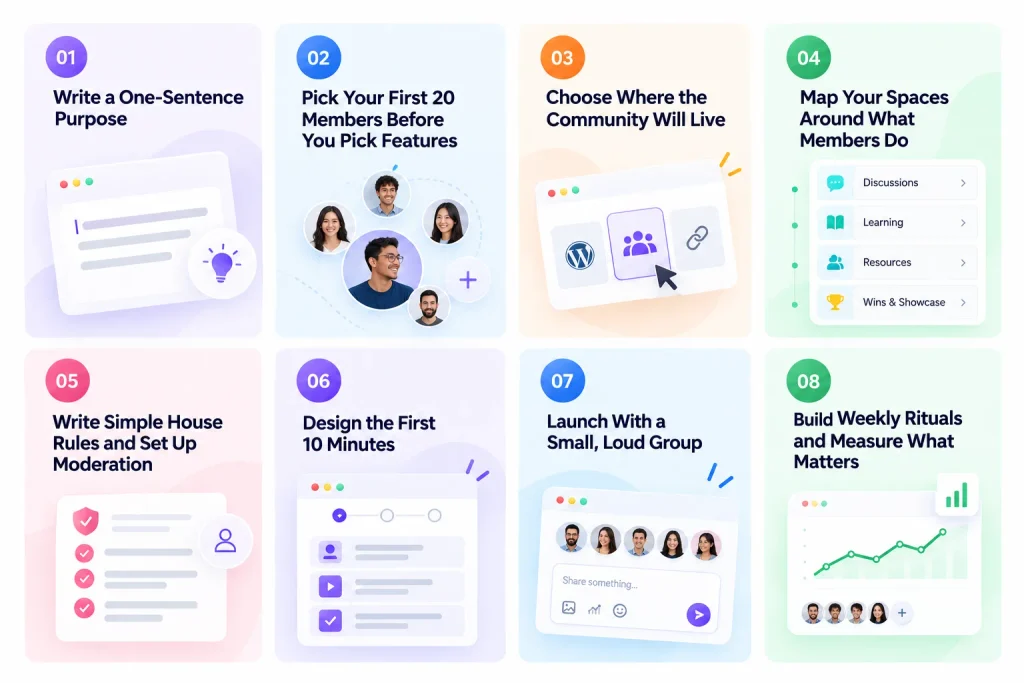
Step 1: Write a One-Sentence Purpose
Before you touch any tool, finish this sentence: “This community helps [who] to [do what] by [how].”
For example: “This community helps first-time Shopify store owners get their first 100 sales by sharing weekly wins and fixes.” That’s specific enough that the right person says “that’s me,” and the wrong person moves on. Both are good outcomes.
Vague purposes like “a place for entrepreneurs” are the most common reason communities stay quiet. Nobody knows what to post.
Step 2: Pick Your First 20 Members Before You Pick Features
Well, this sounds backward, but it works. Make a list of 20 real people who fit your purpose. Customers, students, newsletter readers, past clients.
Talk to a few of them. Ask what they’d want from the space and what would make them log in on a Tuesday afternoon. Their answers will tell you which features you need far better than any comparison chart.
Step 3: Choose Where the Community Will Live
Now pick your platform, using the ownership questions from the section above. Your realistic options look like this:
- Free social tools (Facebook groups, Discord): fast to start, but you don’t control the space
- Hosted SaaS platforms (Circle, Mighty Networks, Skool): polished, but monthly fees and platform rules
- A WordPress community plugin: runs on your own site, domain, and database
If you already have a WordPress site, the third option often makes the most sense. Your community sits next to your blog, store, and courses, and members never leave your brand.
Step 4: Map Your Spaces Around What Members Do
Don’t create 15 channels on day one. Empty rooms feel awkward, online and offline.
Start with three to five spaces based on actions, not topics. For example:
- Start Here: introductions and house rules
- Wins and Questions: the main daily conversation
- Resources: templates, recordings, and links
- Announcements: updates from you only
You can always add more spaces once one gets crowded. That’s a nice problem to have.
Step 5: Write Simple House Rules and Set Up Moderation
Rules protect the vibe you’re trying to build. Keep them short. Five clear rules beat a legal page nobody reads.
Plan moderation now, not after the first bad post. Most communities run on very small teams. The CMX 2025 report found that 33% of communities with over 100,000 members have just 2 to 4 moderators, and 5% rely on a single moderator (CMX 2025 Report, PDF). Automated tools like profanity filters and approval queues aren’t a luxury. They’re how small teams survive.
Step 6: Design the First 10 Minutes
A new member decides pretty fast whether they’ll come back. So plan their first 10 minutes on purpose.
Here’s a simple first-visit flow that works for most communities:
- A short welcome message that explains the purpose
- One clear action, like “introduce yourself in Start Here”
- A reply from you or a member within 24 hours
- A pointer to one useful resource
That first reply is the moment someone goes from visitor to member. Don’t leave it to chance.
Step 7: Launch With a Small, Loud Group
Instead of opening the doors to everyone at once, invite your 20 hand-picked members first. Give them a week to post, react, and settle in.
When the wider launch happens, new people land in a space that already feels alive. It’s the same reason restaurants seat early guests by the window.
Step 8: Build Weekly Rituals and Measure What Matters
Communities run on rhythm. A few repeating posts give members a reason to come back without you inventing content every day:
- Monday goals thread
- Wednesday Q&A or office hours
- Friday wins thread
- A monthly live session or challenge
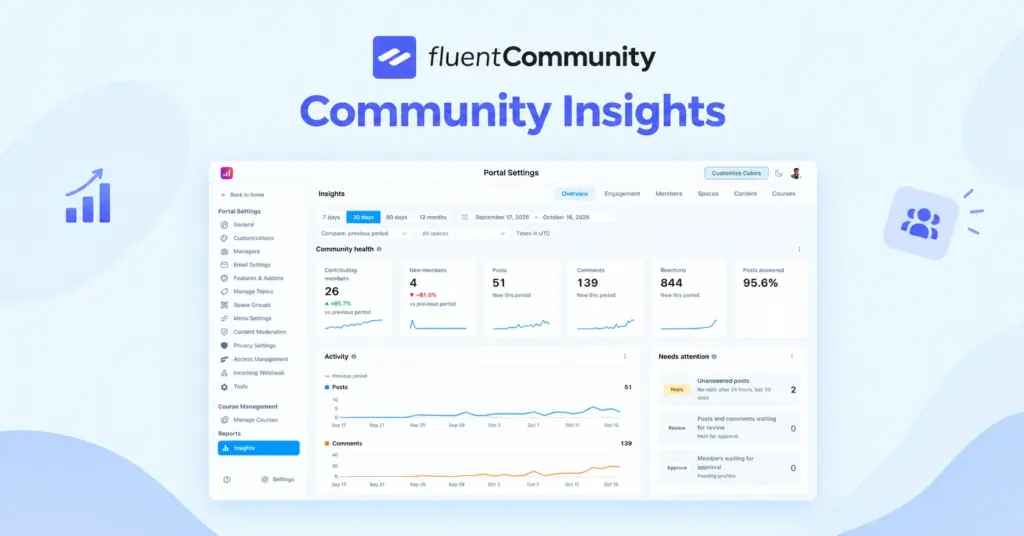
Then track a few numbers every month. Active members, new posts, replies per post, and your one business metric from earlier. Expect uneven participation. The classic 90-9-1 rule from Nielsen Norman Group suggests most people mostly read, a few contribute sometimes, and a tiny group creates most content (NN/g). It’s a 2006 baseline, so measure your own ratio instead of treating it as a law.
How to Build a Virtual Community on WordPress With FluentCommunity
If you want to own your community, FluentCommunity is a WordPress plugin that adds community and course features directly to your site. There’s no separate platform. Your members stay on your domain, and your data stays in your WordPress database.
For context, WordPress powers 41.9% of all websites, according to W3Techs (W3Techs). So there’s a good chance your community’s future home already exists.
Here’s how the plugin’s features line up with the 8 steps above.
Setting Up Spaces for Step 4
FluentCommunity uses Spaces, which are separate areas inside your community for different groups or topics. You can make each Space public, private, or secret, and control who can join. That’s how you build your “Start Here,” “Wins,” and “Resources” areas from Step 4.
Spaces can also be grouped, so a coach can keep free and paid areas organized in one sidebar.
Moderation Tools for Step 5
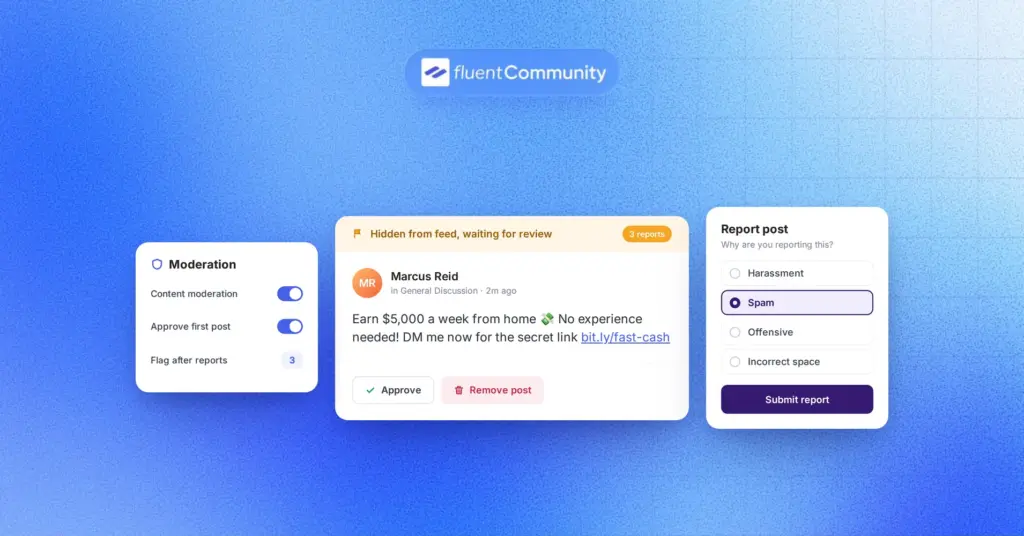
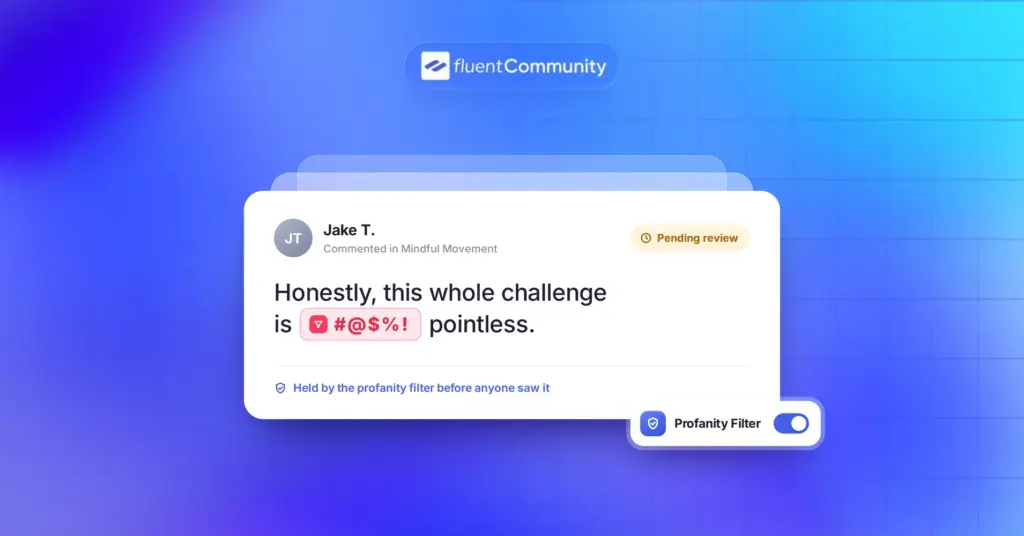
The plugin includes built-in content moderation with profanity filtering, auto-flag thresholds, first-comment approval, and a review queue. There’s also user approval, so you can review who joins before they get in. For a solo founder, first-comment approval alone can stop most spam without extra work.
Onboarding and Engagement for Steps 6 and 8
A few features help with that first visit and the weekly rhythm:
- Welcome message and custom profile fields to learn about new members
- Post scheduling, so your Monday goals thread goes live even when you’re offline
- Polls and surveys for quick member feedback
- Real-time chat for private conversations between members
- Email digests that bring quiet members back
- Leaderboard and user badges to recognize active members (Pro)
Courses and Paid Access
If your community is built around learning, FluentCommunity has a built-in course builder with lesson discussions, progress tracking, and drip content. Quizzes and sequential lesson locks are available in Pro.
Want to charge for access? The plugin connects natively with FluentCart, so you can sell Spaces and courses with multiple pricing plans. Our guide on building a paid learning community in WordPress walks through that setup step by step.
Working With the Rest of Your Stack
FluentCommunity also works with FluentCRM for automated member emails, Fluent Forms for applications and surveys, and Fluent Support for help tickets. If you’re moving from BuddyBoss or BuddyPress, there’s a built-in migration tool.
On WordPress.org, the plugin has 8,000+ active installations and a 4.9 out of 5 rating at the time of writing (WordPress.org).
You can start with the free version on WordPress.org and follow the introduction guide in the docs to set up your first Spaces in an afternoon.
A Simple 30-Day Launch Plan for Your Virtual Community
Steps are great. A calendar is better. Here’s a realistic first month you can copy:
| Week | Focus | What to do |
| Week 1 | Foundation | Write your purpose, list 20 founding members, install your platform |
| Week 2 | Setup | Create 3 to 5 Spaces, write house rules, turn on moderation, draft your welcome message |
| Week 3 | Soft launch | Invite founding members, post the first rituals, reply to every introduction |
| Week 4 | Public launch | Open invites to your list, share early wins, run your first live session |
After day 30, look at what members actually used. Double down on the busy spaces and quietly merge the empty ones.
Mistakes That Quietly Kill a Virtual Community
Most communities don’t fail with a bang. They just get quieter. Watch out for these common mistakes:
- Launching with too many empty spaces
- Posting only announcements, so members never talk to each other
- Leaving new introductions without a reply
- Copying another community’s rules instead of writing your own
- Measuring member count instead of member activity
- Building on a platform you can’t export from
If you catch yourself doing one of these, don’t panic. Fix one thing a week. Communities forgive small corrections much faster than long silence.
Start Small and Own the Space
A virtual community doesn’t need thousands of members to matter. It needs a clear purpose, a handful of people who care, and a home you control.
So here’s your next step. Write your one-sentence purpose today, then list the first 20 people you’d invite. That list is your community. Everything else is setup.
When you’re ready to give it a home, FluentCommunity lets you run Spaces, chat, courses, and moderation right on your WordPress site, without handing your members to another platform. Install the free version from WordPress.org and build your first Space this week. If you need leaderboards, badges, quizzes, or advanced features later, you can explore FluentCommunity Pro when the community is ready for it.
Virtual Community FAQs
What is a virtual community in simple words?
A virtual community is a group of people who meet online instead of in person because they share an interest, goal, or identity. Members talk, help each other, and build relationships through posts, chat, and events.
What is an example of a virtual community?
A course creator’s private student space, a brand’s customer group where buyers share tips, a nonprofit’s volunteer network, and a Reddit subreddit are all virtual communities. What makes them communities is ongoing interaction between members.
What is the difference between a virtual community and social media?
Social media is a public network built for reach and ads. A virtual community is a focused group built around one shared purpose. You can host a community on social media, but a dedicated platform gives you more control and fewer distractions.
How many members do you need to start a virtual community?
You can start with 10 to 20 engaged members. A small group that posts and replies creates a better first impression than hundreds of silent sign-ups.
Can I create a virtual community on WordPress?
Yes. A WordPress community plugin like FluentCommunity adds Spaces, member profiles, chat, moderation, and courses to your existing site, so your community runs on your own domain.
Is a virtual community free to create?
It can be. Free tools like Facebook groups or the free version of FluentCommunity cost nothing to start. Your real costs are usually hosting, paid features, and the time you spend moderating and posting.

Ashik Elahi
Ashik Elahi is a seasoned Digital Marketing Strategist with a passion for Content Marketing. He believes in the power of storytelling and crafting valuable content that resonates with readers.

Add your first comment to this post