

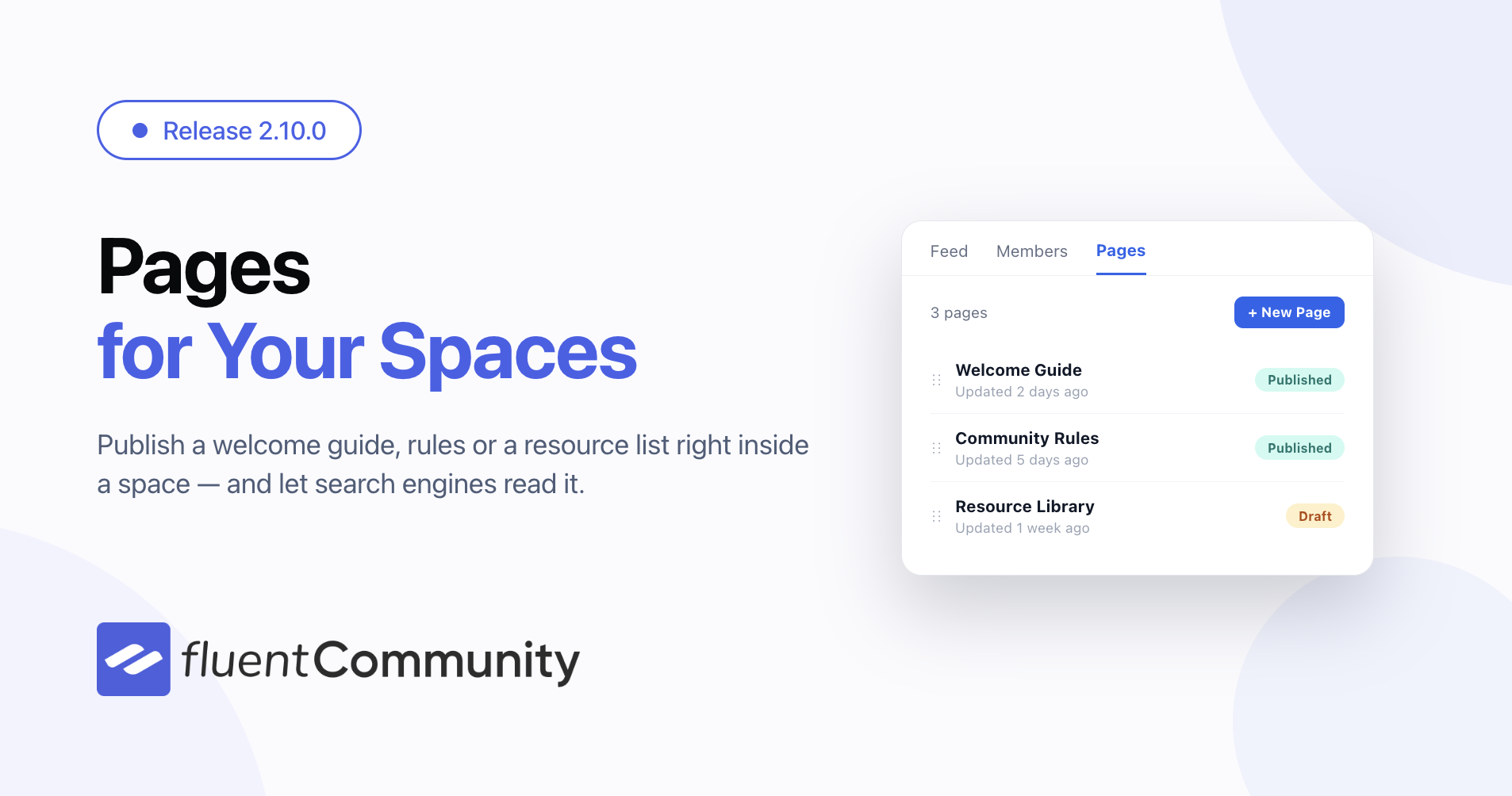
Introducing Pages for Your Spaces – FluentCommunity 2.10

Table of Content
Subscribe To Get
WordPress Guides, Tips, and Tutorials


Starting this release note with a personal story.
At WordCamp Europe in Kraków this year, I met Remkus de Vries. We talked about WordPress, WordCamps, communities, and much more. He’s one of the co-founders of WordCamp Europe, so hearing his stories about how it all started was really special.
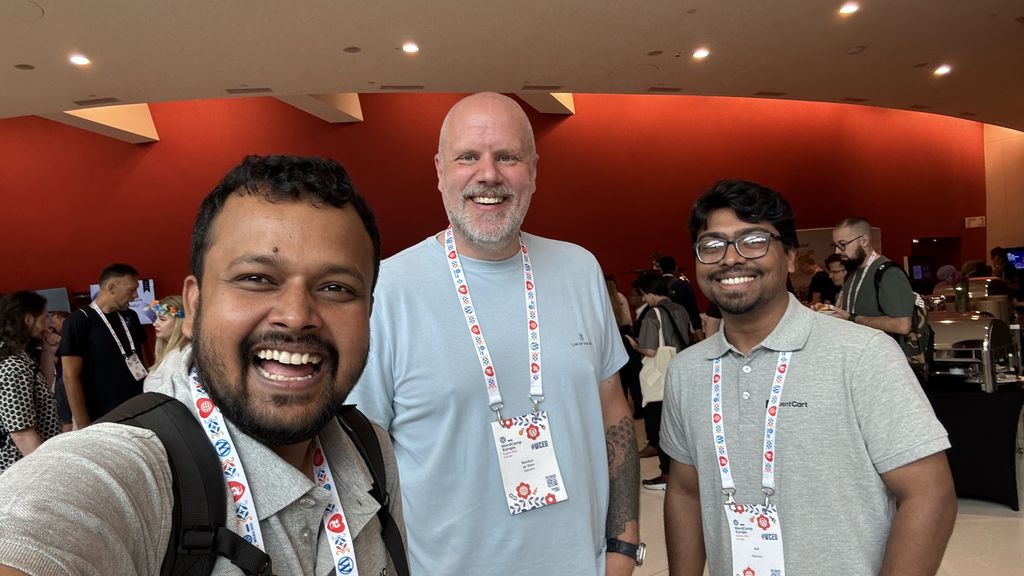
While we were talking, I learned he uses our products and has built a community with FluentCommunity to serve his customers. It always feels good to meet someone in person who uses something we’re building. You get to hear how they actually use it, what’s working for them, and what’s missing.
Then he asked about pages inside spaces. He explained why he needed them and how they would help him organize information for his members. That conversation stayed with me. We get feature requests through many channels, but sitting together and hearing someone explain their use case gives you a different understanding of it.
So today, we’re introducing Pages for Spaces in FluentCommunity. You can now create pages inside your community spaces, and I want to dedicate this feature to Remkus. Thank you for asking for it and taking the time to explain why it matters. I’m happy we’re bringing it to you and everyone else who needs it. 🙂
Why pages matter
When you run a community, some information needs to be easy to find all the time. You might write a helpful post, but as people keep posting and having conversations, it moves down the feed. A new member joins a few weeks later, can’t find it, and asks the same question again. I think anyone running a community knows this situation pretty well.
With pages, you can give that information a home inside the space where it belongs. Here are a few ways you can use them:
- Help new members get started. Create a “Start Here” page explaining what the space is for, how to participate, and what to do first.
- Keep rules and guidelines handy. Give members an easy place to check your community guidelines without searching through old posts.
- Answer common questions. Put frequently asked questions and answers in one page so you don’t have to explain the same things every week.
- Organize useful resources. Collect important links, recommended tools, reading lists, or other materials your members regularly need.
- Support your customers. If you run a customer community, use pages for setup instructions, troubleshooting tips, or details about getting support.
- Share space-specific information. A study group might need a syllabus, an event space might need a schedule, and a team space might need working instructions.
Every space serves a different purpose. Now you have more room to organize the information around that purpose and make it easier for your members to find what they came for.
Give Every Space Its Own Pages
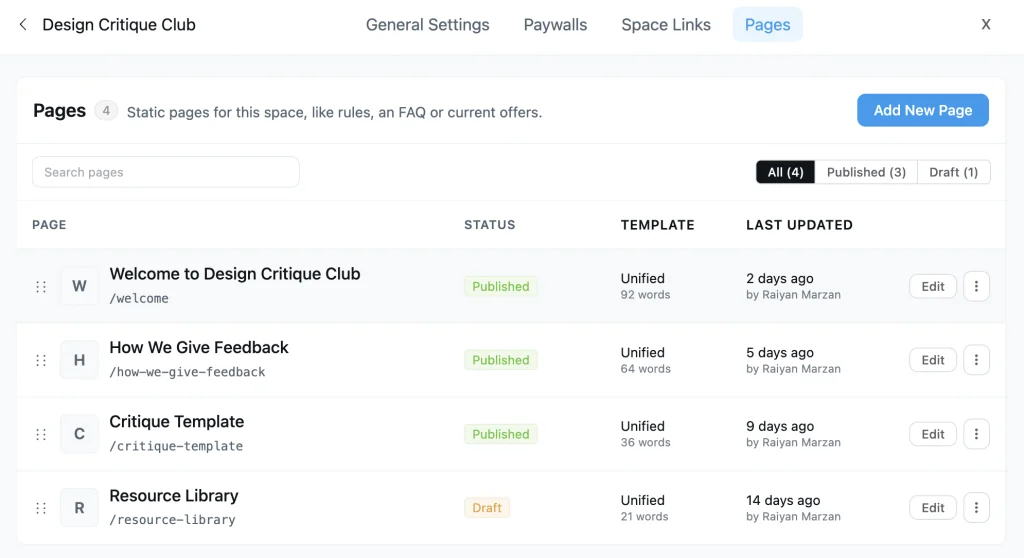
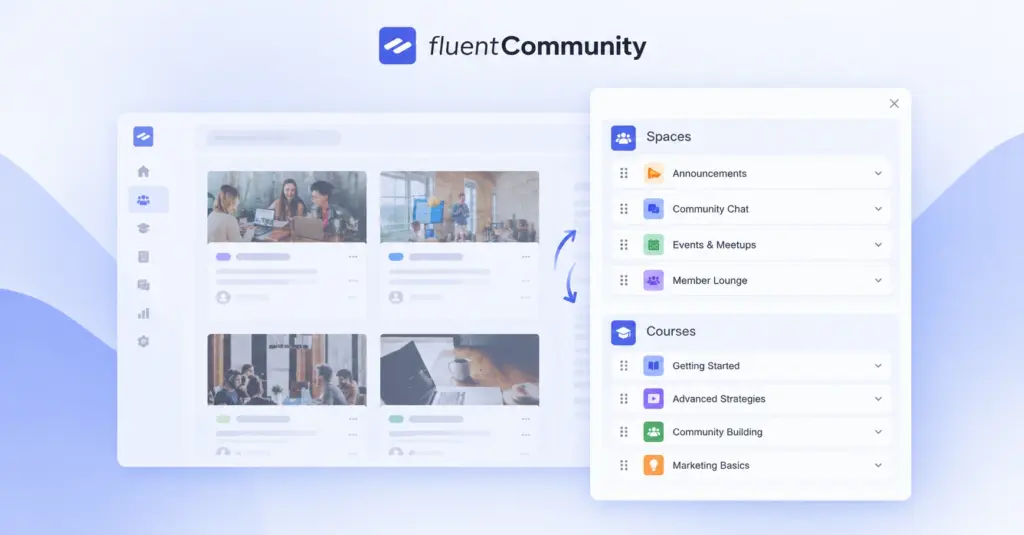
Each space now has a Pages tab (pro). Open it, hit New Page, and you get the same block editor you already use for posts and lessons — headings, images, embeds, the lot. Publish when it is ready, or leave it as a draft until it is.
Drag the pages into the order you want members to meet them — the welcome guide first, the fine print last. They live inside the space, so nobody gets bounced out to a WordPress page and has to find their way back.
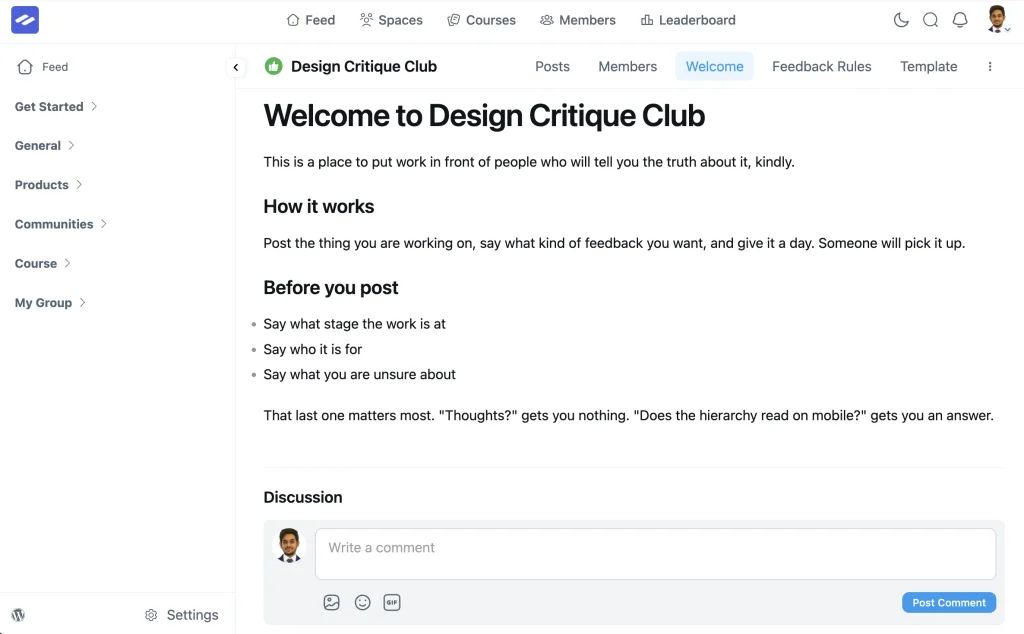
Pages can take comments too, so a guide turns into a conversation instead of a notice board. Members ask their question in the place that raised it.
One small thing that saves a lot of grief: if you start editing a page and then click away, the portal now stops and asks. Half-written pages no longer disappear because you tapped the wrong link.
Your public community posts now show up in Google, Bing and AI answers
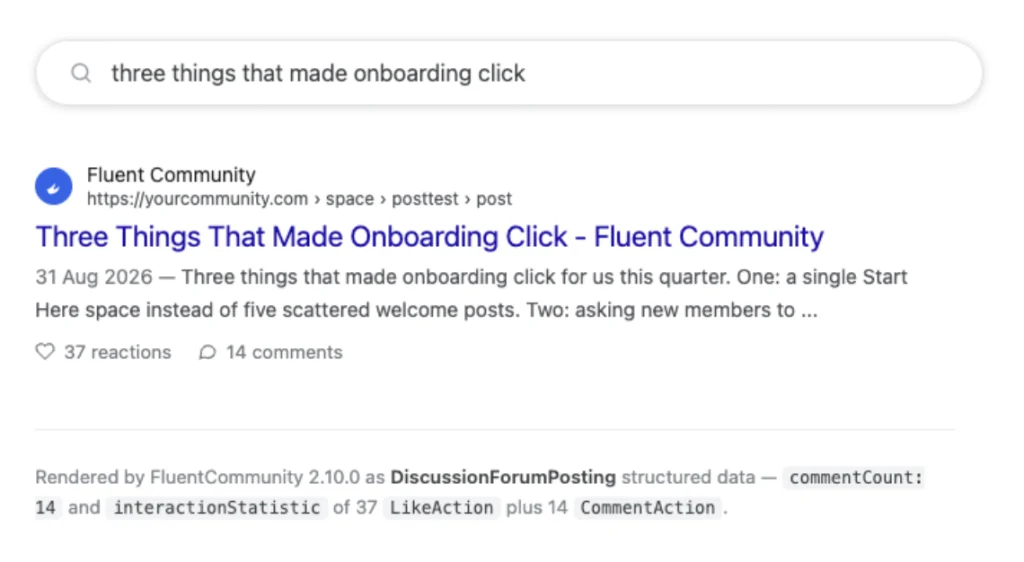
If you have been running a FluentCommunity site for a while, you probably noticed something we noticed on our own community: the sitemap works. Since we added it, Google has been sending us thousands of visitors a month straight into discussions in our community. People search a question, land on a thread where a real person asked the same thing and other real people answered, and they stay.
That happens because search engines and AI engines want exactly that. Google keeps pushing forums and real conversations higher in results. ChatGPT, Claude and Perplexity all quote community threads when they answer questions. A discussion between actual humans is the content they trust most, and your community is full of it.
There was one problem. Most of those engines could not actually read it.
What was going wrong
The community portal is an app. When a member opens a post, their browser downloads the app and the app draws the page. That is why it feels fast and smooth to your members.
But when Google, Bing or an AI crawler asked for the same post, all they got back was an empty page and a note that said “run this app to see the content”. Google runs it, sometimes, and slowly. Bing mostly does not. GPTBot, ClaudeBot and PerplexityBot do not run it at all. Neither does the little preview box that appears when someone pastes your link in Slack, WhatsApp or LinkedIn.
So the sitemap was telling every engine “here are 5,000 great discussions”, and then each of those engines opened one and saw a blank page. We were getting traffic from Google in spite of that, not because of it.
What 2.10.0 does about it
Now, when a crawler asks for a post, a space or a course, our server sends back the real page. The title, the post itself, the images, the comments, the like and comment counts. Not a note about an app. The actual conversation, written out in plain HTML, before any JavaScript runs.
For your members, nothing changes. They still get the same app, and single posts actually open a bit faster because the page arrives with the post already in it.
For everything that is not a browser, this is the difference between a locked door and an open one:
- Search engines read the whole thread on the first visit, including the answers in the comments. That is what ranks.
- AI engines can finally read your community at all. When someone asks ChatGPT or Perplexity a question your members already answered, your thread can be the source it quotes and links to.
- Link previews on social media and in chat apps show the post title and image instead of a generic community logo.
- Space pages now list their posts for crawlers, with links to older pages, so an engine that lands on a space can walk through everything in it. Before, it could see the newest ten and nothing else.
Courses get the same treatment. A course page describes its lessons in the format Google uses for course results, a paid course lists its real price, and a lesson page says which course it belongs to. If you sell courses, this is your landing page finally being visible to the people searching for it.
What stays private, stays private
This only ever renders what a logged-out visitor is allowed to see. Private and secret spaces are not rendered. A paid course shows its lock screen and prices, never its lessons. Members-only links stay out of the page. If your community is set to members only, nothing is rendered at all. We built it so the version an engine reads is exactly the version an anonymous visitor would see, no more.
What you need to do
Nothing new to switch on. Update to 2.10.0 with the Pro plugin and it is live.
The only setting that matters is one you already have: in Settings, General, your community access needs to be set to Everyone. That is the same switch that turns on the sitemap. If your community is set to logged-in users only, there is nothing a visitor without an account is allowed to see, so nothing is sent to search engines either. That is deliberate.
You can confirm it is working from Settings, Tools, where the sitemap status and URL are shown. Or open one of your posts in a private browser window, view the page source, and you will see your community’s writing right there in it. Give the engines a few weeks to recrawl.
Notifications That Do Not Repeat Themselves
Push notifications landed in 2.9.0 and immediately revealed two annoyances. Members who tapped a push arrived at the post, but the in-app badge stayed lit as if they had never seen it. And a member with push enabled got told twice — once by their phone, then again by a toast a few seconds later.
Both are fixed. Opening a push now clears the matching notifications for that post, so the badge reflects reality. And when a push actually reaches a member, the in-app toast for that same event stays quiet.
Setting push up got easier as well. The Push Settings drawer now walks you through connecting FluentNotify — and if the plugin is installed but switched off, it offers to activate it instead of sending you to the plugins screen. On mobile, toasts slide in from the top where your thumb is not covering them.
Everyday Improvements
Posts stop jumping to the top for no reason. The “New Activity” sort follows a post’s last-updated time, and administrative actions were quietly touching it. Pinning, unpinning, locking comments, unlisting, and moderator edits on someone else’s post all shoved that post back to the top as though it were new. Those writes no longer disturb the sort.
Settings screens are real pages now. Space, course and feed settings became proper routes, so the back button works, links are shareable, and refreshing does not dump you somewhere else.
Dark mode is more consistent. Key styles now follow the portal’s own colour-mode attribute rather than guessing from the browser, so themed screens stop flickering between looks.
The space header behaves on a phone. The menu fits properly on small screens, and the link for the page you are actually on is marked as active instead of every link looking the same.
Big page lists load faster. The Pages manager was running a separate query for every row it displayed. It now fetches what it needs once, and the server-rendered views do the same — noticeably lighter on busy communities.
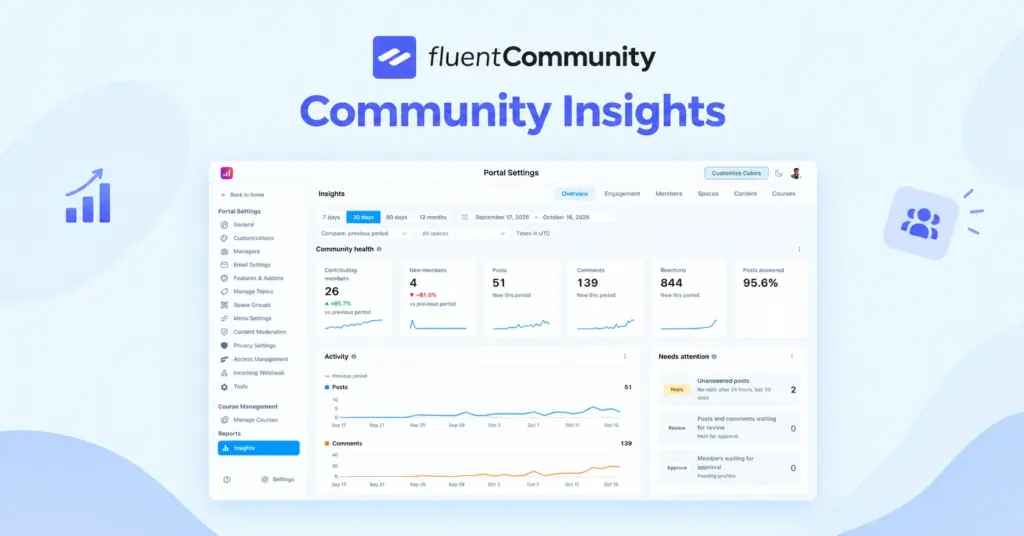
Analytics counts add up faster. The popular day and time report now aggregates its numbers in one pass instead of counting them row by row.
New hooks for course builders. Actions now fire when a lesson or section is created and when it is published, so you can trigger an email, sync a record, or kick off an automation at exactly the right moment.
A Tighter Lock on Spaces and Pages
Two access checks were tightened in this release. Feed responses were including a space’s member-only links for people who were not members of that space, and the new page endpoints accepted course slugs they had no business answering for. Both now scope to what the requesting member is actually allowed to see.
Bug Fixes and Stability
Course lessons scroll again in the iOS app. The pull-to-refresh gesture added in 2.9.0 measured the wrong scroll container on lesson pages, so every downward swipe armed a refresh and the lesson could not be scrolled back up at all. It now finds the right container.
Ready for newer PHP. A set of deprecation notices on PHP 8.1 and later are gone, so hosts on current versions get a clean error log.
Notifications and digests tell the truth. The notification preferences screen no longer shows an empty row when push is unavailable, a toast is no longer dropped for an event that had no push to begin with, and the daily digest schedules correctly when it is due the same day.
Media and translations. Uploaded videos render as videos again instead of a plain link, and a batch of strings that could not be translated are now available to translators.
Under the hood. A stale in-memory copy of a space no longer survives a cache clear, quiz submission is guarded when a quiz has no enabled questions, and the files we ship now pass the WordPress Plugin Check cleanly.
Wrapping Up
FluentCommunity 2.10.0 gives your spaces somewhere to put the content that matters beyond today’s feed, puts your community in front of people searching for it, and makes notifications feel considered rather than noisy.
Update whenever you are ready — and let us know what you build with it.
Full Changelog
FluentCommunity 2.10.0
- Introduced: Static Pages for Spaces
- Introduced: Server-Rendered Portal Pages for Search Engines
- Added: Navigation Guards for Unsaved Page Edits
- Added: Action Hooks for Lesson and Section Create and Publish
- Added: Filter to Adjust Resolved Portal Head Meta
- Added: Mark Notifications Read on Push Click
- Improved: Guided FluentNotify Setup From the Push Settings Drawer
- Improved: In-App Toast Skipped When a Push Is Delivered
- Improved: Mobile Toast Slides In From the Top
- Improved: Space, Course and Feed Settings as Real Vue Routes
- Improved: Dark Mode Styling Keyed off data-color-mode
- Improved: Space Header Menu on Mobile and Active Link State
- Improved: Query Counts in Pages Manager and Server-Rendered Views
- Improved: Popular Day and Time Analytics Aggregation
- Fixed: Posts Bumped to the Top After Pin, Moderation and Report Actions
- Fixed: Empty Notification Preference Row When Push Is Unavailable
- Fixed: Toast Dropped for an Event Without a Push
- Fixed: Untranslatable Strings in the Community UI
- Fixed: Uploaded Videos Rendering as a Plain Link
- Fixed: Course Lessons Not Scrolling Back Up in the iOS App
- Fixed: Stale In-Memory Space Copy After Cache Invalidation
- Fixed: Null to String Deprecation Notices on PHP 8.1 and Later
- Fixed: Same-Day Daily Digest Scheduling
- Fixed: Quiz Submission With No Enabled Questions
- Fixed: WordPress Plugin Check Compliance for Shipped Files

Shahjahan Jewel
Hello, this is Jewel, CEO & Head of Ideas at WPManageNinja. I am obsessed with WordPress since 2009. My aim is to be a user-centric developer first, and a serial entrepreneur second. You will find me discussing various tech issues and trying to come up with scalable solutions on different forums when I am not busy coding.
![SEO Title: 5 Best Community Portal Software [WordPress + SaaS Options]](https://fluentcommunity.co/wp-content/uploads/2026/10/community-portal-software-featured-1-1024x536.webp)

It would really be nice to have courses revenue analytics not just completion rate and number of students.