

SaaS Community Platform vs WordPress Community Plugin

Table of Content
Subscribe To Get
WordPress Guides, Tips, and Tutorials


Three hundred members, $20 a month each. Nice work. Then you open the billing page and see the platform kept 2% of every payment on top of the plan. Nobody warned you about that part.
So here’s an honest comparison of SaaS community platforms and WordPress community plugins, using real 2026 prices.
Key Takeaways
- A SaaS community platform rents you hosted software, and most also take a cut of what you sell
- At 300 members paying $20 a month, popular SaaS plans cost roughly $2,400 to $3,100 a year before card processing
- A WordPress community plugin keeps your members, content, payments, and domain on infrastructure you control
- SaaS still wins on zero maintenance and fully branded native apps, which usually sit on top tiers
- FluentCommunity covers community, courses, chat, and selling with 0% platform fees, starting at $199 a year
What Is a SaaS Community Platform?
A SaaS community platform is hosted community software that you rent by subscription. The vendor runs the servers, the code, and usually the payment flow. You get spaces, member profiles, and a monthly bill. Circle, Skool, Mighty Networks, and Bettermode are the names most people compare.
In simple terms, it’s like renting a shop inside a busy mall. The lights are always on, security is handled, and you can open fast. But the mall sets the rent, writes the rules, and on many plans takes a percentage of every sale you make.
What Is a WordPress Community Plugin?
A WordPress community plugin adds community features to a WordPress site you already control. Think activity feeds, groups, member profiles, chat, and often courses. You pay for hosting and a plugin license. Your members, posts, and settings live in your own database, on your own domain.
That matters more than it sounds. According to W3Techs, WordPress runs 39.6% of all websites and 58.3% of sites with a known CMS (October 2026). So for a lot of businesses, the “platform” already exists. It just doesn’t have a community on it yet.
SaaS Community Platform vs WordPress Plugin at a Glance
Here’s the short version before we get into numbers:
| Factor | SaaS community platform | WordPress community plugin (FluentCommunity) |
| Setup | Sign up and launch in an hour | Install on WordPress, configure in an afternoon |
| Pricing model | Monthly or yearly plan, rises by tier | Yearly or lifetime license plus your hosting |
| Cut of your sales | 0.5% to 10%, depending on platform and plan | 0% from the plugin; you only pay your card processor |
| Where members live | Vendor’s servers | Your WordPress database |
| Domain and SEO | Vendor domain or custom domain on their stack | Your domain, alongside your blog and sales pages |
| Payments | Vendor’s checkout, sometimes vendor-owned | Your own Stripe or PayPal account |
| Maintenance | Handled for you | You (or your host) handle updates and backups |
| Mobile | Vendor app; branded apps on top or custom tiers | Installable PWA with push notifications |
| Price changes | Vendor decides | You decide when to renew or switch |
The Real Cost of a SaaS Community Platform
Sticker prices only tell half the story. The other half is the platform fee, which grows every time your community earns more. Let’s look at current list prices first, then run them through one realistic community.
Current SaaS Community Platform Pricing
These are the published plans as of October 2026:
- Circle: Professional $89/mo with a 2% transaction fee, Business $199/mo at 1%, Scale $419/mo at 1%, Circle Plus custom at 0.5% (Circle pricing, billed yearly)
- Mighty Networks: Launch $79/mo at 2%, Scale $179/mo at 1%, billed yearly, with higher tiers on custom quotes (Mighty Networks pricing)
- Skool: Hobby $9/mo with a 10% + $0.30 fee, Pro $99/mo with a 2.9% + $0.30 fee that replaces normal card processing (Skool pricing)
- FluentCommunity: free version on WordPress.org, Pro from $199/year for one site, $399 for five, $699 for fifteen (FluentCommunity pricing)
One more thing worth checking on Circle’s page. Workflows, API access, and custom profile fields start on Business, and Email Hub is a paid add-on, listed at $99 a month for 10,000 contacts. So the plan you start on may not be the plan you stay on.
The Fee Meter: Same Community, Two Bills
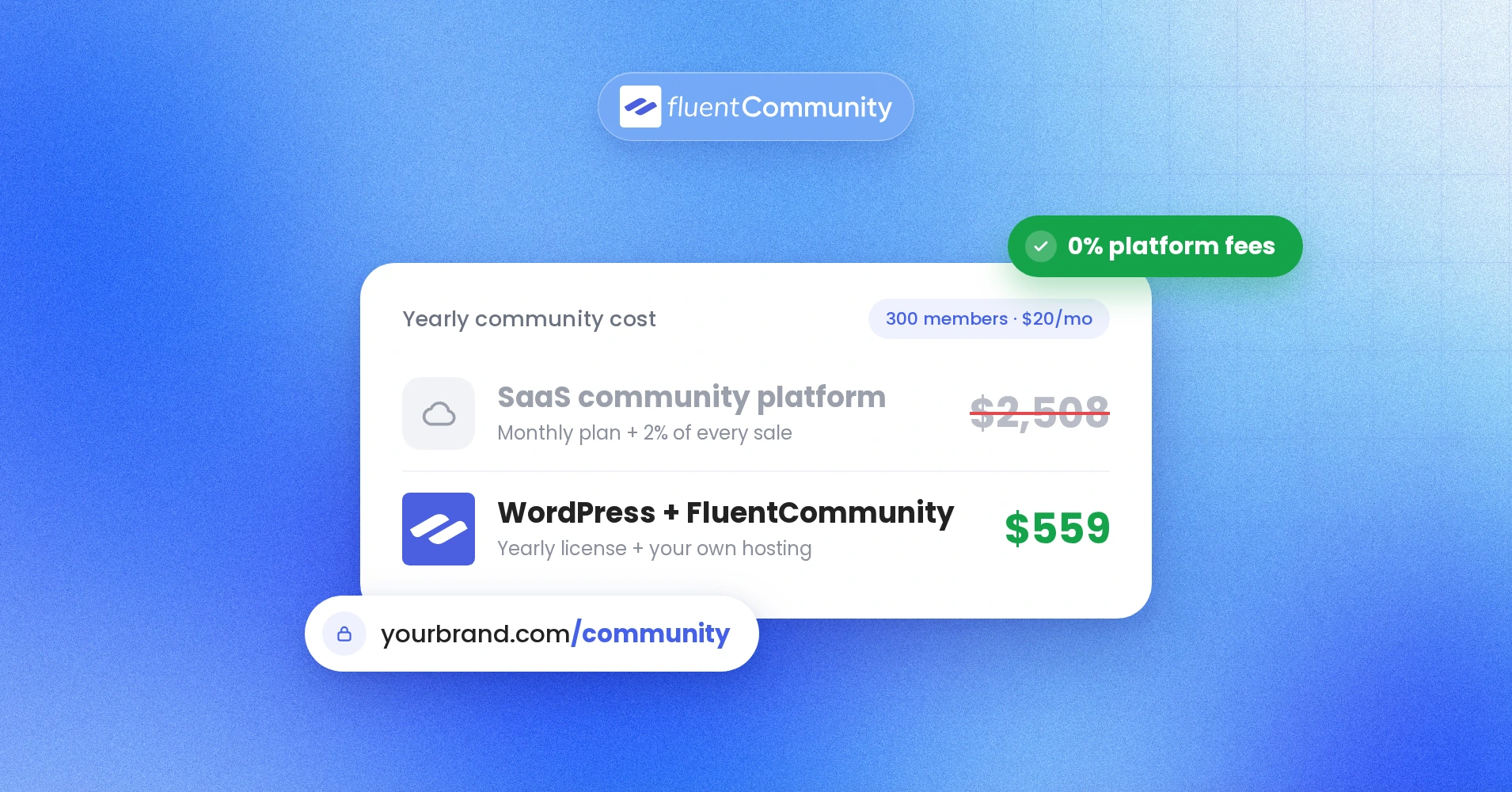
Let’s use one example community: 300 members paying $20 a month. That’s $6,000 a month, or $72,000 a year. Here’s what each option keeps, before normal card processing:
| Option | Plan cost per year | Platform cut on $72,000 | Total paid to the platform |
| Circle Professional | $1,068 | 2% = $1,440 | $2,508 |
| Circle Business | $2,388 | 1% = $720 | $3,108 |
| Mighty Networks Launch | $948 | 2% = $1,440 | $2,388 |
| Mighty Networks Scale | $2,148 | 1% = $720 | $2,868 |
| Skool Hobby | $108 | About 7.1% above normal processing = $5,112 | About $5,220 |
| Skool Pro | $1,188 | Roughly $0 above normal processing on charges under $900 | About $1,188 |
| FluentCommunity Pro + FluentCart | $199 license + about $360 hosting | 0% | About $559 |
A few honest notes on this math:
- Card processing (about 2.9% + $0.30 per charge with Stripe) applies to every row, so it’s left out
- Skool bundles processing into its fee, so we compared only the part above normal processing
- The $360 hosting figure is our assumption for a modest VPS, about $30 a month, so check your own host
- FluentCart, the WPManageNinja checkout plugin, charges 0% transaction fees on free and Pro, per its WordPress.org listing
Skool Pro looks close on price, and that’s fair to say. The trade-off is control, which we’ll cover next.
What Happens When Your Community Grows
Now grow that community to 1,000 members at the same price. That’s $240,000 a year. Circle Professional’s 2% becomes $4,800, plus the $1,068 plan. Mighty Networks Scale’s 1% becomes $2,400, plus $2,148.
On WordPress, the plugin price stays the same. You might double your server to handle the traffic, say $80 a month instead of $30. Even then, you’re paying about $1,159 a year. Your plan didn’t change, but on a SaaS platform, your bill did. That’s the fee meter in action.
Who Holds the Keys: Payments, Data, and Your Domain
Cost is the easy part to compare. Control is harder to see until you need it. Ask yourself one question: if you left tomorrow, what would you take with you?
Payments
On a WordPress community plugin, members pay through your own Stripe or PayPal account. The customer relationship and the subscription records stay with you.
SaaS platforms vary here. Skool acts as the merchant of record, so you can’t connect your own Stripe account, and payouts arrive on Skool’s schedule, according to this Skool pricing breakdown.
On Circle, cancelling your plan doesn’t cancel members’ active subscriptions, so you have to handle each one, as the same publisher’s Circle pricing review explains. Neither is a scandal. It’s just the fine print of renting.
Member Data and Content
With FluentCommunity, every post, comment, course, and member profile sits in your WordPress database. You can back it up, query it, or move hosts whenever you want. Nobody has to approve an export.
SaaS platforms offer exports too, and Circle lists bulk import and export on all plans. Still, an export is a copy on someone else’s terms. Your own database is the original.
Your Domain and Search Traffic
A community full of helpful answers is a search goldmine. On WordPress, those discussions live on your domain, next to your blog and sales pages, building one site’s authority.
FluentCommunity has leaned into this lately. Version 2.10 added server-rendered portal pages for search engines, and 2.9 added canonical tags for spaces, courses, and lessons, according to the plugin changelog. The Pro version also adds SEO and XML sitemap tools.
SaaS Pricing Can Change Under Your Feet
Here’s the risk most comparison posts skip. On a rented platform, the vendor controls the price list, and it moves more often than you’d expect:
- Bettermode shut down its free plan, removing free communities by March 15, 2026, per its official announcement
- Skool ran a single $99 plan from 2019 until mid-2025, then added the $9 Hobby tier with a 10% fee, per RevenueGeeks
- Mighty Networks replaced its Community, Courses, and Business plans with Launch, Scale, and Growth in 2025, per Ruzuku
- Circle retired its old entry-level Basic plan, so Professional at $89 a month is now the floor
Some of these changes saved people money. Others didn’t. Either way, you didn’t get a vote.
Budgets are also tighter for most community teams. The 2025 CMX Community Industry Trends Report found 83% of community professionals say community is core to their company’s mission, while teams are leaner and budgets have taken a hit. Predictable costs matter more when every dollar gets questioned.
Where SaaS Community Platforms Still Win
Let’s be fair. SaaS community platforms are good products, and for some people they’re the right call. Here’s where they genuinely come out ahead:
- Zero maintenance, since you never think about servers, updates, or backups
- Fast launch, often within an hour of signing up
- Fully branded iOS and Android apps, which Circle reserves for its custom-priced Circle Plus tier
- Built-in discovery, like Skool’s directory, which can send you members
- One vendor to call when something breaks
If you have no website, no WordPress experience, and you’re just testing an idea for a few months, a SaaS platform is a reasonable place to start. Just know the exit costs before your community gets big. Our breakdown of a Circle alternative for WordPress covers that switch in more detail.
Why FluentCommunity Is the Best SaaS Community Platform Alternative
FluentCommunity is a community and LMS plugin for WordPress from WPManageNinja, the team behind FluentCRM and Fluent Forms. It gives you the experience people pay SaaS platforms for, inside a site you own. It has 8,000+ active installs and a 4.8 out of 5 rating from 95 reviews on WordPress.org.
Everything You Would Rent, in One Plugin
Here’s what’s included, based on the official listing and changelog:
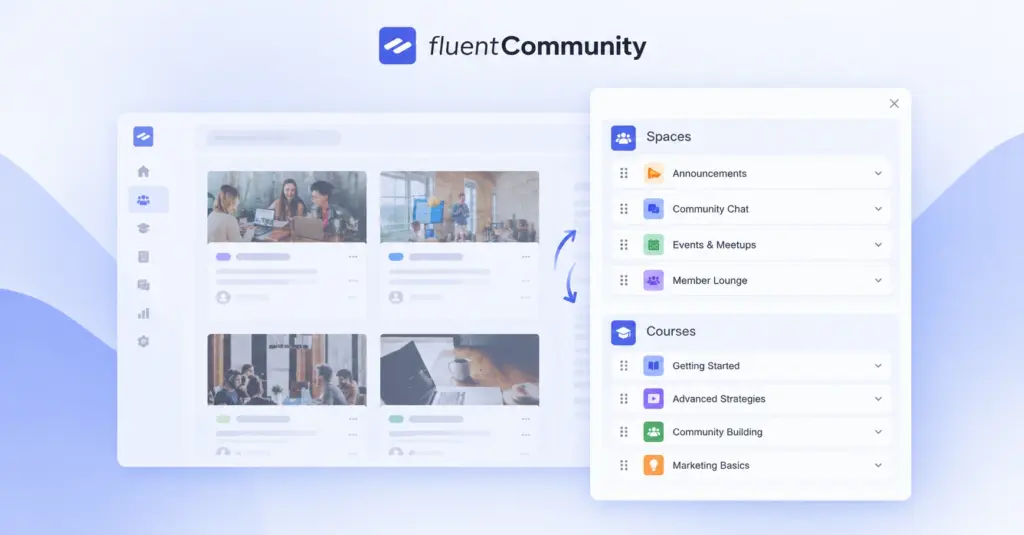
- Unlimited spaces, activity feeds, posts, polls, mentions, and real-time chat
- Member directory, custom profile fields, follows, leaderboards, and badges
- A built-in course builder with quizzes, drip content, and sequential lessons
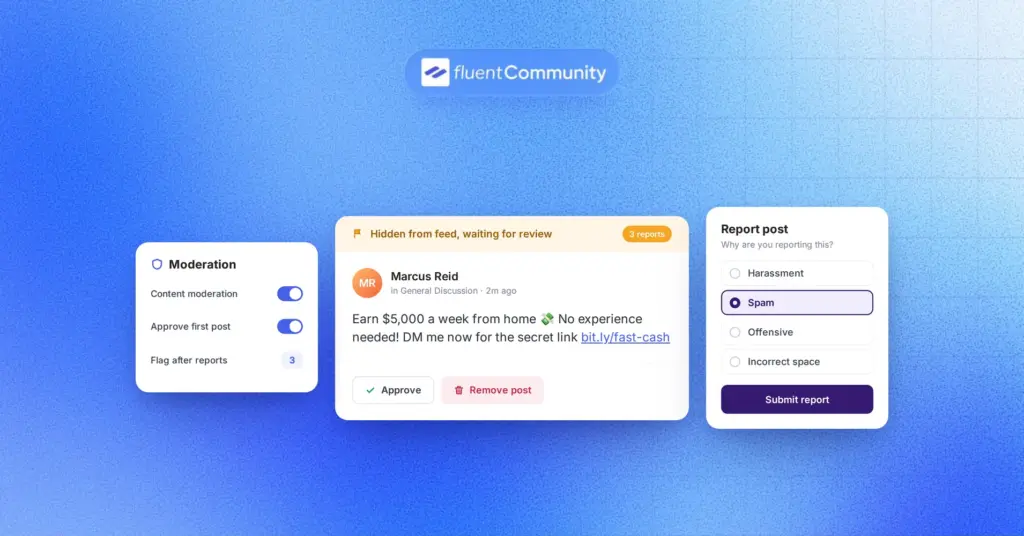
- Moderation tools like profanity filtering, auto-flagging, and a review queue
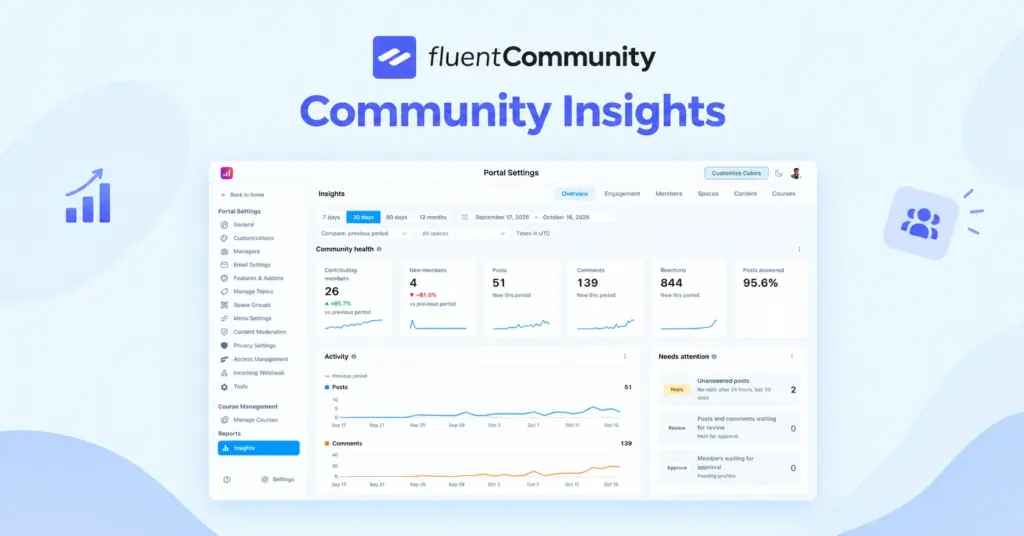
- Insights reporting for members, content, and courses, added in version 2.12
- Integrations with FluentCRM, FluentCart, Fluent Support, and Fluent Forms
Some items, like quizzes, badges, and cloud storage, are Pro features. The free version on WordPress.org is enough to test the core community.
The Mobile Gap Is Closing
For years, the honest answer was “SaaS wins on mobile.” That’s changing. FluentCommunity added a Progressive Web App module in version 2.8 (August 2026). Members can install your community on their home screen and open it like an app.
Version 2.9 added push notifications through FluentNotify, with per-member preferences. It’s not an App Store listing with your logo, and we won’t pretend it is. But for most communities, an installable app with push alerts covers what members actually use.
Sell Without a Platform Cut
FluentCommunity 2.0 introduced native monetization through FluentCart. You can sell courses and spaces with multiple pricing plans, paywalls, and checkout, all inside WordPress. FluentCart charges zero transaction fees, so the only cut is your payment processor’s.
Want email follow-ups after someone buys? Connect FluentCRM to tag members, trigger sequences, and react when someone completes a course. That’s the kind of automation Circle saves for its Business plan and above.
A Real Example: A Software Company Running Its Own Community
Here’s the part for SaaS companies. WPManageNinja runs its own customer community, the WPManageNinja Community, on FluentCommunity. Customers ask questions, share wins, and give feedback in spaces on the company’s own domain.
If you sell software and your marketing site runs WordPress, this is the setup to copy. Pair it with Fluent Support, and your help desk and community live in the same place.
Why FluentCommunity Beats Other WordPress Community Plugins
Choosing WordPress is step one. Picking the right plugin is step two, and not every WordPress option feels modern. Here’s why FluentCommunity is our pick for the best WordPress option:
- Community and courses ship in one license, so you skip pairing a social plugin with a separate LMS
- Every paid plan includes every feature, and price only changes by number of sites
- It’s built as a fast single-page app, so moving between spaces feels instant
- There’s a built-in migration path from BuddyBoss and BuddyPress, including a WP-CLI route for large communities
- The release pace is steady, with versions 2.5 through 2.12 shipping between May and October 2026
Users notice the speed. One reviewer on WordPress.org who moved from another community plugin described a performance jump as “night and day” in their review. If you’re on BuddyBoss today, the BuddyBoss migration guide walks through the move.
Which One Should You Choose?
No tool is right for everyone, so let’s make this practical. Pick the option that matches where you are, not where a sales page wants you to be.
Choose a SaaS Community Platform If
A hosted platform makes sense when:
- You don’t have a website and don’t want to manage one
- You need a fully branded App Store app and have the budget for top-tier pricing
- You’re validating an idea for a few months and may shut it down
- Discovery inside a platform marketplace matters more than your own SEO
Choose FluentCommunity If
A WordPress community plugin makes sense when:
- Your website, blog, or store already runs on WordPress
- You sell memberships or courses and don’t want a percentage taken from every sale
- You want members, content, and payments on infrastructure you control
- You care about your community helping your own domain rank
- You run several communities, like an agency with client sites
A Quick 5-Question Test
Answer these honestly:
- Will this community still exist in three years?
- Will it make money through memberships or courses?
- Do you already have a WordPress site?
- Would it hurt if your platform changed its pricing next quarter?
- Do you want search traffic from community discussions?
If you said yes to three or more, a WordPress community plugin is probably the better long-term fit.
How to Move From a SaaS Community Platform to WordPress
Already on a SaaS platform? You don’t need a dramatic weekend migration. Here’s a calm path that works for most communities:
- Install FluentCommunity on your WordPress site and build your spaces in parallel
- Export your member list and key content from your current platform
- Set up FluentCart products for memberships or courses before you invite anyone
- Invite a small group of active members first and fix rough edges with them
- Announce the move, explain the benefits, and keep both communities open for a few weeks
- Move paying members carefully, since subscriptions may need to be recreated in your own Stripe account
- Cancel the SaaS plan once activity has fully shifted
Step six is the one to plan carefully. Talk to your payment provider and your old platform about how subscriptions transfer before you announce anything.
Final Thoughts
A SaaS community platform is a solid way to start, but it’s rarely the cheapest way to grow. The plan, the add-ons, and the cut of every sale all scale with your success, and the vendor can change any of them.
A WordPress community plugin flips that. You pay a predictable license, run it on hosting you choose, and keep every member and dollar inside your own business. FluentCommunity makes that switch practical, with community, courses, chat, an installable app, and 0% platform fees in one plugin.
Ready to see it for yourself? Install the free version from WordPress.org this week and build one space. When you’re ready to sell memberships or courses, compare the plans on the FluentCommunity pricing page. If you’re still weighing it up, our deeper guide on WordPress vs SaaS community platforms is a good next read.
FAQs
What Is the Difference Between a SaaS Community Platform and a WordPress Community Plugin?
A SaaS community platform is hosted software you rent, where the vendor controls servers, pricing, and often payments. A WordPress community plugin runs on your own WordPress site, so you control the data, domain, and payment accounts. SaaS is easier to start; WordPress is cheaper and more flexible over time.
Is a WordPress Community Plugin Cheaper Than Circle or Skool?
Usually, yes, once you earn revenue. In our example of 300 members paying $20 a month, Circle Professional keeps about $2,508 a year and FluentCommunity costs about $559 with hosting. Skool Pro is closer on price, but Skool controls the payments and the platform.
Do SaaS Community Platforms Charge Transaction Fees?
Most do. Circle charges 0.5% to 2% depending on the plan, Mighty Networks charges 1% to 2% on its public plans, and Skool charges 10% on Hobby or 2.9% on Pro, including processing. FluentCommunity with FluentCart charges no platform fee.
Can a WordPress Community Have a Mobile App?
Yes. FluentCommunity includes a Progressive Web App module, so members can install the community on their phone’s home screen. It also supports push notifications through FluentNotify. It isn’t a custom App Store listing, which on Circle is reserved for the custom-priced Circle Plus tier.
Is FluentCommunity Good for SaaS Companies?
Yes. WPManageNinja runs its own customer community on FluentCommunity. If your marketing site runs WordPress, you can host product discussions, announcements, and feedback spaces on your own domain and connect them to Fluent Support and FluentCRM.
Can I Move My Community From Circle or Skool to WordPress?
Yes, but plan the payments part. Content and member lists can be exported, while paid subscriptions often need to be recreated in your own Stripe account. Running both communities side by side for a few weeks makes the move smoother.

Ashik Elahi
Ashik Elahi is a seasoned Digital Marketing Strategist with a passion for Content Marketing. He believes in the power of storytelling and crafting valuable content that resonates with readers.
![SEO Title: 5 Best Community Portal Software [WordPress + SaaS Options]](https://fluentcommunity.co/wp-content/uploads/2026/10/community-portal-software-featured-1-1024x536.webp)


Add your first comment to this post