

![SEO Title: 5 Best Community Portal Software [WordPress + SaaS Options]](https://fluentcommunity.co/wp-content/uploads/2026/10/community-portal-software-featured-1.webp)
5 Best Community Portal Software [WordPress + SaaS Options]

Table of Content
Subscribe To Get
WordPress Guides, Tips, and Tutorials


Your members are scattered. Some are in a Facebook group, some are in email threads, and your course lives on another site. Community portal software pulls all of that into one home.
This guide covers what it is, which features matter, and five tools worth comparing, with real pricing and ownership trade-offs.
Key Takeaways
- FluentCommunity is the best pick if you want full ownership, no platform cut on sales, and a low yearly price
- Circle and Mighty Networks are polished hosted options, but both take a percentage of member payments on every plan
- Discourse is the strongest choice for forum-style, searchable discussions
- Facebook Groups is free to start, but you never own the audience or the data
What Is Community Portal Software?
Community portal software is a platform that gives your members one private, branded place to log in, talk with each other, and access your content, such as courses, events, files, and announcements.
In simple terms, it’s a members-only clubhouse on the internet. You decide who gets in, what they see, and how the place looks. Social media works more like a rented room in someone else’s building. You can decorate a little, but the landlord sets the rules.
Most community portals share a few building blocks:
- A login and member profiles
- Spaces or groups for different topics
- A feed where posts, comments, and reactions happen
- A member directory so people can find each other
- Extra content like courses, documents, and events
Community Portal vs. Forum vs. Social Media Group
People often mix these three up. Here’s how they differ in practice:
| Community portal | Forum | Social media group | |
| Who controls it | You | You (if self-hosted) | The social network |
| Branding | Full branding and custom domain | Usually customizable | Very limited |
| Content types | Posts, chat, courses, events, files | Mostly threaded discussions | Posts, comments, live video |
| Member data | Yours to export and use | Yours if self-hosted | Mostly stays with the platform |
| Selling access | Built in or via integrations | Limited | Limited |
A forum is great for searchable Q&A. A social group is great for quick reach. A community portal tries to give you the best of both, plus the ownership neither one fully offers.
Why You Need a Community Portal
Well, people clearly love online groups. More than 1.8 billion people used Facebook Groups every month, according to Meta’s last public figure from 2020. The demand is real. The question is where you host that conversation.
Here’s what a dedicated community portal gives you that a social group can’t:
- You own the member relationship and the data
- No algorithm decides whether members see your posts
- Courses, events, and discussions live in one login
- You can charge for access without a middleman platform
- Your brand stays front and center, with no competing ads
There’s also a workload angle. The 2026 CMX Community Industry Report found that the scope of community work keeps growing while most teams stay small. When one or two people run the whole community, juggling five disconnected tools gets old fast.
Picture a course creator using one app for lessons, another for chat, and a third for payments. Every new student needs three logins. A portal that combines community, courses, and checkout removes that friction for both of you.
Features to Consider in Community Portal Software
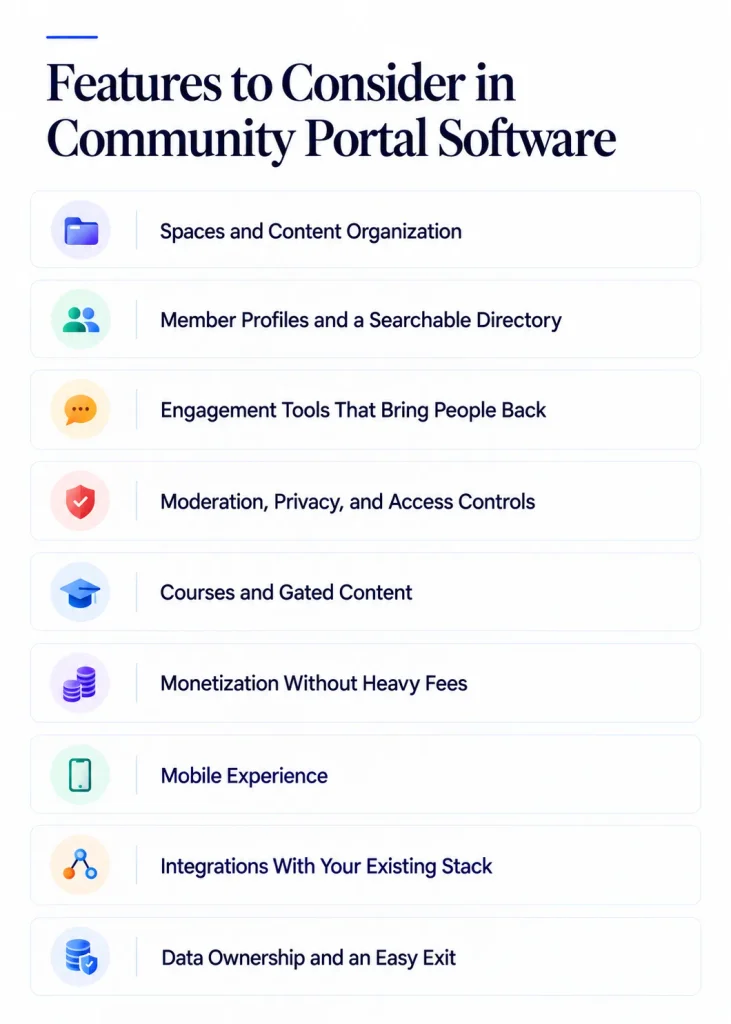
Not every portal fits every business. Before you compare community portal software, check it against these features:
Spaces and Content Organization
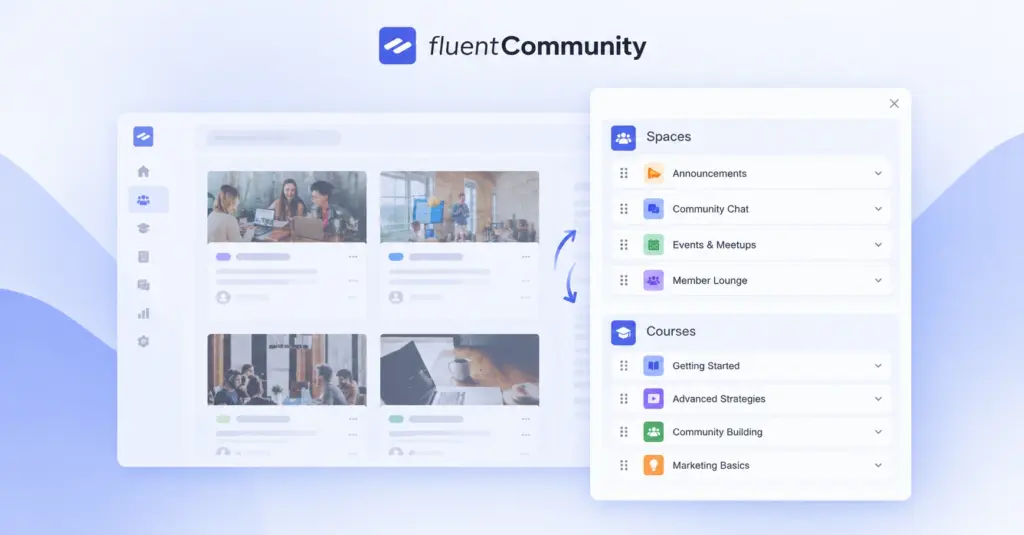
Spaces are the rooms inside your community. A good tool lets you create separate spaces for announcements, Q&A, and member wins, each with its own privacy level.
Look for unlimited spaces so your pricing doesn’t jump as you grow.
Member Profiles and a Searchable Directory
Members stay when they connect with each other, not just with you.
Custom profile fields (job title, location, skill level) and a searchable directory help people find “their people” inside a bigger group.
Engagement Tools That Bring People Back
Feeds, comments, reactions, polls, mentions, and real-time chat keep conversations moving.
Gamification like leaderboards and badges adds a light layer of fun. Email digests pull quiet members back in when they’ve been away.
Moderation, Privacy, and Access Controls
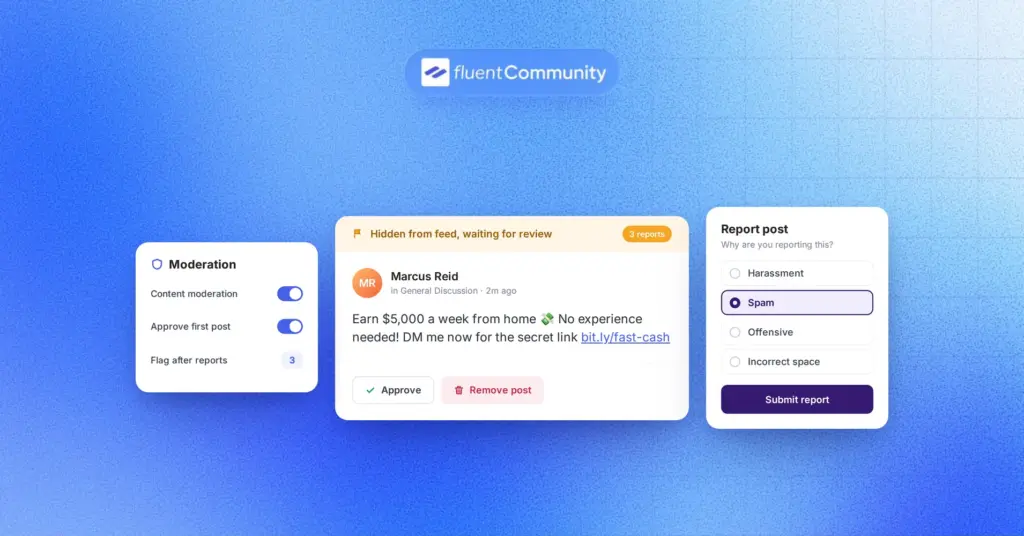
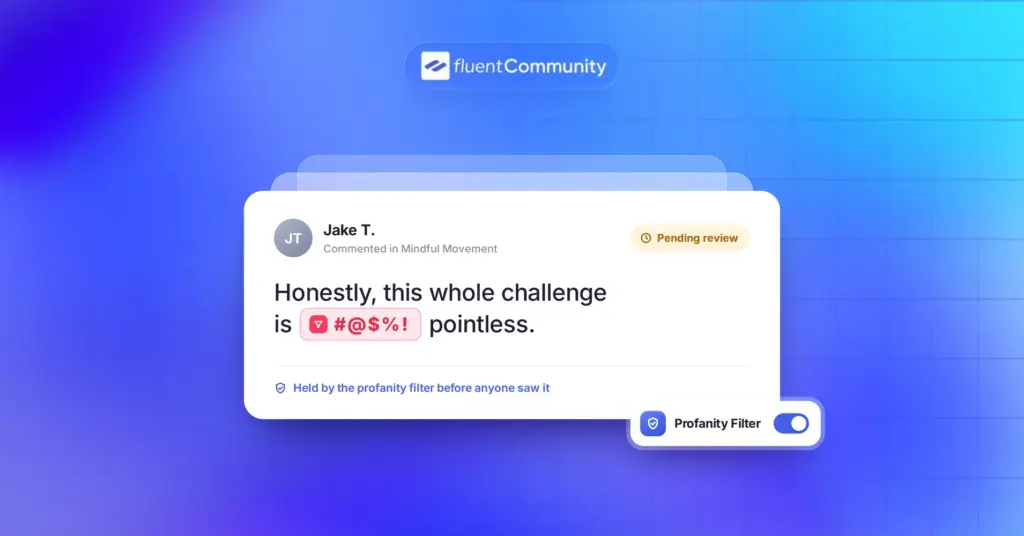
A healthy community needs guardrails. Check for profanity filters, post approval, member approval, reporting tools, and role management.
Honestly, moderation features feel boring until the day you really need them.
Courses and Gated Content
If you teach anything, built-in courses save you from running a separate LMS. Useful extras include quizzes, drip content, lesson discussions, and progress tracking.
Monetization Without Heavy Fees
Many hosted platforms take a percentage of every sale on top of payment processor fees. That small number grows with your revenue.
Always ask: “What does this platform keep from each payment?”
Mobile Experience
Most members will open your community on their phone.
Check how the portal looks on mobile and whether members can install it like an app or get push notifications.
Integrations With Your Existing Stack
Your portal should talk to your email tool, CRM, forms, and checkout. Native integrations beat duct-taped automations every time.
Data Ownership and an Easy Exit
This is the feature nobody checks until it’s too late. Ask what you can export, in what format, and what happens to your members’ subscriptions if you leave.
Here’s a quick checklist you can copy while you compare:
- Unlimited spaces and members
- Profiles, directory, and chat
- Moderation and member approval
- Courses and gated content
- Payments with no platform cut
- Mobile and push notifications
- Full data export or self-hosting
5 Best Community Portal Software Options in 2026
Here’s a quick side-by-side of the five community portal software options before we go deeper:
| Tool | Type | Starting price | Platform cut on sales | Data ownership | Best for |
| FluentCommunity | WordPress plugin | Free; Pro from $199/yr | None | Full, on your server | Owners who want control and low cost |
| Circle | Hosted SaaS | $89/mo (billed yearly) | 2% to 0.5% | Hosted by Circle | Creators who want hosted simplicity |
| Mighty Networks | Hosted SaaS | $79/mo (billed yearly) | 2% to 0.5% | Hosted by Mighty | Mobile-first paid communities |
| Discourse | Open source or hosted | Free (self-host or Free plan); Pro $100/mo | Not built around paid access | Full if self-hosted | Forum-style Q&A communities |
| Facebook Groups | Social network feature | Free | Not applicable | Meta controls it | Testing a community idea |
Prices were checked in October 2026. Vendors change plans often, so confirm on each pricing page before you buy.
1. FluentCommunity: Best WordPress Community Portal Software
FluentCommunity is a WordPress plugin that turns your site into a full community portal with a built-in LMS. Your members log in on your own domain, and everything they post lives in your WordPress database.
That ownership is the main reason it tops this list. But it isn’t the only one. Every Pro plan includes every feature, and pricing only changes with the number of sites. You won’t hit a paywall when you need courses, chat, or a leaderboard.
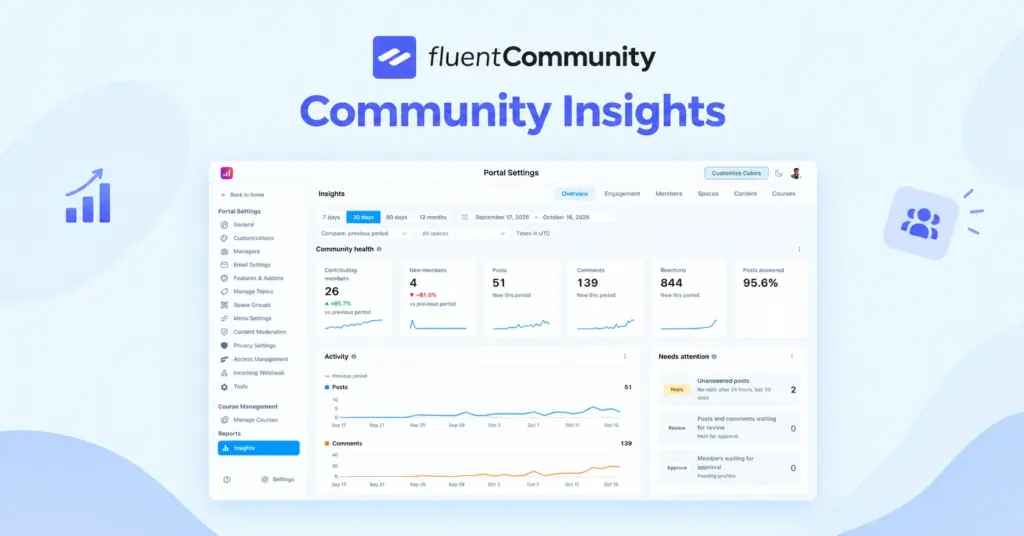
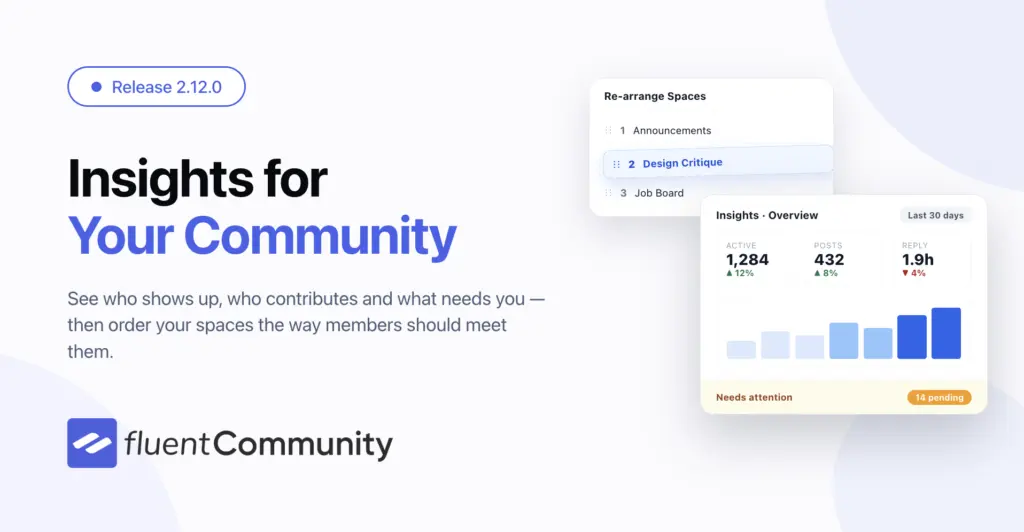
The plugin is also moving fast. Version 2.12.0 shipped on October 16, 2026, adding insights reporting for members, content, and courses. Recent releases added a Progressive Web App (PWA) module and push notifications. On WordPress.org, it has 8,000+ active installations and a 4.8 out of 5 rating from 95 reviews.
One reviewer described replacing a stack of separate LMS, membership, and community plugins with FluentCommunity, paired with FluentCart for payments and FluentCRM for email. That “one system instead of five” story comes up again and again in the reviews.
Key features include:
- Unlimited spaces, activity feeds, and real-time chat
- Custom profile fields and a member directory
- Polls, mentions, hashtags, leaderboards, and badges
- Moderation with profanity filters and a review queue
- Course builder with quizzes, drip content, and progress tracking
- Paid spaces and courses through FluentCart
- PWA support and push notifications
- One-click migration from BuddyBoss and BuddyPress
Pricing: FluentCommunity has a free version on WordPress.org. FluentCommunity Pro lists at $199 per year for one site, $399 for five sites, and $699 for 15 sites. Lifetime licenses are available too, and there’s a 14-day money-back guarantee.
What we like:
- You own your data, members, and domain
- No percentage taken from member payments
- Community and LMS in one plugin
- Works with FluentCRM, Fluent Forms, FluentCart, and Fluent Support
Watch out for:
- You manage hosting, updates, and backups
- Larger communities need a VPS or cloud server, not cheap shared hosting
- Selling access requires FluentCart, a separate plugin from the same team
Best for: course creators, coaches, brands, agencies, nonprofits, clubs, and anyone who already runs WordPress and wants a portal they fully control.
If you’re weighing it against a hosted option, this Circle vs FluentCommunity comparison goes feature by feature.
2. Circle: Best SaaS Community Portal for Hosted Simplicity
Circle is one of the most polished hosted community platforms around. You sign up, pick a theme, and your community is live without touching a server.
Every Circle plan includes courses, events, live streams, paid memberships, gamification, and a custom domain. Members are unlimited on all plans, so your bill doesn’t rise with headcount.
Pricing: Professional is $89 a month and Business is $199 a month, both billed yearly. Circle Plus is custom-priced. There’s no free plan, only a 14-day trial.
What we like:
- Clean, modern interface members enjoy using
- Zero server maintenance
- Strong event and live stream tools
Watch out for:
- A 2%, 1%, or 0.5% cut of every member payment
- Add-ons for email marketing, extra admins, and profile fields on Professional
- Leaving takes real work, as covered above
Best for: creators and brands that want a hosted all-in-one tool and are comfortable paying a percentage as revenue grows.
3. Mighty Networks: Best for Mobile-First Paid Communities
Mighty Networks combines community, courses, events, and payments, with a strong focus on its mobile apps. Many members use it mostly from their phones, which suits busy, on-the-go audiences.
Pricing: Launch is 79amonthbilledyearly(95 monthly) with a 2% fee. Scale is 179amonthbilledyearly(215 monthly) with a 1% fee. Higher tiers like Growth and Mighty Pro lower the fee further but don’t remove it.
What we like:
- Courses, events, and community in one place
- Mobile apps your members can download
- Fully branded apps on its premium tier
Watch out for:
- Transaction fees on every standard plan
- Big price jumps between tiers
- Launch limits combining feed, chat, and events inside one space
Best for: paid communities and coaching programs where mobile access matters more than owning the platform.
4. Discourse: Best Open-Source Forum-Style Community Portal
Discourse is open-source forum software built for long, searchable discussions. It’s a favorite for product support communities, developer groups, and open-source projects.
Unlike most tools here, you can self-host Discourse for free. If you’d rather not manage a server, there’s a hosted Free plan with unlimited members, chat, and two staff seats on a discourse.group subdomain.
Pricing: Paid hosting starts with Pro at $100 a month with five staff seats. Business is $500 a month, and Enterprise is custom. Discourse discontinued its Starter plan, so older articles quoting $20 a month are out of date.
What we like:
- Free and open source with a self-hosting option
- Excellent threaded discussions and search
- Discounts for nonprofits and education
Watch out for:
- Feels like a forum, not a social feed
- Self-hosting needs server and Docker skills
- No built-in course builder, and paid access isn’t its focus
Best for: support communities, technical audiences, and anyone who values deep, searchable Q&A over social features.
5. Facebook Groups: Free Option With Limitations

Facebook Groups is the easiest way to start a community. It’s free, most of your audience already has an account, and setup takes minutes.
That convenience comes with strings attached. You’re building on Meta’s land, under Meta’s rules.
What we like:
- Free to create and run
- Members are already on Facebook
- Quick to test a community idea
Watch out for:
- The feed algorithm decides who sees your posts
- You can’t export member emails by default
- Ads and notifications compete for attention
- Limited branding, courses, and paid access options
- Enforcement decisions about your group are Meta’s to make
Best for: testing whether people want a community at all, before you invest in a real portal.
A smart path many creators take is to start in a free group, then move engaged members to an owned portal once the idea proves itself.
Rent or Own: The Community Portal Cost Most Comparisons Skip
Most “best community portal software” lists compare features and stop. But the bigger long-term difference is whether you rent your community or own it.
Hosted SaaS platforms charge a monthly plan plus a cut of member payments. Circle charges 2% on Professional, 1% on Business, and 0.5% on Circle Plus, on top of Stripe’s fees. Mighty Networks charges 2% on Launch and 1% on Scale, with lower rates on its top tiers, and its standard plans never drop the fee to zero.
Let’s run a simple example. Say you have 200 members paying $25 a month. That’s $5,000 a month, or $60,000 a year.
| Platform | Yearly plan price | Platform cut on $60,000 | Year-one platform cost |
| Circle Professional | 1,068(89/mo, billed yearly) | $1,200 (2%) | $2,268 |
| Mighty Networks Launch | 948(79/mo, billed yearly) | $1,200 (2%) | $2,148 |
| FluentCommunity Pro, 1 site | $199 | $0 | $199 plus your hosting |
A few honest notes on this math:
- Payment processor fees apply on every platform, so they’re left out
- WordPress needs hosting, and that’s your main extra cost
- SaaS add-ons like email tools can raise the hosted totals further
Then there’s the exit cost. According to a detailed breakdown of Circle’s own help docs, cancelling Circle doesn’t cancel your members’ subscriptions, so you cancel each one yourself. Community data is deleted about 90 days after cancellation, and the export doesn’t include images.
With a self-hosted portal on WordPress, the database sits on your server. You don’t need anyone’s permission to keep it.
Which Community Portal Software Fits Your Situation?
Still not sure? Match your situation to the community portal platform that fits it best:
- You run WordPress and want ownership: FluentCommunity
- You sell courses and want community around them: FluentCommunity
- You want hosted, zero-maintenance software and accept fees: Circle
- Your members live on their phones: Mighty Networks
- You need a searchable support or developer forum: Discourse
- You’re testing an idea with zero budget: Facebook Groups
For ecommerce stores, brands, nonprofits, and clubs, the ownership question matters even more. Your member list is a business asset. Keeping it on your own server means it stays useful no matter which tools you change later.
How to Launch a Community Portal on WordPress in 5 Steps
If FluentCommunity sounds like the right fit, here’s the path from zero to a live community portal. Order matters here, so follow the steps in sequence:
- Pick solid hosting. FluentCommunity recommends a VPS or cloud server with PHP 8.1+, MySQL 8.0+ or MariaDB 10.5+, and Redis object caching for best performance.
- Install FluentCommunity from the WordPress plugin directory and run the setup wizard.
- Create three or four starter spaces, such as Announcements, Introductions, Q&A, and Wins.
- Add your branding, then set privacy, member approval, and moderation rules.
- Invite members by email or bulk import them, then post a pinned welcome message.
Want to sell access? Add FluentCart to create paid spaces and courses with multiple pricing plans. Moving from BuddyBoss? The built-in BuddyBoss migration tool brings over profiles, activities, and media.
For a deeper walkthrough, read our guide on how to create an online community.
Choosing Your Community Portal Software: Final Thoughts
The right community portal software depends on one honest question: do you want to rent your community or own it?
Hosted tools like Circle and Mighty Networks are polished, but they keep a slice of every payment and hold your data on their servers. Discourse is excellent for forum-style discussion, and Facebook Groups works for testing ideas.
If you want full ownership, every feature in every plan, and no cut of your revenue, FluentCommunity is the strongest choice. Start with the free version on WordPress.org, build two or three spaces, and invite your first ten members this week.
When you’re ready for courses, leaderboards, and paid access, check out FluentCommunity Pro pricing or explore the full list of FluentCommunity features.
Frequently Asked Questions About Community Portal Software
What is the best community portal software for WordPress?
FluentCommunity is the best community portal software for WordPress if you want community and courses in one plugin. It includes spaces, feeds, chat, profiles, moderation, and an LMS, and it stores all data on your own server.
Is there free community portal software?
Yes. FluentCommunity has a free version on WordPress.org, Discourse is free to self-host and has a hosted Free plan, and Facebook Groups is free. Circle has no free plan, and Mighty Networks plans are paid.
Do community portal platforms charge transaction fees?
Many hosted platforms do. Circle charges 2%, 1%, or 0.5% depending on the plan, and Mighty Networks charges a fee on every standard plan. FluentCommunity and FluentCart take no cut, so you only pay your payment processor.
How much does community portal software cost?
Costs range from free to hundreds of dollars a month. FluentCommunity Pro lists at $199 a year for one site plus hosting. Circle starts at $89 a month billed yearly, Mighty Networks at $79, and Discourse Pro at $100.
What is the difference between a community portal and a membership site?
A membership site mainly locks content behind a login. A community portal adds interaction between members, like feeds, comments, chat, and profiles. Many portals, including FluentCommunity, combine both with paid access.
Can I move my existing community to a WordPress portal?
Yes. FluentCommunity offers one-click migration from BuddyBoss and BuddyPress, and you can bulk add members from other sources. Moving posts from hosted platforms depends on what that platform lets you export.
Is a community portal better than a Facebook group?
For long-term businesses, usually yes. A community portal gives you your own domain, branding, member data, and payments. A Facebook group is easier to start but leaves reach and data in Meta’s hands.

Ashik Elahi
Ashik Elahi is a seasoned Digital Marketing Strategist with a passion for Content Marketing. He believes in the power of storytelling and crafting valuable content that resonates with readers.


Add your first comment to this post