

Introducing Push Notifications – FluentCommunity 2.9.0

Table of Content
Subscribe To Get
WordPress Guides, Tips, and Tutorials


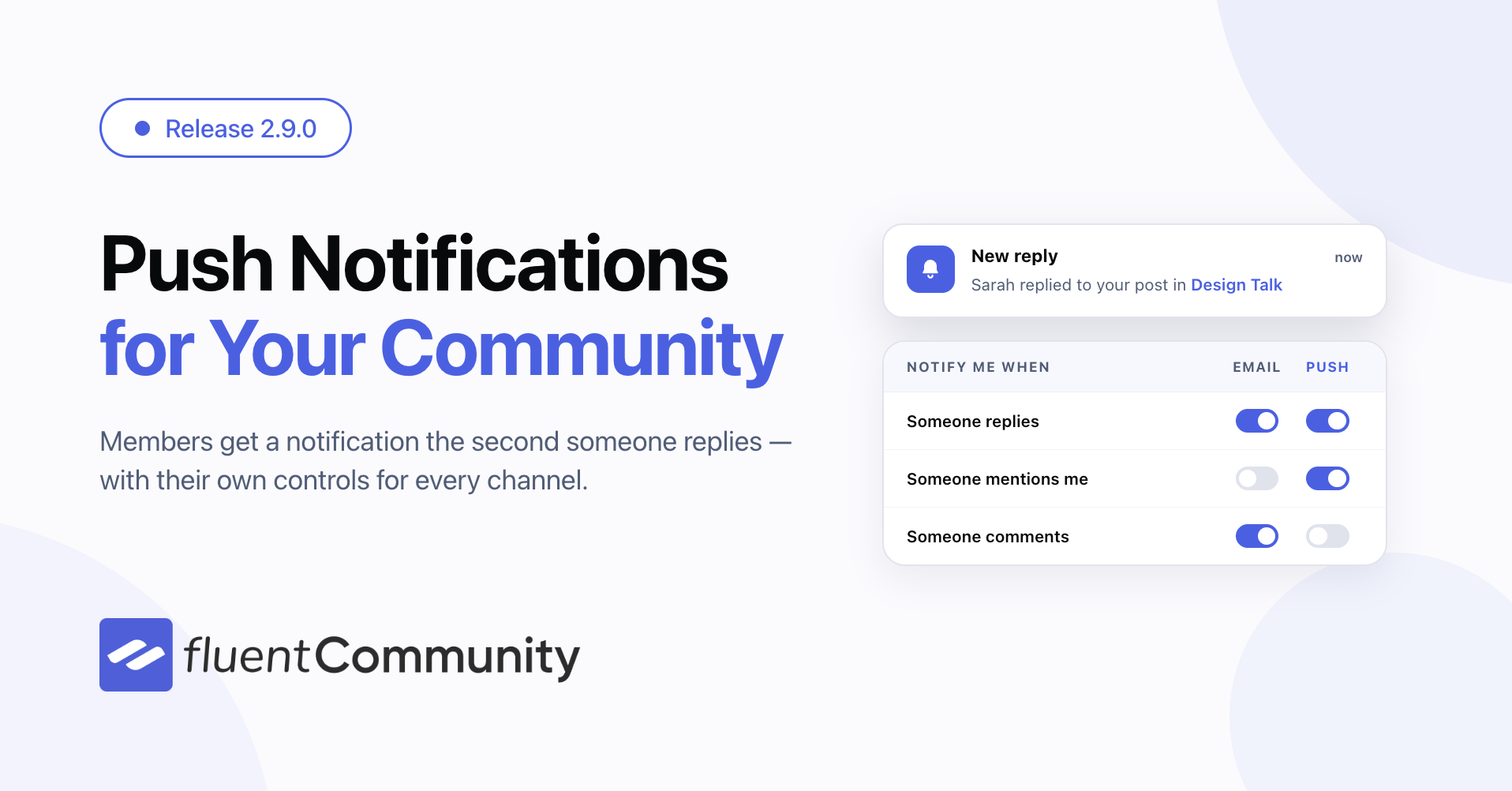
FluentCommunity 2.9.0 is about reaching your members and putting things where you want them. Members can now get browser push notifications the moment someone replies to them, you can drag your topics and badges into the order that makes sense, chat gets a big round of upgrades, and the whole portal works properly with screen readers and keyboards.
At a glance: push notifications arrive on desktop and mobile even when your community tab is closed, with per-member controls and community-wide defaults. Drag-and-drop ordering comes to topics and profile badges, so the order members see is the order you choose. Fluent Messaging 2.9.0 ships alongside with chat moderation, member search, an emoji picker and endless scroll. And a full accessibility pass clears four screen-reader blockers reported by real users. Add to that a wider PWA app scope, canonical tags for spaces and courses, a security round covering permissions and rate limits, and more than a dozen bug fixes.
Bring Members Back With Push Notifications
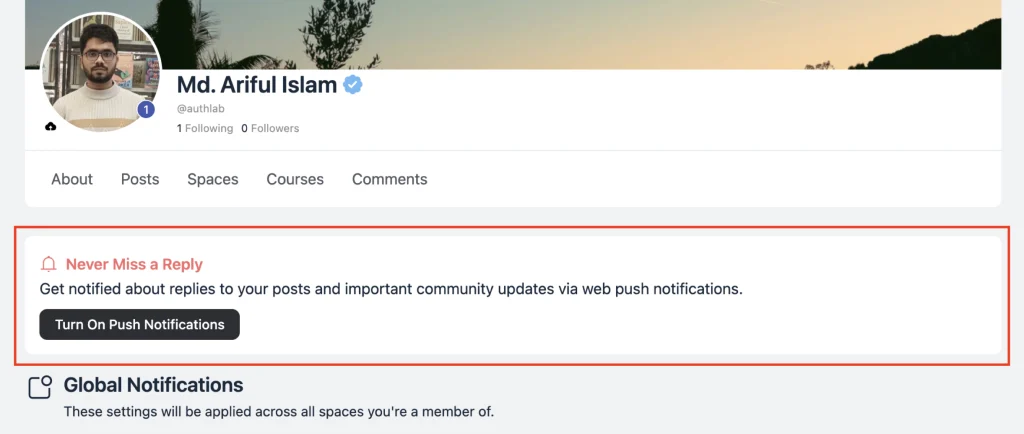
Email is not always fast enough. When someone replies to a member’s post, that member usually finds out hours later — if the email lands at all. FluentCommunity 2.9.0 adds web push notifications, so the reply shows up as a notification on their desktop or phone within seconds, even when your community tab is closed.
Push runs on FluentNotify, our free push plugin. You can install it straight from the FluentCommunity settings screen, connect it once, and you are done. After that a friendly Never Miss a Reply prompt invites members to turn notifications on with one tap. If a member is not interested, they can dismiss it — and it stays out of their way for a week.
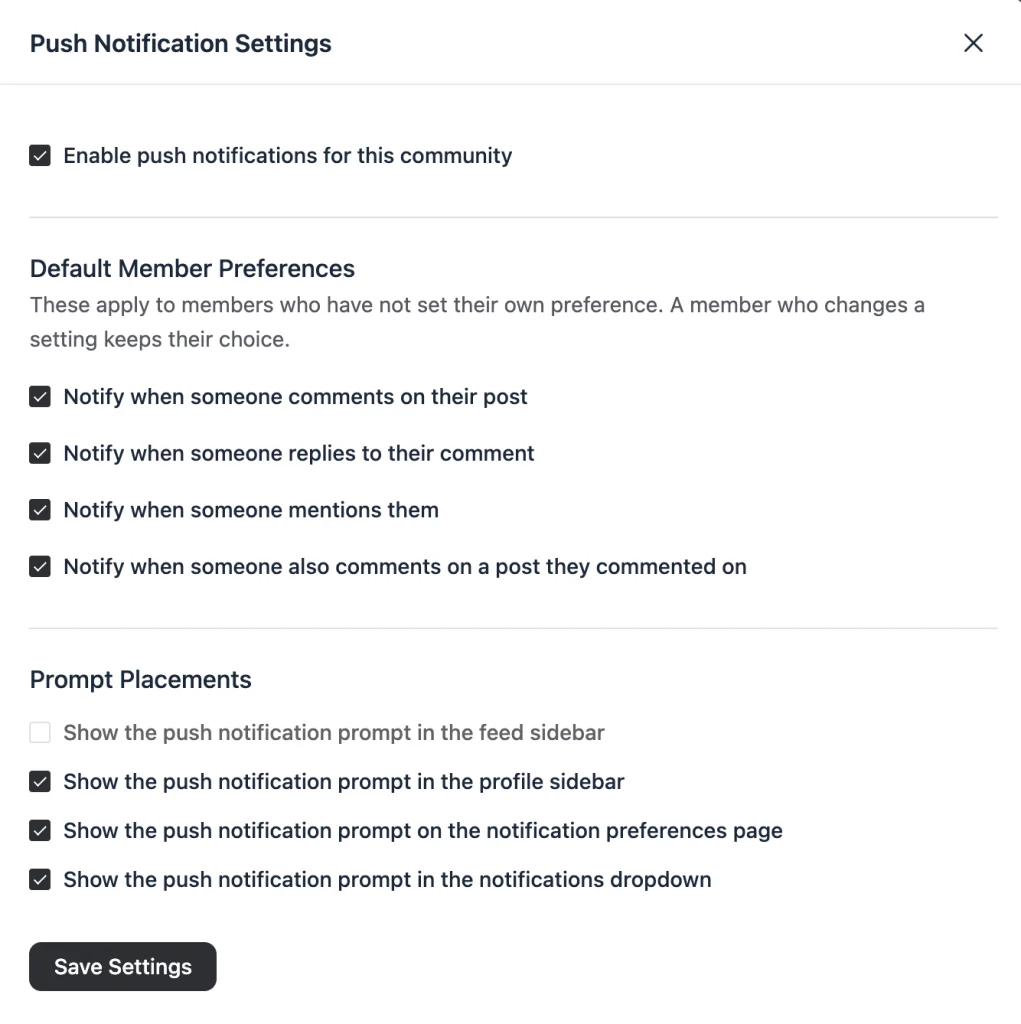
You choose where that prompt appears. There are four placements — the feed sidebar, the profile sidebar, the notification preferences page, and the notifications dropdown — and you can switch on as many or as few as you like.
Members get real control. Their notification preferences page now has an Email column and a Push column side by side, so they can pick the channel per event: comments on their post, replies to their comment, mentions, and a new one — when someone else comments on a post they commented on.
You set the starting point for everyone. The settings screen carries default member preferences that apply to anyone who has not made a choice yet, and a member who changes a setting keeps their choice. There is also a single switch to turn push off for the whole community, which leaves FluentNotify running for everything else on your site.
Configuring Push Notifications for FluentCommunity
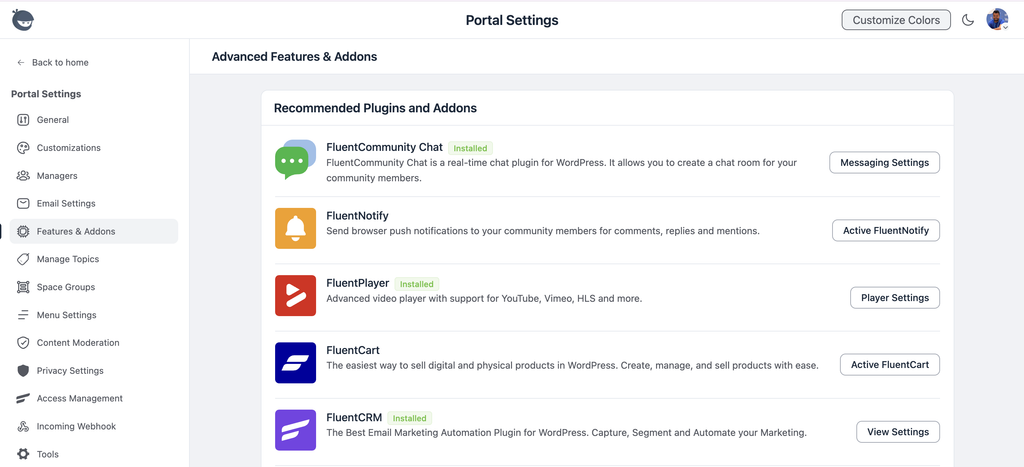
Go to your FluentCommunity Settings -> Features & Addons and then install and activate the FluentNotify add-on for push notifications.
Then go to your WP Admin Dashboard -> FluentNotify -> Settings and configure it with your Firebase credentials.
We have created a step-by-step guide here: https://docs.fluentcommunity.co/push-notifications-with-firebase
Please follow the documentation and set up your push notification integration with Firebase.
Put Your Topics and Badges in Order
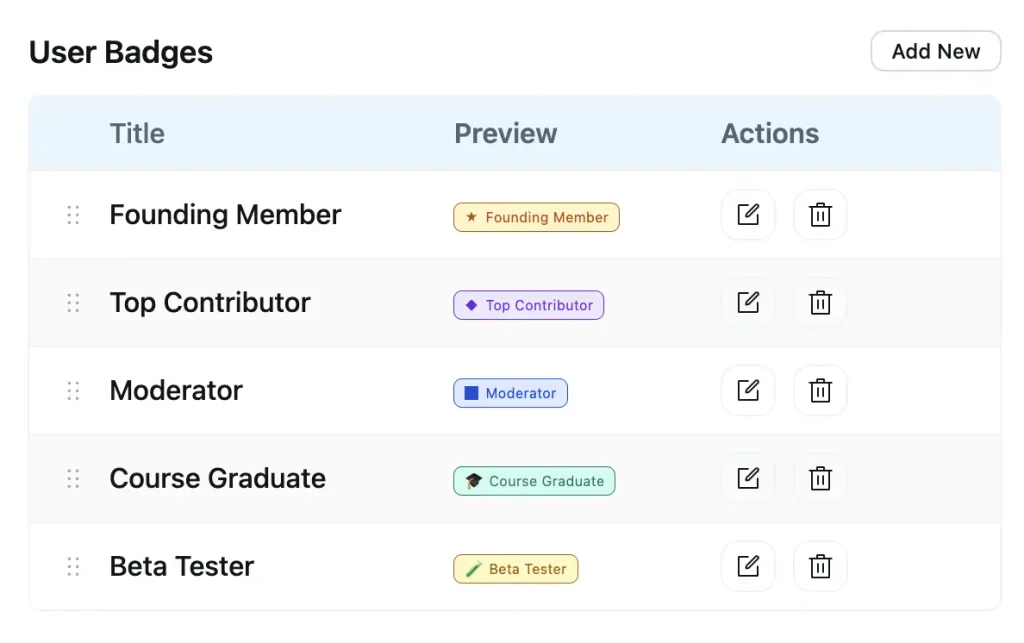
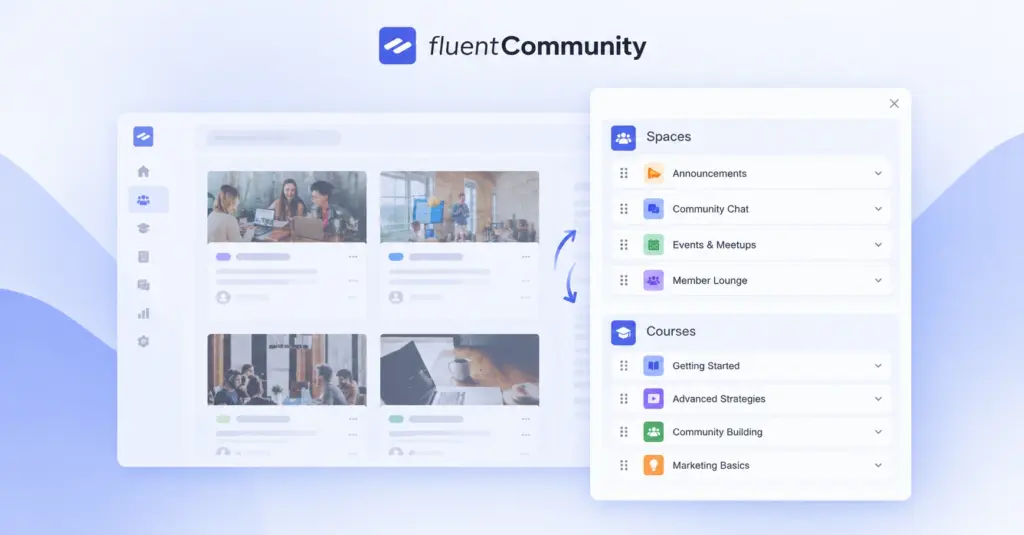
Topics and badges used to come out in whatever order the database handed back. Now you drag them. Grab the handle on any row in your Topics settings (pro), drop it where it belongs, and that order is what members see in the topic navigation bar in spaces — and in the topic filters on your courses.
The same handles arrive in User Badges settings (pro). The order you set is the order badges appear on member profiles, so you can lead with the badge that matters most instead of the one that happened to be created first.
Small touches make it feel right. Reordering pauses while a search filter is active, so you never save an order based on a partial list. Saves are batched instead of fired on every nudge. And the rows are labelled for screen readers, with arrow keys as an alternative to dragging.
We Cleared the Bug Board
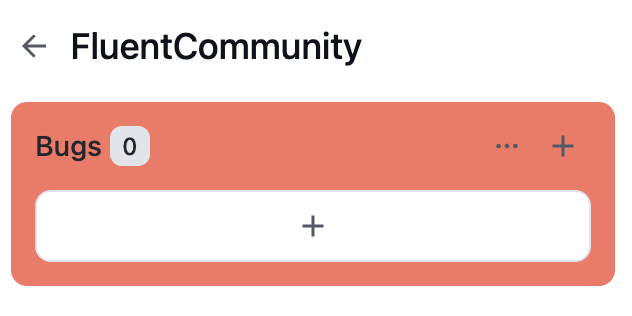
We keep our own bug tracker for everything the team and our support staff report — every reproducible issue that comes in from a ticket, a beta site, or our own testing goes on that board. Going into this release, there is nothing left on it.
The open count is zero. Every internally reported bug is fixed and shipped in 2.9.0. That is not a claim that the software is perfect — it means nothing we know about is still waiting. If you hit something that is not on this list, tell us, and it goes straight on that board.
Chat Grows Up: Fluent Messaging 2.9.0
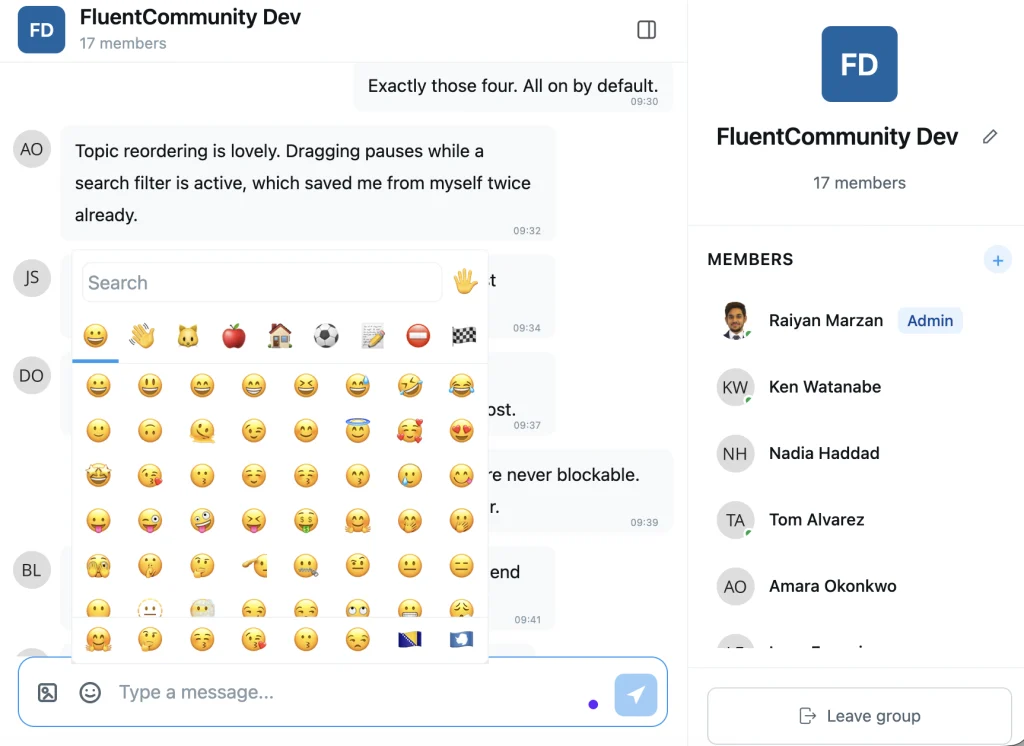
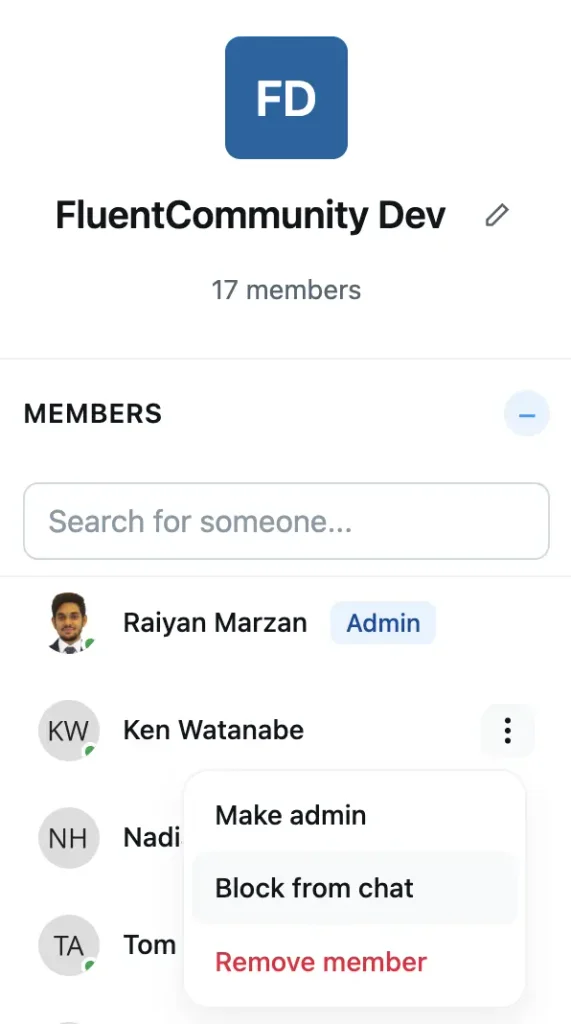
Fluent Messaging, the chat plugin for FluentCommunity, gets its largest release yet — shipping the same day as 2.9.0. The headline is that space and group chats are now moderatable. An admin or moderator can block a member from a chat: the member keeps reading the conversation but cannot send, react or upload. Admins and moderators themselves are never blockable, and a group admin can now delete any member’s message, not only their own. Blocking someone in a direct message still works the way it did — history stays visible, new messages stop.
Busy chats got usable. There is a member search in space and group chats, so you can find one person in a list of hundreds instead of scrolling. The member list pages in as you scroll, with a loading skeleton instead of a blank panel, and it collapses out of the way when you want the messages full width. Older messages load the same way — scroll up and history arrives, without the scroll position jumping under your thumb.
The composer picked up a proper emoji picker with search, inserting at your caret rather than at the end of the line. Image previews got previous and next navigation, so you can move through the images in a conversation without closing the preview. Member menus now offer View Profile. And a link to a member’s profile can open a direct message straight in the chat widget.
Under the hood the chat interface was rebuilt to match the FluentCommunity design, RTL languages render correctly throughout, and the same accessibility work that went into the portal went into chat — keyboard navigation and screen reader labels across the whole interface. Realtime got steadier too: chat now resyncs when you come back to the tab, so a dropped socket no longer leaves you looking at a stale inbox until you refresh. Fourteen bug fixes round it out, covering message ordering, thread previews, group leave and delete, and emoji reaction placement.
The Installed App Now Covers Your Whole Site
The PWA module (pro) arrived in 2.8.0, and members have been installing communities as apps ever since. One rough edge: any WordPress page built with a FluentCommunity page template — a roadmap, a product discussion board — opened in an in-app browser with a URL bar, which broke the illusion immediately.
2.9.0 widens the app’s scope to your whole site, so those pages stay inside the app where they belong. The app still launches to the portal, and developers who want the old, narrower behaviour can set it with a filter. Android icons look sharper too: a new filter lets you declare a mask-safe app icon so it renders edge to edge instead of being padded down to a smaller circle.
iOS gained the gesture everyone reaches for first: pull down to refresh. In an installed app there is no browser reload button, so a stale feed used to mean closing the app and opening it again. Now you pull, the feed refreshes, and the gesture stays out of the way when you are scrolled into the middle of a list. Two more PWA fixes ride along: the app’s head tags now render on every page of the headless shell, and launching from the iOS home screen works properly in both Safari and Chrome.
Everyday Improvements
Uploaded videos finally look like videos in card view. A video post with no custom thumbnail used to show a grey placeholder in the card layout. Now the browser paints the first frame of the video, the same way the timeline layout already did.
Search engines see the right URL. Spaces, courses, and lessons now emit canonical tags, so their tab URLs consolidate onto one address instead of competing with each other in search results. Feeds already had this; the rest of your community has it now.
Notification preferences moved to their own table. They used to share storage with notification receipts, which are cleared out regularly. Now they live separately, which means saving your email settings can no longer wipe your push settings, and picking email recipients for a busy community got noticeably faster.
The unread filter moved where you look for it. It now sits in the notifications header rather than below the tabs, so filtering to unread is one click from where your eye already is.
Coming back to the tab shows current data. Leave the portal open in a background tab for an hour and the notification ticker used to sit on whatever it had when you left. It now refreshes when you focus the window or bring the installed app back to the foreground.
Video failures say so. When a video cannot play, the post now shows a clear message instead of an empty frame.
A Tighter Lock on Every Endpoint
2.9.0 ships a round of permission work across all three plugins. Link previews now require a logged-in member with an active profile — the endpoint that fetches a preview for a pasted URL was reachable without one, and its rate limit is now counted in a way that parallel requests cannot slip past.
Site-level settings are for site admins only. Onboarding, license setup and deactivation, the public registration toggle, and the portal authentication and login URL settings all now verify super admin rights before they answer. A permission helper that was quietly ignoring the user it was handed has been fixed, so checks apply to the right person.
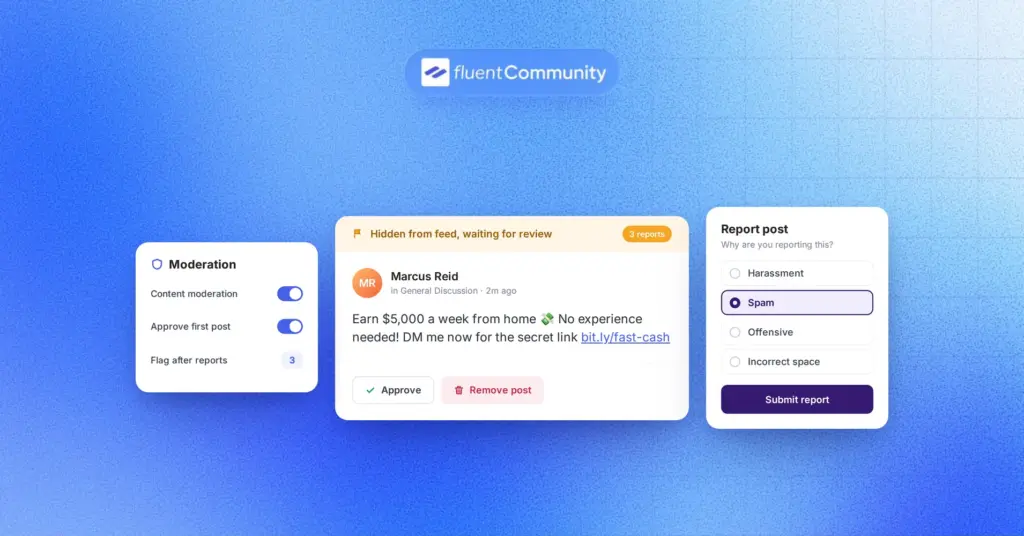
Moderation and member tools respect their boundaries. Moderators now see reports only from the spaces they actually moderate. Bulk member import checks that you are allowed to create WordPress accounts before it creates any. Topic changes are limited to community admins. Joining or leaving a space requires an active profile, and badge values submitted with a profile update are validated against your real badges.
Chat verifies its channels. On the Fluent Messaging side, the plugin update channel is verified before anything it returns is trusted, and realtime channel authorisation is now checked against live space and group membership rather than a cached list.
Bug Fixes and Stability
No more double posts. A slow connection and an impatient second click could create two identical posts, comments, or reactions — and could leave reaction and comment counts wrong afterwards. Submissions are now serialized per member, so the first one wins and the second is recognised as the duplicate it is. Scheduled posts got the same treatment on the pro side.
Two-factor logins work again. On sites running a 2FA plugin, signing in from the portal could fail silently — the login request came back as a challenge page the portal did not know how to handle, so nothing happened. The portal now recognises that response and hands you the challenge instead of swallowing it.
The editor works on older iPhones again. On devices that stop at iOS 15, the post composer rendered as blank space — a pattern in one of the editor’s markdown libraries is not supported by older Safari, and it failed the moment the editor was built. That is fixed, the fallback editor now clears itself properly when the main one recovers, prefilled content no longer gets clipped, and a slow-loading editor stops showing a failure notice that was never true.
Courses and quizzes behave. Pro stylesheets are no longer stripped out of the lesson editor by its own no-conflict sweep, block markup in lesson content renders instead of showing raw code, saving a lesson with an empty payload no longer throws a server error, and an empty lesson discussion area lays out correctly. Deleted quizzes no longer keep appearing in quiz results.
Notifications and polls tell the truth. The notification badge count and drawer refresh as they should, and polls no longer show as already ended right after you publish them on sites with a non-UTC timezone.
Posts and media. Submitting a file field with nothing in it is no longer treated as a valid upload. Post excerpts no longer leak the raw URL of an invisible pasted image, and HTML entities in excerpts read as normal characters. Reddit and other script-based embeds render as a clean link card instead of overlapping text.
Mobile and navigation polish. The mobile sidebar now has a backdrop behind it, so the feed underneath is no longer scrollable and clickable while the menu is open, and it closes itself when you start creating a post from it. Document lists stay inside the edit post modal on small screens. And the login screen is no longer indexed by search engines as the canonical version of your content.
Pro fixes. Moving a post to a profile now clears its topic, deleting a file works on S3-compatible storage that is not Amazon S3, and the plugin details screen no longer shows an undefined version.
Wrapping Up
FluentCommunity 2.9.0 gives your members a reason to come back the moment something happens, hands you the ordering controls your topics and badges were missing, turns chat into something you can actually moderate, and opens the portal to people who navigate by keyboard and screen reader. Underneath it all, permissions are tighter, duplicate submissions are gone, and our bug board is empty.
Update whenever you are ready — and let us know what you build with it.
FluentCommunity 2.9.0
- Introduced: Push Notifications with FluentNotify
- Added: Per-Member and Community-Level Push Preferences
- Added: Drag-and-Drop Ordering for Topics and Profile Badges
- Added: Canonical Tags for Spaces, Courses and Lessons
- Added: Video Thumbnail Preview for Feed Card View
- Added: Full-Site Support for the Installed PWA App
- Added: Pull-to-Refresh for the Installed iOS PWA
- Added: Filter to Set PWA Icon Purpose for Maskable Icons
- Improved: Screen Reader and Keyboard Accessibility Across the Portal
- Improved: Notification Preference Lookups via a Dedicated Table
- Improved: Unread Filter Moved Into the Notifications Header
- Improved: Ticker Refresh on Window and App Refocus
- Improved: Feedback When Video Playback Fails
- Security: Access Control, Data Scoping and Input Sanitization Hardening
- Fixed: Duplicate Submissions and Lost Counter Updates Under Concurrency
- Fixed: Silent Login Failure With Two-Factor Plugins
- Fixed: Editor Fallback on Older iOS Devices and False Failure Notices
- Fixed: Lesson Editor Styles, Block Rendering and Empty-Payload Saves
- Fixed: Empty Lesson Discussion Area Layout in Courses
- Fixed: Deleted Quizzes Still Listed in Quiz Results
- Fixed: Notification Badge Count and Drawer Not Refreshing
- Fixed: Poll End Date Marked as Ended on Non-UTC Timezones
- Fixed: Empty Media Upload Treated as a Valid File
- Fixed: Raw HTML Entities and Hidden Images in Post Excerpts
- Fixed: Overlapping Text in Script-Based oEmbeds
- Fixed: Mobile Sidebar Missing Overlay Backdrop
- Fixed: Mobile Sidebar Not Closing on Create
- Fixed: Document List Overflow in Edit Feed Modal on Mobile
- Fixed: Auth Page Indexed as a Canonical URL
- Fixed: Topic Kept on Posts Moved to a Profile
- Fixed: PWA Head Tags and iOS Home Screen Launch
- Fixed: S3 Delete Failing on S3-Compatible Storage
- Fixed: Undefined Version Notice on Plugin Details
Fluent Messaging 2.9.0
- Added: Block Members from Space and Group Chats
- Added: Member Search in Space and Group Chats
- Added: Emoji Picker in the Message Composer
- Added: Previous and Next Navigation in Chat Image Preview
- Added: Collapsible Member List in Chat Details Panel
- Added: Open Direct Messages in the Chat Widget from Profile Links
- Added: Auto-Load Older Messages and Members on Scroll
- Added: View Profile in Space and Group Member Menus
- Added: Group Admins Can Delete Any Member’s Message
- Improved: Chat Interface Alignment with the FluentCommunity Design
- Improved: Keyboard and Screen Reader Accessibility Across Chat
- Improved: RTL Support Across the Chat Interface
- Improved: Group Creator Protected from Removal and Demotion
- Improved: Chat Sync on Tab and Window Refocus
- Improved: Chat Member List Pagination and Loading Skeleton
- Security: Update Channel Verification and Realtime Membership Checks
- Fixed: Chat Inbox Stale Until Refresh After a Socket Drop
- Fixed: Thread List Preview Not Updating on Message Polling or Deleting
- Fixed: Scroll Position Jumping When Loading Older Messages
- Fixed: Chat Messages Rendering in Wrong Order
- Fixed: Number-Only Messages Rejected by Validation
- Fixed: Conversation Search by Username and Current Name
- Fixed: Space Chat Member List Missing Members Until They Log In
- Fixed: Leaving or Deleting a Group UX
- Fixed: Chat Menu Making the Page Scroll on Mobile
- Fixed: Emoji Inserted Ignoring the Caret Position
- Fixed: Message Reaction Picker Placement, Focus and Touch Reveal
- Fixed: Block Action Shown for Admins and Moderators
- Fixed: Blocked Conversations Disappearing from the Chat List

Shahjahan Jewel
Hello, this is Jewel, CEO & Head of Ideas at WPManageNinja. I am obsessed with WordPress since 2009. My aim is to be a user-centric developer first, and a serial entrepreneur second. You will find me discussing various tech issues and trying to come up with scalable solutions on different forums when I am not busy coding.

Add your first comment to this post