

FluentCommunity 2.4.0: Bulk Member Import, Group Messaging & Smarter Sidebar

Table of Content
Subscribe To Get
WordPress Guides, Tips, and Tutorials


FluentCommunity 2.4.0 is focused on member onboarding workflows, navigation polish, editor improvements, and security hardening, all while keeping the experience clean and intuitive for your community members.
This update introduces Bulk Member Import, a faster way to enroll people into Spaces and Courses from multiple sources at once. Alongside this, the sidebar gets smarter with a new default-collapse option and automatic group expansion that keeps members oriented as they navigate.
The release also brings URL autolinking in the post editor, a slide-out drawer for creating new Spaces, Fluent Player share links inside the community, and a small but helpful confirmation when removing post preview images.
Introduced: Bulk Add Members and Students from Multiple Sources
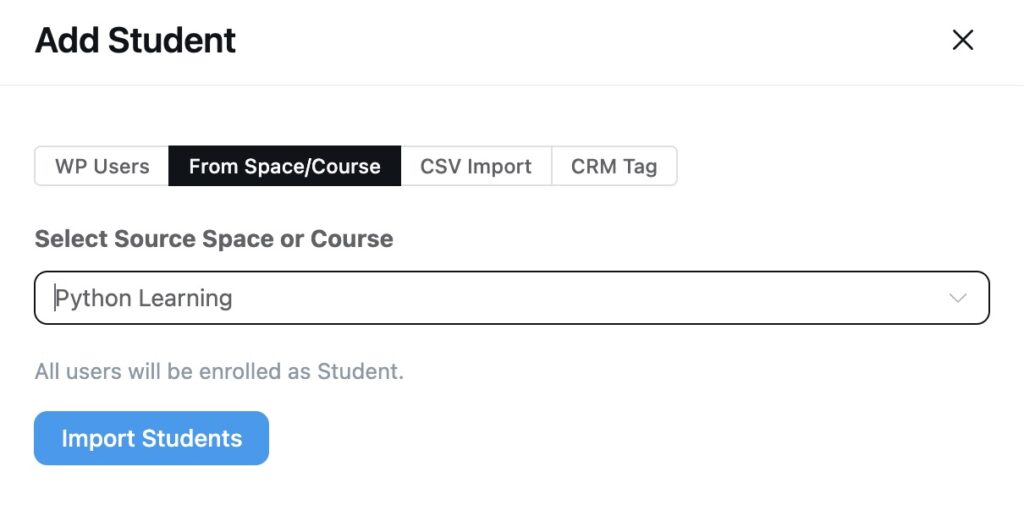
Adding members one by one slows down community managers running cohort launches, course rollouts, or marketing migrations. FluentCommunity 2.4.0 introduces a unified Add Members drawer that supports four sources, so you can move dozens or hundreds of people into a Space or Course in a single action.
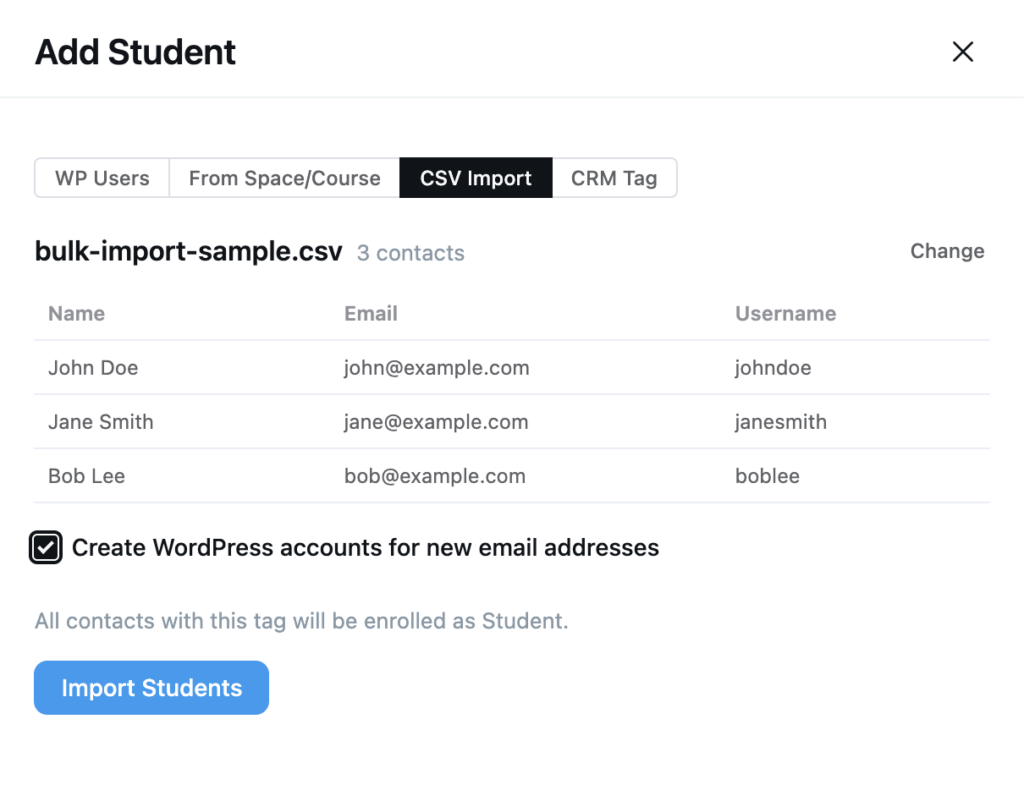
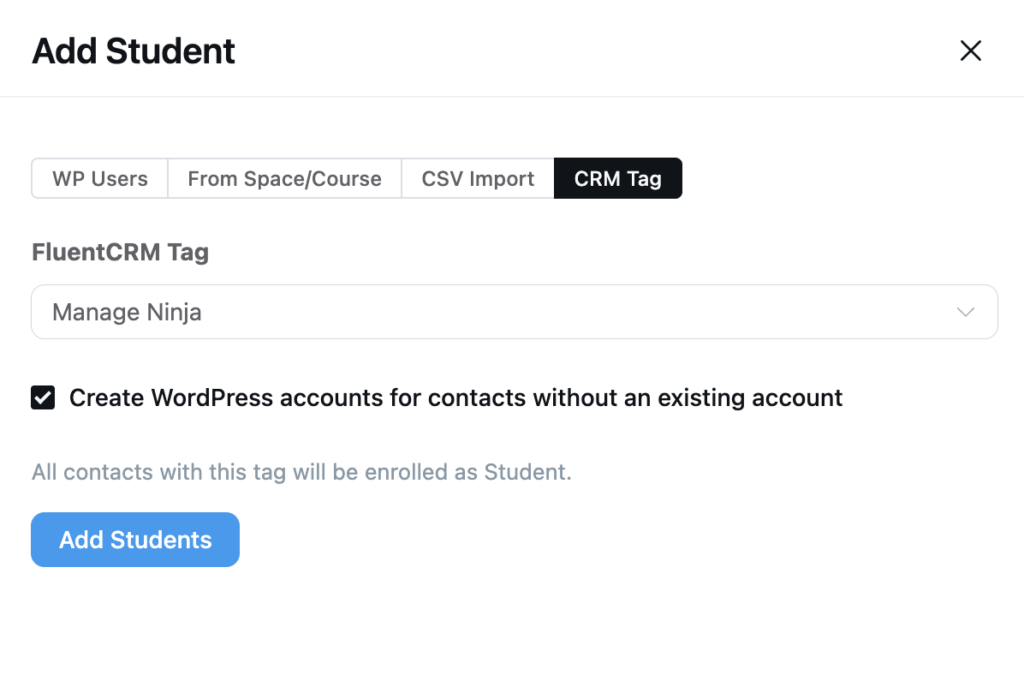
Pick the source that fits your workflow:
WP Users — search and select existing WordPress users (free)
From Space/Course — clone an existing Space or Course’s roster into another (pro)
CSV Import — drop a CSV with Name, Email, and Username; missing WordPress users can be auto-created (pro)
CRM Tag — pull every contact carrying a FluentCRM tag, with optional WordPress account creation for contacts who don’t have one (pro)
Imports are capped at 500 rows per request to keep the operation responsive, and role validation runs on every entry so your access controls stay intact.
Introduced: Group Messaging in FluentCommunity Chat
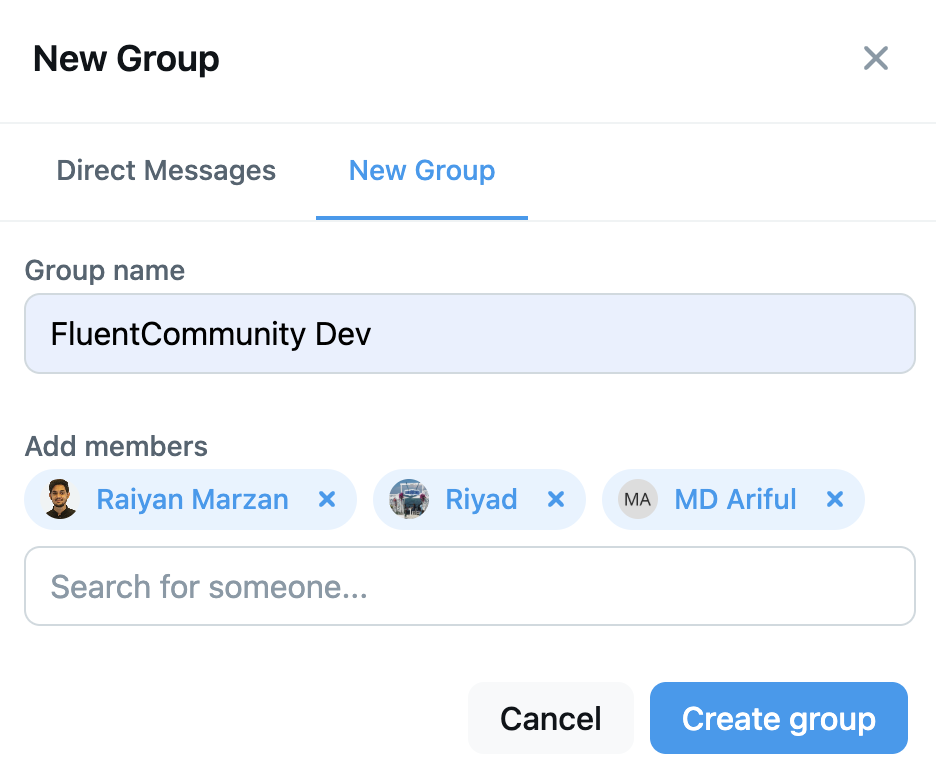
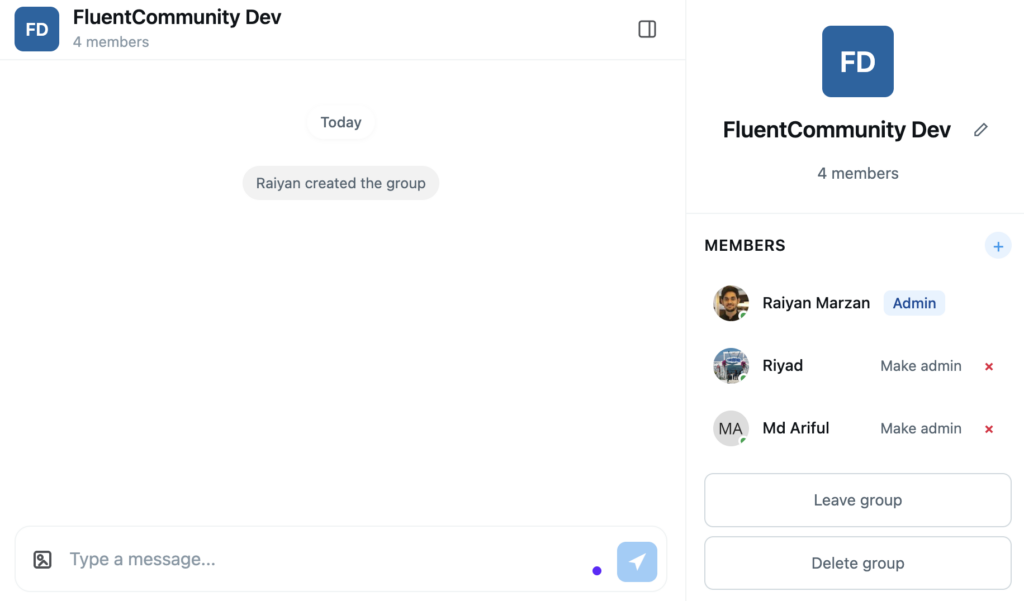
The FluentCommunity Chat add-on now supports Group Messaging, letting members start conversations with multiple people at once. Create a group, name it, add participants, and pick up where one-to-one chat leaves off — with the same real-time delivery, read indicators, and notification preferences members already use.
Group chats are a natural fit for cohort discussions, project teams, support pods, and any topical conversation that doesn’t belong in a public Space. Admins keep moderation tools across both direct and group conversations, and existing chat permissions carry over without extra configuration.
Update the FluentCommunity Chat add-on to the latest version to enable Group Messaging.
Added: URL Autolink Support in Post Editor
Pasting or typing a URL in the post editor now turns it into a live link automatically — no more selecting the text and pressing the link button. The link tooltip also stays positioned correctly when editing existing links, removing a small but persistent friction point in the writing flow.
Added: Default-Collapse Sidebar Groups Option in Settings
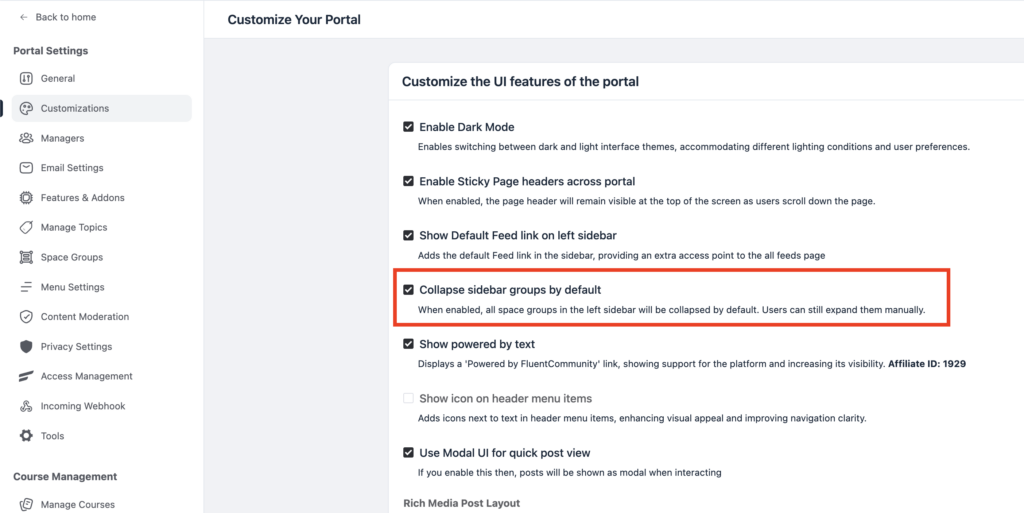
Communities with many Space Groups in the sidebar can now choose to collapse This adds a new admin setting called “Collapse sidebar groups by default” under Customization Settings. When enabled, every space group in the left sidebar starts collapsed on page load. Useful for communities with many groups, where the sidebar gets long and cluttered, especially on mobile.
Members can still click any group title to expand or collapse it themselves. That choice is remembered in their browser, so next time they visit, their personal preference wins over the global default.
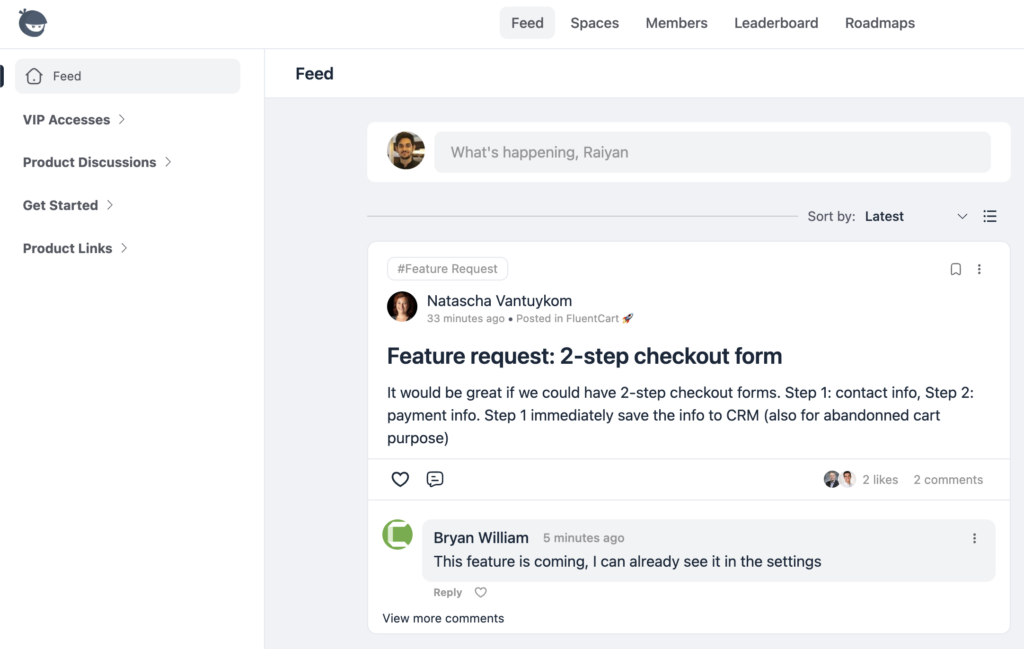
Improved: Active Sidebar Group Auto-Expands on Navigation
When a member navigates into a Space whose parent group is collapsed, the sidebar now automatically expands that group and highlights the active item. No more wondering where you are in the navigation tree — the sidebar always reflects your current location.
Added: Create New Space via Slide-Out Drawer
Creating a new Space no longer requires leaving the current page. A slide-out drawer opens directly from the sidebar (or from any route via a `create_space` URL parameter), letting admins set up the basics, save, and continue working without losing context. The space-creation flow also got tighter validation, friendlier error messages, and a fix for the URL-mutation issue that previously stuck the modal open after navigation.
Added: Fluent Player Share Links in Community Media
Videos uploaded with Fluent Player now support deep-link share URLs inside community feeds and lessons. Members can copy a timestamped link, drop it into a comment or message, and the player will open at that exact moment — useful for pointing learners to specific sections of a lesson video or highlighting key moments in shared clips.
Improvements and bug fixing
- New filter hooks let developers enable or disable duplicate post and comment checks
- Security: hardened webhook key generation with CSPRNG tokens and added rate limiting
- Security: improved CSS sanitization and tightened input validation across moderation and webhook endpoints
- Fixed: Approve Post failing with an invalid status value error
- Fixed: Optional Custom Profile Field values not resetting to empty on save
- Fixed: Multiselect Custom Profile Field values being wiped on update
- Fixed: Space admin options disappearing on return navigation
- Fixed: Notification links not navigating to the specific comment
- Fixed: Mobile footer not visible on block-based themes
- Fixed: About tab inaccessible on mobile for non-members
- Fixed: Profile feed not showing a new post immediately after creation
- Fixed: Signup buffering with FluentAuth
- Fixed: RTL profile alignment and course lesson padding
Conclusion
FluentCommunity 2.4.0 is a well-rounded update that focuses on what matters most, such as faster member onboarding, real-time group conversations, sharper navigation, and a more polished writing experience.

Shahjahan Jewel
Hello, this is Jewel, CEO & Head of Ideas at WPManageNinja. I am obsessed with WordPress since 2009. My aim is to be a user-centric developer first, and a serial entrepreneur second. You will find me discussing various tech issues and trying to come up with scalable solutions on different forums when I am not busy coding.







Add your first comment to this post