


WP Social Ninja Review: The Social Proof Plugin for WordPress Communities

Table of Content
Subscribe To Get
WordPress Guides, Tips, and Tutorials


You started your community to bring people together. Now you want more of them to join. Here is the hard part. A visitor lands on your page and does not know you yet. They wonder if your community is worth their time and money. If nothing on the page answers that doubt, they leave.
This is where social proof helps. Reviews, testimonials, and a live social feed show new people that others already trust you. That trust often turns a quiet visitor into an active member.
You need a good social proof plugin for this, and WP Social Ninja is my personal recommendation. It brings your reviews, testimonials, social feeds, and chat into a single plugin, so all your proof sits in one place instead of separate tools.
In this article, I will introduce you to WP Social Ninja and explain why it fits community builders so well. So, let’s get started.
Key Takeaways
- A new visitor who does not know your community yet will leave your page if nothing shows that others already trust you.
- WP Social Ninja puts reviews, testimonials, social feeds, chat, and notification popups in one plugin, so you drop four or five separate tools.
- Its business reviews pull from Google, Facebook, Yelp, and more, with AI summaries, filters, and schema that can place your star rating in search results.
- Social feeds from Instagram, Facebook, YouTube, and TikTok update on their own and show a visitor your community is active.
- Testimonials and notification popups keep member praise in view, right where new visitors decide whether to join.
- Chat widgets across 17 platforms let a visitor ask a quick question before they commit, on the app they already use.
- Setup takes about five minutes through a guided wizard, and local image caching keeps your pages fast.
- It is free on WordPress.org, with Pro from $89 a year adding the full review sources, styling, testimonials, and popups.
- For a WordPress community, course, or membership site, it is the trust layer for your public pages, with quick support as its most-praised strength and a plain free tier as the main trade-off.
What is social proof, and how does it help your community grow?
Social proof is the sign that other people already trust you. It shows up as reviews, testimonials, ratings, and a busy social feed. For a community, it shows a new visitor that real people joined and stayed, so joining feels safe.
Here is how social proof helps a community grow:
- New visitors trust you faster. Seeing others join and leave good reviews makes signing up feel like a safe step, and 85% of consumers feel positive about using a business when its reviews describe good experiences.
- Your authority grows. Testimonials and ratings show prospects you deliver on your promise, which sets you apart from a community they have never heard of.
- Your community looks alive. A live feed and fresh reviews show real activity, which reassures people who are still on the fence.
- You keep the members you already have. Seeing others stay active and happy reassures current members they made the right call, so more of them stick around.
What is WP Social Ninja?
WP Social Ninja is an all-in-one social proof plugin for WordPress. It displays business reviews, testimonials, social feeds, chat widgets, and notification popups from one dashboard. Instead of running four or five small plugins, you run one.

Here is how the features of WP Social Ninja help a community owner:
- Business reviews come from Google, Facebook, Yelp, and more. WP Social Ninja can also blend them into one review wall you can place on any page, showing your strong reputation.
- Social feeds pull your posts and videos from Instagram, Facebook, YouTube, and TikTok. They update on their own and show your members your latest activities.
- Testimonials are collected through a form and held for your approval. You then show them in a slider or any other format on any page to earn the trust of new visitors.
- Notification popups drop a small review into the corner of a page. You choose when they show and which pages they appear on. A nice way to grab the attention of a prospect.
- Chat widgets add click-to-chat buttons for WhatsApp, Messenger, and more. Visitors tap one to start a chat in their own app and ask you all the questions they need answering.
Setting it up takes no code. You install the plugin, connect a platform, and add a widget to any page. It works with 30+ platforms across reviews, feeds, and chat, all from one dashboard.
It also stays light on your site. The plugin caches images on your own server and keeps its footprint small, so your pages still load fast with feeds and reviews on them. For a community page that needs a strong first impression, that speed helps.
WP Social Ninja at a glance for community users
Here is a quick overview of WP Social Ninja before the full review:
| Category | Details |
|---|---|
| Plugin type | All-in-one social proof plugin for WordPress |
| Best for | Community builders, course creators, coaches, membership sites, and small businesses |
| Free version | Yes, on WordPress.org |
| Active installs | 30,000+ |
| WordPress.org rating | 4.8 out of 5 stars |
| Paid plans | Single Site, Agency, Unlimited |
| Starting paid price | $44/year (Single Site, 50% off the regular $89) |
| Best feature | Reviews, feeds, chat, popups, and testimonials in one plugin |
| Main concern | A narrow free tier |
WP Social Ninja is on version 4.3.2, with 30,000+ active installs and a 4.8-star rating on WordPress.org. The breakdown shows 66 five-star reviews and 3 one-star reviews out of 71 total. It runs on WordPress 6.2 or higher and PHP 7.4 or higher, and it is tested up to WordPress 7.0.3.
WP Social Ninja features for community builders
WP Social Ninja puts a full set of social proof tools in one plugin. Below, each feature gets its own breakdown: business reviews, social feeds, testimonials and popups, and chat widgets.
Business reviews: show the trust you already earned
WP Social Ninja pulls reviews from Google, Facebook, Yelp, TripAdvisor, Trustpilot, Booking.com, Airbnb, Amazon, and AliExpress. You can also replace WooCommerce’s default review form with its advanced built-in form builder and create a review management system for your FluentCart store.
For a coach or a brand, this is your strongest trust signal. The reviews you already earned, sitting right on your community page, tell a new visitor that real people vouch for you.
Here is what the review feature offers to the users:
- AI review summary. The plugin reads all your reviews and writes a short summary above them. You connect it to OpenAI or OpenRouter, and you set the position, length, and tone. A visitor gets the overall picture in seconds.
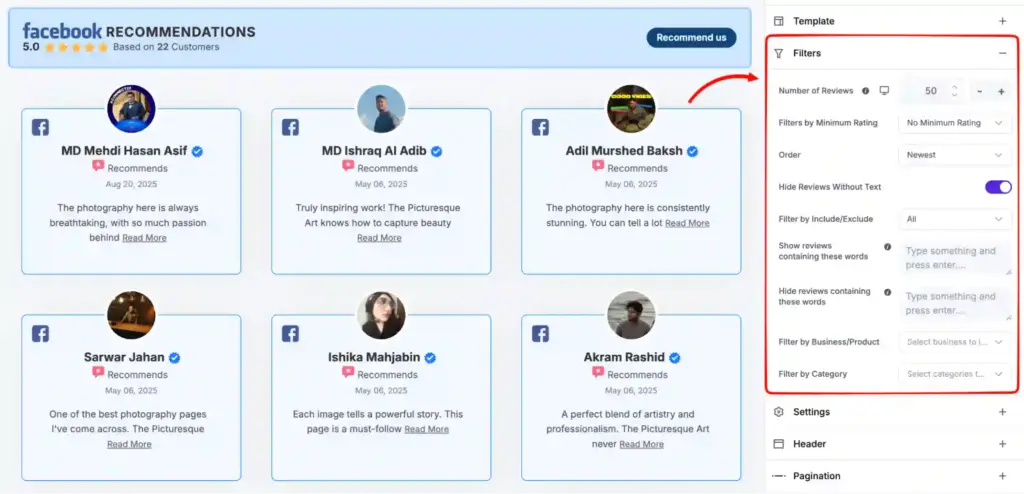
- Smart filters. You can filter which reviews show by star rating, keyword, length, or a specific product or category. So you can display only your best, most useful reviews on the right page, without editing them by hand.
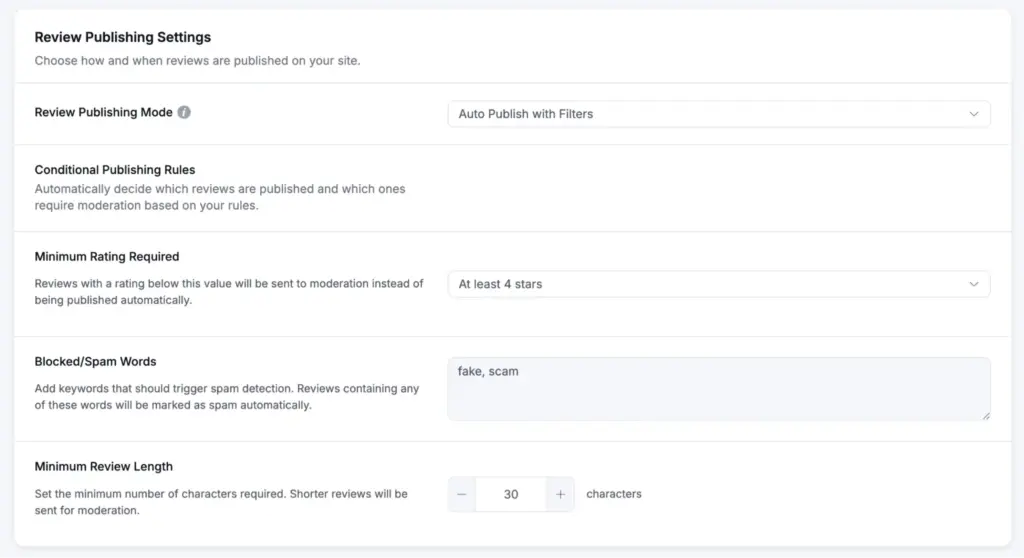
- Moderation and auto-sync. New reviews can publish on their own or wait for you, based on rating, length, or keywords. Every review sits in Published, Unpublished, or Spam, with bulk actions to manage them fast. Reviews sync from the source on a schedule.
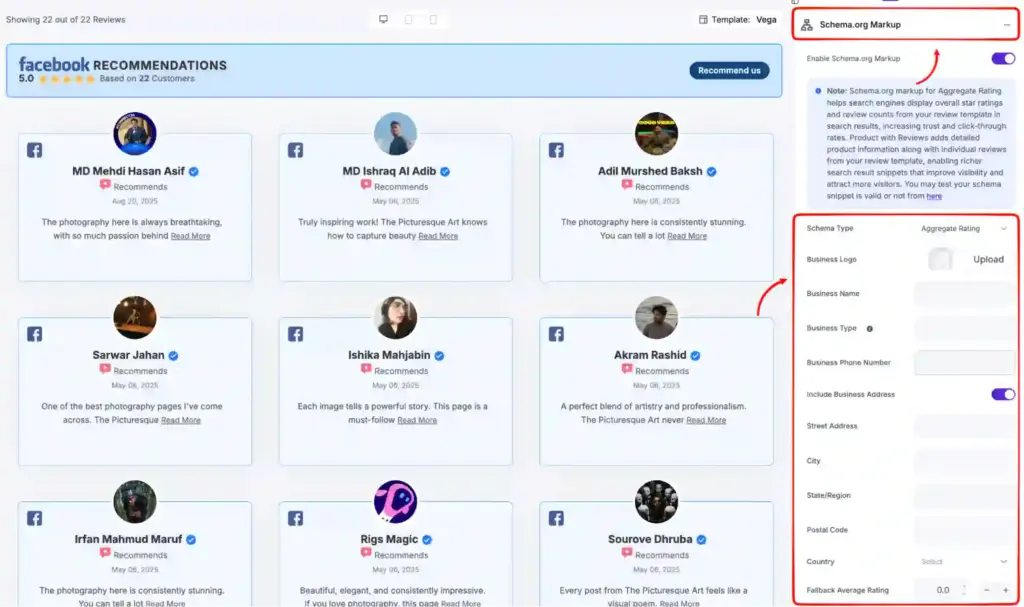
- Review schema for SEO. Every Google reviews template outputs aggregate rating schema. That can put your star rating in Google search results and the local map pack, which pulls more clicks before anyone reaches your page.
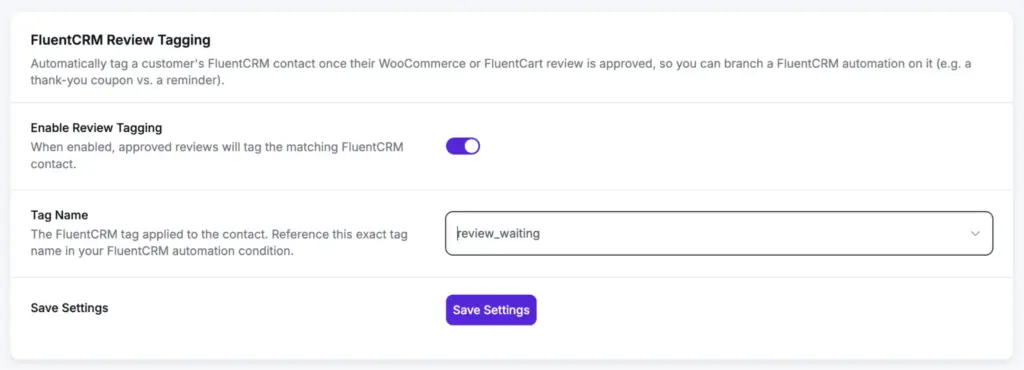
- FluentCRM review tagging. When a WooCommerce or FluentCart review is approved, the plugin tags that person’s contact inside FluentCRM. From there, you can send a thank-you email, a discount, or a follow-up on autopilot. It is handy if you already run FluentCRM for your community.
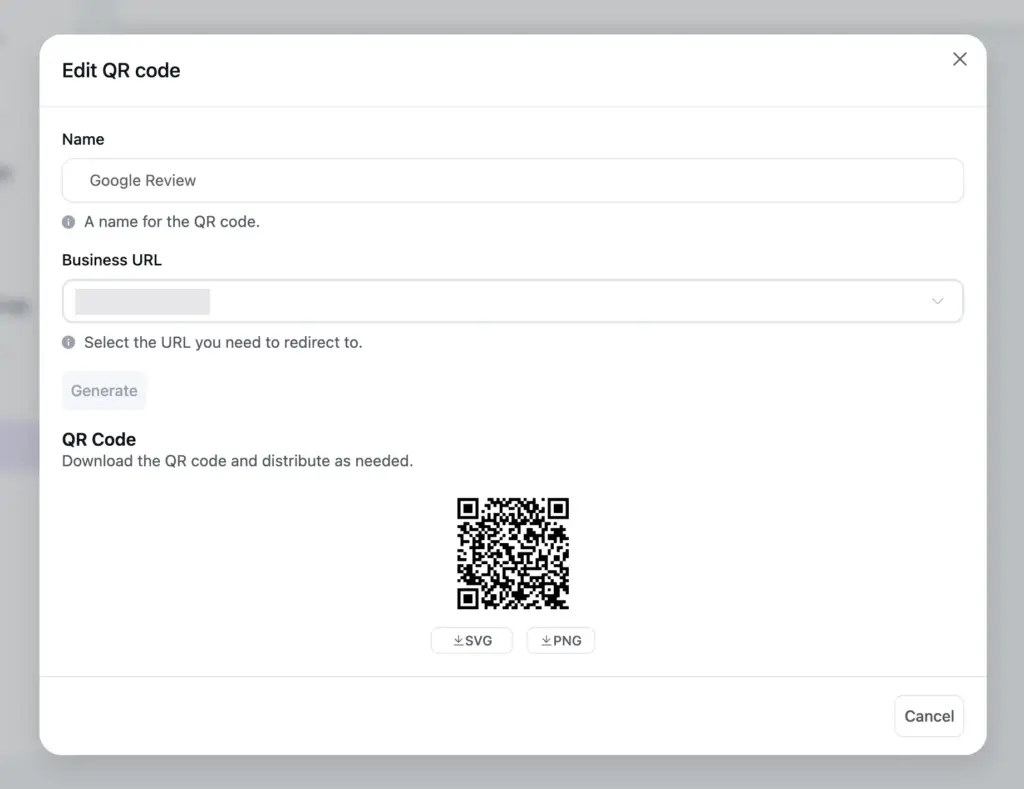
- QR code review collection. You can generate a QR code that links straight to your review form. Print it on a card, a sign, or a receipt, and members can scan and leave a review in person. No app switching or typing a URL.
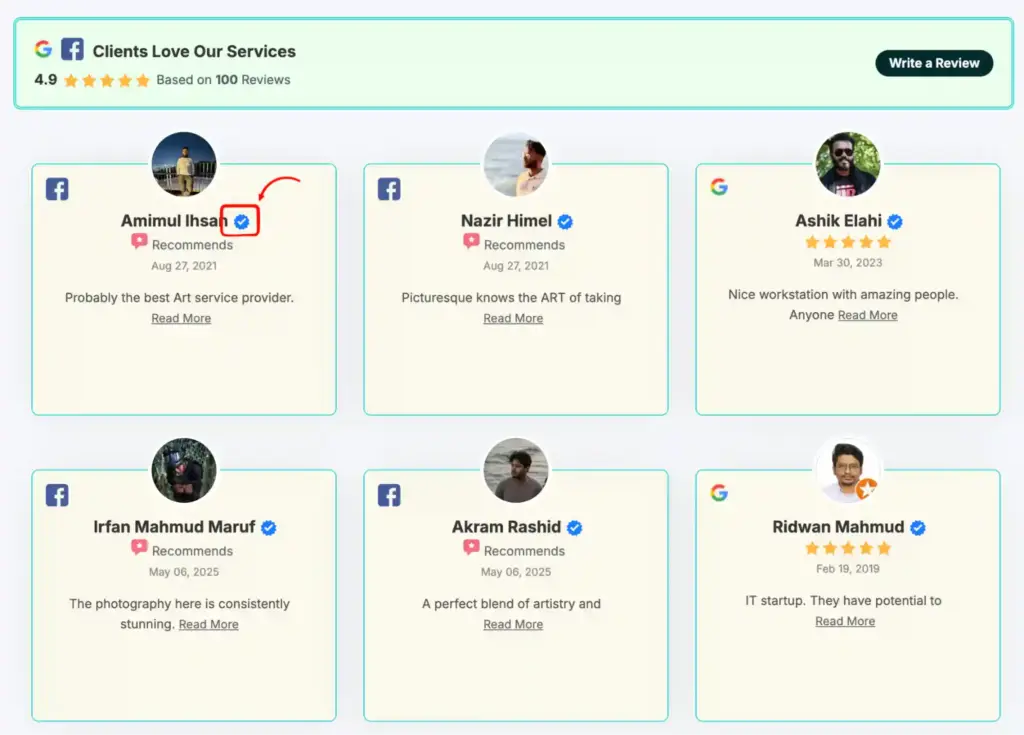
- Verified reviewer badge. A small verified icon shows next to reviewers the source platform has confirmed. It tells a visitor the review is real, which carries more weight than an anonymous one.
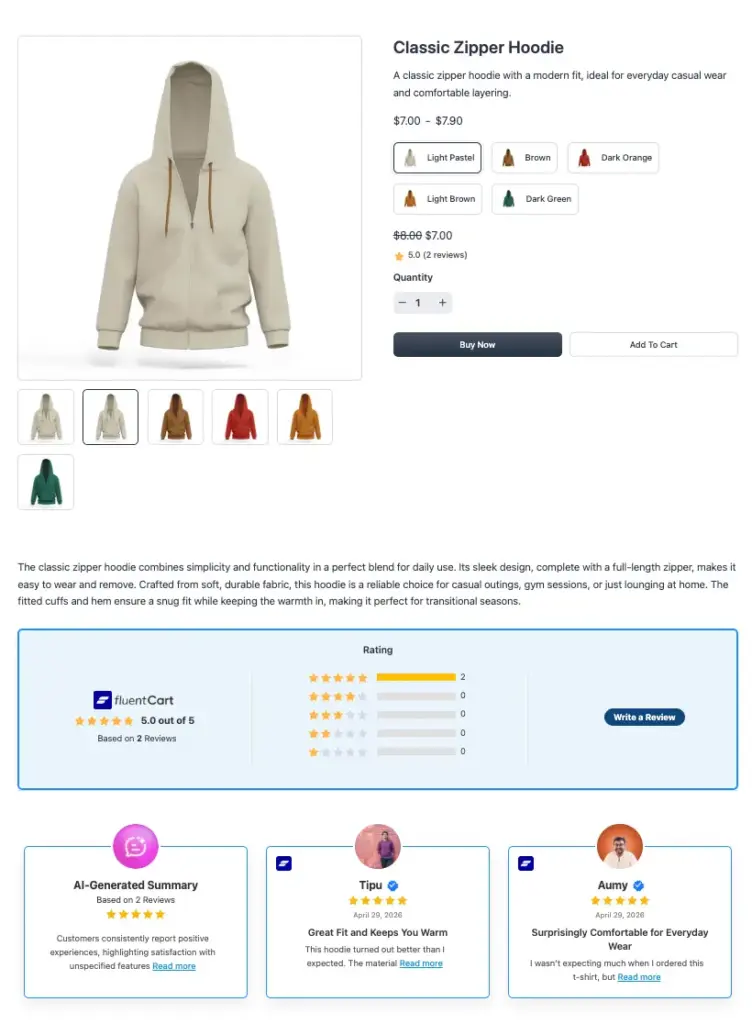
- Native review form for stores. If you sell alongside your community, the plugin swaps the default WooCommerce and FluentCart review fields for a proper form that takes star ratings and photos. For platforms without a native link, like Etsy, you can import reviews by CSV or collect them through a custom form.
Social feeds: prove your community is active
WP Social Ninja embeds feeds from Instagram, Facebook, YouTube, and TikTok on your WordPress pages. The feeds update on their own, so what a visitor sees stays fresh without you touching the page.
This answers a quiet question every new person asks. Is this community actually alive? A feed full of recent posts, reels, and videos says yes far better than words can.
Here is what the feeds offer:
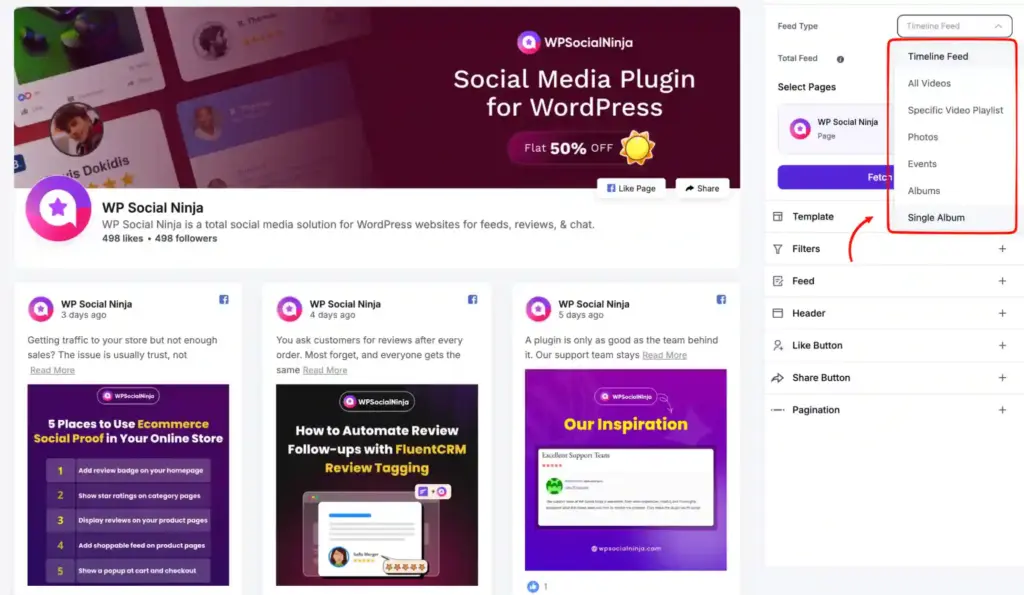
- Four platforms with their own feed types. Show Instagram posts, reels, and carousels, Facebook timeline, photos, events, and albums, YouTube channels, playlists, and live streams, and TikTok videos. Facebook alone offers seven feed types, so the feed matches how you post.
- Mix accounts and hashtags. You can pull from one account, blend several into one feed, or show only a campaign hashtag. That lets you build a feed around your brand, your members, or a single event.
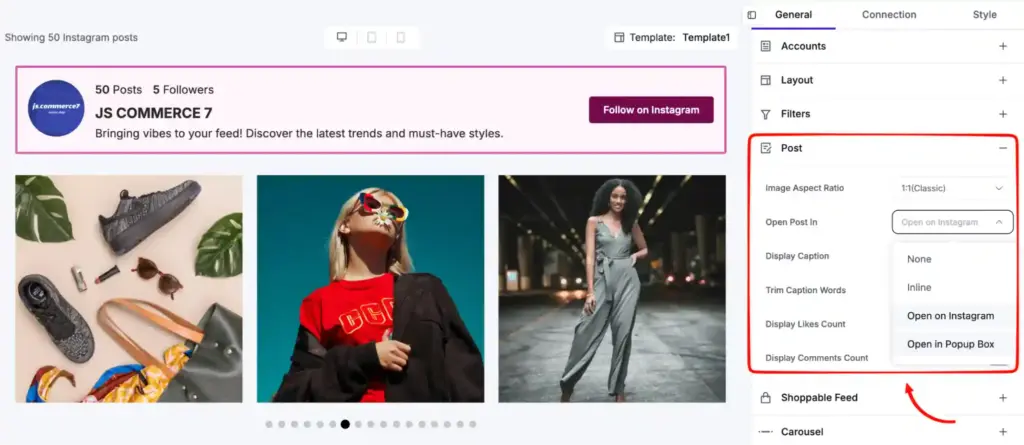
- Layouts and popups. Feeds come in grid, carousel, and masonry layouts, with a popup lightbox so a visitor can open a post in a window without leaving your page. You can match the style to the rest of your site.
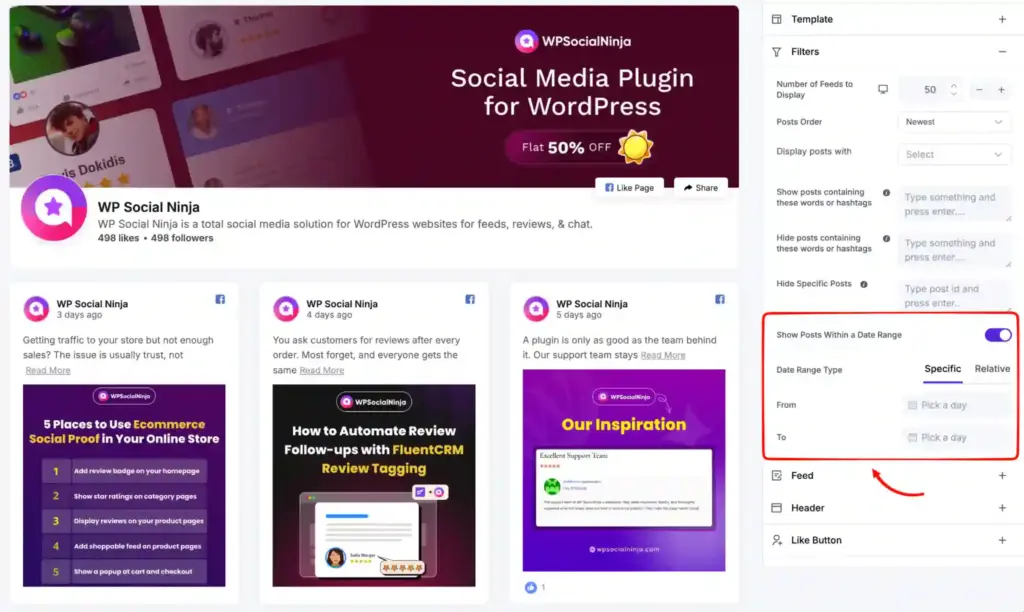
- Date range and content filters. A date range filter can scope a Facebook feed to a fixed window, like a launch week, or a rolling one, like the last 30 days. You can also filter posts by content type, keyword, or hashtag.
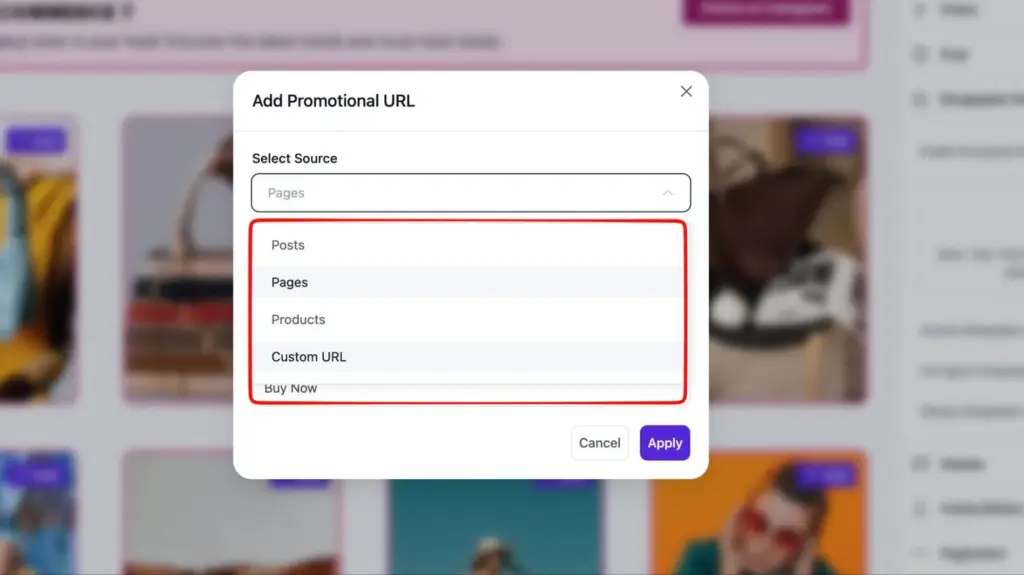
- Shoppable Instagram feed. If you sell alongside your community, you can tag products on Instagram posts so product cards show on the feed. A visitor taps a post, sees the product, and lands on the product page.
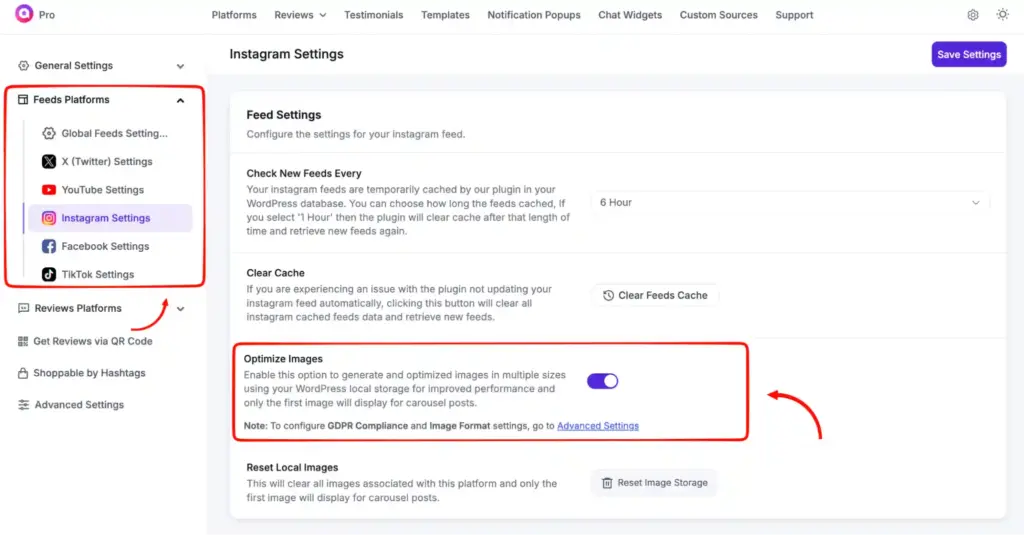
- Easy connection and local caching. Instagram and Facebook connect with a one-click sign-in and refresh their tokens on their own. Feed images are saved on your server, which keeps your pages fast and GDPR-friendly.
Testimonials and popups: make your best feedback more visible
Testimonials and notification popups take the good words your members already share and put them where new visitors will see them. Both are simple ways to keep trust visible on the page.
The testimonial widget shows a slider of quotes with a photo, name, and title. You collect them natively, and approve each one before it goes live. A short quote from a happy member often does more than any sales line you could write.
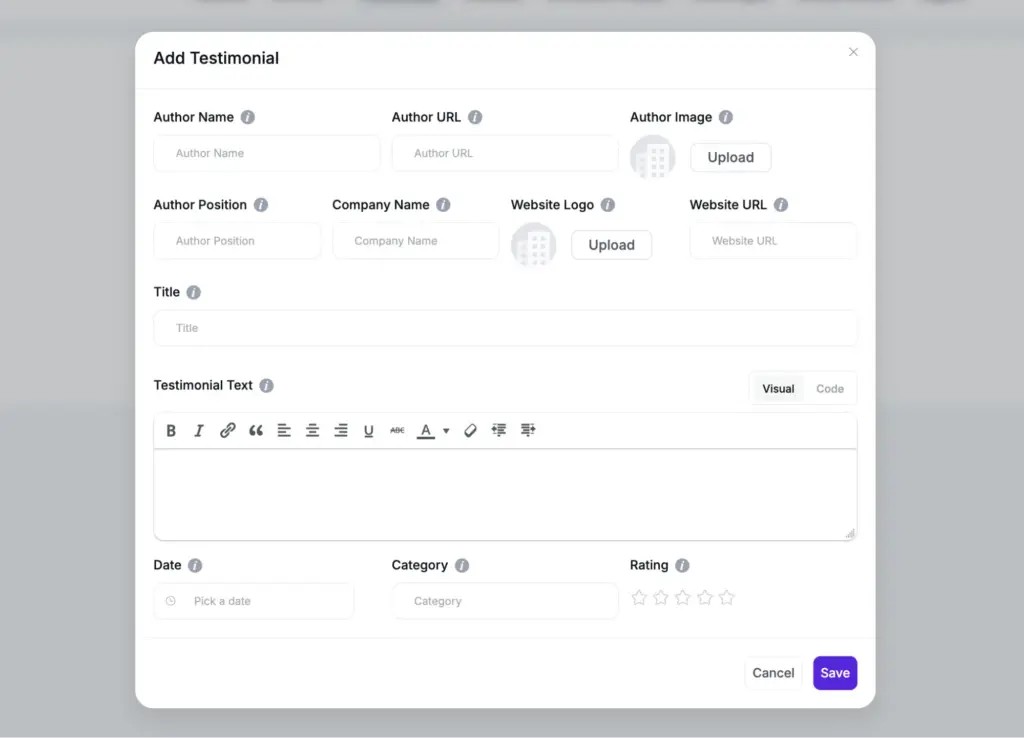
Notification popups show a small review or rating in the corner of your page. They pull from Google, Facebook, and other sources, and they add a light sense of movement. A visitor sees that people keep leaving good feedback, and that nudges them to join too.
Chat widgets: answer the pre-join questions fast
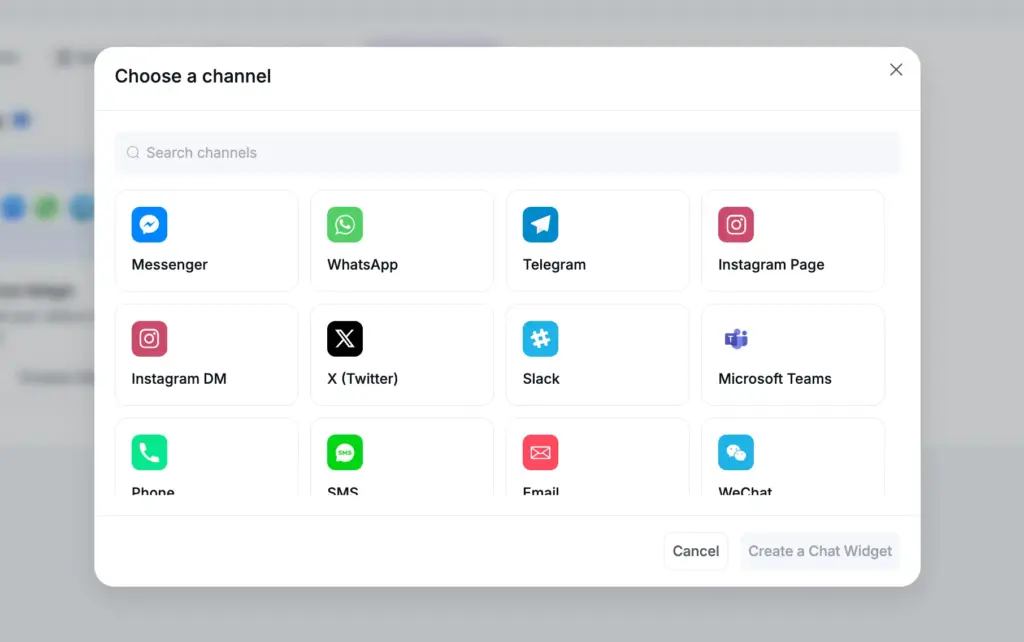
Click-to-chat buttons connect visitors to you across 17 messaging platforms, including WhatsApp, Messenger, and Telegram. A visitor taps one and reaches you in the app they already use.
Most visitors want a quick answer from a real person before they commit, and a chat button gives them that without leaving your page.
Here’s a list of noteworthy features WP Social Ninja provide for chat widgets:
- 17 messaging platforms. Add buttons for WhatsApp, Messenger, Telegram, SMS, Instagram DM, Microsoft Teams, LinkedIn, Slack, and more. Pick the ones your members use.
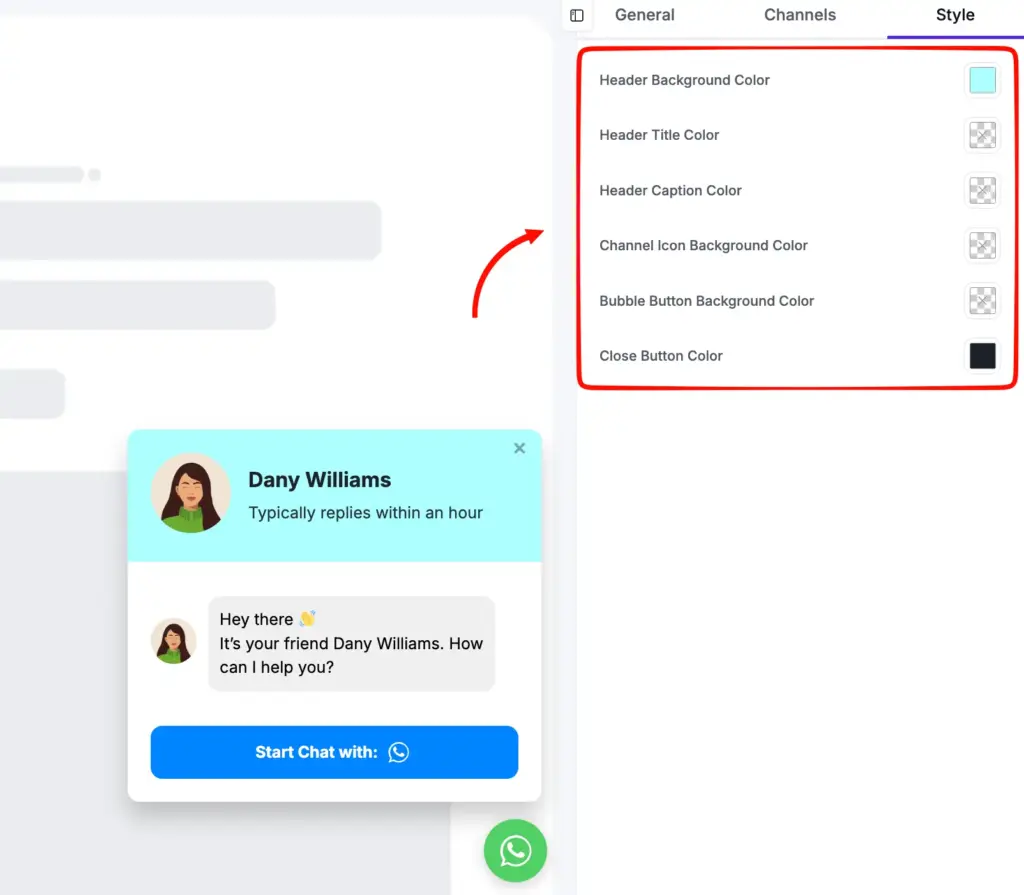
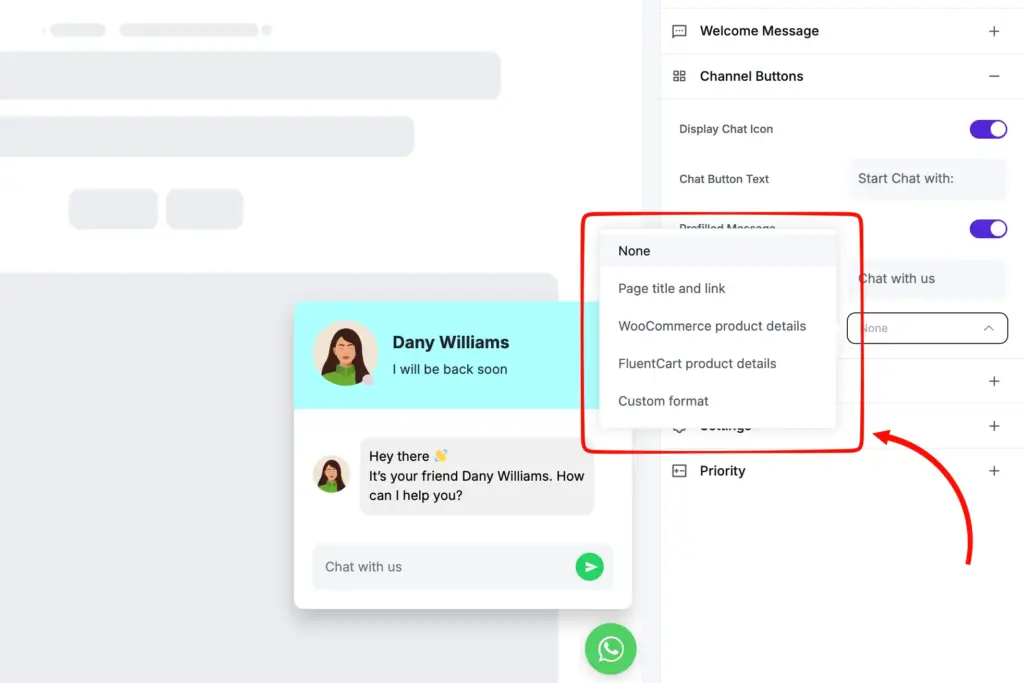
- Full styling and branding. You control the welcome message, header, bubble icon, bubble text, and colors. The widget matches your brand instead of looking bolted on.
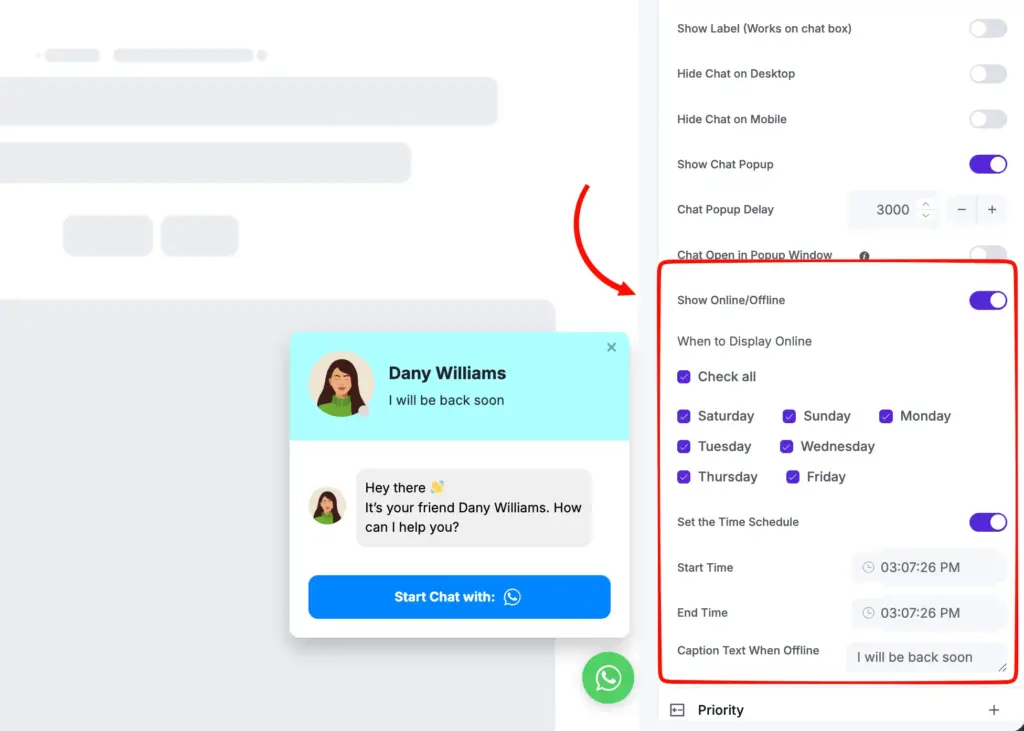
- Business hours. Set the widget to show online during your team’s shift and show an offline caption after hours. Visitors know when to expect a reply.
- Page and device rules. Show or hide the widget on specific pages, post types, or categories, and hide it on desktop or mobile. It appears only where it helps.
- Drag-and-drop channel order. If you connect several channels, you decide which one shows first when a visitor opens the widget. That puts your fastest channel up top.
- Prefilled message context. The WhatsApp and SMS widgets can open with the page or product details already filled in. The chat starts with context instead of a blank opener.
What do users like about WP Social Ninja?
On WordPress.org, WP Social Ninja holds a 4.8-star rating across 71 reviews. Most of the praise lands on quick support, one plugin in place of several, and a setup that stays simple.
- Support gets the loudest praise. More reviews name the support team than any single feature. Users mention fast replies, clear explanations, and fixes made on their live site, for free and paid users alike.
- Simple to set up. People call it easy to get running, including connecting more than one Google Business Profile. Some found it quicker and cheaper than the pricier tools they had tried before.
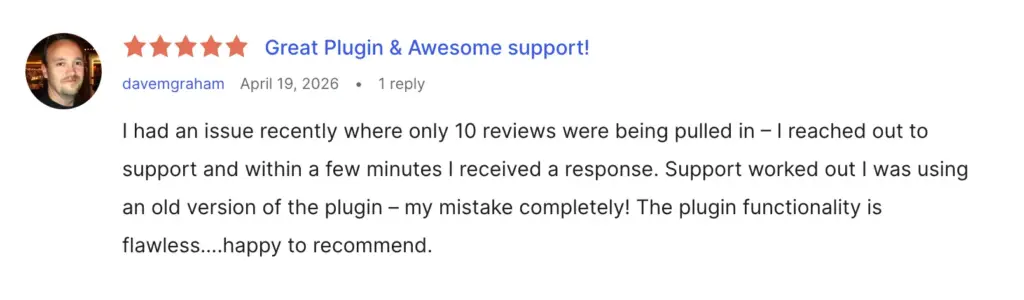
- It does what it promises. Long-time Pro users call it reliable, and a few noted that recent updates made the settings clearer with finer control.
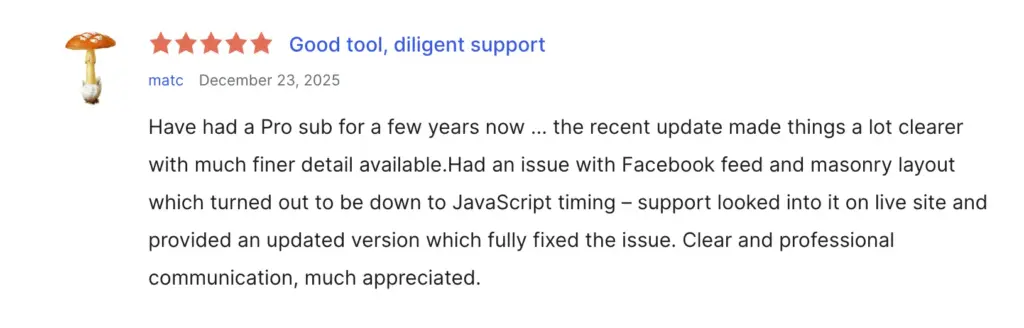
- One plugin instead of several. Reviewers like dropping separate tools for feeds, reviews, and chat. One user said they no longer needed a separate live chat plugin or a separate Instagram feed plugin.
What do users complain about WP Social Ninja?
The critical reviews are a small share, five of the 71, and they cluster around a few honest gaps. The free version looks plain, and a couple of platform connections carry costs.
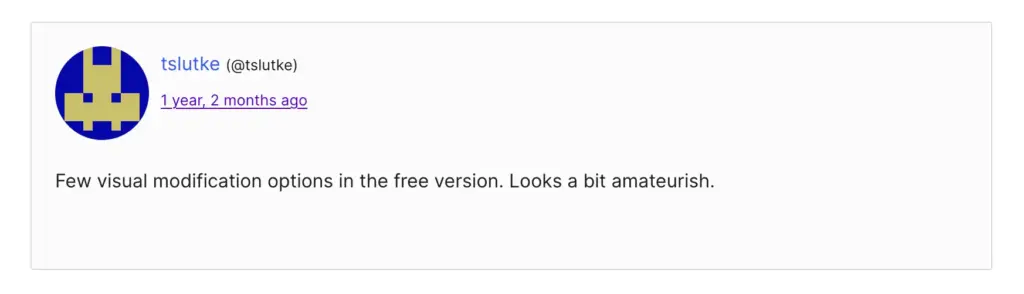
- The free version looks basic. One reviewer found the free styling too plain, with few visual options. That fits the plugin’s own split, where the full style panel sits in Pro.
- Some platforms need paid third-party access. One reviewer wanted Yelp reviews and found that Yelp now requires a paid API to pull them. That requirement comes from Yelp, not the plugin, and WP Social Ninja refunded the user and updated its docs so the cost is clear upfront.
How easy is WP Social Ninja to set up?
Setup is quick for a WordPress plugin. You install it, activate it, and an onboarding wizard takes over. On a fresh site, a live widget can be ready in about five minutes.
- Start with the wizard. After you activate the plugin, a Quick Setup wizard walks you through four choices: category, platform, account, and template. Each step shows a live preview of the result.
- Connect the account. Most platforms connect with a one-click sign-in, and some use an access token or API key instead. Stricter platforms like Facebook may ask for extra business-account approval. Nothing complicated.
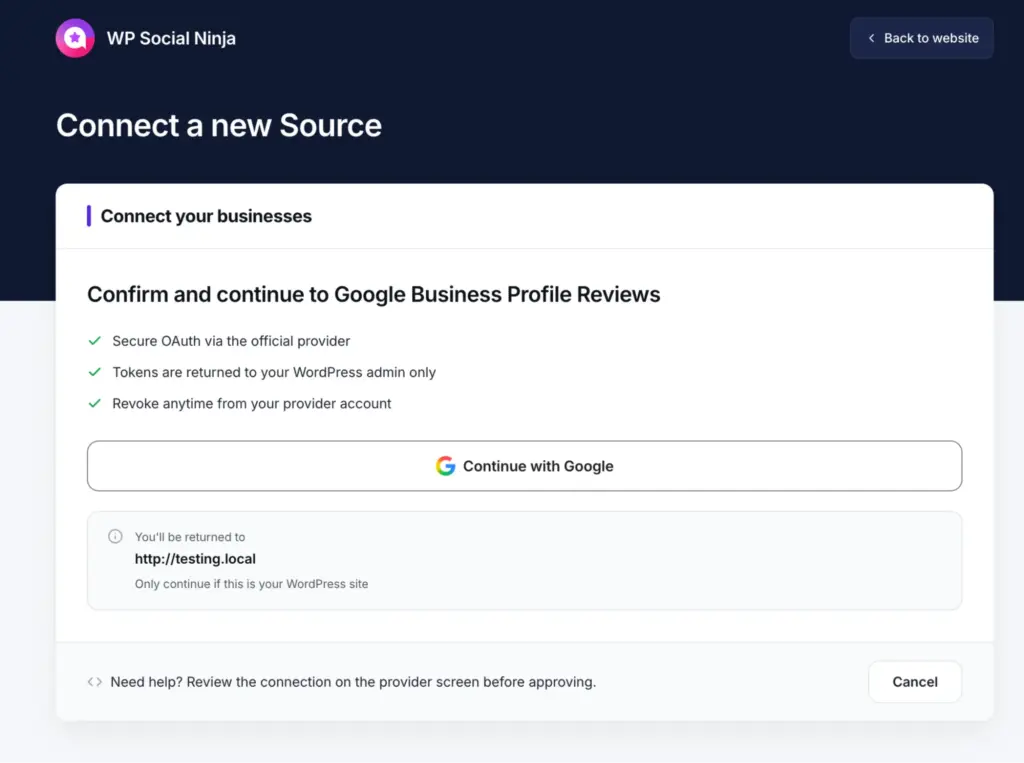
- Build in the three-tab editor. One tab sets the template and content, one handles the connection, and one styles colors and spacing. The preview updates in about a second, so you see each change before you save.
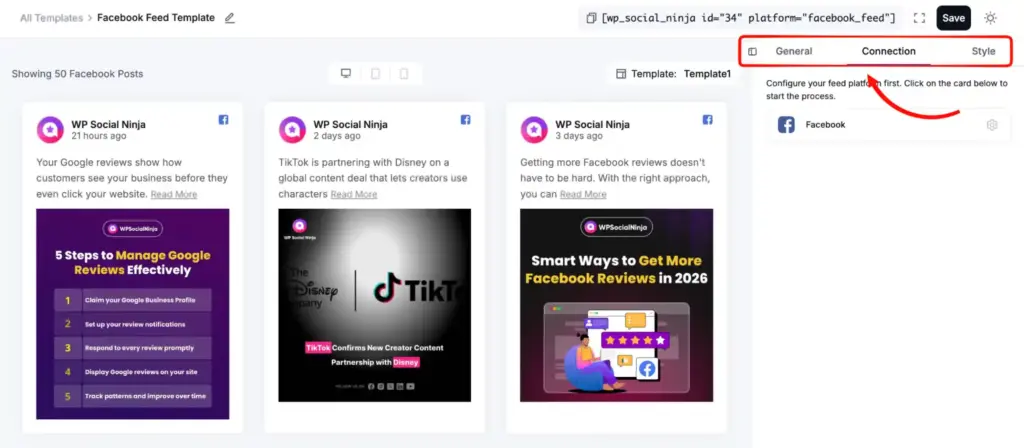
- Breakage alerts. If a connection fails, the plugin emails you instead of leaving a blank space on your page, so you hear about it before a visitor does.
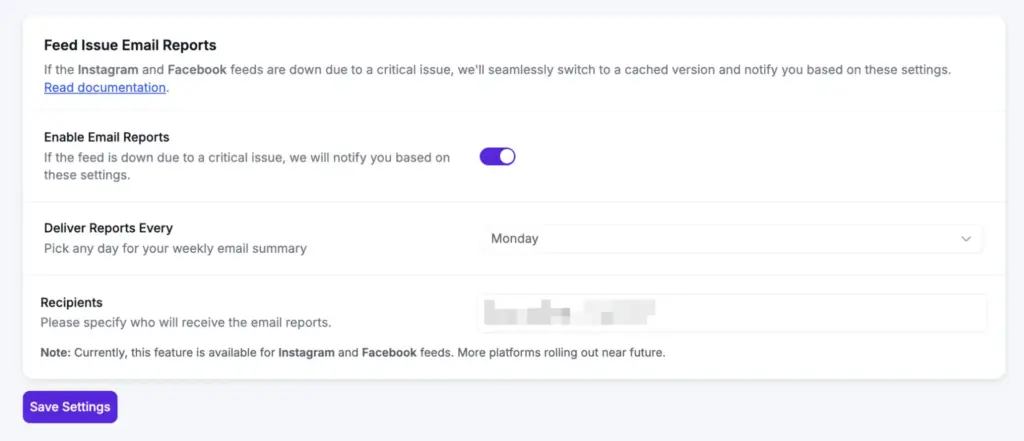
- Place it on a page. Every saved template gives you a shortcode you can drop anywhere, plus dedicated widgets for Elementor, Gutenberg, Beaver Builder, and Oxygen.
How much does WP Social Ninja cost?
WP Social Ninja is a freemium plugin. The free version lives on WordPress.org, and Pro is sold as an annual license through its official website.
| Plan | Sites covered | Price |
| Single Site | 1 site | $89/year |
| Agency | 25 sites | $299/year |
| Unlimited | Unlimited sites | $499/year |
Every Pro plan includes the same feature set. Only the number of sites changes. Every plan comes with one year of updates, one year of priority support, and a 14-day money-back guarantee.
Here’s what you actually get on each plan:
| Feature | Free | Pro |
| Review sources | 2 (Google, Airbnb) | 10+ (add Facebook, Yelp, TripAdvisor, Trustpilot, Booking.com, Amazon, AliExpress, WooCommerce, FluentCart, Custom) |
| Chat channels | 3 (WhatsApp, Messenger, Telegram) | 17 total |
| Feed platforms | Instagram, Facebook, YouTube, TikTok | Same with advanced customization features |
| Feed layouts and styling | Grid layout, Style panel locked | + Carousel, + Masonry, full styling, hashtag filters, popup lightbox, header customization |
| Advanced review features | Basic moderation | Auto-publish rules, AI summarizer, verified badge, QR code, native form builder, custom sources |
| Notification Popups + Testimonials | Not included | Both included |
| FluentCRM Review Tagging | Not included | Included |
| Support | Included | Included |
WP Social Ninja often offers very attractive discounts on its first year license. It’s better to keep an eye on their pricing page for the updated information.
Give your community page the proof it deserves
You now know what WP Social Ninja does and where it fits. It is the trust layer for the public pages that bring new members to your community, sitting neatly beside FluentCommunity.
Your next step is small. Add your reviews and a testimonial or two to your landing page, and let new visitors see the trust you already earned.
Start with the free version on WordPress.org today. Give your community page the proof it needs, and watch more visitors take the step from reading to joining.
Frequently asked questions
How do you show social proof with no reviews yet?
Start with proof you already have, like your own reviews, your social following, or past client testimonials. Then collect your first member reviews fast and show them right away.
Do social feed and review plugins slow down a WordPress site?
They can, if they load images from the platform on every visit. WP Social Ninja stores images on your own server, so pages stay fast.
How do you get members or students to leave a review?
Ask right after a good moment, like finishing a lesson or a first result. Make it one tap with a direct link or a QR code, and keep the form short.
Do you need a business account to show an Instagram or Facebook feed?
Yes. Instagram needs a Business or Creator account, and Facebook pulls from a Page, not a personal profile.
Does WP Social Ninja work with FluentCommunity?
They are separate plugins from the same team, with no built-in connection. Run WP Social Ninja on your public pages and FluentCommunity for the community itself.
Is WP Social Ninja worth it for community builders?
For a community that needs reviews, testimonials, feeds, chat, and popups in one place, yes. Start free, and move to Pro when you want the full styling and platforms.

Ashik Elahi
Ashik Elahi is a seasoned Digital Marketing Strategist with a passion for Content Marketing. He believes in the power of storytelling and crafting valuable content that resonates with readers.




Add your first comment to this post