

WordPress Social Community Plugin: How to Build a Real Community on Your Site

Table of Content
Subscribe To Get
WordPress Guides, Tips, and Tutorials


Most websites are built to publish content. Very few are built to keep people talking. That is the gap a WordPress social community plugin fills. It turns a simple site into a place where members can create profiles, post updates, comment, react, message each other, and come back because other people are there, not just because your content is good.
If you run a membership site, a course platform, a product community, or a brand audience on WordPress, a social community plugin gives you something a blog alone cannot: ongoing interaction. The challenge is choosing the right one. Some plugins are too basic. Some are bloated. Some look social but feel clunky once real users join. The best plugin should do four things well.
- Make it easy to join
- Make it easy to participate
- Give admins control
- Keep the experience inside WordPress
This article breaks down what a WordPress social community plugin is, what features matter, and why FluentCommunity stands out as the strongest option for many WordPress sites.
What Is a WordPress Social Community Plugin?
A WordPress social community plugin adds social features to your WordPress site. Instead of only publishing pages and posts, you can create a space where members interact with each other. That usually includes:
- Member profiles
- Activity feeds
- Posts and comments
- Private messaging
- Community groups or spaces
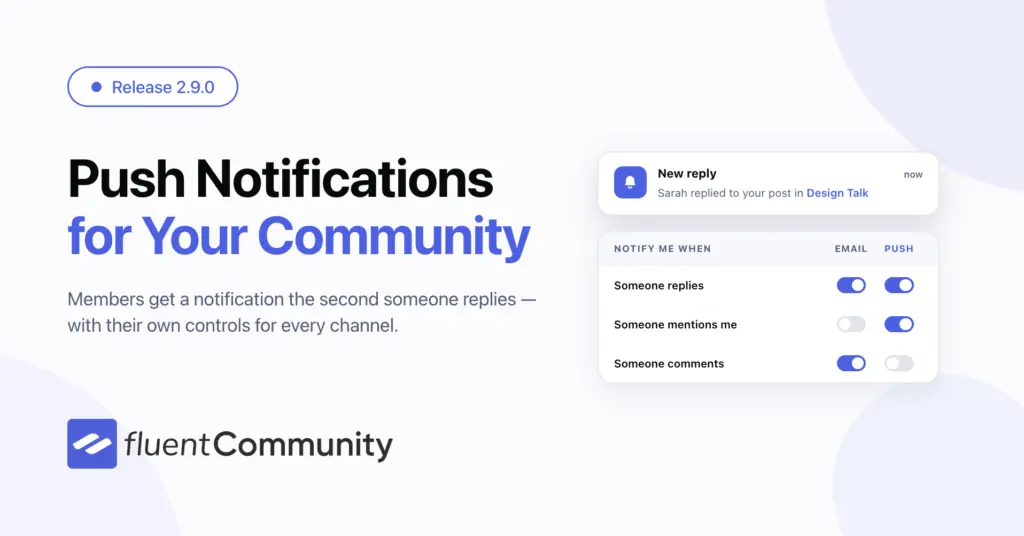
- Notifications
- Member search
- Media sharing
- Moderation tool
Think of it as a social layer for WordPress. It’s not just built for fan communities. It fits a wide range of use cases, including course communities, customer communities, paid memberships, creator groups, professional networks, alumni groups, internal teams, and niche interest communities.
The idea is simple. If your audience needs a space to interact with each other, not just consume content from you, then a social community plugin is exactly what you need.
Why WordPress Is a Good Home for Community?
WordPress is already the backbone of a huge chunk of the web. That matters because it gives you ownership. When your community lives on WordPress, you stay fully in control of your site and truly own your data.
It becomes easy to connect your community with other plugins you already use, giving you a more flexible and powerful setup. You’re not locked into any third-party platform, which means you have the freedom to shape the entire user experience exactly the way you want.
That is the big difference between WordPress and hosted community tools. With a WordPress community plugin, your site can do more than publish. It can host conversations, member relationships, and recurring engagement without sending users somewhere else.
For businesses, that is a big deal. Your content, email list, products, and community can all live in one ecosystem.
What Features Matter in a Social Community Plugin?
Not all community plugins are equal. Some look nice at first and fall apart once members start using them. Here are the features that matter most.
Member profiles: Profiles help people know who they are talking to. A community feels better when people can see names, photos, bios, and social details.
Activity feed: A central feed gives members a place to post updates, ask questions, and engage with others.
Spaces or groups: Different topics need different places. Spaces keep the community organized.
Private messaging: Some conversations should happen one-on-one.
Notifications: People return when they know something new has happened.
Moderation controls: You need tools to manage spam, bad behavior, and content quality.
Search and discoverability: Members should be able to find people, posts, and spaces quickly.
Privacy settings: Public, private, and role-based access matter, especially for paid communities.
Performance: If the plugin slows down the site, the community will suffer.
Integrations. The best plugins work smoothly with email, membership, LMS, and e-commerce tools.
Common Problems With Weak Community Plugins
Many WordPress users try a plugin, only to face the same recurring issues again. What seemed promising at first often turns into limitations, frustration, and the need to switch.
Too much setup, too little payoff
Some plugins require a long and complicated setup process, yet even after all that effort, they still feel restrictive and lacking in flexibility. Instead of empowering users, they create unnecessary friction and fail to deliver the full functionality you expect.
Clunky user experience
If members find it difficult to understand how to post or respond, they quickly lose interest and disengage from the platform. A confusing experience creates friction, discourages participation, and ultimately leads to lower activity and a declining sense of community over time.
Poor organization
If everything is pushed into a single feed without any clear structure, the community quickly becomes overwhelming. Important conversations get buried, members struggle to follow topics, and the overall experience turns chaotic, making it harder for meaningful interactions to grow.
Weak admin tools
If you lack proper moderation tools or processes, spam and low-quality content can quickly flood the community. This drives away genuine members, reduces trust, and damages the overall experience, making it difficult to maintain a healthy and engaging environment.
Slow performance
A community plugin that slows down your site can quickly create more issues than benefits. Poor performance affects user experience, increases bounce rates, and frustrates members, ultimately hurting engagement and making your community feel unreliable and difficult to use.
Ugly design
If the plugin looks outdated, members assume the community is outdated too. That is why plugin choice matters so much. The difference between a good and a bad community plugin is not small. It changes whether the community grows or dies.
FluentCommunity: The Best WordPress Social Community Plugin
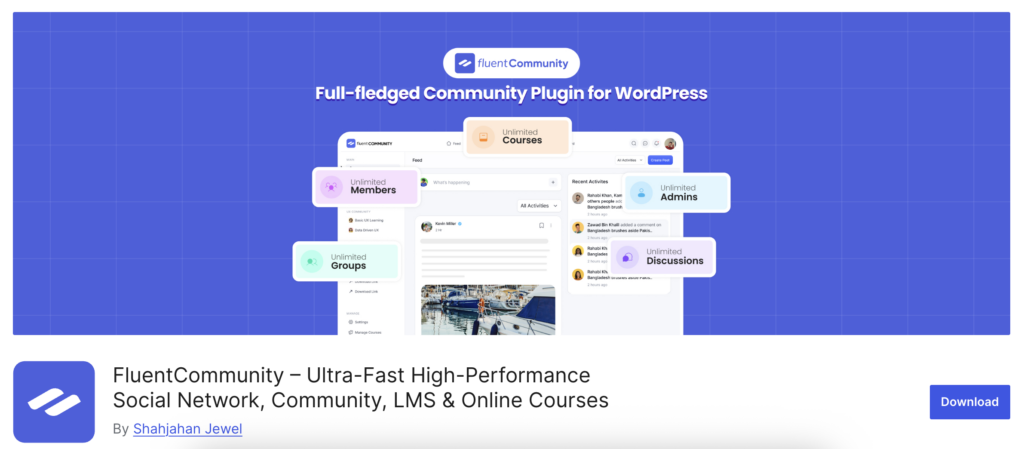
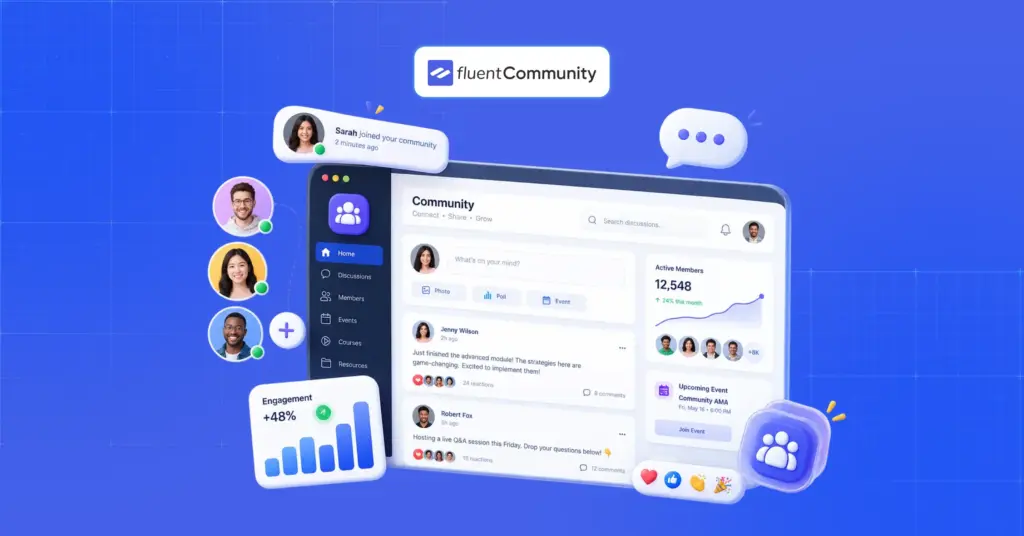
FluentCommunity is a strong choice for anyone who wants a modern, WordPress-native social community plugin that feels built for real communities, not patched together from old forum logic. It gives you the social features people expect while staying inside WordPress. That means your community is not a separate system you have to fight with later. It is part of your website.
Why FluentCommunity stands out?
FluentCommunity is designed for communities that need both structure and social interaction. It gives admins more control, members a cleaner experience, and businesses a better way to keep everything in one place. Here is what makes it different.
Social feeds that feel alive
A community needs movement. FluentCommunity gives members a feed where they can post, comment, and interact in a natural way.
That keeps the space active without forcing everything into a forum format.
Spaces for organized conversation
Not every topic belongs in the same place. FluentCommunity lets you create spaces so the community stays structured. That helps with:
- Product discussions
- Support
- Member introductions
- Wins and updates
- Niche interest areas
- Private groups
Instead of one giant noisy stream, you get organized conversations.
Member profiles that add context
Profiles are more useful when they show more than a name and avatar. FluentCommunity gives members a place to present themselves, which helps people connect faster and makes the community feel more human.
Direct messaging
Some interaction belongs in public. Some do not. Private messages let members connect one-on-one without leaving the platform.
Admin control
Good communities need rules and structure. FluentCommunity gives admins the tools to manage members, organize spaces, and keep the community healthy.
WordPress-native convenience
This may be the biggest advantage. If your site already runs on WordPress, FluentCommunity fits into your existing stack instead of replacing it. That makes it easier to connect with:
- Membership plugins
- LMS tools
- E-commerce tools
- Email automation
- CRM systems
You are not creating a side project. You are extending your site.
Best Use Cases for a WordPress Social Community Plugin
A social community plugin works best when users are encouraged to interact regularly instead of only consuming content once and leaving. It thrives in environments where ongoing engagement, discussions, and collaboration are important. Here are some of the most effective and practical use cases where this kind of setup delivers real value.
Course communities
Students need a dedicated space where they can ask questions, share their progress, and stay actively engaged throughout the learning journey. Without this interaction, it becomes harder to stay motivated, connected, and fully involved in the overall experience.
Membership sites
Paid members expect more than just access to content. They look for meaningful interaction and a strong sense of belonging. Without engagement, discussions, and community connection, the value feels limited, making it harder to retain members and keep them satisfied.
Product communities
Users often require guidance, practical tips, and support from others in the community. When they can share experiences and learn from peers, it creates a stronger, more helpful environment that improves confidence, solves problems faster, and encourages active participation.
Creator communities
Writers, designers, coaches, and educators all need a shared space where they can connect, collaborate, exchange ideas, and support each other, helping them grow, learn, and stay inspired together.
Professional groups
People in the same field gain value from networking, sharing ideas, and engaging in discussions. These connections help them learn faster, solve problems, and grow professionally together.
Customer communities
Brands can lower their support workload by enabling community-driven help while also improving the user experience. When users assist each other through discussions and shared knowledge, it creates faster solutions, higher satisfaction, and a more engaged, self-sustaining support ecosystem.
Private internal groups
Teams can use a community space for discussion, updates, and collaboration. If your audience needs more than content, this kind of plugin makes sense.
Benefits of Using a WordPress Social Community Plugin
Many people assume community software is only about engagement, but that’s just one part of its purpose. It also supports structure, communication, collaboration, and long-term relationship building, making it much more than just a tool for increasing activity or interaction.
Better retention
People tend to stay longer and remain more engaged when they feel part of a social environment. Connection, interaction, and belonging encourage ongoing participation and long-term commitment.
More engagement
A site with an active community gives members a strong reason to return regularly. Ongoing discussions, updates, and interactions keep them engaged and coming back frequently.
Stronger trust
Seeing other real members actively participating in a community builds trust and confidence. It reassures users that they are not alone, encourages engagement, and makes the environment feel more authentic, supportive, and welcoming for everyone involved in the platform.
More user-generated content
Members don’t just consume content in a community; they actively contribute by creating posts, sharing ideas, and participating in discussions. This turns the platform into a dynamic, collaborative space where everyone adds value and learns together.
Lower support burden
People help each other by answering questions, sharing experiences, and offering solutions, creating a supportive environment where members learn together and solve problems faster.
Better feedback
Communities reveal honest user feedback much faster than traditional surveys. Members openly share thoughts, experiences, and suggestions in real time, helping brands understand needs and improve quickly.
More ownership
You have full control over the platform, your data, and the overall user experience. This gives you flexibility to shape everything according to your needs and goals.
Better SEO potential
Public community content can create useful indexed pages that attract search traffic. That is why a community plugin is not just a nice extra. It can become a real business asset.
Tips for Launching a WordPress Community
Even the best plugin cannot fix a weak or poorly planned launch. Success depends not only on tools but also on having a clear, simple, and well-structured plan. When you combine the right strategy with the right setup, you create a smoother rollout, better user adoption, and a stronger foundation for long-term community growth and engagement from the very beginning.
Start with a clear purpose
Clearly explain the purpose of your community so people understand why it exists. When members know the reason behind it, they connect better, engage more, and stay longer.
Create a few spaces, not too many
Too many empty spaces or a lack of activity make a community feel inactive and lifeless. Without engagement, members lose interest quickly and stop returning to participate.
Seed the first posts
Do not launch your community into silence. Start with some welcoming posts, engaging prompts, and helpful discussion threads so new members immediately see activity, feel invited, and understand how to participate from the very beginning of their journey.
Make onboarding easy
New members should clearly understand where to go and what actions to take when they join. A guided experience helps them feel comfortable, reduces confusion, and encourages early participation, making it easier for them to engage and become active community members.
Be active early
Communities need consistent momentum to thrive. When admins become inactive or disappear, members quickly lose interest, and engagement drops, often leading to a quiet, inactive, and abandoned community over time.
Highlight good contributions
Recognition encourages people to repeat positive actions. When members feel seen and appreciated, they are more likely to stay active, contribute regularly, and continue engaging within the community.
Keep the layout clean
Recognition motivates members to repeat positive behavior. When people feel valued and acknowledged, they become more active, contribute consistently, and stay engaged within the community over time.
Final Thoughts
A WordPress social community plugin turns your website into a place where people can connect, not just consume. That is a big shift. It moves your site from being a content destination to being a living space. If you want a plugin that does this well, FluentCommunity is one of the strongest options.
It gives you social feeds, spaces, member profiles, direct messaging, and the control WordPress users need. More importantly, it keeps the community inside your own ecosystem. For businesses, creators, and membership sites that want ownership and real engagement, that matters.

Prema Anjum
My full name is Anzuman Ara Chowdhury. But people know me as Prema Anjum. I’m a Digital Marketer by profession, a WordPress community contributor, and a travel enthusiast by heart.


Add your first comment to this post