

How to Build Course Community with FluentCommunity

Table of Content
Subscribe To Get
WordPress Guides, Tips, and Tutorials


Your course doesn’t need more content. It needs a community. If you’ve ever launched an online course and watched completion rates flatline at 15%, you already know the painful truth, content alone doesn’t create transformation. Community does.
Courses that include active online communities see completion rates 30–40% higher than those without community engagement, rave about your program, and come back for more.
But until recently, building that combination on WordPress meant duct-taping expensive plugins together, praying they’d stay compatible, and spending more time troubleshooting conflicts than teaching.
That changes with FluentCommunity, a WordPress plugin that ships with a built-in course builder and community platform in a single, self-hosted package. No third-party integrations. No compatibility headaches. One plugin, one price, one platform for everything.
In this guide, I’ll show you exactly how to build a thriving course community with FluentCommunity. From structuring your curriculum to fostering real engagement, monetizing your expertise, and creating the kind of learning environment students never want to leave.
Why Courses + Community = Higher Completion Rates and Revenue?
Let’s start with the numbers, because they tell a compelling story.
The average completion rate for self-paced online courses hovers somewhere between 5% and 15%. That’s not a typo. Out of every 100 students who enroll, roughly 85 to 95 never see your final module.
But courses that include community elements? They tell a radically different story:
- Community-based learning programs report completion rates of 70-85%, a staggering improvement over isolated, self-paced formats.
- Research consistently shows that social learning and peer interaction are among the strongest predictors of student persistence. When learners feel connected to others on the same journey, they show up consistently.
- According to studies on collaborative learning, students in community-based programs retain up to 50% more of the material compared to solo learners, because discussion, teaching others, and peer accountability deepen understanding.
Beyond completion rates, the community directly impacts your revenue:
- Higher retention means more renewals. Students who finish your course are dramatically more likely to purchase your next one.
- Community creates switching costs. Once students build relationships inside your platform, leaving means losing those connections, a powerful (and ethical) retention mechanism.
- Word-of-mouth accelerates. Active community members become your best marketing channel. They share wins, tag you on social, and refer friends.
- Recurring revenue models unlock. A course is a one-time purchase. A course community is a membership, and memberships compound.
The takeaway? If you’re building courses without community, you’re leaving both impact and income on the table.
The Old Way: BuddyBoss + LearnDash
For years, WordPress course creators who wanted a community had essentially one path: combine BuddyBoss for community features with LearnDash for course delivery.
On paper, it sounds reasonable. In practice, it’s a headache factory.
The cost adds up fast
- BuddyBoss Theme + Platform: Starts at $299/year
- LearnDash LMS: $199+/year
- Total minimum: $500+/year, and that’s before you add the inevitable extra plugins for payments, forms, email, and functionality gaps
The compatibility tax
Running two heavyweight plugins means double the updates, double the potential breakpoints, and double the “something broke after the last update” moments. BuddyBoss requires its own dedicated theme for full functionality, which limits your design flexibility. LearnDash has its own templating system. Getting them to play nicely together often requires custom code, additional bridge plugins, or a developer on retainer.
The complexity burden
You’re managing two separate admin interfaces, two sets of settings, two documentation portals, and two support teams. When something goes wrong (and it will), figuring out which plugin is the culprit becomes a debugging adventure.
The performance penalty
Both BuddyBoss and LearnDash are feature-heavy. Running them simultaneously on shared hosting? Expect slow load times, high server resource usage, and frustrated students. Many users report needing to upgrade to premium hosting just to keep things running smoothly.
This isn’t a criticism of either plugin in isolation. Both are capable tools. But the two-plugin stack for courses + community has always been an awkward, expensive compromise. Course creators deserve better.
The New Way: FluentCommunity Courses, and Community in One Plugin
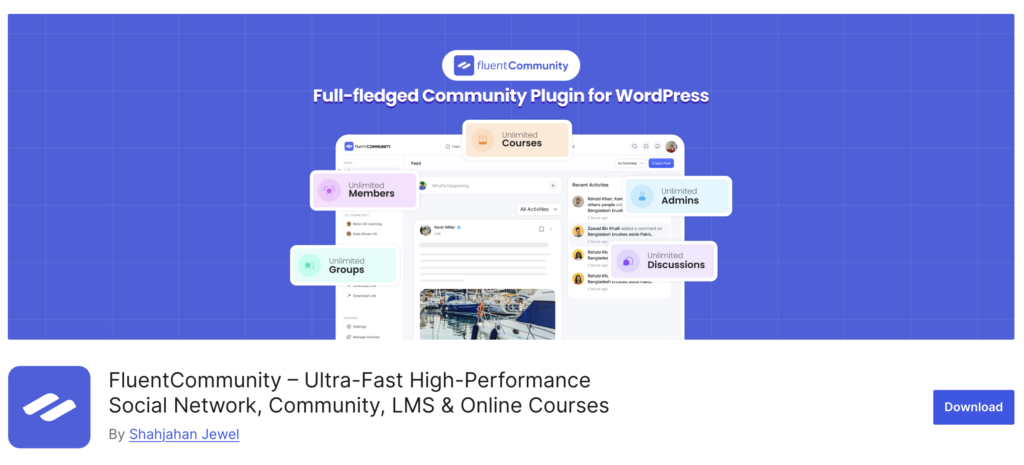
FluentCommunity takes a fundamentally different approach. Built from the ground up as a modern WordPress community platform, FluentCommunity includes a native course builder. Not a third-party integration, not an add-on, but a built-in learning management system designed to work seamlessly with its community features.
What you get in a single plugin:
Community features:
- Activity feeds, spaces, and discussion threads
- User profiles with customizable details
- Real-time private messaging and chat
- Leaderboard for gamification
- Badges for recognition and milestones
- Polls and surveys for engagement
- Mentions, hashtags, reactions, and GIFs
- Media sharing (images, videos, documents)
- Search functionality across all content
- Dark/light mode for user preference
Course features:
- Full course builder with Gutenberg editor support
- Lesson and module management
- Lesson-level discussions (students discuss within each lesson)
- Progress tracking with visual indicators
- Student management and enrollment controls
- Course directory for navigation
- Student profiles showing course progress
The pricing that makes you look twice
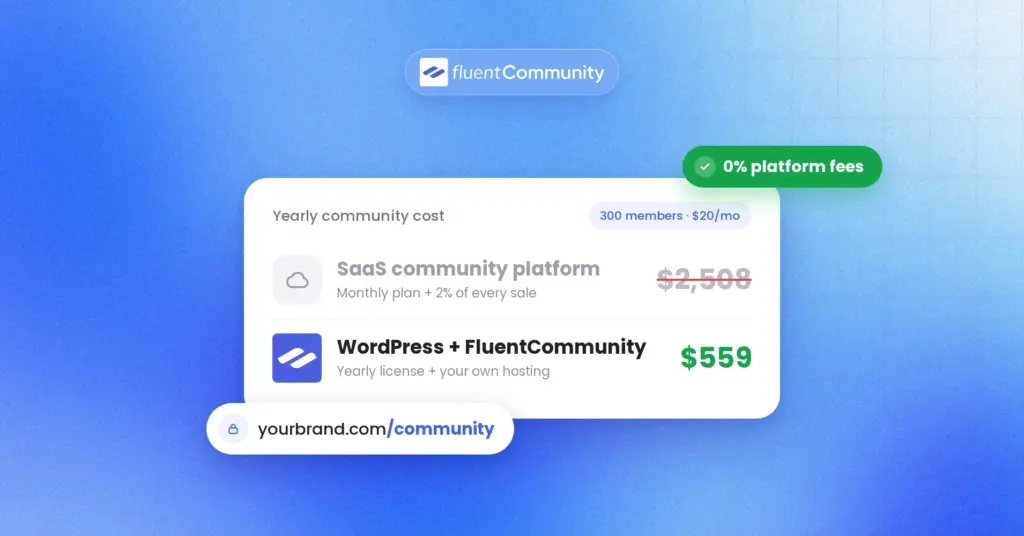
FluentCommunity starts at $159/year for a single site with all features included. If you’re managing multiple sites, the 5-site plan runs $319/year. Prefer a one-time payment? The lifetime single-site license is $399, pay once, own it forever. There’s also a free version available with core community features if you want to try before you buy.
Compare that to the $500+/year BuddyBoss + LearnDash stack, and the math speaks for itself. At $159/year, FluentCommunity costs less than a third of the traditional setup while delivering both courses and community in a single, cohesive platform.
Performance that surprises
FluentCommunity runs smoothly even on basic shared hosting. Real users have confirmed this. One community member specifically noted that they tested FluentCommunity on a Namecheap shared hosting plan, and the platform worked flawlessly. That kind of lightweight performance on budget hosting is rare for a plugin with this feature depth.
FluentCommunity uses a standalone interface that loads independently of your WordPress theme, which means minimal conflicts and fast rendering regardless of your theme choice.
Step 1: Building Your Course in FluentCommunity
Building a course community doesn’t have to be complicated. FluentCommunity gives you everything in one place. Courses, discussions, badges, and payments. Follow this four-week plan to go from zero to a fully launched, engaged learning community.
Setting Up Your Course Structure
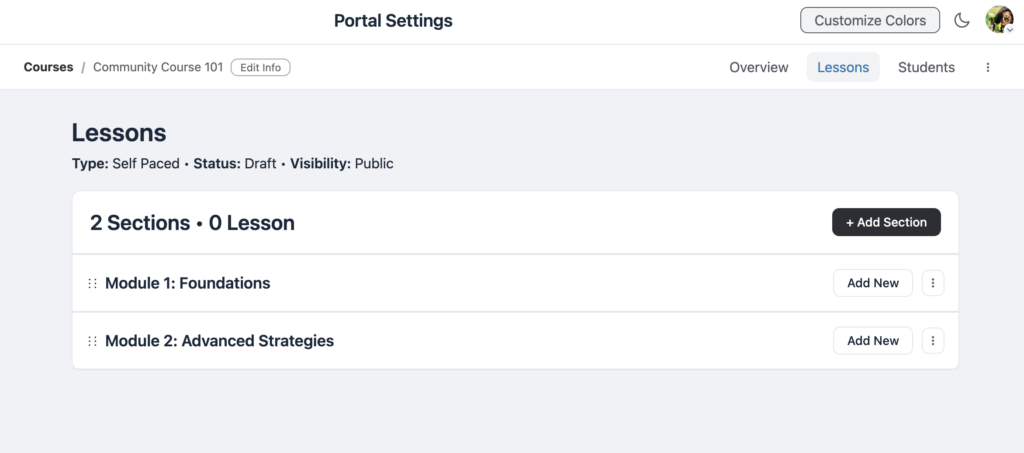
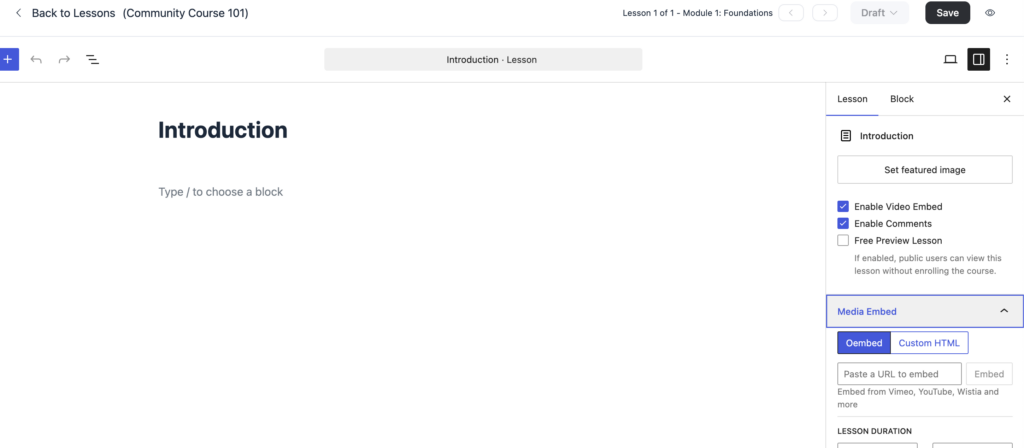
FluentCommunity’s course builder uses the familiar Gutenberg block editor, so if you’ve written a WordPress post, you already know the basics. To get started, navigate to Courses in your community and create a new course.
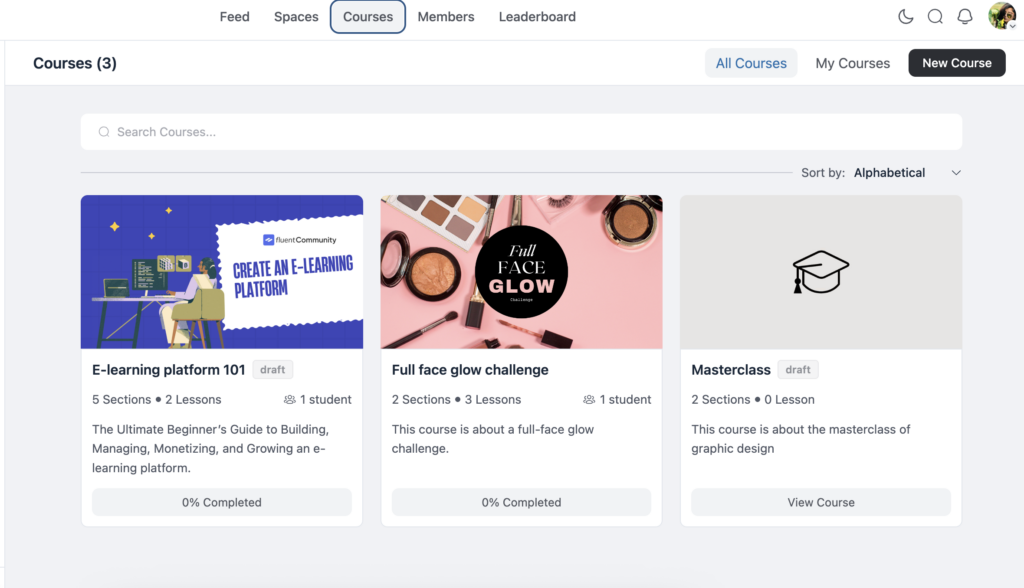
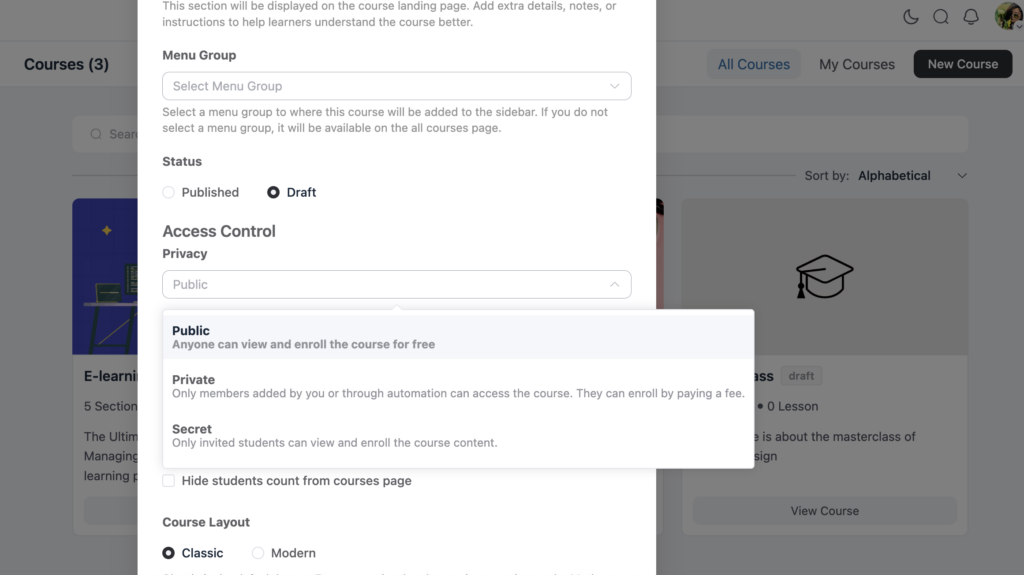
Fill in the essentials, title, description, featured image, and privacy settings (public, private, or secret). From there, organize your content with modules.
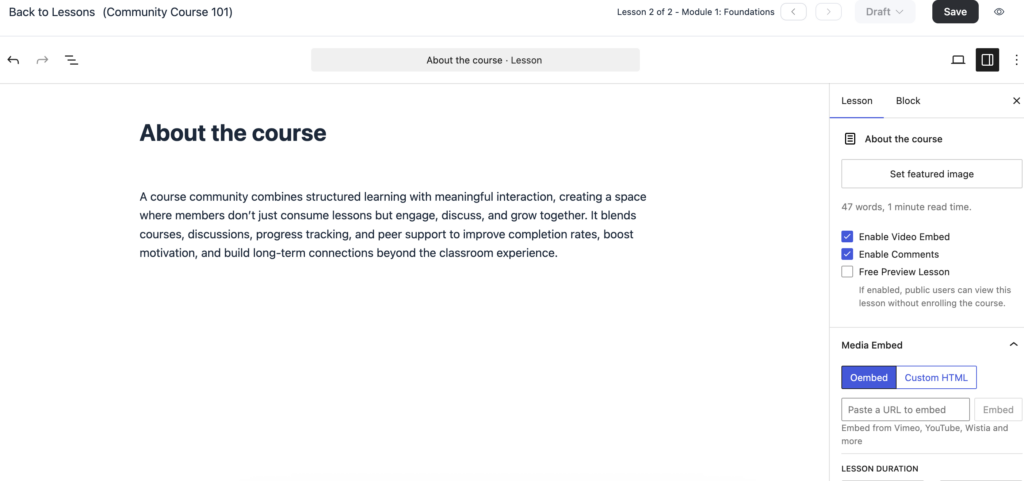
Think of modules as chapters: group related lessons under clear headings like “Module 1: Foundations” or “Module 2: Advanced Strategies.” Inside each module, build individual lessons using the Gutenberg editor.
Add text, video embeds, images, downloadable resources, whatever your content requires.
Designing for Engagement, Not Just Information
The most effective course structures are designed to build momentum and keep students engaged from start to finish. A proven framework begins with quick wins. Your opening lessons should deliver immediate, tangible results so students experience value right away.
When learners see progress early, they’re far more likely to continue. Organize your content into modules of three to five lessons each to keep everything digestible. Completing a module creates a natural sense of accomplishment, which motivates students to move forward. It’s also important to mix content types by alternating between video lessons, text-based resources, interactive discussions, and action-oriented tasks. This variety helps sustain attention and prevents fatigue.
Finally, end each lesson with a discussion prompt. With FluentCommunity’s built-in lesson discussions, students can engage directly within the lesson itself. Simple prompts like “Share your biggest takeaway” or “Post your results from this exercise” encourage participation and reinforce learning through interaction.
Progress Tracking That Motivates
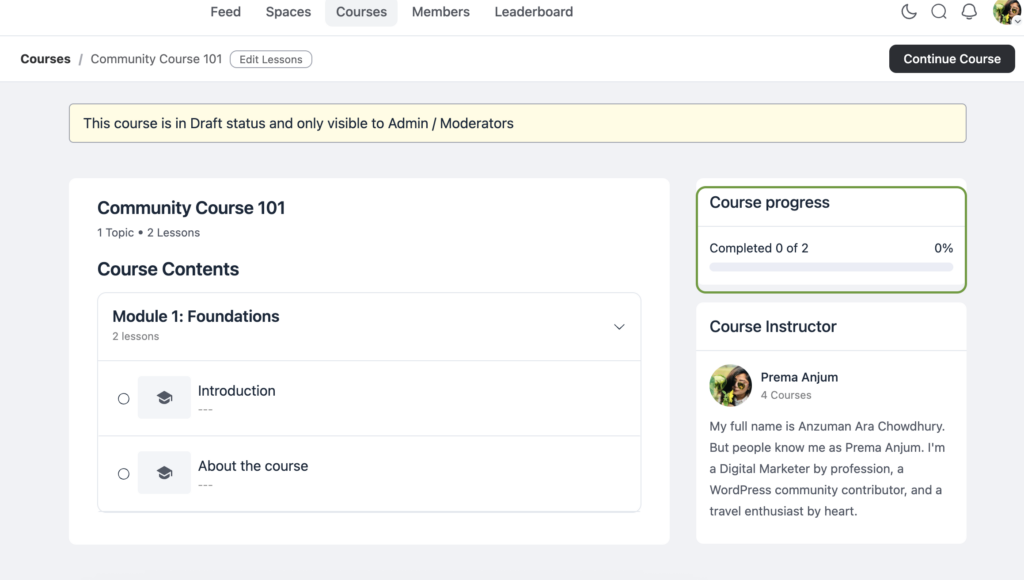
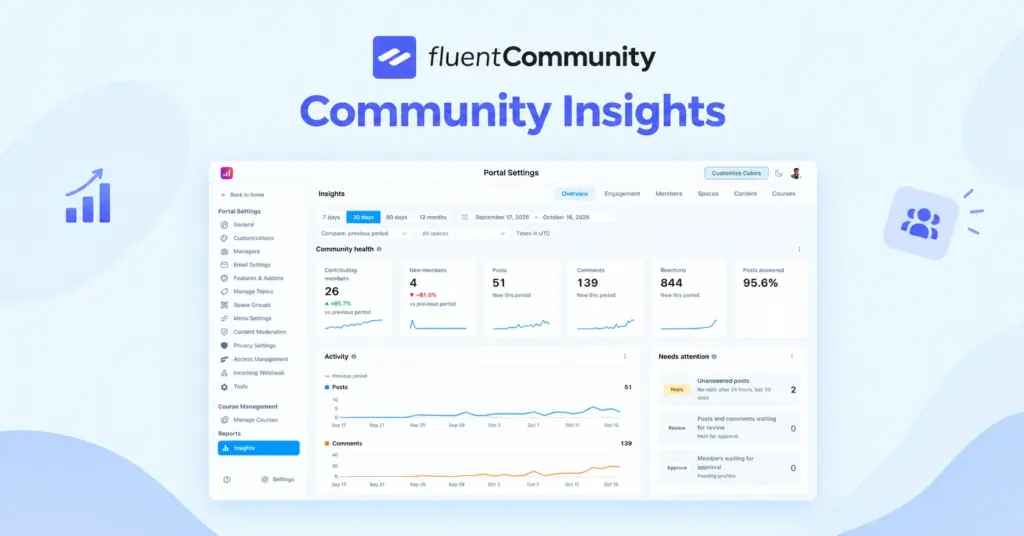
FluentCommunity’s progress tracking gives both you and your students real-time visibility into course advancement. Students see visual progress indicators showing how far they’ve come, which taps into the psychological power of the “completion effect”. Once we’ve started something and can see our progress, we’re driven to finish it.
As an instructor, the student management panel lets you monitor enrollment, track who’s progressing and who’s stalling, and intervene with support or encouragement before students drop off.
Step 2: Building Community Around Your Course
Here’s where FluentCommunity truly differentiates itself. Your course doesn’t exist in isolation. It lives inside a vibrant community ecosystem.
Create Spaces for Each Cohort or Topic
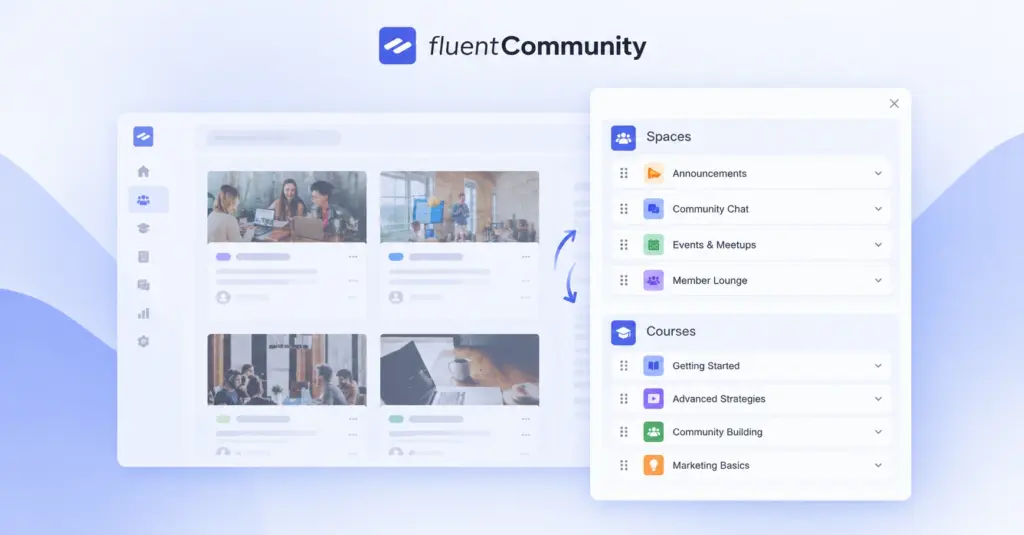
Spaces in FluentCommunity function like focused discussion areas. Think of them as dedicated rooms within your community. For course creators, spaces are incredibly versatile:
- Cohort spaces: Running a live cohort? Create a dedicated space for the “Spring 2025 Cohort” where that group connects, shares progress, and supports each other.
- Module-specific spaces: Want deeper discussion on a particular topic? Create a space for each module or major concept.
- Alumni space: Graduates get access to an exclusive space for ongoing networking and advanced discussions.
- General community space: A casual area for introductions, off-topic conversations, and relationship building.
Leverage the Activity Feed
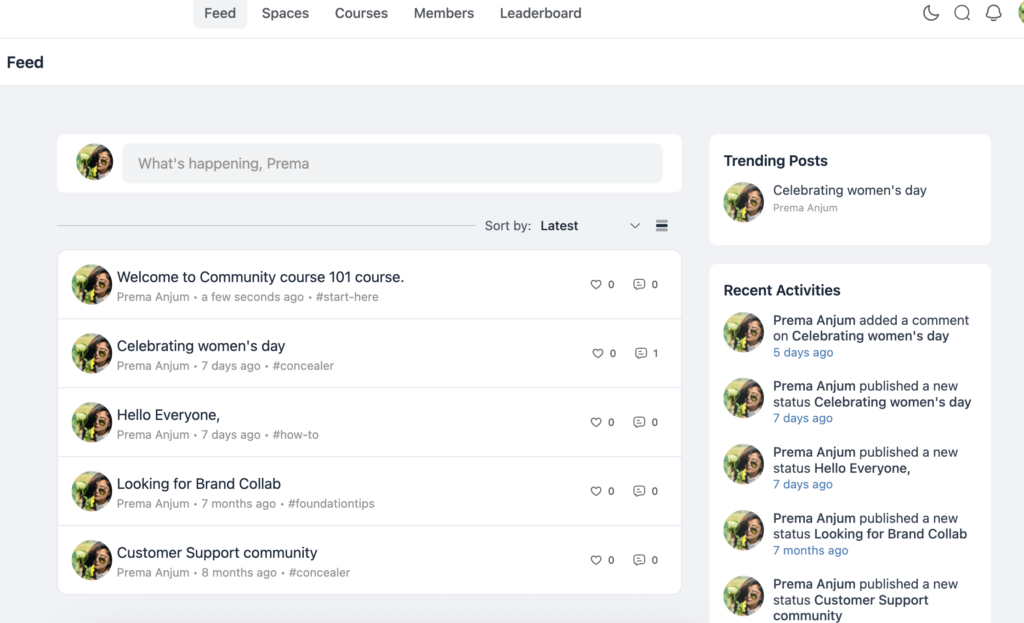
FluentCommunity’s activity feed serves as the heartbeat of your community. The central space where students share their wins, ask questions, post helpful resources, and engage with one another’s ideas.
To keep the feed active and meaningful, consistency is key. Posting daily or weekly prompts such as “What’s one thing you implemented this week?” or “Share a challenge you’re facing. Let’s solve it together” encourages participation and conversation.
Publicly celebrating student milestones is another powerful strategy; when someone completes a module or finishes a course, acknowledging their achievement in the feed creates motivation not just for them, but for everyone watching.
You can also strengthen the connection by sharing behind-the-scenes updates, upcoming plans, or personal insights. This kind of exclusive content helps members feel closer to you and transforms the community into something deeper than just a course. It becomes a shared journey.
Gamify with the Leaderboard
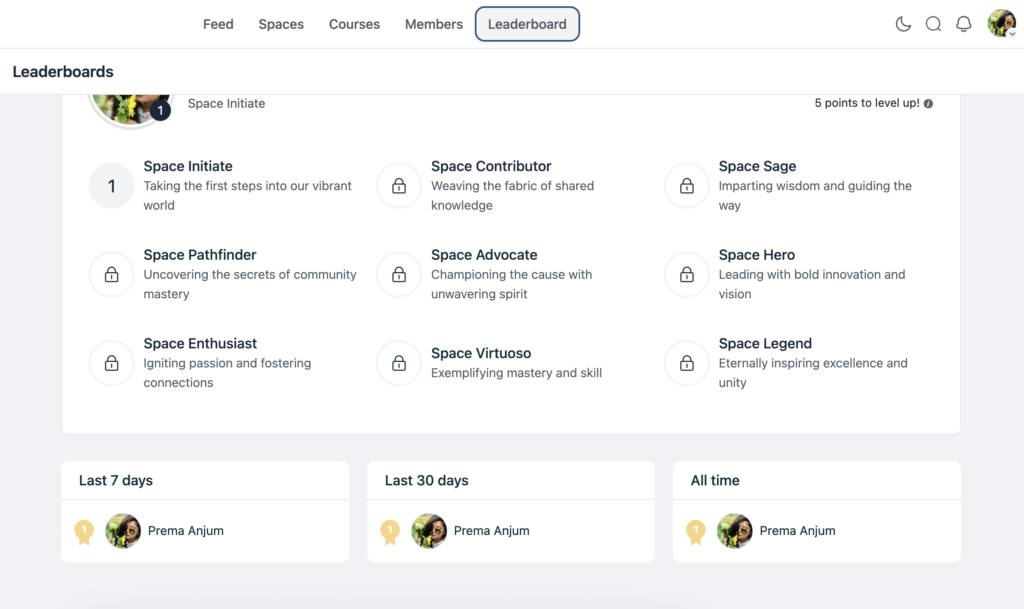
FluentCommunity’s leaderboard highlights top contributors and introduces a friendly competitive element that encourages deeper engagement within the community. Students can earn points in several ways by posting in the community, commenting on others’ posts, completing course lessons, and participating in discussions.
This system turns passive learners into active contributors because it provides visibility and recognition for their efforts. Even students who might not normally post or interact organically are often motivated to engage when a ranking system exists, as it taps into fundamental human drives for achievement and acknowledgment.
By showcasing contributions and celebrating participation, the leaderboard helps build momentum and a more vibrant, interactive learning environment.
Step 3: Engagement Features That Keep Students Coming Back
A community is only as strong as its engagement. FluentCommunity gives you a toolkit specifically designed to keep interaction levels high.
Polls and Surveys for Real-Time Feedback
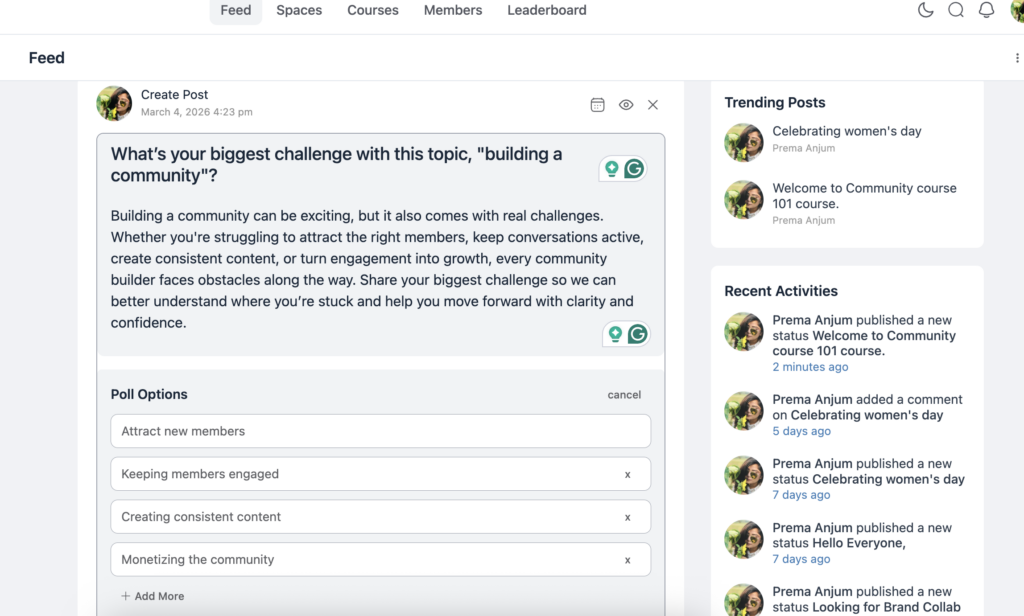
Don’t guess what your students need. Ask them directly. Pre-course polls such as “What’s your biggest challenge with this topic?” help you tailor content to their actual pain points and also signal that you value their input and individual learning needs. Mid-course check-ins like “How’s the pacing too fast, too slow, or just right?” allow you to adjust the experience in real time so students remain engaged and supported.
Post-module surveys are equally valuable because they provide structured feedback on what resonated and what needs improvement. By gathering and acting on student input, your course becomes a living, evolving program that improves over time and better serves the people it was created to help.
Badges for Milestones and Achievements

FluentCommunity’s badge system enables meaningful recognition by allowing you to create custom achievements for various forms of participation and success. You can issue badges for course completion so students proudly display that they finished, or for module milestones to reward progress along the way, rather than only at the end.
Community participation badges, such as “First Post,” “Helpful Member” for the most replies, or “Consistent Contributor” for activity over 30 days, encourage ongoing engagement and social interaction.
You can also design special achievement badges to honor standout work, testimonials, or peer mentorship, giving recognition for exceptional contributions. Badges work because they tap into the psychology of motivation in a way similar to video game achievements: they are small, visual signals of accomplishment that reinforce positive behavior and create a sense of progress, making students more likely to stay active and invested in the community.
Mentions, Reactions, and Real-Time Chat
Mentions (@username) within FluentCommunity pull specific people directly into conversations, making interactions more personal and responsive by notifying them and encouraging participation.
Reactions also allow students to engage with content in a lightweight way, such as liking or reacting to a win post without the pressure of writing a full reply, yet still communicating support and acknowledgment. Private messaging further enhances community connections by enabling one-on-one conversations, fostering deeper relationships, peer mentorship, and individualized support outside of public discussions.
Additionally, the ability to share GIFs and media introduces personality and fun into interactions, helping the community feel human and lively rather than formal or corporate. These features together create a more interactive and emotionally engaging environment where members feel seen, supported, and connected.
Step 4: Monetizing Your Course Community
Building a great learning community is fulfilling. Building one that sustains your business is essential. Here’s how to monetize effectively with FluentCommunity.
Paid Course Access
Within FluentCommunity, you can structure your offerings in tiers to serve different audience needs and revenue models. A free community tier with access to your core space and activity feed works well for lead generation and engagement, allowing prospects to experience value and connection before committing financially.
Paid courses can then be offered as premium content gated behind enrollment, providing structured learning and exclusive materials for students willing to invest in deeper education.
On top of that, a premium community tier can unlock exclusive spaces, direct coaching access, and advanced resources, creating a higher-value experience for members who want closer guidance and specialized support.
This tiered approach allows you to serve casual participants, committed learners, and high-value clients while maximizing both engagement and monetization. Check out how to monetize spaces with FluentCommunity.
Tiered Membership Models
Within FluentCommunity, you can create multiple access levels to structure value and monetization effectively. A free tier can provide basic community access and possibly a mini-course or introductory module so new members can experience value without commitment.
A standard tier can unlock full course access along with participation in community spaces, giving learners structured content and peer interaction. A VIP tier can offer everything in the standard level plus premium benefits such as private coaching spaces, live Q&A sessions, and exclusive bonus content, creating a high-touch experience for advanced members.
This tiered model allows you to serve different audience segments while encouraging upgrades as users seek deeper learning and personalized support.
Step 5: The Fluent Ecosystem Advantage
One of FluentCommunity’s most underrated advantages is its integration with the broader Fluent plugin ecosystem. These aren’t random third-party integrations — they’re plugins built by the same team (WPManageNinja), designed to work together seamlessly.
FluentCRM: Student Email Sequences
Automate your student communication:
- Welcome sequences that onboard new enrollees and guide them through their first week
- Progress-based emails that congratulate students on completing modules and nudge those who’ve stalled
- Re-engagement campaigns for students who haven’t logged in recently
- Upsell sequences that introduce your next course or premium tier to graduates
FluentCRM handles all of this with powerful automation, tags, and segmentation — directly integrated with your FluentCommunity membership data.
Fluent Forms: Enrollment and Onboarding
Build beautiful enrollment forms, application processes for premium programs, pre-course surveys, and feedback collection. FluentForms handles conditional logic, multi-step forms, and payment integrations.
FluentSMTP: Reliable Email Delivery
Nothing kills a course business like emails landing in spam. FluentSMTP ensures your transactional emails (enrollment confirmations, password resets, notifications) and marketing emails actually reach students’ inboxes by connecting to reliable services like Amazon SES, SendGrid, Mailgun, and others.
FluentCart: Sell Courses Without the Complexity
Most course creators bolt WooCommerce onto their WordPress site and then spend days configuring extensions just to sell a single course. FluentCart takes a cleaner approach.
Built by the same team behind FluentCommunity, FluentCart is a native WordPress eCommerce solution designed specifically for selling digital products, courses, and memberships. It supports one-time payments, recurring subscriptions, order bumps, and upsells without the plugin bloat that comes with WooCommerce. And unlike most payment platforms, FluentCart charges 0% transaction fees, so every dollar your students pay goes directly to you.
Because it’s part of the same ecosystem, FluentCart connects seamlessly with FluentCommunity. Sell a course, automatically grant community access. Set up a membership tier, instantly unlock the right spaces. No Zapier, no custom code, no third-party bridges, just clean, native integration that works out of the box.
The Ecosystem Math
Instead of cobbling together plugins from different developers, the Fluent ecosystem covers everything you need. FluentCommunity handles your courses and community for $159/yr — replacing BuddyBoss + LearnDash at $500+/yr. FluentCRM replaces Mailchimp or ConvertKit ($300+/yr) for email marketing.
FluentCart handles your payments, subscriptions, and upsells — replacing WooCommerce extensions and third-party checkout tools. FluentForms handles your forms instead of Gravity Forms ($59+/yr). And FluentSMTP delivers your emails for free, where paid SMTP plugins would cost you $50+/yr. One ecosystem. One support team. Seamless data flow between every tool.
Your Course Community Action Plan
Ready to build? Here’s your step-by-step launch plan: Start by setting up your community structure, then create courses with modules and discussions, configure enrollment and privacy settings, and launch so members can learn and connect from day one with confidence.
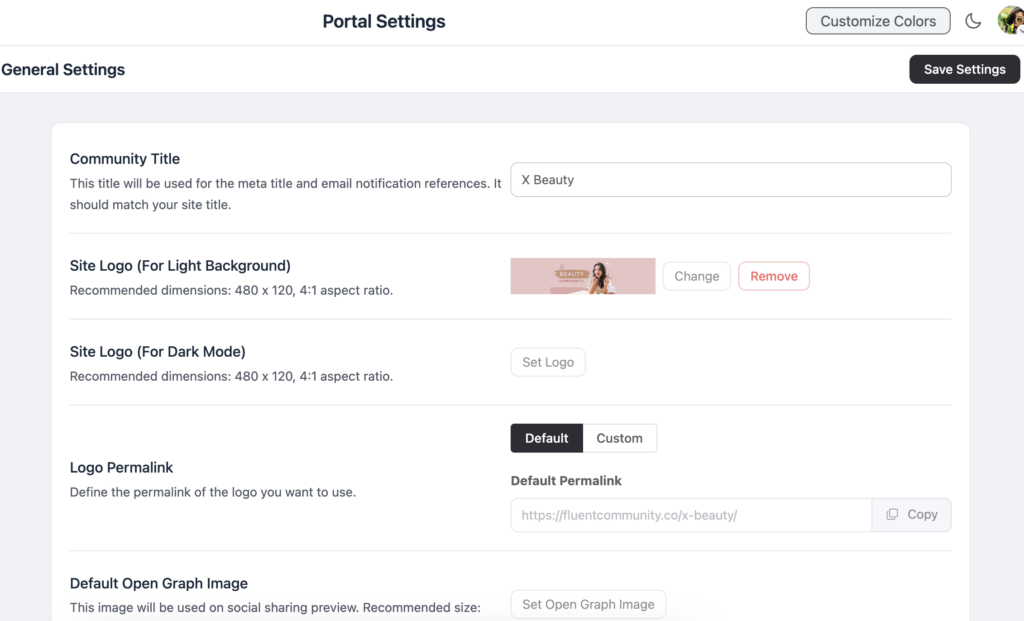
In Week 1, focus on building the foundation of your community by installing FluentCommunity on your WordPress site and setting up the core structure. Create a welcoming space where new members can introduce themselves, course-specific spaces for focused learning and discussion, and an alumni space to keep past students engaged and connected.
After the structure is in place, configure your branding by adding your logo, defining your colors, and customizing the welcome message so the community reflects your brand identity and feels inviting from the very first interaction. This foundation ensures a professional and organized experience that supports growth and engagement from day one.
In Week 2, prioritize building your course within FluentCommunity by creating structured modules and lessons that guide students through the learning journey in a logical progression. Add discussion prompts to each lesson so students can reflect, ask questions, and engage with peers, turning content consumption into interactive learning. Set up progress tracking and student management features so both you and your learners can monitor advancement and maintain motivation.
Finally, configure privacy settings and enrollment options to control who can access the course and how members join, ensuring the learning environment aligns with your community and business model. This stage transforms your platform from a community space into a fully functional educational experience.
In Week 3, concentrate on engagement systems within FluentCommunity by creating a badge system that recognizes student achievements through completion badges, participation badges, and milestone badges, rewarding both progress and community contribution. Set up a leaderboard to introduce friendly competition and motivate ongoing engagement. Create your first poll and discussion prompt templates so you can easily gather feedback and encourage meaningful conversations in the community.
Finally, configure notifications and email digest settings to keep members informed without overwhelming them, ensuring consistent communication and active participation. These engagement systems transform the community into an interactive and motivating learning environment.
In Week 4, highlight monetization and launch within FluentCommunity by setting up payment processing, including integration with WooCommerce if required, so members can purchase access and subscriptions smoothly. Configure access levels and tiered content to structure free, standard, and premium experiences that align with your business model.
Create a welcome email sequence using FluentCRM so new members receive automated onboarding and engagement messages. Build an enrollment form with FluentForms to simplify sign-ups and data collection. Once everything is configured, launch your community and invite your first cohort so members can begin learning and engaging from day one. This final step turns your platform into a fully operational community and revenue-generating learning environment.
FluentCommunity is a complete community platform designed for businesses. Download now to create and manage your community.
The Bottom Line
The era of duct-taping expensive plugins together to build a course community on WordPress is over. FluentCommunity gives course creators, coaches, and educators everything they need in a single, affordable, high-performance plugin: a powerful course builder with lesson management, progress tracking, and student discussions wrapped inside a modern community platform with feeds, spaces, chat, leaderboards, badges, and more.
Your students don’t just need your content. They need each other. They need a space to discuss, struggle, celebrate, and grow together. FluentCommunity gives you the tools to create that space, and the pricing to make it sustainable.
If you have a customer support base and want to run a community, check out our blog about running a customer support community with FluentCommunity.

Prema Anjum
My full name is Anzuman Ara Chowdhury. But people know me as Prema Anjum. I’m a Digital Marketer by profession, a WordPress community contributor, and a travel enthusiast by heart.
![SEO Title: 5 Best Community Portal Software [WordPress + SaaS Options]](https://fluentcommunity.co/wp-content/uploads/2026/10/community-portal-software-featured-1-1024x536.webp)

Add your first comment to this post