

Virtual Community: What, Why & How to Create One with WordPress

Table of Content
Subscribe To Get
WordPress Guides, Tips, and Tutorials


Think about the last time a stranger online fixed a problem you’d been stuck on for days.
A forum reply. A tip in a group chat. A comment under a course lesson.
That moment is what a virtual community runs on. Here’s what one is, why it matters, and how to build yours on WordPress.
Key Takeaways
- A virtual community is a group of people who connect online around a shared purpose and help each other.
- If members talk to each other, it’s a community. If they only listen to you, it’s an audience.
- Social groups and chat apps are easy to start but hard to own, brand, or export.
- On WordPress, FluentCommunity runs your community on your own domain with your own member data.
- Start small: a clear purpose, a few spaces, and 20 seeded members beat a big empty platform.
What Is a Virtual Community?
A virtual community is a group of people who regularly connect online around a shared interest, goal, or identity. They build real relationships by talking with, learning from, and helping each other in a shared digital space, even if they never meet in person.
In simple terms, “virtual” only describes where the group meets. The help, the friendships, and the trust are completely real. A developer answering a stranger’s bug question, a running club swapping training plans, and students helping each other through a tough lesson are all virtual communities at work.
Virtual Community vs Online Community vs Virtual World
These terms get mixed up a lot, so here’s the short version:
| Term | What it means | Same as a virtual community? |
| Online community | People connecting online around a shared purpose | Yes. The two terms are used interchangeably |
| Virtual world | A 3D or VR environment, like a game world | No. A community can live inside one, but the term describes the place |
| Social media following | People who follow one account | No. It’s one-to-many broadcasting, with little member-to-member connection |
If you came here looking for VR spaces or the metaverse, that’s a different topic. This guide is about groups of people who gather online to talk, learn, and support each other. If you want the broader picture, our online community guide covers the history and basics in more depth.
Where the Term Came From
The phrase was popularized by writer Howard Rheingold in his 1993 book The Virtual Community. He based it on years spent on The WELL, an early text-based forum where people traded advice, argued, and supported each other.
Honestly, the core idea hasn’t changed much since then. Only the tools have.
The 5 Things Every Virtual Community Needs
Every healthy virtual community, from a tiny book club to a huge customer forum, has these five pieces:
- A shared purpose: the reason people show up, like “pass the CPA exam together”
- Members who talk to each other: conversation that doesn’t always route through the host
- A home: one place where people gather and old conversations stay findable
- A rhythm: things that repeat, like a weekly thread or a monthly live Q&A
- A host: someone who welcomes people, sets the rules, and keeps things moving
Miss one, and things get wobbly. A group with a host but no purpose turns into small talk. A group with a purpose but no rhythm goes quiet after launch week. A group with no home scatters across five apps, and nobody can find anything.
The Quick Test: Is It a Community or an Audience?
Lots of people think they have a community when they really have an audience. Ask yourself these three questions:
- Do members reply to each other without you jumping in first?
- Would members notice if a regular suddenly stopped showing up?
- Is there something people get here that they can’t get anywhere else?
If you answered no to all three, you have an audience. That’s not a bad thing. It’s actually the best starting point, because those followers are the people most likely to become your first members.
Types of Virtual Community You’ll Recognize
A virtual community can form around almost anything, but most fall into one of these types:
| Type | Who usually builds it | What members get | Real example |
| Customer or brand community | SaaS companies, product brands, online stores | Answers, tips, early access, a voice in the roadmap | LEGO Ideas, where fans submit and vote on set ideas |
| Product user community | Software and plugin makers | Peer support and feature discussions | WPManageNinja’s user community, built on FluentCommunity |
| Learning community | Course creators, schools, bootcamps | Help, accountability, peer feedback | Lesson discussion threads inside an online course |
| Professional or practice community | Associations, industry groups | Peer advice, career growth, referrals | Stack Overflow, where developers answer each other’s questions |
| Cause or nonprofit community | NGOs, advocacy groups, volunteer networks | Belonging and clear ways to help | Wikipedia’s volunteer editor community |
| Club or interest community | Hobby clubs, sports clubs, alumni groups | A shared passion and new friends | Hobby subreddits on Reddit |
| Workplace community | Companies and remote teams | Knowledge sharing and team culture | WPManageNinja’s internal team hub, where FluentCommunity started out |
Many communities mix two types. A coach might run a paid membership that also works as a learning community. If you’re still deciding which fits your goals, this breakdown of types of online communities walks through each one in detail.
Why a Virtual Community Matters in 2026
Here’s a number that stuck with me. The WHO Commission on Social Connection reported in June 2025 that 1 in 6 people worldwide is affected by loneliness, a problem linked to about 871,000 deaths a year. Young people feel it most, with around 1 in 5 reporting loneliness.
An online group won’t fix that on its own. The WHO report also warns about harmful online interactions, which is exactly why well-run, moderated communities matter. But a good virtual community gives people something a feed can’t: a place where someone knows their name and actually answers back.
The business side is just as clear. In the 2025 CMX Community Industry Trends Report, a survey of 589 community professionals, 86% said they host online forums, chat rooms, or message boards. And 85% said their community had a positive impact on their organization’s goals over the past year.
What Members Get
People don’t join a virtual community for your content. They join for each other. Here’s what keeps them around:
- Faster answers from people who’ve already solved the same problem
- Accountability from peers working toward the same goal
- Connection across cities and time zones
- Recognition for helping, which 67% of communities in the CMX report use as a reward
What the Organization Gets
For the business, nonprofit, or club running it, a virtual community pays off in ways that are hard to get anywhere else:
- Support that scales, because members answer each other’s questions
- Honest product feedback, straight from the people using it
- Better retention, since people stay where their friends are
- New revenue from paid memberships, courses, or premium spaces
- A direct line to members that no algorithm can throttle
Where Your Virtual Community Should Live
This is the decision most guides skip, and it’s the one you’ll feel for years. Broadly, you have three choices:
| Option | Examples | Good for | Watch out for |
| Rented social or chat space | Facebook Groups, WhatsApp, Discord, Slack | Free, fast, people already have the app | Algorithms, ads and noise, limited branding, limited member data, platform rules can change overnight |
| Hosted community software (SaaS) | Circle, Mighty Networks, Skool | Polished experience, no hosting to manage | Monthly costs that usually rise as you grow, member data lives on their servers, moving out later is painful |
| Owned, on your WordPress site | FluentCommunity, BuddyPress, BuddyBoss | Your domain, your data, your design, works with your other WordPress tools | You handle hosting, updates, and backups |
Platforms shift faster than most people expect. The CMX report found Slack dropped from 28% to 20% as a forum platform and lost its top spot for the first time, while WhatsApp held steady at 21%. When the tool your members live in falls out of favor, you either move everyone or watch them drift away.
That’s the case for owning your community. WordPress powers about 40% of all websites, so there’s a good chance you already have a site. Putting your community there means one login, one brand, and member data that stays yours.
My honest take? If you’re testing an idea with ten friends, a group chat is fine. Once the community matters to your business, give it a proper home.
How to Create a Virtual Community With WordPress
Now for the practical part. Before we get into the steps, here’s a quick look at how everything connects.
How the Pieces Fit Together
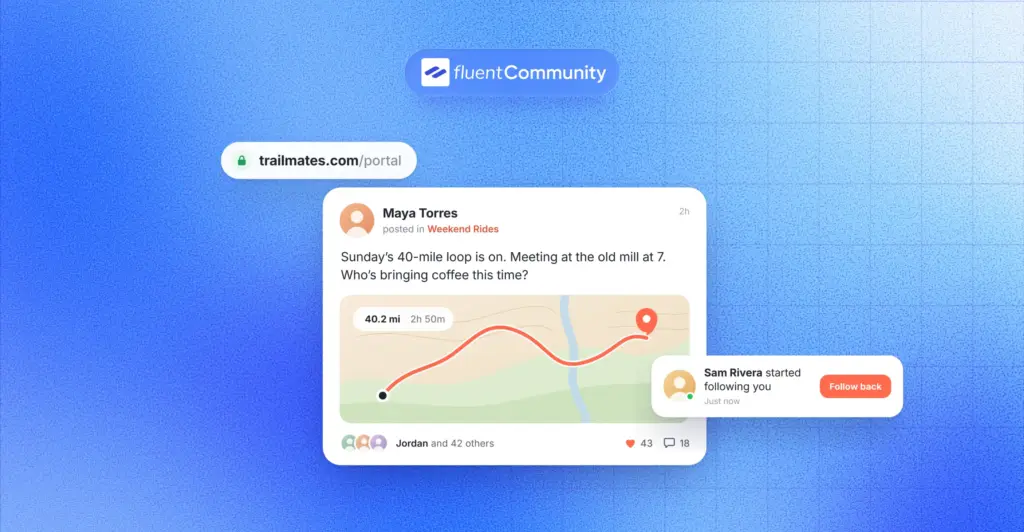
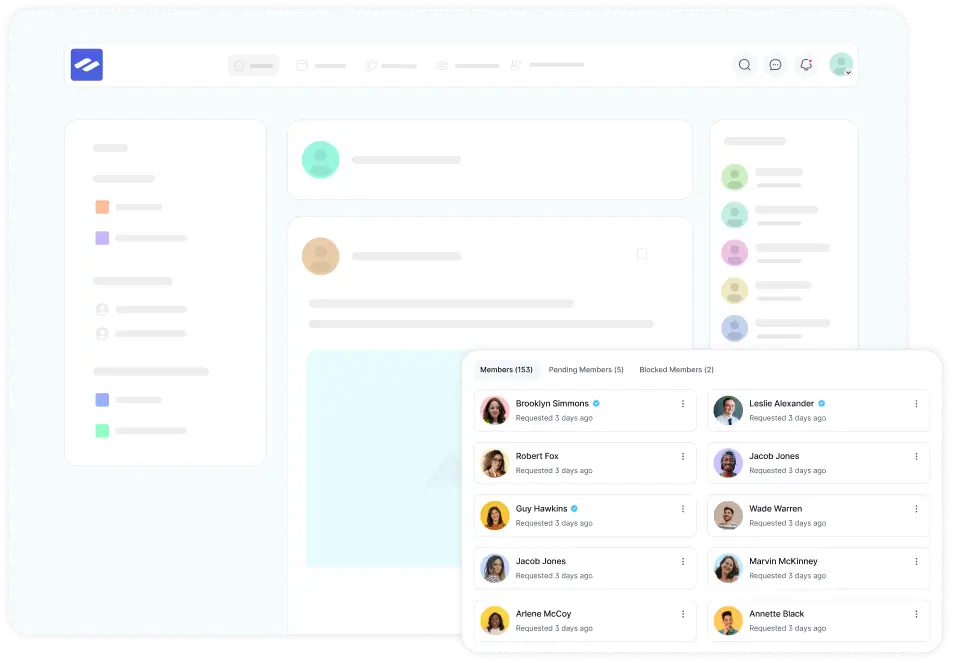
Think of your WordPress site as the building. FluentCommunity adds the community inside it: a portal at an address like yoursite.com/portal, with spaces, member profiles, a feed, and optional courses. Members sign in once and use the whole site.
If you want more, you can plug in other tools. FluentCRM handles onboarding emails and member segments. FluentSMTP makes sure notification emails actually land in inboxes. FluentCart or Paymattic takes payments if you charge. None of these are required, and you can see the full list on the FluentCommunity integrations page.
The core plugin is free on WordPress.org. Pro adds features like leaderboards, badges, direct messages and group chat, push notifications, and an installable mobile app experience (PWA).
Step 1: Write a One-Sentence Purpose
Before you touch a single setting, finish this sentence: “We help [who] [do what] by [how members help each other].”
For example: “We help first-time bakery owners solve everyday problems by sharing what’s worked in their own shops.” That one line tells you who to invite, which spaces to create, and what to post first. If you can’t write it, you’re not ready to build yet.
Step 2: Pick Your First 20 Members Before You Pick Features
Open a blank doc and list 20 real names. Customers, students, email subscribers, or people who already message you with questions. These are your founding members.
Why 20? Because a new community dies from silence, not from missing features. You also don’t need a big team to run one. In the CMX report, the most common community team was just 2 to 5 people, and about 30% were run by one person.
Step 3: Install FluentCommunity and Run the Setup Wizard
Setup takes a few minutes. Here’s the order, based on the official setup wizard docs:
- In your WordPress dashboard, go to Plugins > Add New, search for FluentCommunity, then install and activate it.
- Name your community and set the portal URL. It defaults to “portal,” but you can change it to something like “members” or “hub.”
- Upload your logo. The docs recommend a 4:1 ratio, such as 480 x 120 pixels.
- Pick a template: Basic for discussions, Course for students, Product for customer communities, or Blank to start from scratch.
- Choose who can access the portal: everyone (public) or logged-in users only.
- Optionally turn on FluentCRM and FluentSMTP, then click Save & Finish.
Step 4: Plan Your Spaces (Start With Fewer Than You Think)
Spaces are the rooms of your community. Each one can be public, private, or secret, and you can group related spaces into folders called space groups.
Here’s a starter set that works for most communities:
- Start Here: rules, a welcome post, and member introductions
- Your main topic: where most conversations happen
- Wins: members share progress and get cheered on
- Announcements: updates from you, so they don’t get buried
Say you run a photography club. Your spaces might be Start Here, Weekly Photo Challenge, Gear Questions, and Announcements. That’s it. If a space gets fewer than one post a week after launch, merge it into another one.
Step 5: Set Up Profiles, Onboarding, and House Rules
First impressions decide whether a new member posts or leaves. Use custom profile fields to ask one or two useful questions, like “What are you working on right now?” Those answers give other members an easy reason to say hello.
Next, add a welcome message and write your house rules. Keep them to five lines or fewer, and pin them in your Start Here space. Then set up moderation. FluentCommunity includes a profanity filter, auto-flag thresholds, first-comment approval, and a review queue, so you’re not policing everything by hand.
Step 6: Seed the Community Before You Invite Anyone
Nobody wants to be the first person at a party. So before you send a single invite, post 5 to 10 starter pieces: your own introduction, a quick poll, a question people will want to answer, and one useful resource.
Then invite your 20 founding members by email and name, right from FluentCommunity. If you’re moving members over from another tool, you can also bulk add members from multiple sources at once. Ask two or three friendly regulars to reply in the first hour. Early replies make everyone else braver.
Step 7: Turn On the Features That Bring People Back
People forget about communities they don’t hear from. These features keep your virtual community on their radar without spamming them:
- Notifications and email digests that recap what members missed
- Mentions, reactions, and polls that make replying feel easy
- Points, leaderboards, and badges (Pro) that reward helpful members
- Direct messages and group chat (Pro) for side conversations
- Push notifications and the installable app experience (Pro) for mobile members
Badges aren’t just a gimmick, by the way. In the CMX report, 39% of communities reward members with digital badges. If you want to see everything in one place, browse the FluentCommunity features page, or install the free plugin and try it on a test site first.
Step 8: Decide If (and How) You’ll Charge
Free communities grow faster. Paid communities usually get more committed members. Many owners do both: a free space everyone can join, plus a paid inner circle with deeper access.
FluentCommunity lets you sell access to spaces and courses through FluentCart, with paywalls and multiple pricing plans. If you prefer recurring payments through forms, Paymattic works too. Either way, start charging only after members are already getting value for free. That’s what makes the paid tier an easy yes.
Your First 30 Days: A Simple Launch Rhythm
Most virtual communities don’t fail at launch. They fade in week three. In the CMX report, 41% of community professionals said consistently engaging members was a top frustration. A simple rhythm fixes most of that:
| Week | Focus | What to do |
| Week 1 | Founding members | Invite your 20, welcome each one by name, and ask everyone to introduce themselves |
| Week 2 | First ritual | Launch one weekly thread, like “Monday Wins” or “Friday Questions” |
| Week 3 | Spotlight | Highlight great member answers and thank helpful members publicly |
| Week 4 | Listen and trim | Run a quick poll, merge quiet spaces, then open invites a little wider |
Notice that only one week is about features. The rest is about people. That’s on purpose. For more ideas once you’re past launch, our guide to online community engagement strategy goes deeper on rituals and member roles.
How to Tell If Your Virtual Community Is Working
Member count feels good, but it’s a vanity number. Watch these instead:
- Active members, the metric 84% of teams in the CMX report use to measure health
- Member-to-member replies, the clearest sign you have a community and not an audience
- Time to first reply, because unanswered first posts are where new members give up
- New members who post in their first week
- Renewals, if you run a paid community
FluentCommunity’s insights reporting covers members, content, and courses, so you can spot quiet spaces and rising contributors without exporting spreadsheets.
One more finding worth your attention. Teams whose community data connects to their CRM were about twice as likely to call their community extremely successful (24% vs 11%), according to CMX. With FluentCRM, you can add or remove members from spaces and courses and send targeted emails based on what they actually do in the community.
Mistakes That Quietly Kill a Virtual Community
I’ve seen plenty of communities stall, and it’s rarely the software’s fault. Watch out for these common mistakes:
- Launching with ten spaces and no people in any of them
- Opening the doors publicly before seeding a single conversation
- The host going quiet after launch week
- Counting sign-ups instead of conversations
- Writing house rules only after the first argument
- Building somewhere you can’t export your members from
Each one is easy to avoid if you know it’s coming. Start small, stay visible, and keep your member data somewhere you control.
Start Your Virtual Community on Ground You Own
You don’t need a huge audience, a big team, or a big budget to start a virtual community. You need a clear purpose, a handful of people who care, and a home where those conversations can grow without someone else’s algorithm deciding who sees what.
That last part is where WordPress shines. You already own the site, the domain, and the brand. FluentCommunity adds spaces, profiles, moderation, and courses right on top, so your members get a real community and you keep the data.
So here’s a simple next step for this week. Write your one-sentence purpose, list your first 20 members, and install FluentCommunity for free on a test site. Build one space, seed five posts, and invite three people you trust. When you’re ready for chat, gamification, or the mobile app experience, compare the Pro options on the FluentCommunity features page.
Frequently Asked Questions
What Is a Virtual Community in Simple Words?
A virtual community is a group of people who meet online to talk about something they share, like a hobby, a goal, a product, or a profession. Over time, members get to know each other and help each other, just like a community in real life.
What Is the Difference Between a Virtual Community and Social Media?
Social media is mostly one-to-many: one account posts, and followers react. A virtual community is many-to-many: members start conversations, answer each other, and build relationships. A community can use social media tools, but a following alone isn’t a community.
What Are Some Examples of Virtual Communities?
Well-known examples include Stack Overflow, where developers answer each other’s questions, LEGO Ideas, where fans submit and vote on set ideas, and Wikipedia’s volunteer editor community. Smaller examples include a course’s student discussion space, a brand’s customer forum, or a hobby club’s member site.
Can I Build a Virtual Community on WordPress for Free?
Yes. The core FluentCommunity plugin is free on WordPress.org and includes spaces, member profiles, activity feeds, posts, comments, polls, moderation tools, and courses. You’ll still pay for hosting. Pro features like leaderboards, badges, chat, and push notifications need a paid license.
How Many Members Do You Need to Start a Virtual Community?
You can start with about 20 committed members. A small group that talks every week beats a big group that never posts. Once those founding members are active, new people have conversations to join, and growth gets much easier.
How Do You Keep a Virtual Community Active?
Give it a rhythm. Run one recurring thread or event every week, welcome new members by name, reply quickly to first posts, and publicly thank helpful members. Turn on notifications and email digests so members know when something worth reading happens.

Ashik Elahi
Ashik Elahi is a seasoned Digital Marketing Strategist with a passion for Content Marketing. He believes in the power of storytelling and crafting valuable content that resonates with readers.
Add your first comment to this post