

How to Use Mentions & Hashtags in FluentCommunity

Table of Content
Subscribe To Get
WordPress Guides, Tips, and Tutorials


Picture a community with 5,000+ members and a busy daily feed. Someone posts a question. Three people answer, but there’s no way to tell who they’re replying to. A great discussion happens on a specific topic, but a week later, no one can find it again because it’s buried under everything posted since then.
This is what happens when a community grows without the small tools that make conversation trackable. Mentions and Hashtags exist specifically to fix this. They’re two of the simplest features in FluentCommunity to use, yet most admins barely use them intentionally.
Mentions let members tag each other directly in a post or comment. So the right person gets notified, and the conversation stays clear about who’s talking to whom. Hashtags let members and admins label posts by topic. So anyone can search or click a hashtag and instantly pull up every related post, no matter how far back it was posted.
If your community feed is starting to feel like a wall of disconnected posts, this feature pair brings order back without adding any real complexity for your members.
What Mentions Actually Do?
A mention is a direct, clickable reference to another member inside a post or comment. In FluentCommunity, typing the “@” symbol brings up an auto-suggest box showing member names, so you don’t need to remember an exact username or spelling. Select the right person, and they get a notification that they were mentioned.
This sounds minor, but it solves a real problem. Without mentions, replies in a busy feed become ambiguous. “I agree with what you said” doesn’t mean anything if five people posted before that comment. A mention makes the reference explicit and guarantees the right person actually sees it, instead of hoping they scroll back and notice.
What Hashtags Actually Do?
A hashtag is a searchable label members can attach to a post to group it with other posts on the same topic. Type “#” followed by a word, and FluentCommunity treats it as a clickable tag. Click any hashtag, and you’ll see every post that used it, regardless of when it was posted.
This turns your feed from a single chronological stream into something closer to a searchable topic index. A member who wants everything related to “onboarding” or “pricing” or whatever topic matters to your community doesn’t have to scroll. They click the tag and see it all in one place.
Why These Two Features Matter Together?
They keep conversations legible as your community scales. A small community can survive without either feature because everyone reads everything. A large one can’t. Mentions and hashtags are the difference between a feed that feels organized and one that feels chaotic once you cross a few hundred active members.
They reduce the support burden on admins. When members can search a hashtag and find an answer that was already given three weeks ago, they don’t need to ask the same question again, and you don’t need to answer it again.
They create informal structure without formal categories. You don’t need to build ten new Spaces to organize your content by topic. A consistent set of hashtags does a lot of the same work with none of the setup.
They make notifications meaningful. A member who gets mentioned only when someone is actually addressing them learns to pay attention to their notifications, instead of tuning them out because most of what arrives isn’t relevant.
How to Use Mentions in FluentCommunity
While writing a post or comment, type the “@” symbol. An auto-suggest box will appear showing matching member names as you type. Select the member you want to mention from the list. Finish your post or comment as normal. The mentioned member’s name appears as a clickable link, and they’ll receive a notification.
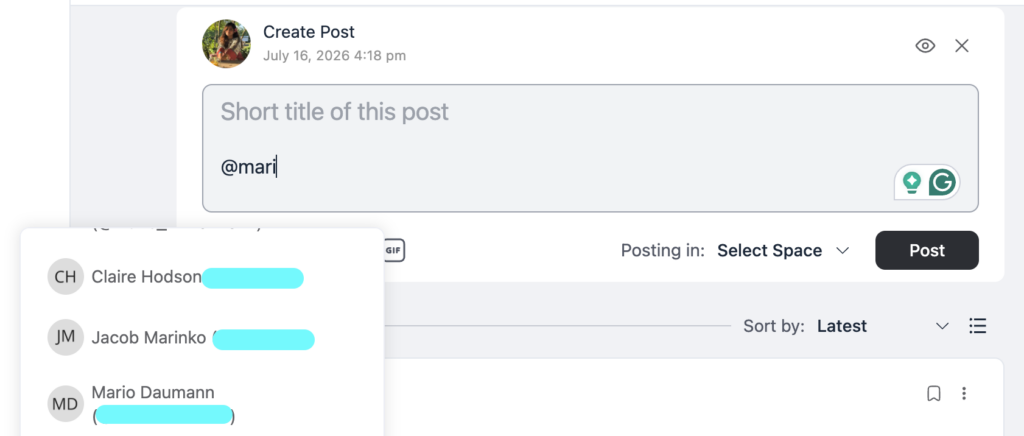
There’s no setup required on the admin side to enable this for members. It works out of the box. What does help is modeling the behavior yourself early on. Admins and moderators who mention members by name in replies teach the rest of the community to do the same.
How to Use Hashtags in FluentCommunity
While writing a post, type the “#” symbol followed by a word or short phrase with no spaces, like #coursefeedback or #launchweek. FluentCommunity automatically converts it into a clickable hashtag once the post is published. Any member can click the hashtag to see every other post that used the same tag.
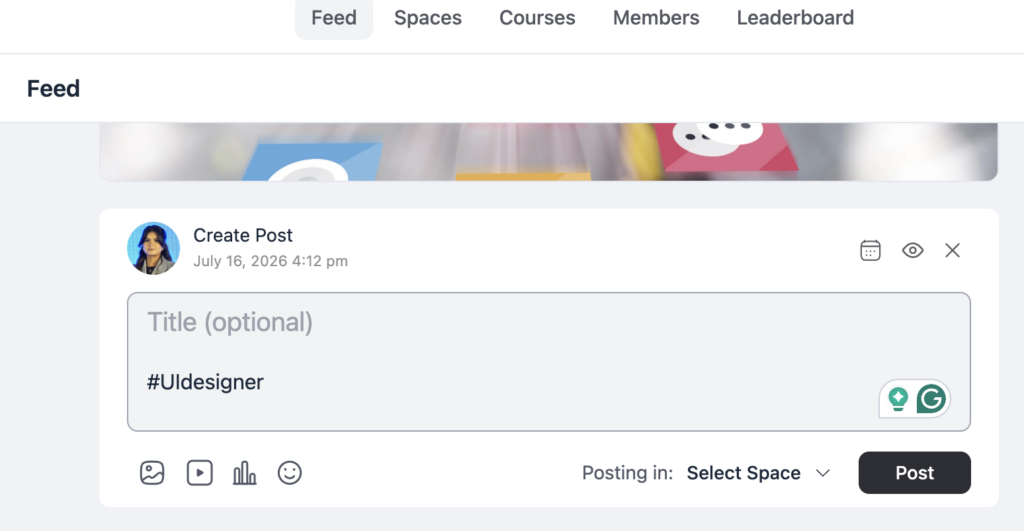
As an admin, consider deciding on a small set of standard hashtags early. Things like #announcement, #question, #win, or whatever fits your community, and use them consistently so members pick up the pattern.
Building a Simple Hashtag System
The value of hashtags comes almost entirely from consistency. A community where every member invents their own tags ends up with dozens of near-duplicate hashtags that don’t actually group anything usefully.
Start with a short list, five to eight tags maximum, that cover your community’s most common topics or post types. Pin a post explaining what each tag means and when to use it. Reference the list in your welcome message so new members see it immediately. Revisit the list every few months and retire tags that aren’t being used.
Use Cases by Community Type
Course creators can tag posts by module or lesson number, so students can pull up every question related to a specific part of the course instantly.
Coaches can use hashtags to separate wins, challenges, and accountability check-ins, giving structure to what would otherwise be one undifferentiated stream of updates.
Brands can use hashtags to track feedback by product line or feature, making it easy to pull up every mention of a specific topic when planning updates.
Nonprofits and clubs can tag posts by event or committee, so members interested in one specific initiative can follow just that thread.
Professional networks can use hashtags by industry or job function, helping members filter a large, diverse feed down to what’s relevant to their specific work.
How Mentions and Hashtags Support Search and Discovery
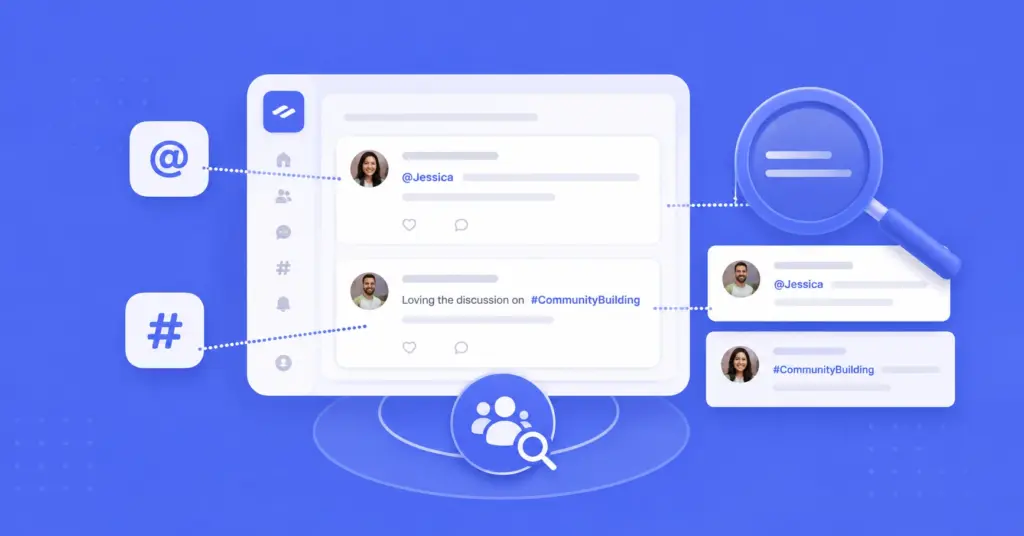
Mentions and hashtags don’t just organize today’s conversation. They make your community’s entire history more useful going forward, especially once paired with Search.
A well-tagged post is far more likely to surface when a member searches for that topic weeks or months later, which means the small effort of adding a relevant hashtag when you post pays off long after the original conversation has scrolled out of view. This is especially valuable for recurring topics, onboarding questions, common troubleshooting issues, and frequently requested features, where the same question tends to resurface with new members over time.
Mentions play a similar long-term role with the Directory. When members consistently tag each other in relevant discussions, it becomes easier over time to see who’s actively engaged with which topics, which is useful both for members looking for the right person to ask and for admins looking to identify who might be a good fit for a moderator or contributor role.
Training New Members to Use the System
The biggest obstacle to a hashtag system that actually works isn’t the feature itself. It’s onboarding. A tagging system only functions if new members understand and follow it, and that doesn’t happen automatically.
Reference your hashtag list directly in your Welcome Message, so it’s one of the first things a new member sees rather than something they have to stumble onto. Pin a short post explaining the handful of tags you use and what each one means. When a new member posts without using the expected tags, a gentle nudge in the comments, “this would be great tagged with #feedback so others can find it later”, teaches the habit without feeling like a correction.
Consistency from admins and moderators matters more than any explanation you write. If your own team tags posts inconsistently, no formal explanation will get regular members to do it reliably.
Final Thoughts
Mentions and hashtags won’t show up in a highlight reel of your community’s biggest wins, but they’re the quiet infrastructure that keeps conversations from turning into noise as your community grows. Get a small, consistent system in place early, and both features will keep doing their job long after you’ve stopped thinking about them.

Prema Anjum
My full name is Anzuman Ara Chowdhury. But people know me as Prema Anjum. I’m a Digital Marketer by profession, a WordPress community contributor, and a travel enthusiast by heart.
![SEO Title: 5 Best Community Portal Software [WordPress + SaaS Options]](https://fluentcommunity.co/wp-content/uploads/2026/10/community-portal-software-featured-1-1024x536.webp)

Add your first comment to this post