

FluentCommunity 2.7.5: Audio Posts, LaTeX Block Support and Theme Modes

Table of Content
Subscribe To Get
WordPress Guides, Tips, and Tutorials


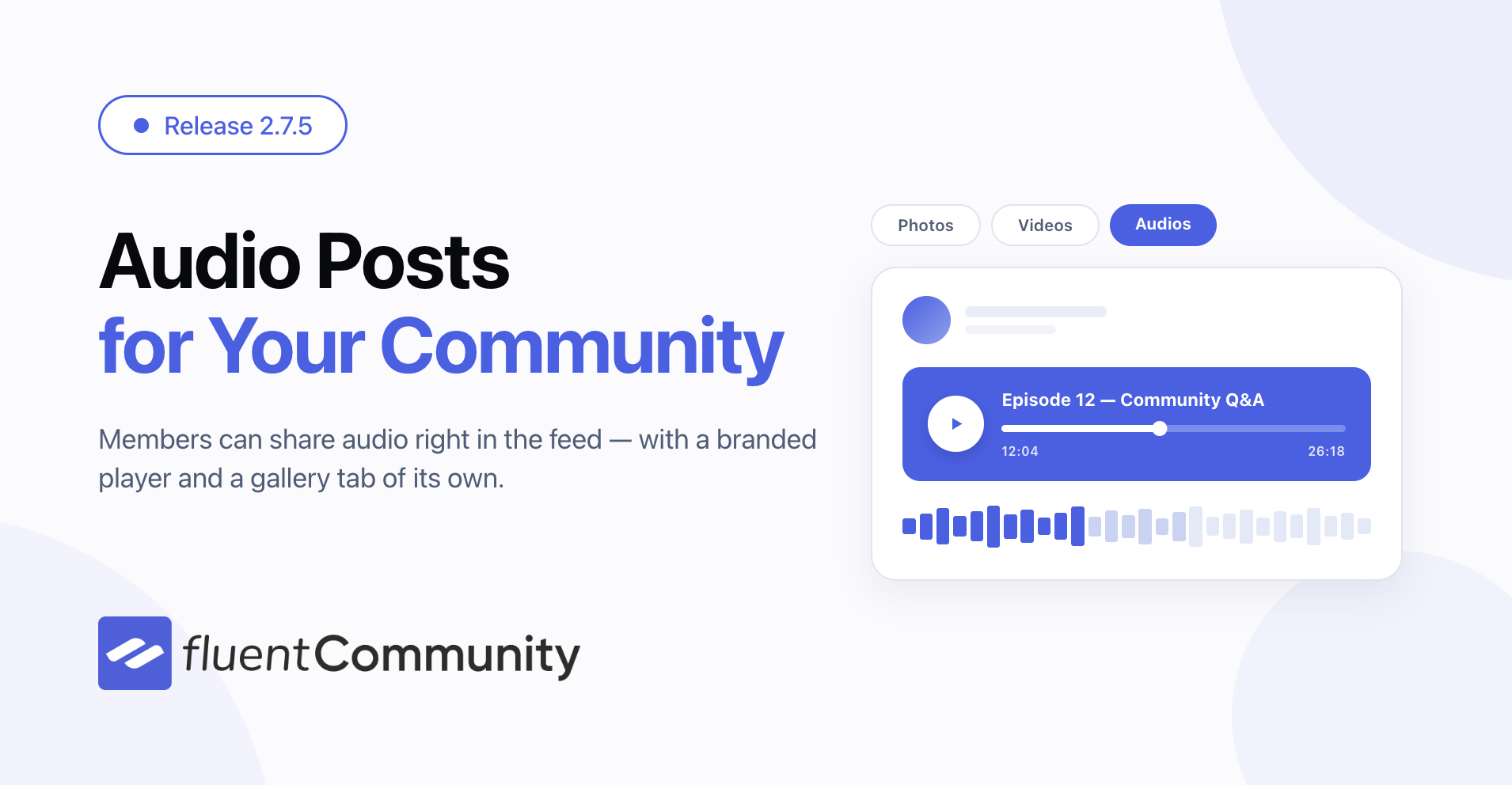
FluentCommunity 2.7.5 is here, and it gives your members a new way to share: audio. Alongside that, this release adds theme choices your members control, quicker password changes, richer lesson content, and a long list of speed and reliability work.
At a glance: Audio Uploads and the Audio Media Gallery let members post and browse audio right inside your community. Details and LaTeX (Math) blocks give course creators collapsible sections and real formulas in the lesson editor. Default Theme Mode lets you decide whether the portal opens in light, dark, or the member’s own system setting. On top of that, feeds, notifications, and permission checks all got faster.
Share Audio in Your Community
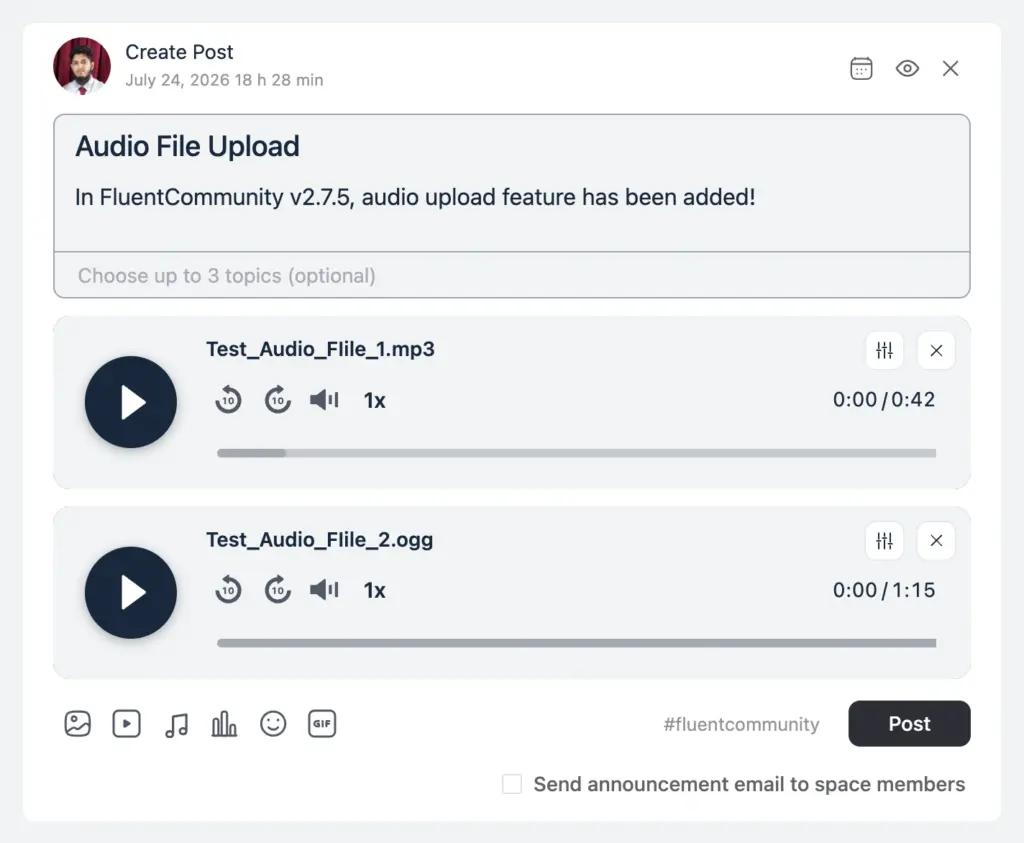
Podcast episodes, voice notes, recorded Q&A sessions, music, meditation tracks — plenty of communities have audio to share, and until now there was no clean way to post it. FluentCommunity 2.7.5 adds an Audio tab to the feed composer so members can upload audio files the same way they already share photos and videos.
Audio uploads run through FluentPlayer, so you get a real player in the feed instead of a bare download link. To switch it on, install and enable FluentPlayer, then flip Enable FluentPlayer Audio in your FluentPlayer settings — one toggle, and the Audio tab appears in the composer. Who can upload is still controlled by your existing upload permissions, so nothing changes about who is allowed to post. The player follows your community’s theme automatically, so audio posts look like they belong from the moment you enable them.
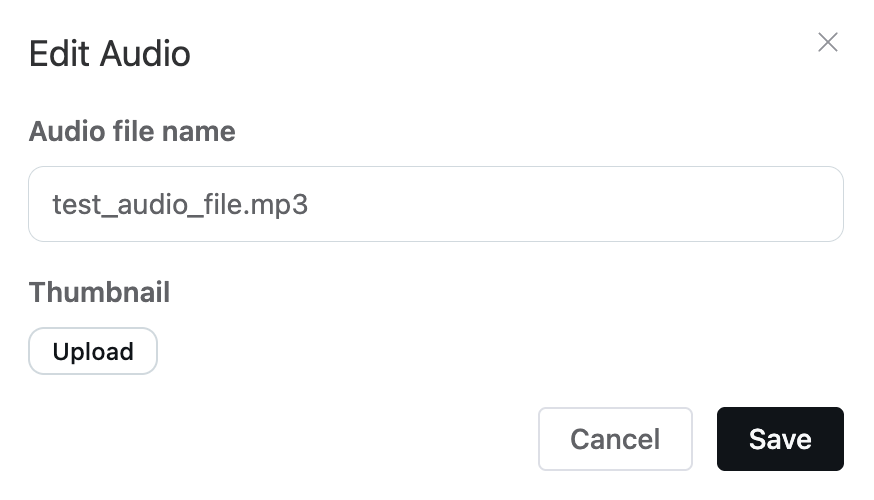
Before posting, you can tidy up each track. Every audio gets an Edit option where you can rename the file to something readable — “Episode 12 — Community Q&A” instead of a raw upload name — and add a thumbnail so the player shows cover art instead of a blank square. Both are per-audio, so a post with several tracks can give each one its own name and image.
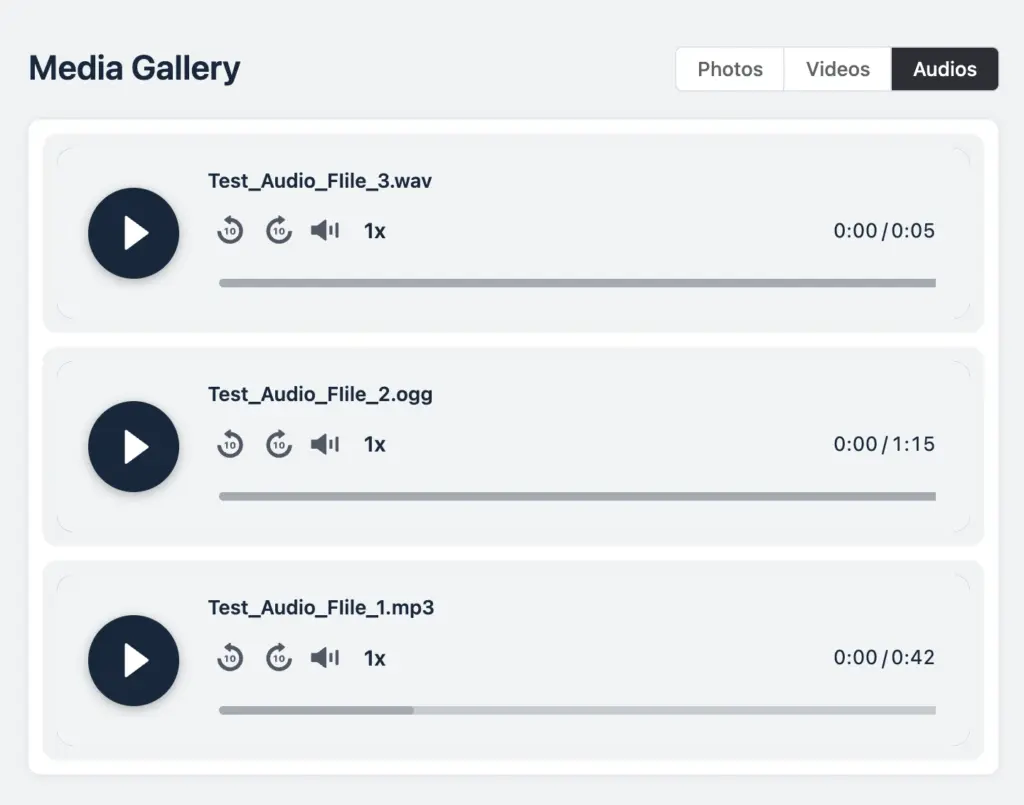
Once audio starts flowing, it collects in the space media gallery (pro) under a new Audios tab, sitting next to Photos and Videos. The tab only appears in spaces that actually have audio, so quieter spaces stay uncluttered. Open any tile and the lightbox plays the track, with keyboard arrows to move between them.
If FluentPlayer ever fails to load, the post falls back to your browser’s built-in audio player. Members still get to listen either way.
Richer Lessons with Details and LaTeX Blocks
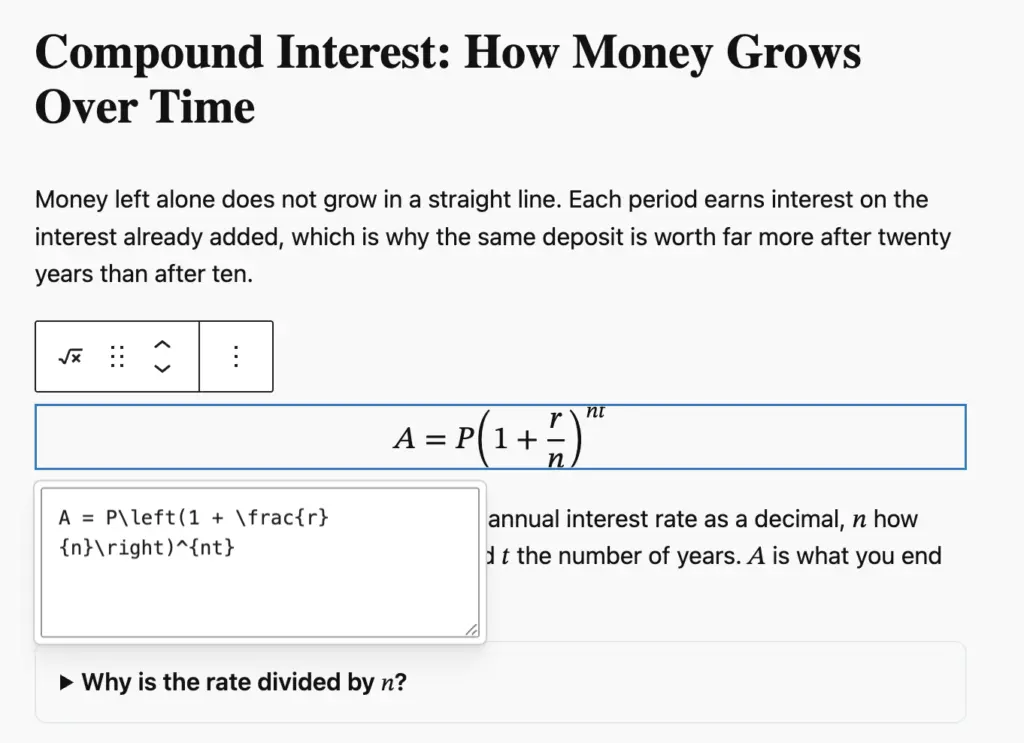
Long lessons get easier to read when learners can open one piece at a time. The Details block is now available in the lesson editor, so you can tuck hints, extra reading, or answers behind a click. Learners see a clean summary line and open only what they need — perfect for “try it yourself” questions where the answer should stay hidden until they are ready.
Teaching something with numbers? The new Math block lets you write formulas in LaTeX and see them render as you type. Use it as a full-width equation, or drop a formula right inside a sentence, a heading, or a list. Formulas are saved in a format browsers understand natively, so lessons stay fast and screen readers can read the maths out loud instead of skipping over an image.
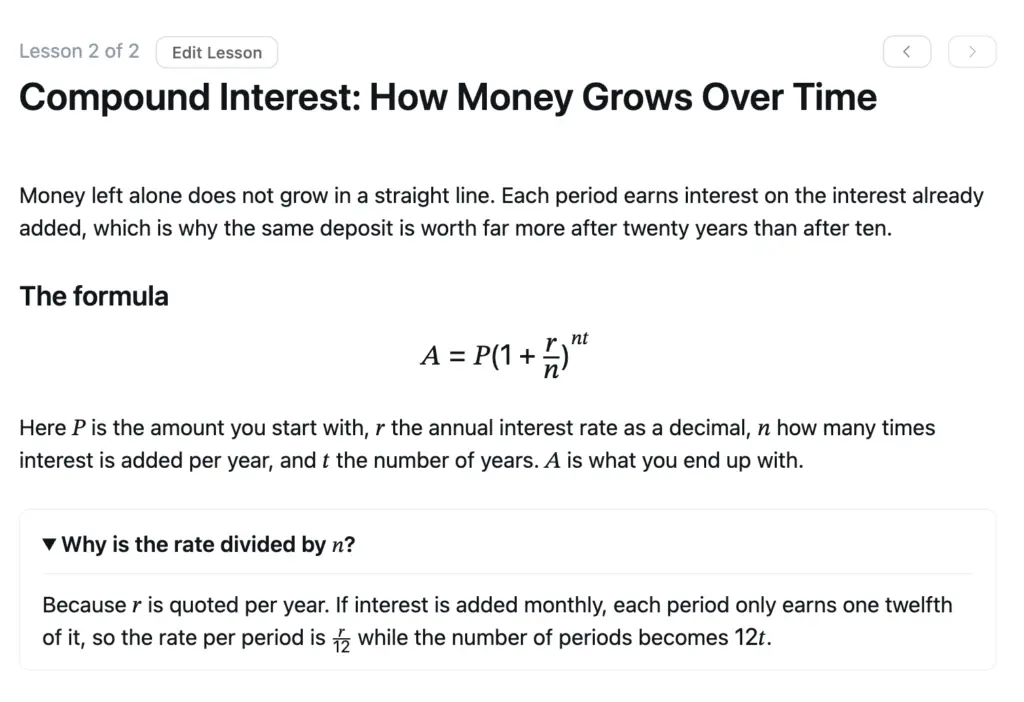
Both blocks work together nicely: put a worked example inside a Details block and let learners reveal the full derivation step by step. The Math block needs WordPress 6.9 or newer — on older versions it simply will not appear in the editor, and the rest of your lesson works exactly as before.
Let Members Choose Light, Dark, or System
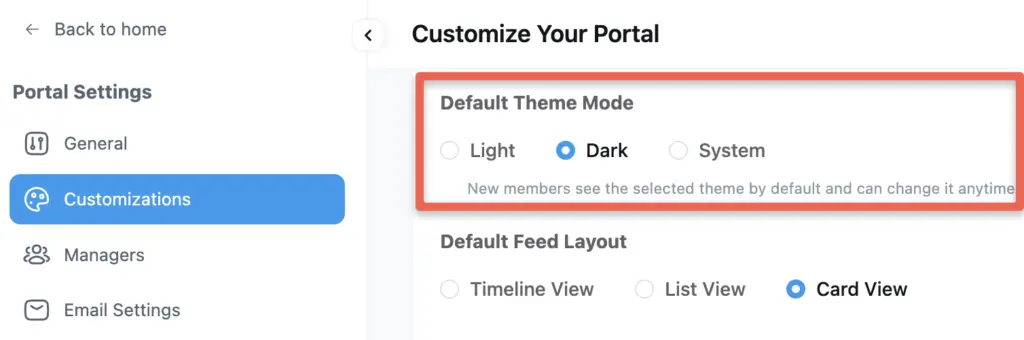
Dark mode has been available for a while, but you had no say in how the portal opened for a first-time visitor. Now you do. The new Default Theme Mode setting lets you pick Light, Dark, or System.
System is the friendly default for most communities — members who keep their phone or laptop in dark mode get a dark portal automatically, without touching a single setting. The option lives with your other portal customization settings and only applies when dark mode is enabled.
The theme now also resolves before the page paints, so members no longer catch a flash of the wrong theme while the portal loads. Communities running on a host theme with its own light/dark switch stay in sync too.
Change Your Password Right From Your Profile
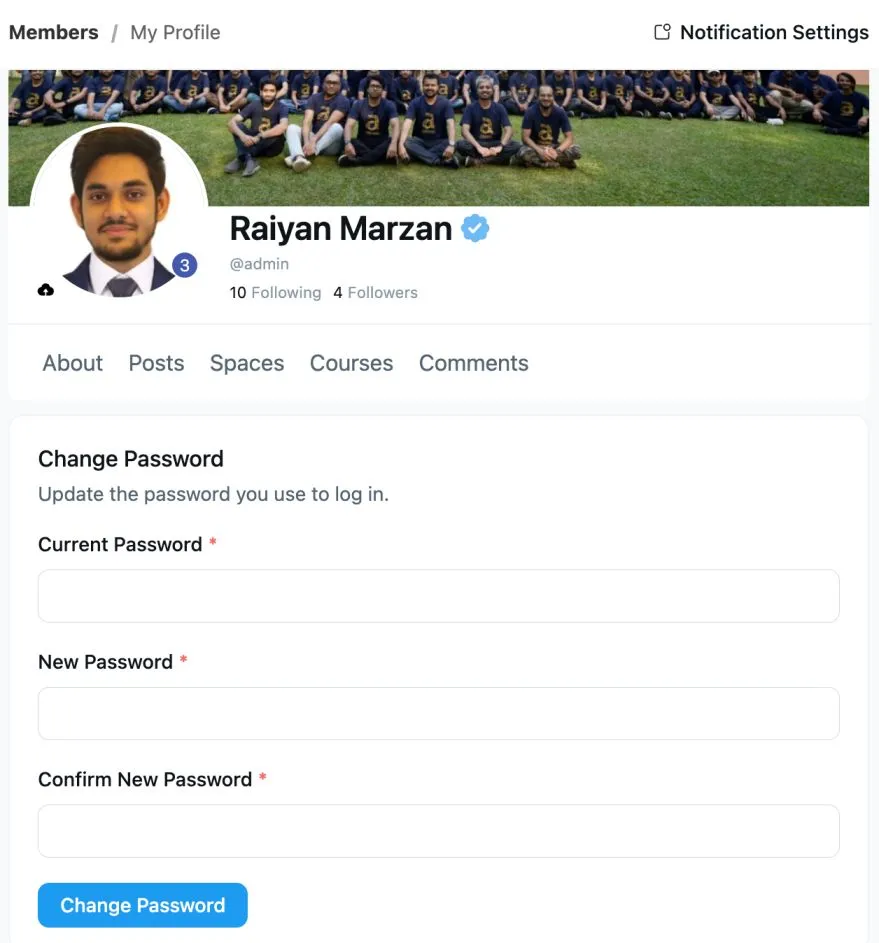
Members can now update their password from the profile edit screen, without being sent off to the WordPress dashboard or a password reset email. It is a small thing that removes a genuinely annoying detour.
The session refreshes quietly in the background after a successful change, so the page no longer reloads and members carry on browsing where they left off.
Rename Documents Without Re-Uploading
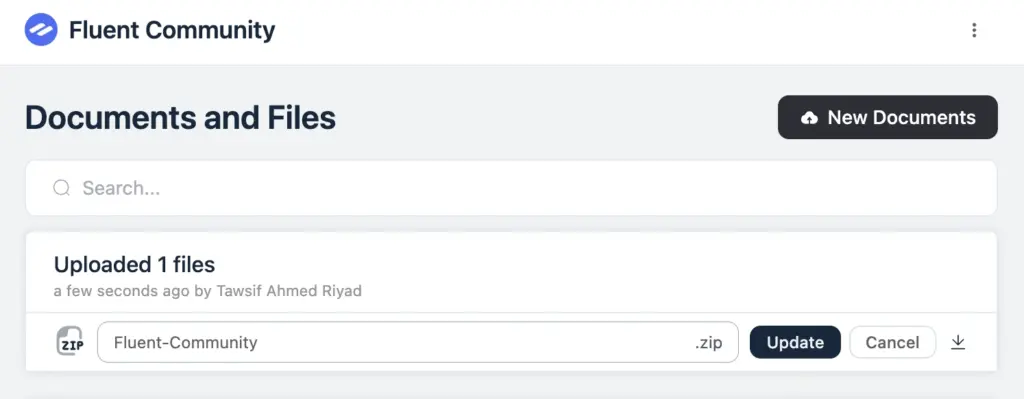
Uploading a file called final-v3-REAL.pdf and then having to delete and re-upload it just to fix the name is nobody’s idea of a good afternoon. In the space documents section (pro), you can now rename a document in place.
The rename field stretches across the row so long names stay readable, there is a cancel button if you change your mind, and the file extension is locked so a rename can never break the file type. Only people with permission to manage the document see the rename option. Downloads use the new name, so what members save matches what they see in the list.
Notification Emails Are Easier to Scan
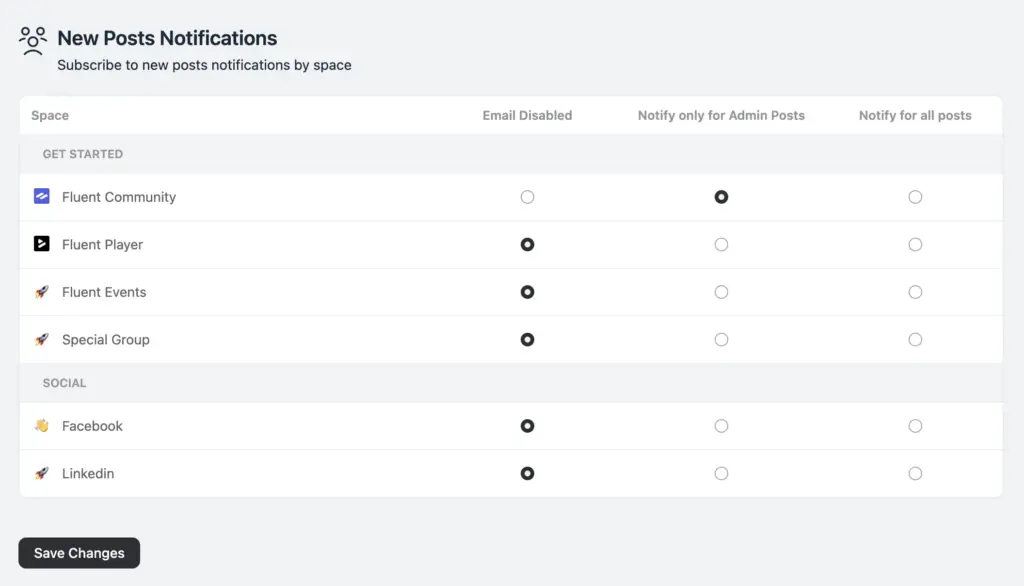
New Posts notification preferences are now laid out as a table — one row per space, one column per option. Setting up notifications across a lot of spaces used to mean a long scroll through repeated controls. Now you can see the whole picture at once.
On phones the columns collapse into a single select so the table never runs off the screen. Keyboard navigation through the radio options was fixed as part of the same work, and the checkboxes across the portal now use native styling that matches your primary color.
A Faster, Smoother Community
Feeds and the activity ticker load faster. We trimmed repeated database work in the feed and cut down how much the ticker polls, so busy communities feel lighter — especially on shared hosting.
Media gallery tabs and poll voters open instantly on revisit. Both are cached now, so going back to something you already looked at is immediate instead of another round trip.
The sidebar and permission checks got quicker. Space memberships are preloaded in one pass, and permission results are cached per member instead of being recalculated over and over.
New database indexes speed up notifications, comments, and member lists. These matter most on larger communities, where the same queries were doing far more work than they needed to.
Email batches run more reliably. Leaderboard syncing, follower emails, and course emails now process in properly bounded batches, with the sitemap index and moderator recipient lists cached (pro).
YouTube previews look sharper thanks to best-quality WebP thumbnails, and social links now sit properly on mobile.
Stronger Privacy and Access Controls
This release tightens who can see and do what. Comment access is now checked properly on every request, lockscreen settings no longer leak the existence of secret spaces, quiz submission and results require enrollment (pro), and unattached document edits and the blocked-users list are properly gated (pro).
On top of that, we hardened output escaping, tightened input sanitizing on privacy settings, and masked API keys that were previously readable in a settings response. None of this changes how the community works day to day — it just closes doors that should have been shut.
Bug Fixes and Stability
WordPress 6.0 compatibility. Two spots called functions that only exist in newer WordPress versions without checking first, which could bring down a site running the minimum supported version. Both are now guarded.
Notifications behave correctly. Mentioning the author of a post no longer sends a duplicate notification, mentions in comment replies now notify properly, and clicking a notification highlights the right comment instead of a nearby one.
Menu settings are respected everywhere. The mobile menu and the sidebar feed link were both ignoring your primary menu configuration. Default menu items now support visibility controls, and space features sit more logically under their toggles.
Posts and media render correctly. Markdown tables no longer get stripped when a post renders, photos taken at an angle no longer upload sideways, and the video modal layout and comment highlighting are steadier.
Space and course fixes. Posts can no longer be viewed across spaces through a space permalink, moderation actions work on course and sticky posts, the collapsed sidebar no longer shows lock and unread badges it should hide, and space sub-headers stop overflowing when the sidebar is toggled. The sidebar toggle now also appears on Fcom Frame templates, not just the portal.
Everyday polish. The comment toolbox no longer overlaps the delete dialog, empty space groups are skipped when mapping FluentCRM tags, followers and following lists sort alphabetically again (pro), comment author links point at the right profile in SEO data (pro), course lesson comment approval finds the right post (pro), duplicate auto-flag reports are no longer created when content is edited (pro), and a translation loading notice on early text domain calls is gone (pro).
Wrapping Up
FluentCommunity 2.7.5 gives your members a new way to share with audio, hands them control over how the portal looks, and makes the everyday work of running a community faster and more predictable. Under the surface, feeds, notifications, and permissions all got meaningfully quicker.
Update whenever you are ready — and let us know what you build with it.
FluentCommunity 2.7.5
- Introduced: Audio Uploads and Audio Media Gallery
- Added: Details and LaTeX (Math) Blocks in Lesson Editor
- Added: Password Change Option on Profile Edit
- Added: Default Theme Mode Customization
- Added: Rename Documents in Space Documents Section
- Added: Open Profile Comments in Feed Modal
- Added: Message Field Support in Lesson PATCH Endpoint
- Improved: Activity Feed and Ticker Query Performance
- Improved: New Posts Notification Preferences as a Table
- Improved: Sidebar Membership Preloading and Per-User Permission Caching
- Improved: Database Indexes on Notifications, Comments and Space Members
- Improved: Space Feature Access Nested Under Toggles
- Improved: Primary Menu Default Items Support Visibility Controls
- Improved: Best-Quality WebP Thumbnails for YouTube Feed Previews
- Improved: Cached Sitemap Index and Moderator Recipient Lists
- Security: Access Control on Comments, Lockscreens and Documents
- Security: Escaping, Input Sanitization and API Key Masking
- Fixed: Fatal Error on WordPress 6.0 from Unguarded Core Calls
- Fixed: Mobile Menu and Sidebar Feed Link Ignoring Menu Settings
- Fixed: Duplicate and Missing Mention Notifications
- Fixed: Notification Highlight Targeting the Wrong Comment
- Fixed: Markdown Tables Stripped on Feed Render
- Fixed: Cross-Space Post View via Space Permalink
- Fixed: Photos Uploaded Sideways From Unhandled EXIF Orientations
- Fixed: Moderation Actions for Course and Sticky Posts
- Fixed: Comment Toolbox Overlapping Delete Dialog
- Fixed: Space Lock and Unread Badge Visible in Collapsed Sidebar
- Fixed: Space Sub-Header Overflow With Collapsible Sidebar
- Fixed: Sidebar Toggle Missing on Fcom Frame Templates
- Fixed: Empty Space Groups Skipped in FluentCRM Tagging
- Fixed: Followers and Following Alphabetical Sort
- Fixed: Corrected Comment Author Profile Links in SEO
- Fixed: Course Lesson Comment Approval Feed Lookup
- Fixed: Early Text Domain Translation Loading Notice
- Fixed: Duplicate Auto-Flag Reports on Content Edit

Shahjahan Jewel
Hello, this is Jewel, CEO & Head of Ideas at WPManageNinja. I am obsessed with WordPress since 2009. My aim is to be a user-centric developer first, and a serial entrepreneur second. You will find me discussing various tech issues and trying to come up with scalable solutions on different forums when I am not busy coding.




Add your first comment to this post