

7 Best Free Community Platforms to Keep Your Audience in the Loop

Table of Content
Subscribe To Get
WordPress Guides, Tips, and Tutorials


Slack’s free plan hides messages older than 90 days and deletes workspace data older than a year. That’s the deal with most free community platforms: you pay nothing, but someone else sets the rules.
Below, I compare seven free options, what each plan really includes, and which one you can truly own and monetize.
Key Takeaways
- The best free community platform depends on the job: live chat, searchable forums, public discovery, or broadcasting.
- Most free platforms are rented space, so the company controls your reach, your history, and whether your group stays online.
- FluentCommunity runs on your own WordPress site, so your members, content, and payment records stay on your server.
- With the free FluentCart plugin, you can sell paid access to FluentCommunity Spaces with zero platform transaction fees.
- A smart setup uses rented platforms for discovery and an owned community as the home base.
What Is a Free Community Platform?
A free community platform is a tool that lets you host member conversations, profiles, and shared content without paying a subscription fee. Some are apps your members join, like Discord. Others are software you install on your own website, like FluentCommunity for WordPress.
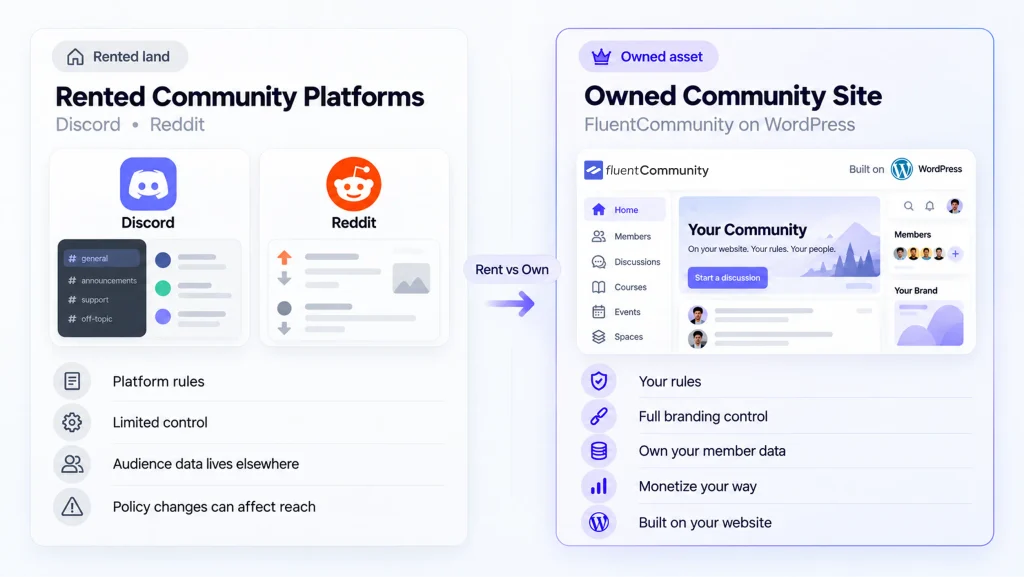
That split matters more than any feature list. Rented platforms like Discord, Reddit, Facebook Groups, Slack, and Telegram host everything on their servers and set the rules. Owned platforms, like FluentCommunity or self-hosted Discourse, run on your own site or server.
Think of a market stall versus your own shop. The stall gets foot traffic on day one, but the market owner can move you, raise the rent, or lock the gates. Your own shop takes more setup. Once it’s open, though, nobody else holds the keys.
The 7 Best Free Community Platforms at a Glance
The best free community platforms depend on whether you want real-time chat, structured forums, or public discoverability:
- FluentCommunity: an owned community hub on your WordPress site
- Discord: real-time chat, voice, and video
- Reddit: public discussions people find through search
- Facebook Groups: reaching people already on Facebook
- Slack: professional and B2B networking
- Discourse: structured, searchable forums
- Telegram: large groups and one-way broadcast channels
Here’s how they compare once your community starts to grow:
| Platform | Best For | Free Plan Highlights | Main Catch | Can You Charge Members? | Who Controls the Data? |
| FluentCommunity | Owned, branded communities | Unlimited Spaces, feeds, polls, profiles, moderation | Needs WordPress hosting | Yes, with free FluentCart and zero platform fees | You, on your own server |
| Discord | Live chat and voice | Free servers with text, voice, and video channels | Chats get buried and stay inside the app | Yes, Server Subscriptions (Discord keeps 10%, eligibility rules apply) | Discord |
| Public discovery | Free subreddits and a huge built-in audience | You moderate, but Reddit owns the space | No built-in paid access | ||
| Facebook Groups | Meeting people where they already are | Free groups with admin and moderation tools | Feed algorithm and automated moderation | Limited built-in options | Meta |
| Slack | Professional and B2B groups | Channels, DMs, and up to 10 app integrations | 90-day visible history, data deleted after one year | No built-in paid access | Slack |
| Discourse | Searchable, long-form forums | Free hosted plan with unlimited members, or free self-hosting | 10 categories and 2 staff seats on free hosting | Official Subscriptions plugin (plan-dependent) | Exportable anytime, fully yours if self-hosted |
| Telegram | Big groups and broadcasts | Groups up to 200,000 members, unlimited channel subscribers | Hard to organize long discussions | Yes, monthly Star Subscriptions | Telegram |
Limits and prices come from each platform’s official pages, checked in October 2026. Free plans change often, so confirm the details before you build.
How We Picked These Free Platforms
A lot of “free community platform” roundups include tools that only offer a 14-day trial. We left those out. Every platform on this list has a free option you can keep using without a deadline.
For each one, we read the official pricing, help, or plugin pages and judged it on four points:
- What the free plan actually includes
- Who controls the data, and whether you can leave with it
- Whether you can charge members, and who takes a cut
- Which type of community it fits best
What “Free” Really Costs You
Free platforms still need to make money, usually through ads, paid upgrades, or your attention.
That’s fair.
But it shapes the deal you get, and these costs never show up on a pricing page. Here are the four that hurt communities most.
Your History Can Disappear
On Slack’s free plan, members only see the most recent 90 days of messages and files, and Slack deletes workspace data older than one year.
For a community, that means the brilliant answer someone posted last spring is simply gone, along with the context new members need.
Your Reach Belongs to Someone Else
On Facebook, your group’s posts compete with friends, videos, and ads in every member’s feed.
On busy Discord servers and Telegram groups, important messages scroll away fast. You control what you post.
You don’t control who actually sees it.
Your Group Can Vanish Overnight
In June 2025, TechCrunch reported a wave of mass Facebook Group suspensions that hit parenting, pet, gaming, and money-saving groups.
Meta called it a “technical error” and worked on a fix.
Some admins said every group they ran was removed at once.
Your Revenue and Your Exit Come With Strings
Want to charge members? Discord keeps 10% of Server Subscriptions, and Telegram pays creators in Stars that convert to crypto or ad credit.
Reddit and Slack have no built-in paid access. Leaving is hard too, since most rented platforms won’t give you your members’ email addresses.
1. FluentCommunity: Best for a Community You Own and Monetize
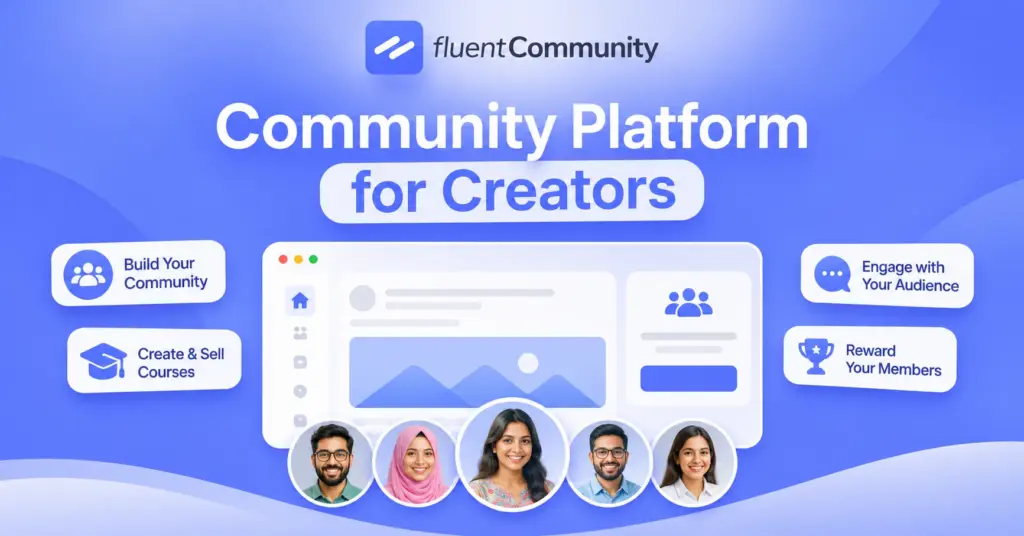
FluentCommunity is a free WordPress plugin that turns your website into a full community hub. Members get Spaces, an activity feed, profiles, and a member directory on your own domain. As of October 2026, it has 8,000+ active installs and a 4.8 out of 5 rating on WordPress.org.
Why Owning Your Community Is Worth It
Anyone can open a Discord server or Facebook group in five minutes. The real question is who holds the keys a year later. With FluentCommunity, your members, posts, and payment records live in your WordPress database, on a server you choose. You set the rules, the moderation, and how the feed works.
That control protects your income, too. When someone buys access to a paid Space, the money goes to your own Stripe or PayPal account, not through a platform taking a percentage. The plugin is open source, so if you ever switch hosts, your whole community moves with your website.
What You Get in the Free Version
The free plugin covers what a growing community needs on day one:
- Unlimited Spaces with public, private, or secret privacy
- Activity feed with posts, comments, reactions, and mentions
- Polls, hashtags, and bookmarks
- Member directory and member profiles
- Built-in content moderation tools
- Brand colors plus dark and light mode
- One-click migration from BuddyBoss and BuddyPress
Need more? FluentCommunity Pro adds extras like badges, an analytics dashboard, cloud storage, and a secure document library, starting at $199 per year for one site. You can see the full split on the FluentCommunity Free vs Pro page.
How to Monetize for Free With FluentCart
Here’s the part most “free platform” lists miss. Pair FluentCommunity with the free FluentCart plugin, and you can sell access to private Spaces. FluentCart charges zero transaction fees on both its free and Pro versions, and the free version supports simple subscriptions through Stripe and PayPal.
The setup takes three steps inside your Space settings:
- Set the Space privacy to Private or Secret
- Open the Paywalls tab and link a FluentCart product, or create one on the spot
- Show the paywall on the lock screen, which becomes your sales page
Stripe and PayPal still charge their normal processing fees. But there’s no extra platform cut on top, which is rare in this category. The FluentCart integration guide walks through each screen if you get stuck.
Best for: Creators, coaches, course sellers, brands, clubs, and nonprofits that want a branded community they can charge for.
Skip it if: You need a ready-made crowd on day one and never plan to charge.
2. Discord: Best for Real-Time Chat and Voice
Discord started with gamers, but it now hosts study groups, creator fan clubs, open source projects, and customer communities. Discord said it had more than 200 million monthly active users as of December 2025, according to Reuters.
Creating a server is free. You get text channels, voice and video channels, forum channels, and detailed roles and permissions. Members keep their full chat history, and many of them already have the app installed on their phones.
The catch is that conversations move fast and stay locked inside the app. They won’t build search traffic for you, and newcomers can feel lost in busy servers. Your server also lives under Discord’s rules, so one policy change or account issue affects everyone.
If you want to earn, eligible servers can sell Server Subscriptions. Discord says creators keep 90% of each monthly subscription, minus processing fees. Eligibility rules apply, so check that your country and server qualify before you plan around it.
Best for: Gaming, hobby, and creator communities that love live hangouts.
Skip it if: You need searchable, long-term discussions or a branded home.
3. Reddit: Best for Public Discoverability
Reddit is a network of topic communities called subreddits, and its scale is hard to match. In Q2 2026, Reddit reported 130.3 million daily active uniques and 514.6 million weekly active uniques, according to its second quarter 2026 results.
Starting a subreddit is free, and many people land on Reddit threads straight from search engines. That makes it great for answering questions in your niche and getting noticed by strangers who’ve never heard of you.
The trade-off is control. You moderate a subreddit, but Reddit owns it, and its sitewide rules always come first. Most subreddits frown on self-promotion, there’s no built-in way to sell access, and you can’t collect your members’ emails.
Best for: Testing ideas, building authority, and reaching new people.
Skip it if: You want a branded space or a paid membership.
4. Facebook Groups: Best for Meeting People Where They Already Are
Facebook Groups win on convenience. Most of your audience already has the app, so joining takes one tap. Meta’s most recent public figure, shared in 2020, said more than 1.8 billion people used Groups every month.
Groups are free to create and come with membership questions, post approval, admin and moderator roles, and events. For local clubs, parent networks, and hobby groups, that’s often all you need to get started.
The downside is that Meta controls both reach and risk. Your posts fight for space in members’ feeds, and automated moderation can suspend a group with little warning, as the June 2025 wave showed. Built-in ways to charge members are limited, and member data stays with Meta.
Best for: Local and hobby groups whose members live on Facebook.
Skip it if: Your community is part of your business or your income.
5. Slack: Best for Professional and B2B Communities
Slack feels natural for professionals because many of them already use it at work. That’s why it’s popular for founder groups, industry networks, and B2B customer communities where members want quick, focused conversations.
The free plan includes channels, direct messages, and up to 10 app integrations. For a small mastermind or a beta-tester group with a short shelf life, that works fine.
For a growing community, though, Slack’s free plan is the most limited on this list. Members only see the last 90 days of messages and files, and data older than a year gets deleted. Paid plans are priced per active user, which adds up fast. There’s also no built-in paid access.
Best for: Short-term cohorts and professional groups that already live in Slack.
Skip it if: Your community’s value depends on past conversations.
6. Discourse: Best for Structured, Searchable Forums
Discourse is modern forum software built for long-form, searchable discussions. Communities for OpenAI, Cursor, and Shopify run on it. One Discourse customer, Carwow co-founder David Santoro, summed up the difference: “if you want the conversation forgotten, put it on Slack.”
According to the Discourse pricing page, the free hosted plan includes unlimited members, 2 staff seats, 500,000 monthly page views, 20,000 monthly emails, 10 categories, and 5 GB of storage. The software is also open source, so you can self-host it for free and export your data anytime.
The limits show up quickly. Ten categories and two staff seats fill up fast, and the next hosted tier, Pro, costs $100 per month. Self-hosting removes those limits but takes real server skills. For paid access, Discourse offers an official Subscriptions plugin, so check which plan includes it.
Best for: Support forums, developer communities, and knowledge bases.
Skip it if: Your members expect a social feed or a casual chat space first.
7. Telegram: Best for Large Groups and Broadcast Updates
Telegram says it has over 1 billion active users. Its groups can hold up to 200,000 members, and its channels can broadcast to an unlimited number of subscribers, according to the Telegram FAQ.
That makes it strong for announcements, deal alerts, news updates, and fast-moving discussion. Channels deliver every post straight to subscribers’ chat lists, without a feed algorithm deciding what to show them.
The weak spot is structure. Long conversations get buried, it’s hard to organize lessons or resources, and everything lives on Telegram’s servers. Monetization exists through monthly Star Subscriptions, but creators earn Stars that convert to Toncoin crypto or ad credit, not a direct bank payout.
Best for: Broadcast-style updates to large audiences.
Skip it if: You need organized discussions, courses, or simple cash payouts.
How to Choose the Right Free Community Platform
Start with the job your community needs to do, not the platform with the most users. This quick guide matches common goals to the best free starting point:
| Your Main Goal | Best Free Pick | Why It Fits |
| Sell paid memberships | FluentCommunity + FluentCart | Paywalled Spaces with no platform fee, on your own domain |
| Host live hangouts and voice chats | Discord | Free voice, video, and real-time chat |
| Get discovered by strangers | Huge audience and strong search visibility | |
| Start where members already are | Facebook Groups | One-tap joining for Facebook users |
| Network with professionals | Slack | A familiar work tool for B2B audiences |
| Build a searchable knowledge base | Discourse | Organized topics that stay findable for years |
| Broadcast updates to a big list | Telegram | Large groups and unlimited channel reach |
Still unsure? Answer these four questions honestly before you commit:
- Will I ever want to charge for access?
- Do members need to find old answers months from now?
- Where do my people already spend their time?
- If this platform banned my group tomorrow, what would I lose?
If you answered “yes” to the first question or “everything” to the last one, an owned platform belongs in your plan. You can still use the others, just not as your only home.
The Smart Play: Rent for Reach, Own Your Home Base
You don’t have to pick only one. Many healthy communities use free social platforms as the front door and an owned community as the living room. Rented apps bring people in. Your own site is where relationships, content, and revenue keep building.
WPManageNinja runs its product community this way. Its official customer community runs on FluentCommunity, and the FluentCart plugin listing describes it as a community of 10,000+ Fluent product users. Members trade tips, share workflows, and swap code snippets on a site the company fully controls.
Here’s how to copy that setup for your own audience:
- Answer questions on Reddit and in Facebook Groups where your audience already hangs out
- Use a Telegram channel or Discord server for quick updates and live sessions
- Invite your most engaged people into your owned community for deeper content
- Offer paid Spaces for premium resources, coaching, or member-only events
- Collect emails at signup, so you can always reach members directly
If you’re starting from zero, this guide on how to create an online community covers the planning side, from picking a niche to setting your first rules.
Start Free, but Start on Ground You Own
Every free community platform on this list can help you start. The real difference shows up later, when you want to keep your history, reach every member, or earn from the community you built. Rented platforms make that harder. An owned one makes it the default.
So here’s a simple next step. Install the free FluentCommunity plugin on a staging site this week. Create one private Space, connect FluentCart, and set up a test paywall. Then invite five of your most active members from your current group and ask what they think.
It costs nothing to try, and you’ll feel the ownership difference quickly. When you’re ready for badges, analytics, and cloud storage, compare plans on the FluentCommunity pricing page.
Frequently Asked Questions
What Is the Best Free Community Platform?
It depends on your goal. Discord is best for live chat, Discourse for searchable forums, Reddit for discovery, and Telegram for broadcasts. If you want a community you own and can charge for, FluentCommunity is the strongest free option because it runs on your own WordPress site.
Which Free Community Platform Lets You Charge Members?
FluentCommunity paired with the free FluentCart plugin lets you sell paid Spaces with zero platform transaction fees, so you only pay standard Stripe or PayPal fees. Discord lets eligible creators keep 90% of Server Subscriptions, and Telegram offers monthly Star Subscriptions paid in its in-app currency.
Is FluentCommunity Really Free?
Yes. The core plugin is free on WordPress.org and includes unlimited Spaces, feeds, polls, profiles, and moderation tools. You’ll still pay for WordPress hosting and a domain. FluentCommunity Pro adds extras like badges, analytics, and cloud storage, starting at $199 per year for one site.
Can I Move My Community From Facebook or Discord to My Own Site?
You can move people, but not much data. Neither platform offers an easy way to export your members’ contact details. The usual approach is to announce the move, share an invite link to your new community, and give members a clear reason to join, like exclusive Spaces or resources.
Is Discord or Slack Better for a Free Community?
Discord is usually the better free choice. It keeps your full message history, while Slack’s free plan only shows the last 90 days and deletes data older than one year. Slack makes more sense for professional groups whose members already use it every day at work.
Do Free Community Platforms Own My Data?
On rented platforms, your content lives on their servers under their terms, and you usually can’t export your member list. With owned tools like FluentCommunity or self-hosted Discourse, the data sits on your own server, so you control backups, exports, and who gets access.
What Is the Best Free Alternative to Facebook Groups?
For an owned, branded alternative, FluentCommunity works well if you already use WordPress. For a public, searchable forum, try the Discourse free plan. For fast chat with a familiar feel, Discord is the closest free swap.

Ashik Elahi
Ashik Elahi is a seasoned Digital Marketing Strategist with a passion for Content Marketing. He believes in the power of storytelling and crafting valuable content that resonates with readers.

Add your first comment to this post