

How to Create a Successful Corporate Alumni Network With WordPress

Table of Content
Subscribe To Get
WordPress Guides, Tips, and Tutorials


Every week, someone at your company hands back a laptop, says goodbye in Slack, and walks out the door. Most companies never hear from them again. That’s a quiet loss, because former employees become customers, referrers, and sometimes your best rehires.
This guide shows you how to build a corporate alumni network on WordPress that you own, from the exit-day opt-in to the spaces people actually use.
Key Takeaways
- A corporate alumni network is a private community where former employees stay connected with the company and with each other.
- Boomerang hiring is rising. ADP Research found returning employees made up 35% of new hires in March 2025.
- Most alumni networks fail at the exit, not at the launch. Without a personal email and consent before the last day, the relationship goes cold.
- WordPress with FluentCommunity lets you own the member data, the brand, and the workflow, including automatic access through FluentCRM tags.
- Five to seven spaces, a friendly founding group, and a steady monthly rhythm beat a big launch with empty rooms.
What Is a Corporate Alumni Network?
A corporate alumni network is a private online community where a company’s former employees stay connected with the organization and with each other after they leave. Members use it to network, find jobs, share referrals, and hear company news. The company gets a warm pool of rehires, referrers, customers, and advocates.
Think of it like a university alumni association, but for a workplace. You didn’t stop caring about your classmates when you graduated. People don’t stop caring about their old team when they change jobs, either.
Some alumni networks are informal. A former employee starts a LinkedIn or Facebook group, and people drift in. Others are formal programs that the company runs, with an owner, a platform, and a plan. This guide is about the second kind, built on a platform you control.
A typical corporate alumni network includes these members:
- Former full-time employees who left on good terms
- Retirees who still want to stay in the loop
- Former interns and long-term contractors, if you choose to include them
- A small group of current staff who act as hosts
Why Corporate Alumni Networks Matter More Than Ever
Not long ago, rehiring someone who quit felt a little awkward. Today it’s normal, and the numbers back that up.
ADP Research found that boomerang employees made up 35% of new hires in March 2025, up from 31% a year earlier. In the information sector, nearly two-thirds of new hires that month were people returning to a former employer.
Candidates are open to it, too. According to Gartner research reported by Capterra, 35% of candidates would be interested in hearing from a previous employer about open roles. Gartner also found that roughly the same share would be interested in joining an alumni network.
Here’s the catch, though. Interest only turns into a hire if you can still reach those people. Honestly, most companies can’t.
Rehiring Is Only Half the Story
It’s easy to treat an alumni network as a recruiting tool and stop there. That misses most of the value.
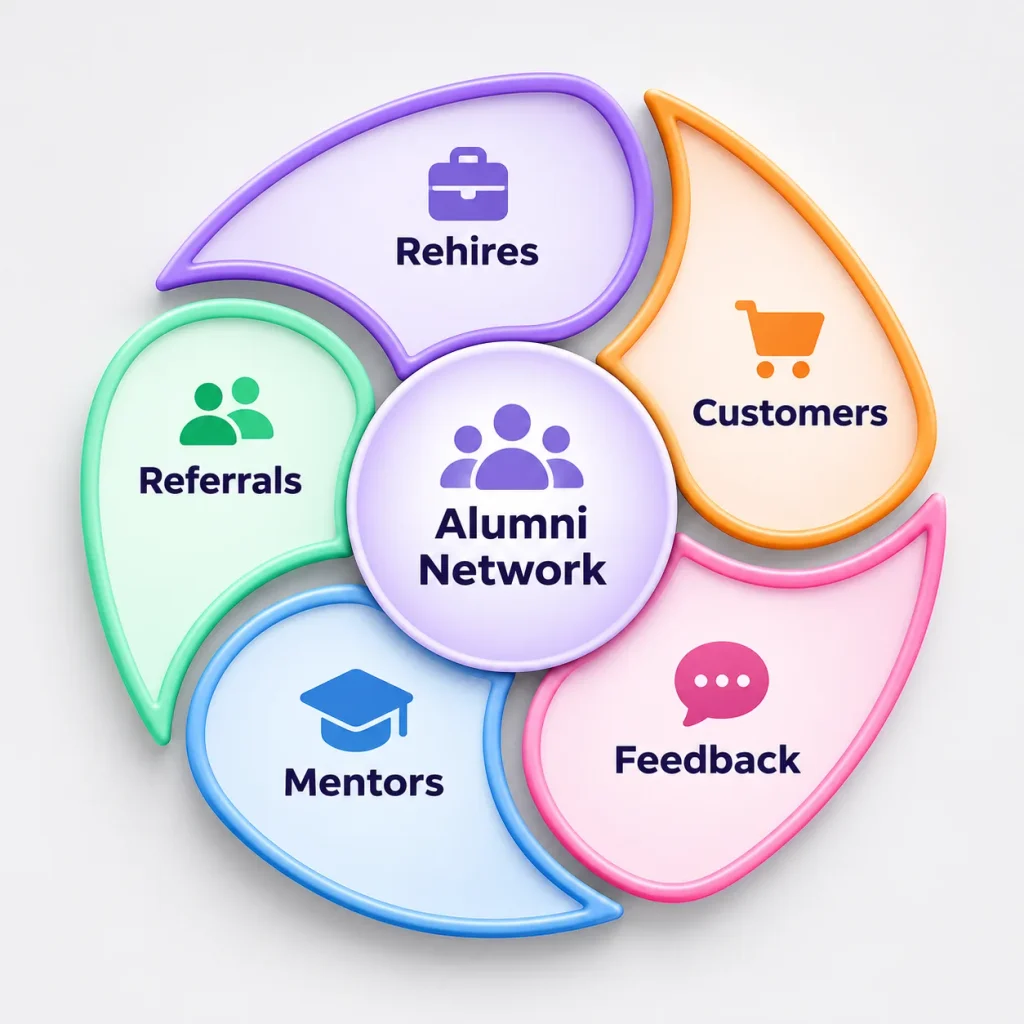
In a Harvard Business Review article on offboarding, professors Alison Dachner and Erin Makarius argue that formal alumni programs help create former employees who become customers, suppliers, boomerang hires, mentors to current staff, and ambassadors for the company.
In real life, alumni value tends to show up in moments like these:
- A former account manager now runs procurement at a prospect and opens a door for your sales team
- An ex-engineer refers two strong candidates from their new network
- A retired operations lead mentors your new managers once a month
- Alumni answer “what’s it really like to work there?” with credibility your careers page can’t buy
Alumni can also tell you how your company looks from the outside. The World Economic Forum’s alumni network, Forum Circle, regularly asks alumni how they view their time there and how they see the organization today. That’s honest feedback you rarely get from current employees.
Why Most Corporate Alumni Networks Go Quiet
Plenty of companies launch an alumni network with a nice email and a logo. Six months later, the feed is silent. It usually comes down to four problems.
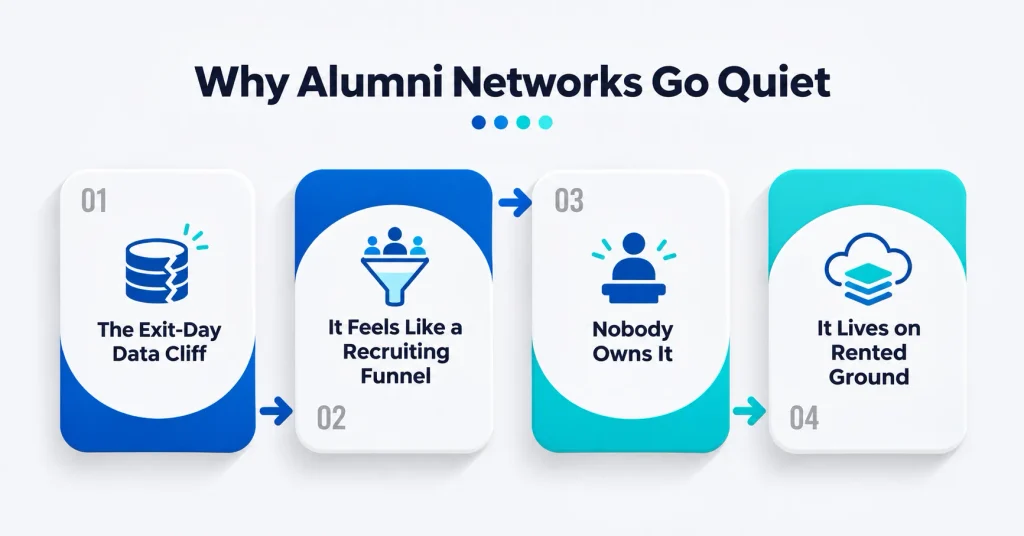
The Exit-Day Data Cliff
On someone’s last day, IT shuts off their work email. For many HR teams, that’s the only address they trust. If you didn’t collect a personal email and permission to use it before the person left, you’re stuck guessing from LinkedIn profiles.
This is the step most alumni programs skip. They plan a launch campaign, but a launch can’t reach people you’ve already lost track of.
It Feels Like a Recruiting Funnel
If every post is a job ad, alumni stop opening the emails. People join an alumni network to stay close to people, not to get pitched. Jobs belong in the mix, just not as the whole menu.
Nobody Owns It
An alumni network with no named owner turns into a side project. Side projects lose to deadlines every time. Someone needs it on their goals, even if it’s only a few hours a week.
It Lives on Rented Ground
LinkedIn and Facebook groups are free and quick, which is why so many alumni groups start there. But you can’t brand the experience, connect it to your HR workflow, or easily export member contact details. When the platform changes its rules, your community changes with it.
Why Build Your Corporate Alumni Network on WordPress
You have three realistic options: a social media group, a dedicated SaaS alumni platform, or your own community on WordPress. Each one fits a different situation.
| Social media group | SaaS alumni platform | WordPress + FluentCommunity | |
| Who controls member data | The social platform | The vendor hosts it under your contract | You, in your own database |
| Branding and domain | Platform branding | Your brand on the vendor’s infrastructure | Fully yours, on your domain |
| Typical cost model | Free | Often custom annual contracts | Plugin license plus hosting |
| Connects to HR and email workflows | Barely | Usually, through vendor integrations | Yes, through FluentCRM, Fluent Forms, and webhooks |
| Setup effort | Minutes | Weeks, often with vendor onboarding | A few days for a small team |
| Best for | Informal groups | Very large enterprise programs | Small to mid-size companies and data-conscious enterprises |
So when is a SaaS platform the better call? If you manage hundreds of thousands of alumni across dozens of countries, with a dedicated team and an enterprise budget, a specialist vendor may suit you.
For most small and mid-size companies, and for larger ones that care about owning their data, WordPress hits a sweet spot. Your alumni live on your domain and in your database. You decide what happens to that data.
FluentCommunity is a WordPress plugin that adds a full community portal to your site. You get spaces, a feed, member profiles, a searchable member directory, chat, gamification, and courses. It also connects with FluentCRM and Fluent Forms, which matters a lot for the exit-day workflow below.
If you’ve read our guide to building a private customer community in WordPress, the setup will feel familiar. The difference is who you let in, and how.
How to Create a Corporate Alumni Network With WordPress, Step by Step
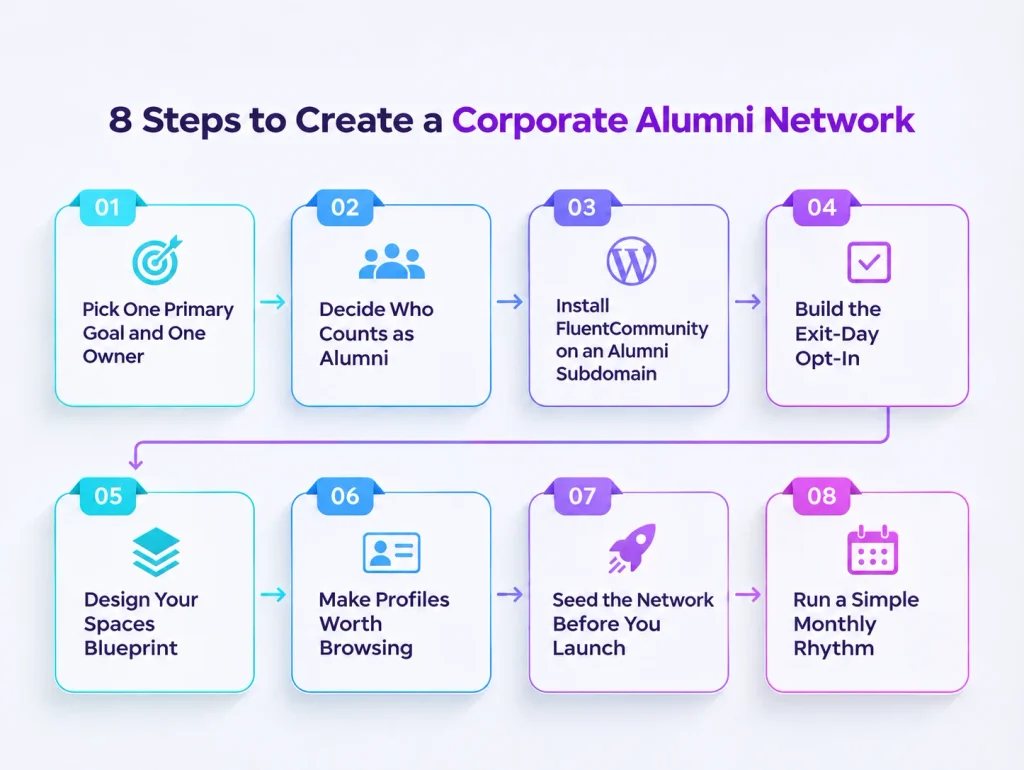
Here’s how the whole system fits together before we get into each step. Alumni opt in before they leave. HR verifies them. Verified alumni get access automatically.
Inside, a small set of spaces, useful profiles, and a steady rhythm keep them coming back.
Step 1: Pick One Primary Goal and One Owner
A good alumni network does several things, but it should lead with one. Pick the goal you’ll be judged on in year one:
- Rehiring strong former employees
- Getting more candidate referrals from alumni
- Building employer reputation and brand advocacy
- Opening doors for sales and partnerships
- Keeping mentorship and knowledge flowing
Then name an owner. In most companies, that’s someone in HR or talent acquisition, with help from internal comms. Write a one-line promise for alumni, too, such as “Stay close to the people you worked with, and hear about opportunities first.” If you can’t write that line, alumni won’t know why to join.
Step 2: Decide Who Counts as Alumni
This sounds simple until someone asks, “Do interns count?” Settle these eligibility questions before launch:
- Which leavers qualify: voluntary leavers, retirees, people affected by layoffs?
- Do former interns, contractors, or agency staff get in?
- How long after leaving can someone still join?
- How will you confirm that a person actually worked for you?
Decide your policy on involuntary exits with input from HR and legal, and write it down. A clear, fair rule saves you from awkward one-off decisions later.
For verification, the simplest check is matching the person’s name and employment dates against HR records. You’ll build that check into the workflow in Step 4.
Step 3: Install FluentCommunity on an Alumni Subdomain
I’d recommend a separate WordPress install on a subdomain such as alumni.yourcompany.com. It keeps alumni accounts away from your main website and any internal tools. It also gives the network its own clear home that people can bookmark.
Follow these setup steps in order:
- Install FluentCommunity from the WordPress.org plugin directory and run the setup wizard
- Add FluentCommunity Pro if you want direct messaging, custom profile fields, badges, and FluentCRM access automation
- Go to FluentCommunity, then General Settings, and open Portal Access Settings
- Choose “Only Logged In Users” and set a redirect URL to a short page that explains how to join
- In Privacy Settings, set “Who can view all members page?” to “Only logged-in members”
- Add your brand colors and a welcome banner so it feels like your company, not a generic forum
The Portal Access Settings also include an “Only Selected User Roles” option. If you create a dedicated Alumni role in WordPress, you can limit the whole portal to that role. Creating a custom role usually takes a roles plugin or a little code.
Step 4: Build the Exit-Day Opt-In
This is the step that makes or breaks your network. The goal is simple: a person goes from “last day” to “member” without anyone in HR adding them by hand.
Here’s a workflow that uses three plugins from the same family:
- Create a “Stay Connected” form in Fluent Forms. Ask for name, personal email, last team, years worked, and a clear consent checkbox.
- Share the form in the exit interview, the offboarding checklist, and a warm last-day email from the manager.
- Send each submission to FluentCRM and tag the contact “Alumni: Pending.”
- HR checks the details against records, then swaps the tag to “Alumni: Verified.”
- In FluentCommunity, turn on Access Management with FluentCRM and map “Alumni: Verified” to your alumni spaces.
- Enable “Create User in WordPress” and “Send default welcome email” so new members get an account and a password link automatically.
The best part is that it works both ways. If you remove the tag, FluentCommunity removes the member from the mapped space. That gives HR a clean off switch.
Running a small team? You can skip the CRM step. The Fluent Forms integration can enroll people straight into a space when they submit the form. Just send that form link only to people you’ve already confirmed.
For groups, such as a team that left together after a reorganization, membership invitation links work well. You can cap how many people use a link and set an expiry date. And if your HR system can send webhooks, FluentCommunity’s incoming webhook can add people to spaces in real time.
A quick word on privacy. Collect only what you need, explain how you’ll use it, and make leaving the network easy. Laws like GDPR and CCPA may apply, so ask your legal team to review the form and consent text. This guide isn’t legal advice.
Step 5: Design Your Spaces Blueprint
In FluentCommunity, a space is a sub-community with its own feed, members, and settings. Space Groups let you organize them in the sidebar. The temptation is to create twenty spaces on day one. Please don’t. Empty rooms make any community feel dead.
| Space | Privacy | Who posts | What it’s for |
| Start Here | Private | Admins | Welcome note, guidelines, how to use the network |
| Company News | Private | Admins only | Updates leadership wants alumni to hear first |
| Careers and Comebacks | Private | HR posts, alumni comment | Open roles, the rehire process, recruiter office hours |
| Referrals and Opportunities | Private | Everyone | Jobs at alumni’s new companies and intro requests |
| Ask the Network | Private | Everyone | Advice and “who knows someone at…” questions |
| Chapters | Private | Chapter members | City or function groups for local meetups |
| Retirees | Secret | Invited members | A quieter space if you have many retired alumni |
FluentCommunity spaces can be Public, Private, or Secret. Since the whole portal is login-only, Private fits most spaces. Admins can also limit posting to specific roles in a space’s settings, which keeps Company News clean.
What about events? FluentCommunity’s documentation doesn’t list a dedicated events module. For now, announce events in a pinned post, collect sign-ups with a Fluent Forms form, and use group chat for live conversation during virtual meetups.
Step 6: Make Profiles Worth Browsing
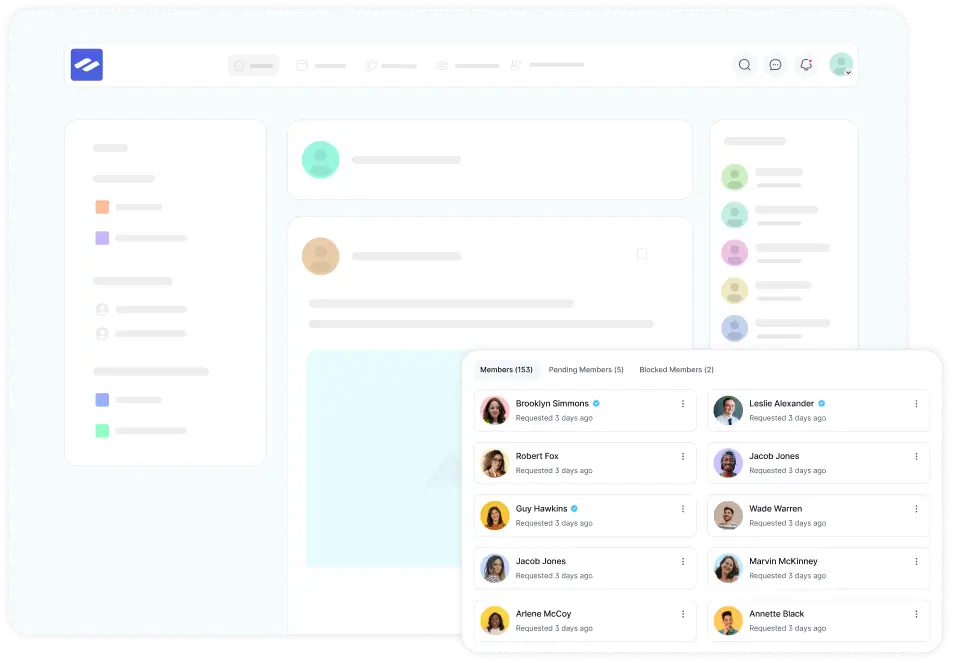
An alumni directory is only as useful as its profiles. Every FluentCommunity member gets a profile with a photo, cover image, bio, and social links. The member directory lets people search by name, username, or profile keywords, and sort by last activity or joining date.
With Pro, custom profile fields let you ask alumni-specific questions like these:
- Years at the company
- Last team or department
- Current role and company
- Open to mentoring
- Home city or region
Keep sensitive signals, like “open to returning,” out of public profiles. Track that privately in FluentCRM instead, so nobody’s new employer stumbles across it.
Badges add a light layer of recognition. Try “Founding Member,” “Alumni Mentor,” or “Boomerang” for people who came back. Admins can assign badges by hand, and FluentCRM’s bulk actions can add a badge to a whole segment at once.
Step 7: Seed the Network Before You Launch
Nobody wants to be the first person in an empty room. So don’t open the doors until the room has people in it.
Invite a founding group of 20 to 50 friendly alumni first. These are people who left on good terms and still answer your messages. Use an invitation link with a use limit so the group stays small and personal.
Before the wider launch, aim for at least ten real posts like these:
- A welcome note or short video from a senior leader
- Two or three “where are they now” alumni spotlights
- A roundup of current open roles
- An “ask me anything” thread with a well-known former colleague
- A poll asking alumni what they want from the network
Then send the wider invite. New members land in a feed that already feels alive.
Step 8: Run a Simple Monthly Rhythm
Communities don’t stay active on their own. A predictable rhythm does most of the work, and it’s easy to share across a small team.
| How often | What to post | Owner |
| Weekly | Open roles roundup in Careers and Comebacks | HR |
| Every two weeks | A discussion prompt or poll in Ask the Network | Community host |
| Monthly | One alumni spotlight and one company update | Internal comms |
| Quarterly | A virtual meetup or AMA with a leader | Program owner |
| Yearly | A reunion or alumni awards post | Program owner |
FluentCommunity’s email digest helps bring back members who haven’t logged in lately. FluentCRM can handle targeted emails, such as a friendly check-in with people who left about a year ago.
That timing isn’t random: LinkedIn data reported in 2021 put the average boomerang return at about 17 months.
A 90-Day Launch Plan for Your Alumni Network
If you like checklists, here’s a realistic timeline for a small HR team. Adjust the pace to your company’s size.
| Weeks | Focus | You’re done when |
| 1 to 2 | Goal, owner, eligibility rules, consent text | A one-page program brief is approved |
| 3 to 4 | Subdomain, FluentCommunity setup, spaces, branding | A test alumni account can log in and post |
| 5 to 6 | Exit-day form and FluentCRM tag workflow | A test submission becomes a member automatically |
| 7 to 8 | Founding group invited, first ten posts live | At least 20 founding members are active |
| 9 to 10 | Wider launch to past leavers you can reach | Launch email sent and landing page live |
| 11 to 12 | First monthly rhythm and early review | Baseline metrics are recorded |
How to Measure Your Corporate Alumni Network’s Success
Measure your alumni network like a program, not a feeling. Pick a few metrics tied to your goal from Step 1, then record a baseline in the first 90 days. Your own baseline beats borrowed benchmarks, since many published ones don’t show a source.
| Metric | How to calculate it | Where to track it |
| Exit opt-in rate | Leavers who submit the form divided by total leavers | Fluent Forms and HR data |
| Activation rate | New members who post or comment within 30 days | FluentCommunity |
| Monthly active members | Members active this month divided by total members | FluentCommunity reports |
| Boomerang hires | Hires who came through the network | Your ATS, with a source tag |
| Alumni referrals | Candidates referred by alumni | Your ATS or a referral form |
| Event turnout | Sign-ups and attendees per event | Fluent Forms and your attendee list |
FluentCommunity includes built-in reporting for member activity and engagement. Pair it with FluentCRM tags, and you can see which alumni segments engage and which ones went quiet.
If you only watch one number, make it the exit opt-in rate. When it’s low, nothing downstream can fix it.
Corporate Alumni Network Examples Worth Learning From
You don’t need a giant budget to borrow good ideas. These three examples each teach one practical lesson.
World Economic Forum: Forum Circle
The World Economic Forum built Forum Circle as its corporate alumni network. It shares job opportunities posted by alumni and regularly asks members how they see the organization. The lesson: treat alumni as advisors, not only as a talent pool.
P&G Alumni Network
The P&G Alumni Network was founded in 2001 by former employees and now includes around 50,000 people. It isn’t formally part of P&G, but the company supports it and allows use of its name. The lesson: alumni-led energy plus company backing can last for decades.
LinkedIn’s Own Boomerang Strategy
LinkedIn practices what its data shows. It reportedly doubled its new hires from its alumni network in 2021 by extending referral bonuses to alumni and targeting job ads at them. The lesson: give alumni a real reason to refer and return.
Start With the Opt-In, Then Build the Network
A corporate alumni network isn’t really a software project. It’s a promise you make on someone’s last day: we’d like to stay in touch, and here’s a place to do it. Keep that promise small and real, and alumni will show up.
So start this quarter. Add the opt-in form to your offboarding checklist first, even before the community is ready. Every person who opts in now is someone you can still reach later.
When you’re ready to build the network itself, FluentCommunity gives you spaces, profiles, a member directory, and FluentCRM automation on a WordPress site you own. Install the free version, set up three spaces, and invite five friendly alumni to test it with you. That small group will teach you more than any planning document.
Frequently Asked Questions
Is a Corporate Alumni Network Only for Large Companies?
No. Smaller companies often benefit the most, because every rehire and referral matters more to a small team. A WordPress-based alumni network with a handful of spaces can run on a few hours a week.
Should Current Employees Be Allowed in the Alumni Network?
A few should. Recruiters, a community host, and some well-known leaders make the network feel connected to the company. Keep the full workforce out, though, so alumni feel free to talk openly.
Can Alumni Use the Network to Post Jobs at Their New Companies?
Yes, and you should welcome it. A Referrals and Opportunities space where alumni share roles shows the network gives as much as it takes, which keeps people engaged.
Does FluentCommunity Have a Built-In Events Feature for Alumni Meetups?
FluentCommunity’s documentation doesn’t list a dedicated events module. Most teams announce events in a pinned post, collect sign-ups with Fluent Forms, and use group chat during virtual meetups.
How Much Does It Cost to Run an Alumni Network on WordPress?
Your main costs are WordPress hosting, a FluentCommunity Pro license if you need Pro features, and staff time. The free FluentCommunity plugin covers spaces, posts, comments, and polls, so you can test the idea before you buy anything.
What Data Should We Collect From Alumni?
Collect only what the network needs: name, personal email, last team, years worked, and a consent record. Keep sensitive details, such as interest in returning, in your private CRM rather than on public profiles.

Ashik Elahi
Ashik Elahi is a seasoned Digital Marketing Strategist with a passion for Content Marketing. He believes in the power of storytelling and crafting valuable content that resonates with readers.
Add your first comment to this post