

FluentCommunity: The Best Online Microlearning Platform for WordPress

Table of Content
Subscribe To Get
WordPress Guides, Tips, and Tutorials


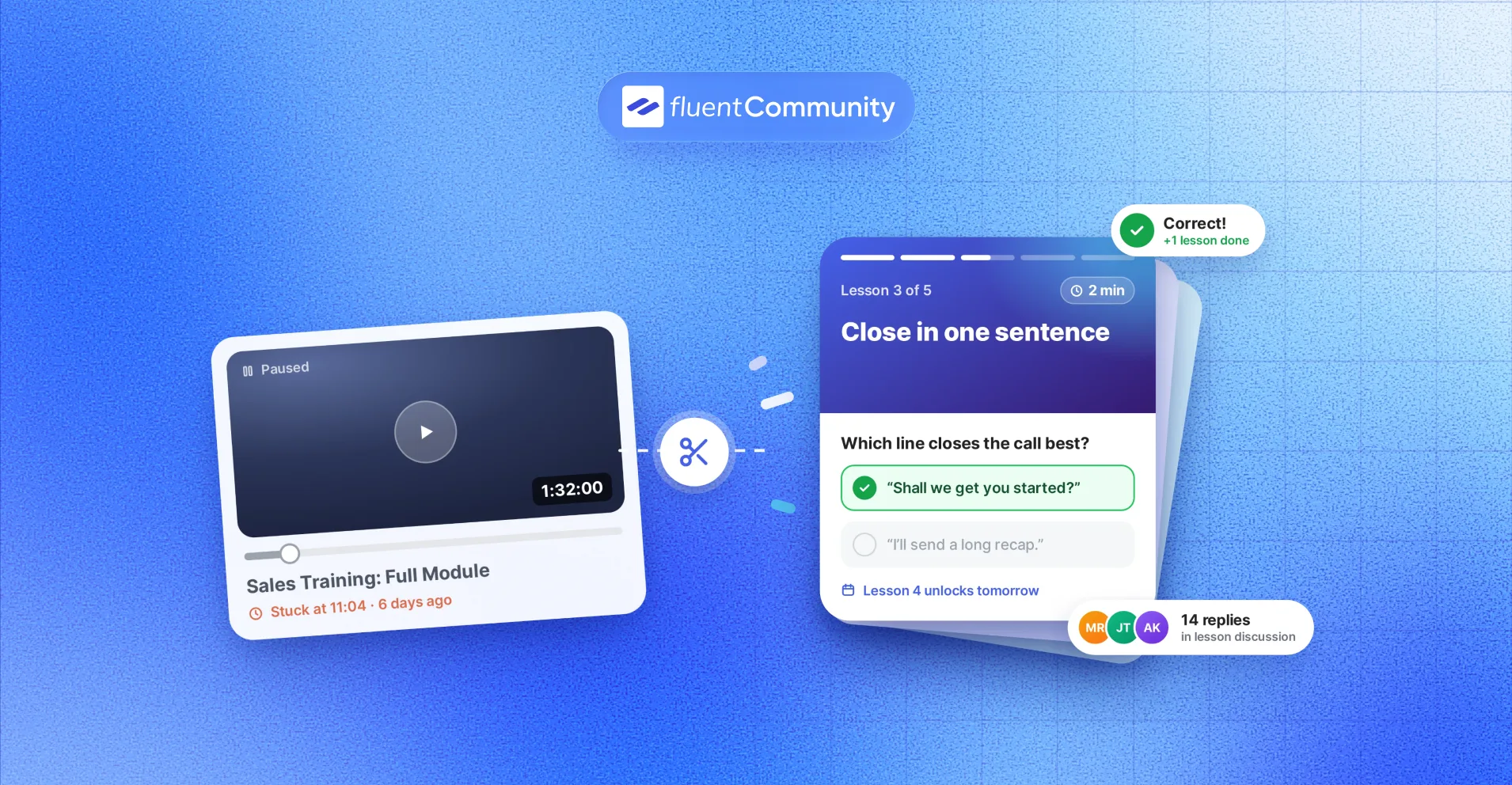
A sales rep with nine free minutes between calls. Certainly, she won’t open a 90-minute training module. She would finish a three-minute lesson, answer two quick questions, and try the idea on her very next call.
That small window is exactly what an online microlearning platform is built for.
Below, you’ll see what a good one needs, what the research really says, and how FluentCommunity turns WordPress into one.
Key Takeaways
- An online microlearning platform delivers short, single-goal lessons with quick checks and spaced release
- The science behind it (spacing and self-testing) is strong, but some popular microlearning stats are myths
- FluentCommunity combines a course builder, quizzes, drip schedules, and lesson discussions in one WordPress plugin
- You keep your members, content, and data on your own site, with pricing per site instead of per learner
What Is an Online Microlearning Platform?
An online microlearning platform is software that teaches in short, focused lessons, usually 2 to 10 minutes long, where each lesson covers one idea and ends with a quick check. It also tracks progress and releases lessons on a schedule, so learning happens in small, regular bites instead of one long session.
That’s the textbook version. In practice, a microlearning platform has three jobs:
- Make short lessons easy to create and easy to finish
- Make learners recall what they learned, not just read it
- Bring learners back on a steady rhythm
Researchers use similar limits. A 2024 meta-analysis in the Journal of Multidisciplinary and Translational Research describes ideal microlearning as two to seven minutes per unit and no longer than 15 minutes.
Microlearning vs a Regular Online Course
Here’s the simplest way to see the difference:
| Regular online course | Microlearning course | |
| Lesson length | 20 to 60+ minutes | 2 to 10 minutes |
| Goal per lesson | Several topics | One clear outcome |
| Pace | Learner binges or drifts away | Released in small doses over days or weeks |
| Checks | Big test at the end | Quick questions every few lessons |
| Best for | Deep theory, certifications | Skills, habits, onboarding, refreshers |
Think of it like the gym. One four-hour workout a month won’t do much. Fifteen focused minutes, three times a week, will. Microlearning applies that same logic to knowledge.
The Real Problem: People Want to Learn but Can’t Find the Time
Nobody searches for a microlearning platform because “short” sounds trendy. They search because long courses keep stalling.
Time is the wall most people hit. In June 2026 research commissioned by HR software firm MHR, nearly half of employers said staff get no formal time during the workday for learning, and 70% of HR leaders named limited employee capacity as the biggest barrier to effective training. You can read the summary of the MHR findings on HRreview.
Completion is the second wall. When MIT researchers studied six years of Harvard and MIT courses on edX, they found that completion rates stayed low and did not improve, even after years of investment in course design. A study in RIED, a peer-reviewed distance-education journal, notes that typical MOOC completion sits below 10%.
So the question isn’t “Do people want to learn?” They do. The real question is “Can your training fit into a busy Tuesday?” A good microlearning setup answers yes.
Why Microlearning Works (And Where the Hype Goes Too Far)
Plenty of blogs throw big numbers at this topic. Some hold up. Some don’t. Here’s what the evidence actually supports, with links so you can check it yourself.
The Forgetting Curve Is Real, but Read It Carefully
In 1885, Hermann Ebbinghaus measured how fast he forgot lists of nonsense syllables. In 2015, researchers Jaap Murre and Joeri Dros repeated his experiment and published the results in PLOS ONE. Their data looked a lot like the original: forgetting is steep in the first hours, then levels off.
One honest caveat. Those experiments used meaningless syllables, not real lessons. Material you actually understand fades more slowly. So don’t tell your learners they’ll forget “70% in a day.” Tell them forgetting is normal, and review is how you beat it.
Testing Yourself Beats Rereading
In a well-known 2006 study, Henry Roediger and Jeffrey Karpicke had students either reread a passage or practice recalling it. Rereading looked better on a test five minutes later. But a week later, the students who practiced recall remembered noticeably more than the rereaders.
In simple terms, a quick quiz isn’t just a grade. It’s part of the learning. That’s why quick checks belong inside a microlearning course, not only at the end.
Spacing Beats Cramming
A large 2006 review of distributed-practice studies by Cepeda and colleagues found that spreading study sessions out leads to better long-term retention than cramming the same amount of study into one sitting.
Short lessons released over days make spacing almost automatic.
What Microlearning Studies Actually Show
Direct research on microlearning is newer and smaller. That 2024 meta-analysis found microlearning groups scored about 12.6 points higher on post-tests than traditional learning groups. That’s encouraging.
Still, only five studies made it into the pooled analysis, and the confidence range was wide (1.2 to 23.9 points). Treat it as a positive signal, not a promise.
The Goldfish Stat You Should Stop Repeating
You’ve probably seen the claim that humans now have an 8-second attention span, shorter than a goldfish. A BBC investigation traced it back and found no real evidence behind it. Attention depends on the task, not a fixed timer.
Here’s why that matters. Microlearning doesn’t work because people are broken. It works because short lessons fit real schedules, and spacing plus self-testing fit how memory works.
What to Look for in an Online Microlearning Platform
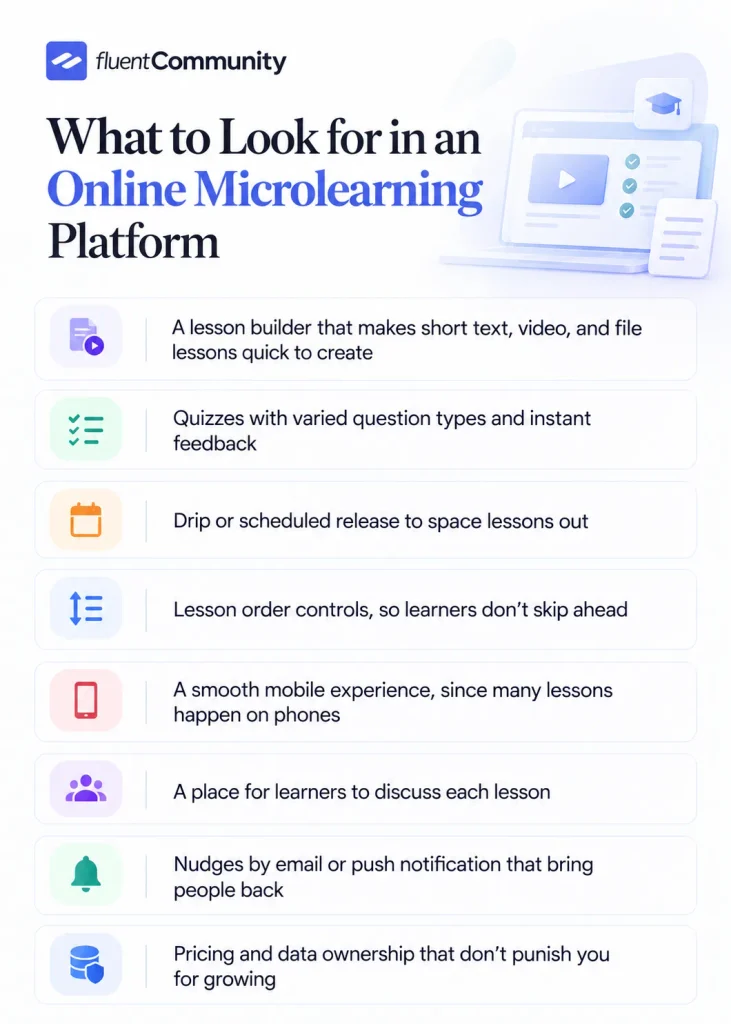
Before you compare tools, it helps to know which features actually support microlearning. Here’s the checklist I’d use for any online microlearning platform:
- A lesson builder that makes short text, video, and file lessons quick to create
- Quizzes with varied question types and instant feedback
- Drip or scheduled release to space lessons out
- Lesson order controls, so learners don’t skip ahead
- A smooth mobile experience, since many lessons happen on phones
- A place for learners to discuss each lesson
- Nudges by email or push notification that bring people back
- Pricing and data ownership that don’t punish you for growing
Most tools nail the first few. The last three are where many platforms fall short, and they’re often what decides whether learners actually finish.
Why FluentCommunity Works as a Microlearning Platform for WordPress
FluentCommunity is a WordPress plugin by WPManageNinja that combines a full course builder with a community platform: spaces, feeds, chat, and member profiles. At the time of writing, it runs on 8,000+ active WordPress sites with a 4.8 out of 5 rating, and version 2.12.0 shipped on October 16, 2026.
Here’s how the plugin lines up with that checklist.
Short Lessons Built in the Block Editor
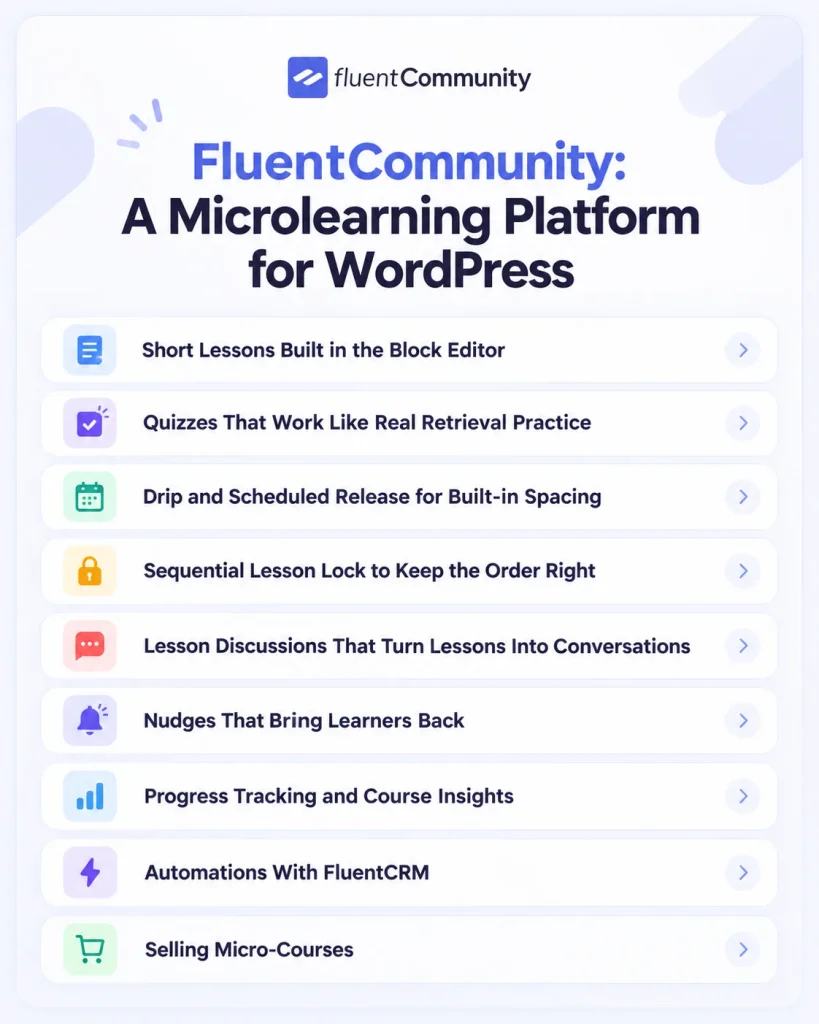
You build courses with sections and lessons. Sections work like chapters. Lessons are the short pages inside them. Content goes in through the familiar WordPress block editor, so you can mix text, images, embeds, and video without code.
The course creation guide walks through the setup.
A few lesson features matter a lot for micro-lessons:
- Video lessons through FluentPlayer, with a custom video length shown to learners
- An option to require video completion, or auto-complete the lesson when the video ends
- Downloadable lesson files, like cheat sheets, visible only to enrolled students
- One-click lesson and quiz duplication, so every lesson can follow the same template
That last one sounds small. Honestly, it’s a big deal. When every lesson follows the same “hook, idea, example, action” pattern, building 20 micro-lessons stops feeling like a chore.
Quizzes That Work Like Real Retrieval Practice
The Quiz Module (a Pro feature) is where FluentCommunity becomes a true microlearning tool. Recent updates added fill-in-the-blank, ordering, matching, and written-answer questions, plus a one-by-one quiz layout with a progress bar. You can shuffle questions and answers and add an explanation to each question.
Those explanations matter. Remember the testing research? Feedback right after a recall attempt is what turns a quiz into a lesson. Results are tracked per learner and can be exported as CSV.
Drip and Scheduled Release for Built-in Spacing
Every course has an enrollment type. Self-paced opens everything at once. Structured releases lessons over time based on when each student enrolls. Scheduled starts on a set date and releases new lessons on a fixed calendar. The course layouts and enrollment guide shows each option.
For microlearning, structured drip is usually the sweet spot. A new three-minute lesson every day or two gives you spacing without asking learners to plan it.
Sequential Lesson Lock to Keep the Order Right
Skills often build on each other. The Sequential Lesson Lock (Pro) makes learners finish lessons in order.
Pair it with quizzes, and nobody jumps to lesson six while lesson two is still fuzzy.
Lesson Discussions That Turn Lessons Into Conversations
This is where FluentCommunity differs from most microlearning tools. Every lesson can have its own discussion thread. Learners ask questions, share how they used the idea, and help each other. Instructors get notified about lesson comments, and you can require approval for first comments if you want tighter moderation.
Why does this matter for short lessons? A three-minute lesson can’t cover every edge case. The discussion thread can. And seeing a peer say “this worked for me” is a strong reason to open the next lesson.
Nudges That Bring Learners Back
Microlearning only works if people return. FluentCommunity supports course email notifications, email digests, and push notifications through FluentNotify.
There’s also a Progressive Web App module, so learners can install your portal on their phone’s home screen and open lessons like an app.
Progress Tracking and Course Insights
Learners see their progress as they move through a course, and you can see who finished, who stalled, and where. Version 2.12.0 added insights reporting for members, content, and courses.
If a learner wants a refresher, course progress can be restarted by the student or an admin.
Automations With FluentCRM
If you use FluentCRM, FluentCommunity can trigger automations when someone completes a lesson, a section, or a full course.
That opens up practical flows, like a “great job, here’s your bonus guide” email after module one, or a sales follow-up after a free mini-course ends.
Selling Micro-Courses
Short courses are easy to sell as low-price entry offers. FluentCommunity uses FluentCart for native monetization, with multiple pricing plans for courses and spaces.
You can also mark a lesson as a free preview, so visitors can try one bite before they buy. The course monetization guide covers the setup.
How to Build Your First Microlearning Course in FluentCommunity
Theory is nice. Let’s build one. This example uses a small course called “Sales Basics,” but the same steps work for onboarding, product training, or volunteer prep.
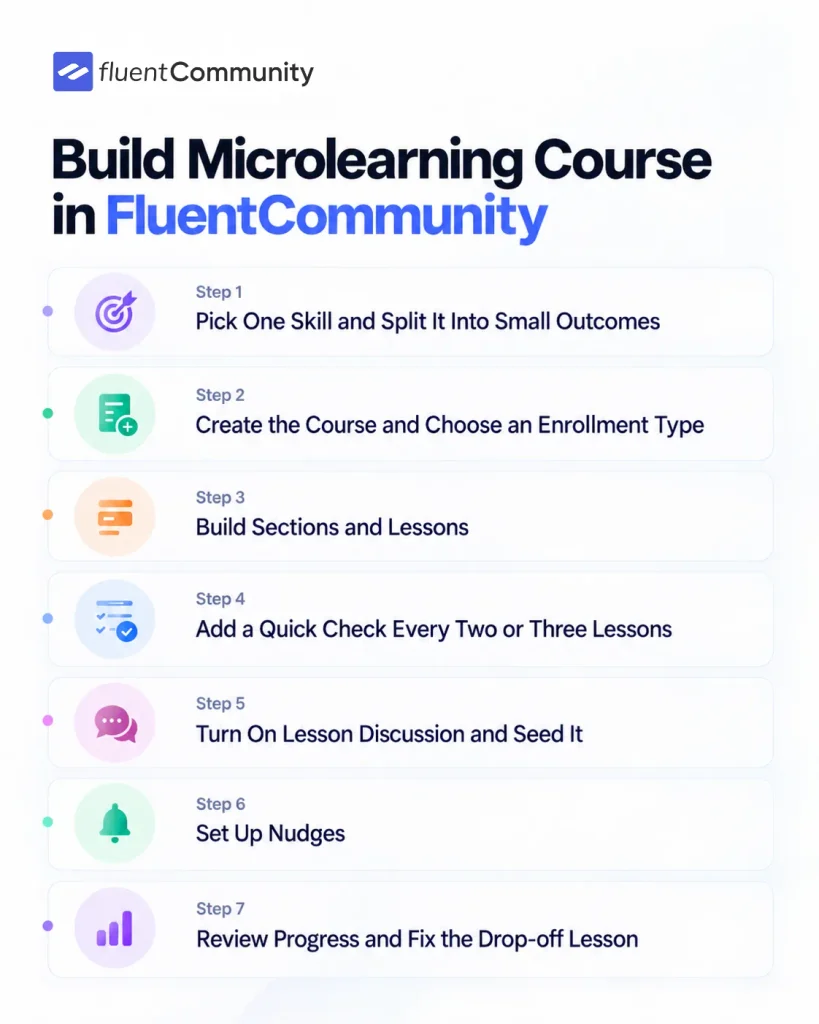
Step 1: Pick One Skill and Split It Into Small Outcomes
Start with the behavior you want, not the topics you know. “Close more calls” is too big. Break it into outcomes that each fit in a few minutes:
- Open with a question
- Handle the price objection
- Close in one sentence
- Follow up without nagging
Each outcome becomes one lesson. If a lesson needs more than 7 to 10 minutes, split it again.
Step 2: Create the Course and Choose an Enrollment Type
Go to Courses in your FluentCommunity portal, create a new course, and set its privacy.
Then open the enrollment settings and choose Structured if you want lessons released after each person enrolls, or Scheduled if your whole group starts together.
Step 3: Build Sections and Lessons
Add a section for each module and a lesson for each outcome. Use the same layout every time:
- A one-line hook that names the problem
- The idea, in a short video or a few paragraphs
- One real example
- One action to try today
Build your first lesson, then duplicate it as the template for the rest.
Step 4: Add a Quick Check Every Two or Three Lessons
Create a quiz with three to five questions. Mix formats, like one matching question and one fill-in-the-blank.
Add an explanation to every question so wrong answers still teach something. Turn on Sequential Lesson Lock if order matters.
Step 5: Turn On Lesson Discussion and Seed It
Leave comments enabled and post the first comment yourself, such as “Where would you use this line this week?”
Empty threads stay empty. One good prompt gets the ball rolling.
Step 6: Set Up Nudges
Enable course email notifications and the email digest. If you use push notifications, set them up so a new drip lesson lands on learners’ phones.
Don’t overdo it. One reminder per new lesson is plenty.
Step 7: Review Progress and Fix the Drop-off Lesson
After the first group runs through, check progress and insights. Look for the lesson where most people stop.
Usually it’s too long or too vague. Split it, tighten it, or add a clearer example. That one fix often does more than any new feature.
Microlearning Course Examples You Can Copy
Real users are already running short-format learning on FluentCommunity. One WordPress.org reviewer, Carly J Hahn, describes building a private community with multiple membership levels, courses, drip content, and workshops, while using FluentCart for payments and FluentCRM for automation.
Another reviewer, Louise S, says she moved from LearnDash to FluentCommunity and found it faster and easier to manage. You can read both on the plugin’s review page.
Here are starter blueprints you can adapt:
| Use case | Course shape | Release rhythm | Community angle |
| Coach | 5-day “first win” challenge, 5 lessons of 3 to 5 min | 1 lesson per day | Daily “share your result” thread |
| Ecommerce store | Product onboarding, 4 lessons of 2 to 4 min | Every 2 days after purchase | Customers swap tips and setups |
| Agency | Client training on their new site, 6 lessons | All at once, then a quiz | Questions go in lesson threads, not email |
| Nonprofit | Volunteer orientation, 4 lessons plus 1 quiz | Before the first shift | Volunteers meet before day one |
| Club or association | Member skills refresher, monthly micro-lesson | Scheduled, first Monday monthly | Discussion keeps members active |
| Internal team | New-hire onboarding, 10 lessons over 2 weeks | Structured drip | Private space for new hires |
If one of these looks like your situation, the FluentCommunity page for online course creators shows how course and community features fit together.
FluentCommunity vs SaaS Microlearning Platforms
Most “best microlearning platform” lists focus on SaaS tools built for corporate training teams. Those can be great products. They solve a different problem, though. Here’s a fair side-by-side:
| FluentCommunity | Typical SaaS microlearning tool | |
| Where it lives | Your WordPress site | Vendor’s cloud |
| Who owns member data | You | Stored with the vendor under their terms |
| Pricing model | Per site license | Often scales with users, seats, or authors (varies by vendor) |
| Community layer | Built in: spaces, feeds, chat, lesson discussions | Often limited or separate |
| Selling courses | Native with FluentCart | Not always included |
| Main audience | Creators, coaches, businesses, nonprofits, clubs | Corporate L&D teams |
On cost, FluentCommunity’s single-site annual license is listed at $199 per year, and lifetime licenses start at $399. Promotions change often, so check the current FluentCommunity pricing before you budget.
A free version is also available on WordPress.org.
When FluentCommunity Isn’t the Right Fit
No tool fits everyone. You may want a different platform if:
- You need SCORM or xAPI packages for formal compliance reporting.
- You want an AI tool that writes whole courses for you from a document
- Your learners are frontline staff who won’t have site logins
- Nobody on your team is comfortable running a WordPress site
For everyone else, especially if you already run WordPress, owning the platform is usually the smarter long-term move.
Microlearning Design Tips That Raise Completion
Features help, but design decides results. These habits make the biggest difference:
- Name lessons as outcomes, like “Close in one sentence,” not “Module 3”
- Keep one idea per lesson, even if that means more lessons
- End every lesson with one action learners can try today
- Add a quick check every two or three lessons, with explanations
- Release lessons on a steady rhythm learners can predict
- Reply to early comments yourself during the first week
None of these need extra software. They just need a platform that makes them easy, which is the whole point.
Conclusion
Microlearning isn’t about squeezing knowledge into tiny boxes. It’s about respecting how people actually learn: in short bursts, with recall, spaced over time, and ideally with other people around. Most platforms handle the short lessons. Fewer handle the conversations, the nudges, and the ownership.
If you already run WordPress, FluentCommunity gives you all of it in one plugin. Start small. Build one five-lesson micro-course around a single skill, turn on drip release and lesson discussions, and watch where learners stall. You’ll learn more from that first run than from any feature list.
Ready to try it? Get FluentCommunity and build your first microlearning course this week, or start with the free version from WordPress.org to test the course builder first.
Frequently Asked Questions
Is FluentCommunity Free to Use for Microlearning?
FluentCommunity has a free version on WordPress.org that includes the course builder and community features. Some microlearning essentials, including the Quiz Module and Sequential Lesson Lock, are part of the Pro version.
What’s the Difference Between Microlearning and a Mini-Course?
Microlearning is the method: short, focused lessons with recall and spacing. A mini-course is a format: a small course with only a few lessons. A good mini-course usually uses microlearning, but a long course can use it too.
Can I Sell Microlearning Courses With FluentCommunity?
Yes. FluentCommunity uses FluentCart for native course and space monetization, including multiple pricing plans. You can also offer free preview lessons so visitors can try a lesson before buying.
Does FluentCommunity Work Well on Mobile?
Yes. The portal is built for phones, and the Progressive Web App module lets learners install it on their home screen. Push notifications through FluentNotify can alert learners when a new lesson is ready.
Can I Use FluentCommunity for Employee Training?
Yes, for onboarding, product training, and skill refreshers. You can run private courses, drip lessons, and track progress. If you need SCORM packages or formal compliance audit reports, a corporate LMS may suit you better.
Does Microlearning Replace Full-Length Courses?
Not always. Microlearning is great for skills, habits, onboarding, and review. Deep subjects still need longer study. Many creators use both: a full course for depth and micro-lessons for practice and refreshers.

Ashik Elahi
Ashik Elahi is a seasoned Digital Marketing Strategist with a passion for Content Marketing. He believes in the power of storytelling and crafting valuable content that resonates with readers.
![SEO Title: 5 Best Community Portal Software [WordPress + SaaS Options]](https://fluentcommunity.co/wp-content/uploads/2026/10/community-portal-software-featured-1-1024x536.webp)

Add your first comment to this post