

Private Community Platform: What It Is and How to Choose the Right One

Table of Content
Subscribe To Get
WordPress Guides, Tips, and Tutorials


Every creator, coach, and course seller eventually runs into the same wall: an audience that’s big but not really connected. People buy, watch, or read, and then they leave. A private community platform is the tool that fixes this because it gives your audience a gated space to talk to each other and to you, rather than scattering across comment sections and inboxes.
The creator economy, which is where most private communities live today, is growing fast enough to prove this isn’t a niche idea anymore. According to Precedence Research, the global creator economy market was valued at USD 254.4 billion in 2025 and is projected to reach USD 2,084.57 billion by 2035. Subscription platforms are among the fastest-growing segments in that market, driven specifically by community-based tiered memberships and paid courses. That growth is coming from businesses that have realized an email list doesn’t build loyalty the way a community does.
However, “private community platform” isn’t one specific product. It’s a category, and the options inside it range from standalone SaaS tools to WordPress plugins you install on your own site. This post breaks down what a private community platform actually is, what separates a good one from a mediocre one, and how to decide which type fits your situation, including how these platforms handle courses and learning content for anyone running an LMS alongside their community.
What Is a Private Community Platform?
A private community platform is software that lets you create a members-only space online, one where only approved, invited, or paying members can see and participate in the conversation. Unlike a public Facebook group or an open forum, access is controlled. You decide who gets in, and you can revoke that access just as easily.
The “private” part is what makes it useful for business. A public group is searchable and open to anyone, which sounds good for reach but works against you when you’re trying to build something exclusive, whether that’s a paid membership, a client portal, or a course community where only enrolled students should see the material.
Most platforms in this category actually support a few levels of privacy, not just one. Public spaces are open to anyone. Private spaces are visible in a directory but require approval or payment to join. Secret spaces are completely hidden and can only be found through a direct link. Knowing this distinction matters because a lot of buyers assume “private” means one fixed setting, when in reality it’s a spectrum you can apply differently across different parts of your community.
Why Businesses Are Moving Toward Private Communities?
The shift toward private community platforms didn’t happen by accident. A few things pushed it forward at the same time.
First, algorithm-based platforms like Facebook and Instagram stopped being reliable for reaching an audience organically. Posts get buried, group activity fluctuates with algorithm updates, and none of it is owned by the business running it. A private community platform, especially one hosted on your own domain, removes that dependency entirely.
Second, gated access creates real value. When something is free and public, people skim it and move on. When it’s private and members-only, people treat it differently, because getting in required an action, whether that’s a payment, an application, or an invitation. That small barrier changes behavior in a way open groups can’t replicate.
Third, and perhaps most practically, private communities are a retention tool. Course creators noticed that students who had a place to ask questions and see other people’s progress finished more of the course and renewed more often. Coaches saw the same pattern with clients. Once people are talking to each other inside your space, they have a reason to stay that goes beyond the content itself.
Key Features to Look for in a Private Community Platform
Not all private community platforms are built the same, and the differences show up fast once you’re actually running one. A few features are worth checking before you commit to any tool.
Granular access control. You should be able to set different privacy levels for different spaces within the same community, rather than being locked into one setting for everything. A general welcome area might stay public, while your paid course space stays private or secret.
Membership and payment integration: A private community platform is only as useful as its ability to connect access to payment. Look for a tool that ties directly into a payment system, so buying a membership automatically grants access and cancelling automatically removes it, without you manually managing a spreadsheet of who paid.
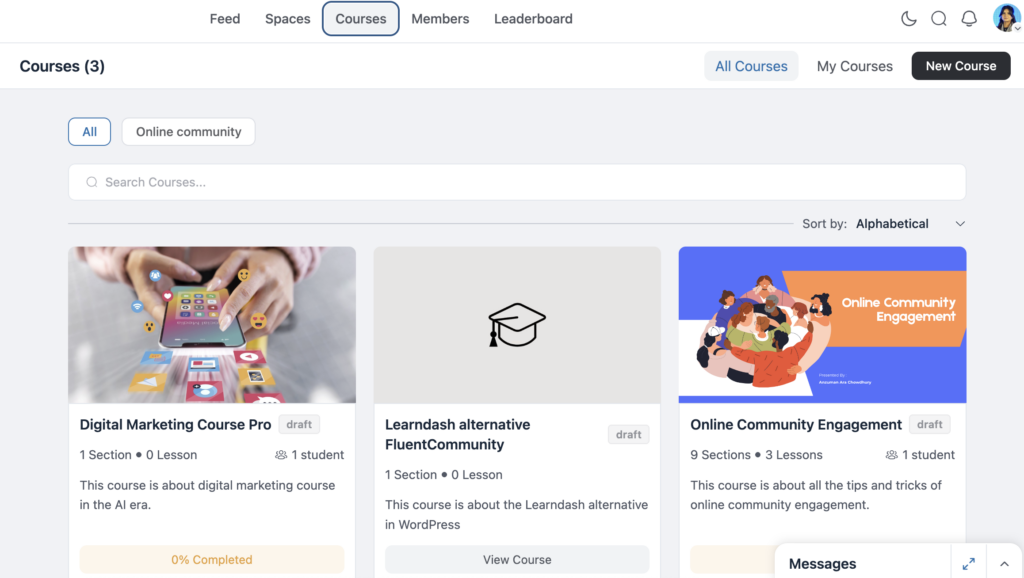
Course or LMS functionality: Many private communities exist specifically to support paid learning. If that’s your use case, check whether the platform includes course and lesson tools natively, or whether you’d need a separate LMS plugin stitched on top. A built-in course builder, with modules, lessons, and quizzes, keeps the community and the learning experience in the same place instead of splitting your members between two disconnected tools.
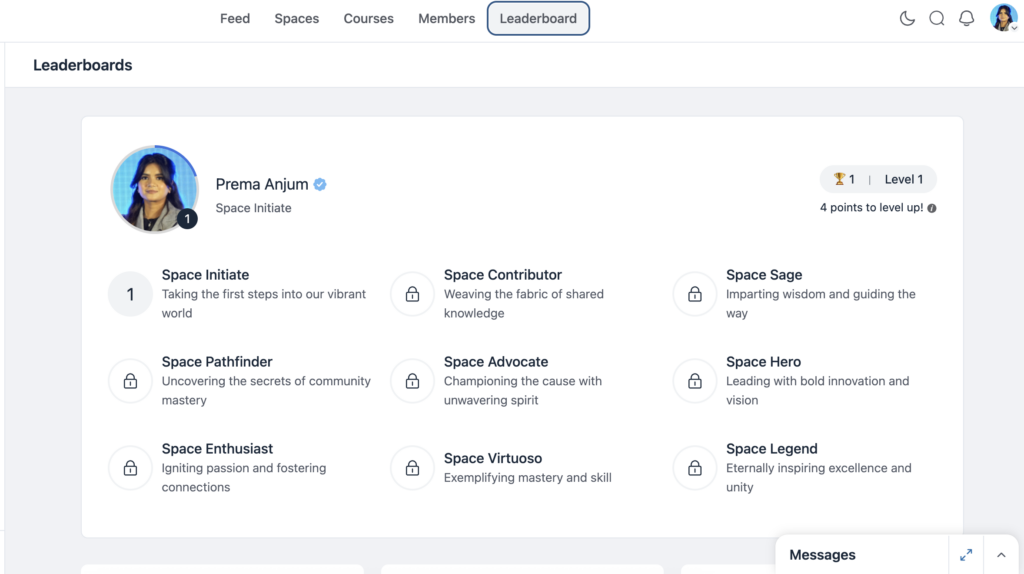
Engagement tools: Real-time chat, activity feeds, leaderboards, and polls all give members a reason to come back regularly instead of checking in once and disappearing. A community with no ongoing activity starts to feel like a ghost town, and that reputation spreads fast among members.
Ownership of data and design: Some platforms let you fully customize the look of your community and keep full control of your member data. Others limit you to their branding and their servers. This distinction matters more the longer you run the community, since switching platforms later means migrating an entire member base.
SaaS Community Platforms vs. WordPress-Based Alternatives
There are two broad paths to building a private community platform, and the choice between them shapes almost everything else.
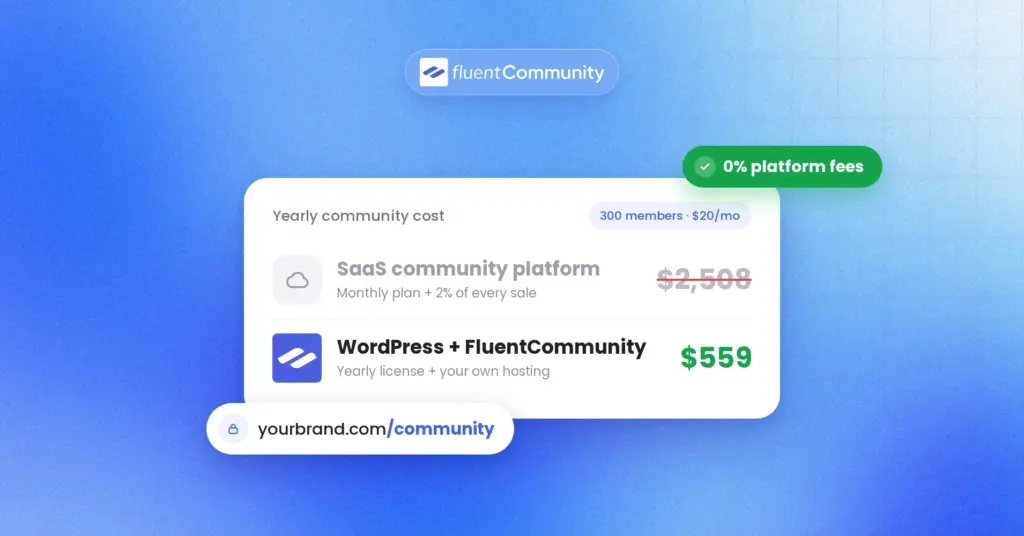
SaaS platforms, such as Circle or Skool, host everything on their servers. You sign up, pay a monthly fee, and build your community inside their interface. This route is fast to launch, but it comes with tradeoffs: monthly costs that scale with your member count, limited design flexibility, and the fact that your community lives on someone else’s platform. If that platform changes its pricing, features, or terms, you have limited recourse.
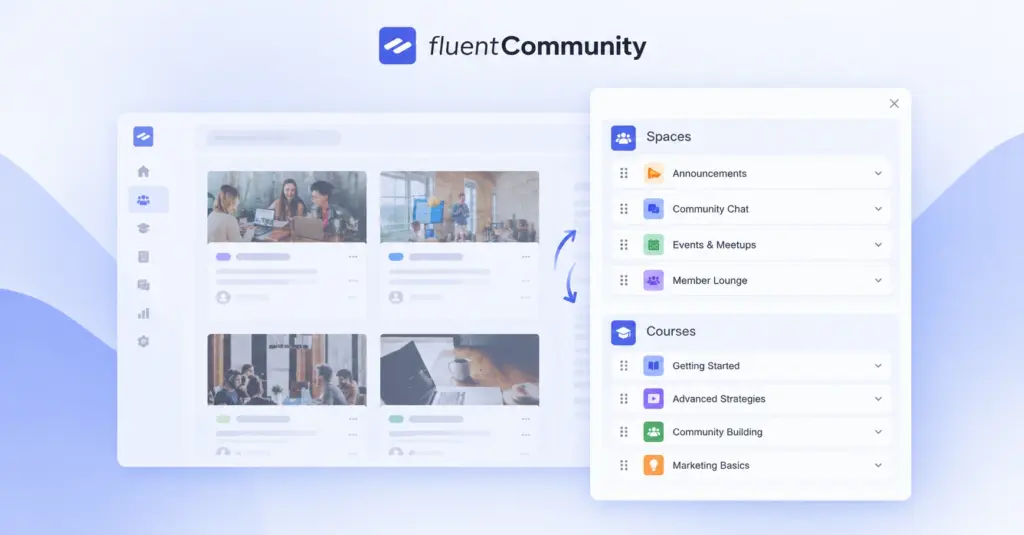
WordPress-based platforms, on the other hand, live directly on your own site. A plugin like FluentCommunity adds spaces, courses, chat, and member management to a WordPress install you already own. Because you’re not paying a recurring platform fee or a revenue cut, the cost structure looks completely different over time. You pay once for the plugin license, and everything from that point on belongs to you, including the domain, the database, and the member relationships.
The WordPress route does require a bit more setup upfront. You need reliable hosting, and for real-time features like chat, that generally means something more capable than basic shared hosting. That said, for anyone already running a WordPress site for their business, adding a private community platform this way keeps everything under one roof instead of splitting your brand across two separate domains.
Neither path is universally “better.” A SaaS platform makes sense for someone who wants to launch this week and doesn’t mind an ongoing subscription. A WordPress-based platform makes more sense for someone building a long-term asset who wants full ownership and lower recurring costs.
Private Communities and LMS Platforms: Where They Overlap?
A private community platform and a learning management system solve related but different problems, and the overlap between them is worth understanding if you’re selling courses.
An LMS is built to deliver structured content: lessons, modules, progress tracking, quizzes. A private community platform is built to connect people around that content, or around anything else you want to gate. When these two things live in separate tools, students end up split between a course portal and a community forum, checking two logins instead of one.
The more effective setup combines them. A private community platform with built-in course tools lets a student enroll, complete lessons, and post questions about those lessons in the same space, without switching tabs or accounts. Because the course and the community share the same membership system, enrolling in a course can automatically grant access to a matching private space, and completing it can trigger the next step in the sequence, whether that’s a certificate, an upsell, or an invitation to an alumni group.
This matters for retention specifically. Students in a standalone LMS with no community layer tend to finish at lower rates, mostly because there’s no social accountability pulling them back in. Adding a private, gated community around the course material gives students a reason to log back in beyond just the next lesson: to see what others are asking, to compare progress, and to get help when they’re stuck.
Who Actually Needs a Private Community Platform?
Not every business needs one of these right away, but a few situations make the case fairly obvious.
Course creators and coaches selling paid programs benefit the most directly, since the community becomes the retention layer for their content. Membership-based businesses, whether that’s a subscription box, a paid newsletter, or a recurring service, use private communities to justify the “membership” part of the pricing beyond just the product itself.
Agencies and consultants sometimes build private client portals this way, giving each client (or group of clients) a gated space instead of a shared inbox thread. SaaS companies increasingly build private user communities for support and feedback, cutting down repetitive support tickets by letting users answer each other.
If none of those describe your situation, a public group might still serve you fine for now. But once you introduce payment, exclusivity, or structured learning into the mix, a private community platform stops being optional and starts being the thing that makes the rest of the business model work.
Common Mistakes to Avoid When Setting One Up
Even with the right platform, a few habits tend to sink a private community before it gets going.
Making everything private from day one. A community with zero public visibility has nothing pulling new members in. Keep a small public or preview space open so prospective members can see the kind of conversation happening inside before they commit to joining.
Ignoring the first week. Members who don’t get a welcome message, a clear starting point, or a reason to post in their first few days tend to go quiet permanently. A short welcome sequence, whether that’s an automated email or a pinned post, matters more than any feature on the platform.
Treating the community and the course as separate products. If you’re running an LMS alongside your community, don’t make students hunt for the right space to ask a question. Link enrollment directly to community access so the two feel like one experience, not two logins.
Overloading it with features on launch. Chat, leaderboards, polls, and courses all sound useful, but turning them all on at once, before you have enough members to make any of them feel active, makes the space feel empty rather than exclusive. Start with one or two core spaces and add features as engagement grows.
Getting Started
Choosing a private community platform comes down to answering a few honest questions: how much control do you want over your data and design, how much are you willing to pay monthly versus once, and does your use case involve courses that need to live alongside the conversation.
For most creators and businesses already on WordPress, a plugin-based platform like FluentCommunity offers the closest thing to a complete answer, combining private spaces, courses, and engagement tools without adding a second monthly bill or a second domain to manage. For anyone starting from scratch with no existing website, a SaaS platform gets you moving faster, at the cost of long-term flexibility.
Either way, the goal is the same: give your audience a reason to stay connected to each other, not just to your content. That’s the difference between a list of people who bought something once and a community that keeps showing up.

Prema Anjum
My full name is Anzuman Ara Chowdhury. But people know me as Prema Anjum. I’m a Digital Marketer by profession, a WordPress community contributor, and a travel enthusiast by heart.
![SEO Title: 5 Best Community Portal Software [WordPress + SaaS Options]](https://fluentcommunity.co/wp-content/uploads/2026/10/community-portal-software-featured-1-1024x536.webp)

Add your first comment to this post