

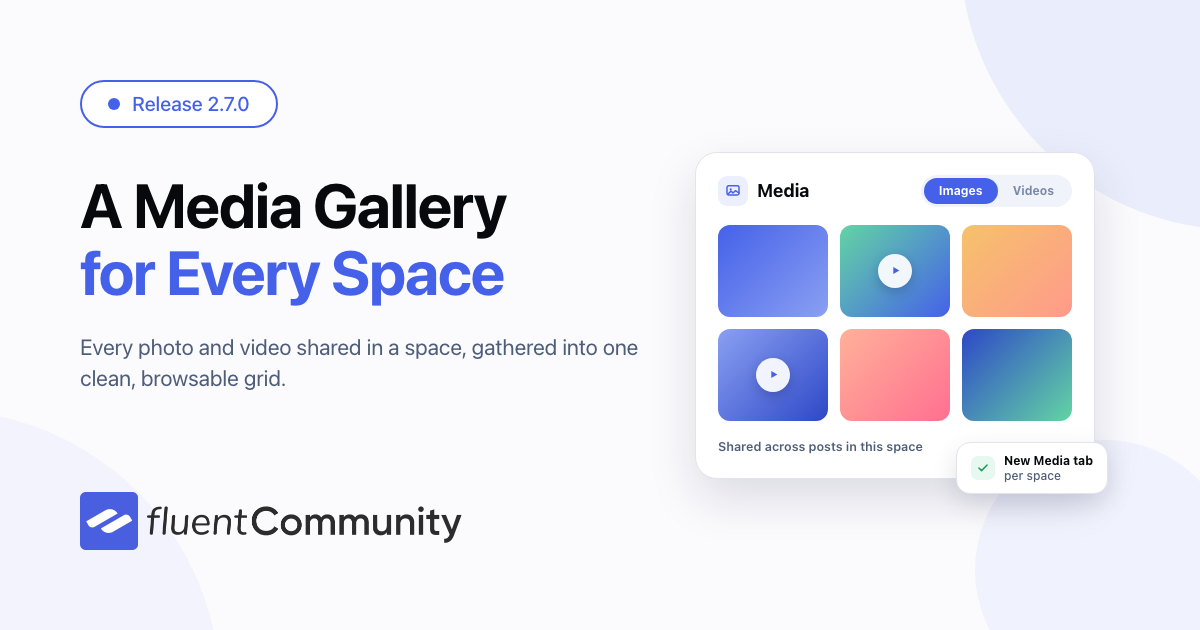
FluentCommunity 2.7.0: A Space Media Gallery, FluentPlayer Lesson Controls and Smarter Moderation

Table of Content
Subscribe To Get
WordPress Guides, Tips, and Tutorials


FluentCommunity 2.7.0 is here, and it is all about giving you more control over your community — how members share media, how you keep discussions healthy, and how your portal feels to use every day.
At a glance, this release brings a brand-new Space Media Gallery, a smarter member moderation workflow, and a collapsible sidebar for a cleaner, more focused portal. On top of that, there are email invites, profile headlines, faster feeds, and a long list of fixes.
A Media Gallery for Every Space
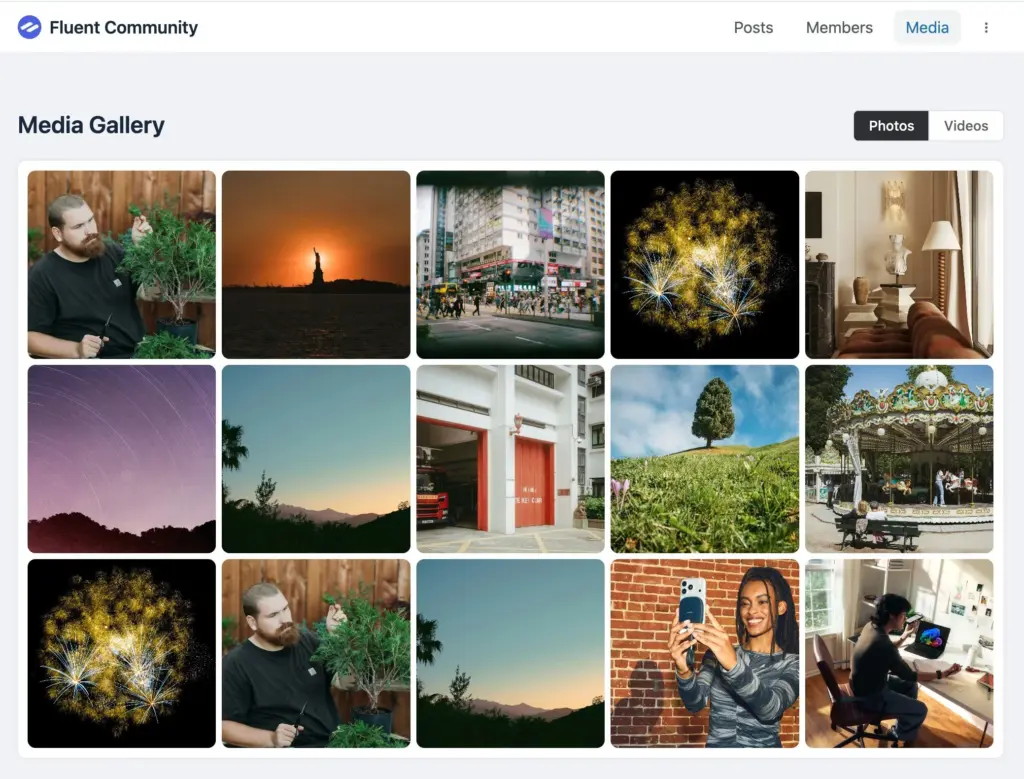
Photos and videos are some of the most engaging things your members share — but they used to get buried in the feed. The new Space Media Gallery (pro) gathers all the images and videos shared in a space into one clean, browsable grid.
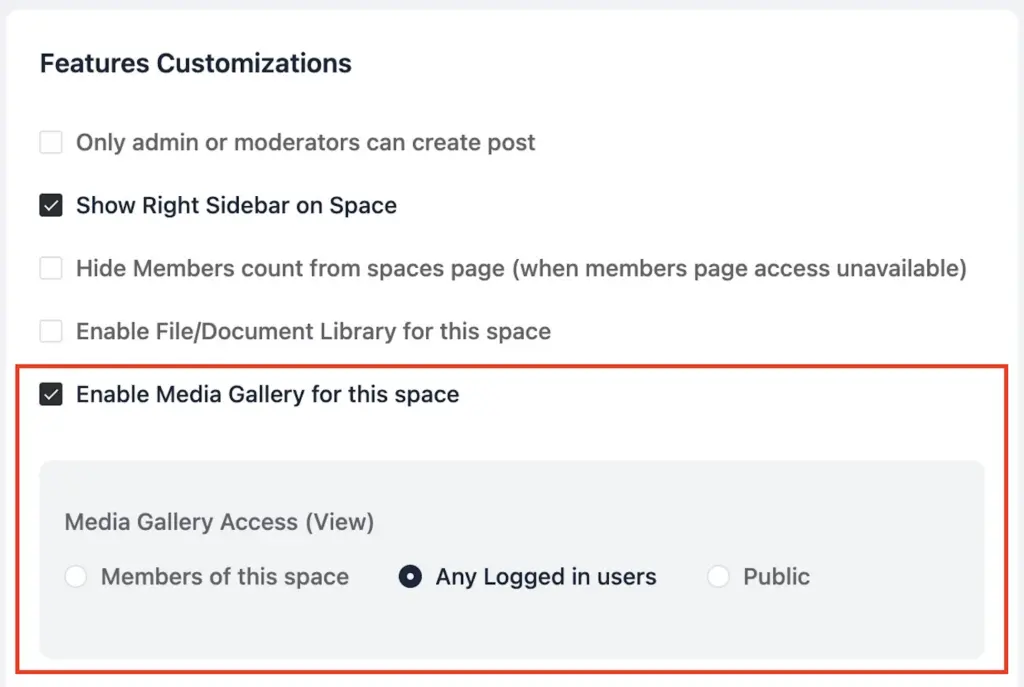
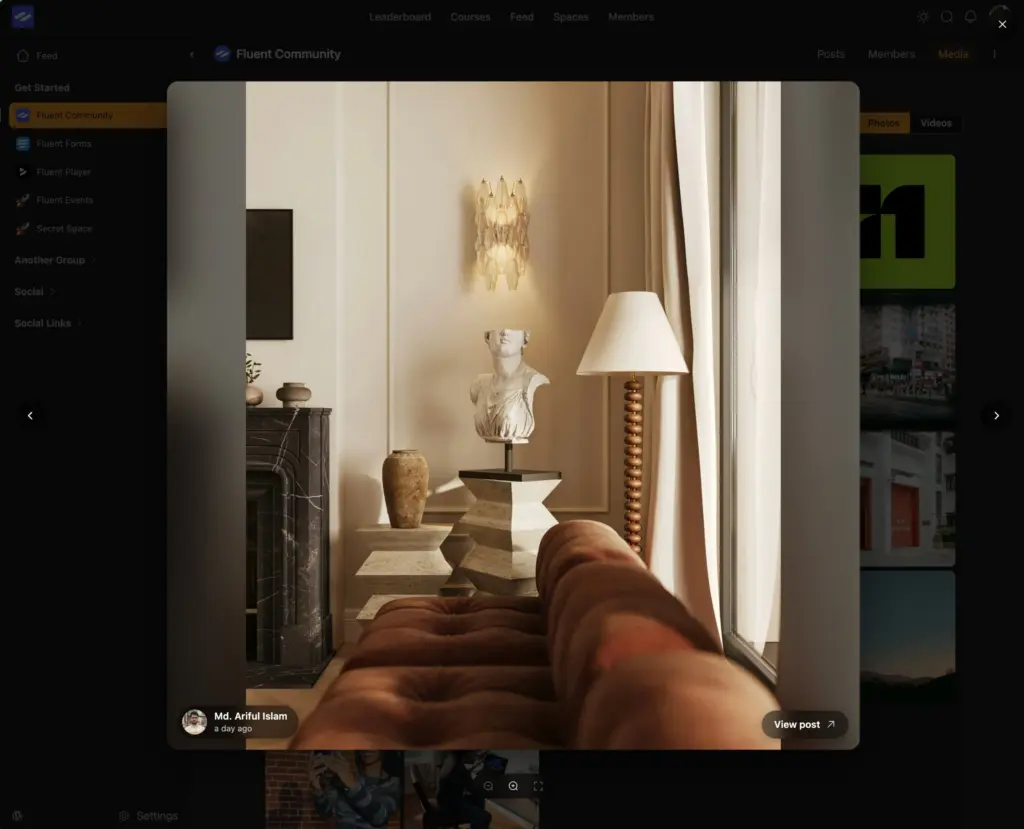
A new “Media” tab appears in the space, with simple toggles to switch between images and videos. Members can open any item in a modern lightbox and jump straight back to the original post. The gallery is off by default — just enable the Media Gallery from the space settings to switch it on, so you decide exactly where a gallery makes sense.
FluentPlayer Video for Lessons
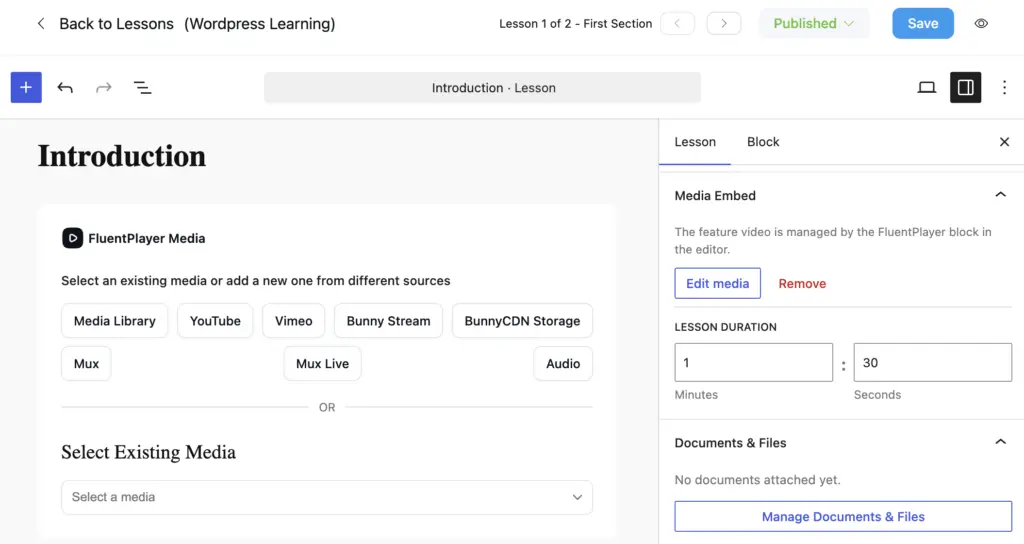
Course creators can now use a FluentPlayer video block as a lesson’s feature media, right from the lesson editor. It is a cleaner way to lead a lesson with video while keeping everything managed in one place.
Tie Lesson Completion to Your FluentPlayer Video
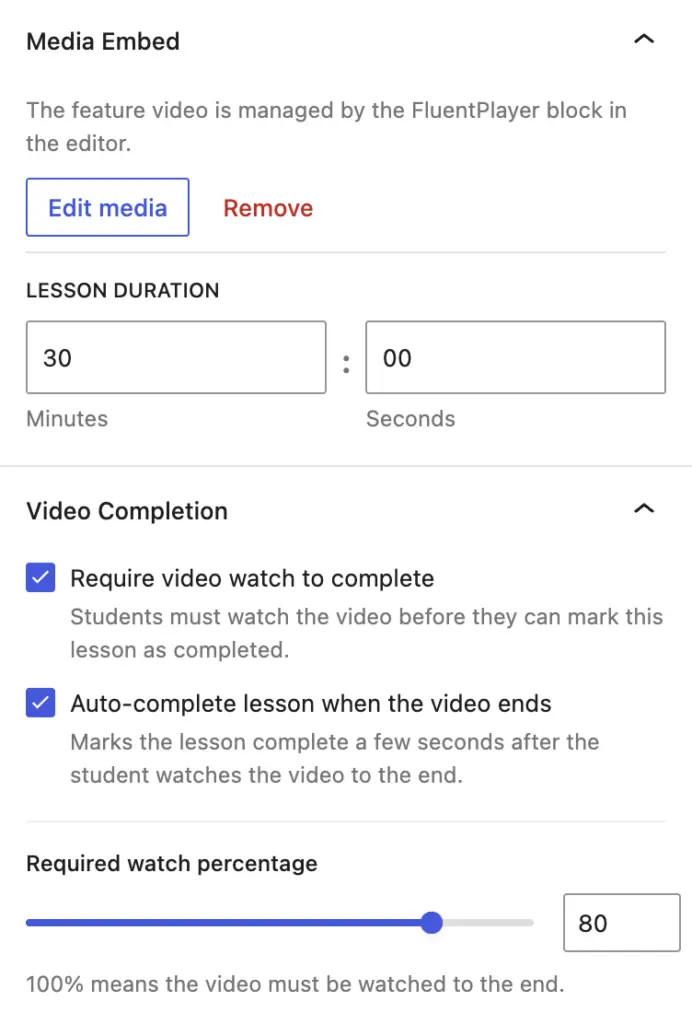
Video lessons now know whether students actually watched. A new option on the lesson’s FluentPlayer feature video lets you require video completion before a lesson can be marked complete. Watch coverage is tracked as the video plays — skipping ahead does not count — and you set the threshold, so a student has to genuinely reach the end before ticking the box.
Prefer a hands-off flow? Turn on auto-complete instead, and the lesson marks itself done the moment the feature video ends — no extra click, students just move on to what is next.
Smart Moderation, Auto-Flag and Per-Member
Keeping a community healthy takes work, so we added two tools to make it lighter. With auto-flag thresholds (pro), a member’s new posts and comments are automatically sent for review once enough different people report them. It counts distinct reporters, not raw report counts, so a single unhappy user cannot game the system. You choose the number, and it stays off until you set it.
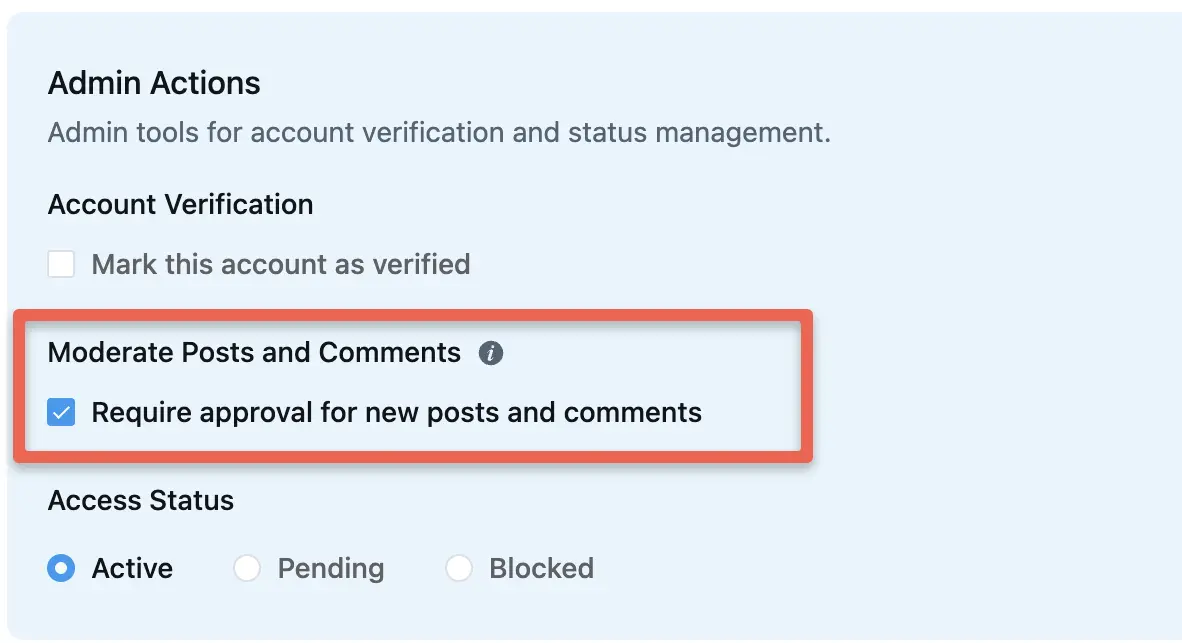
You can also flag a member by hand. A new “Moderate Posts and Comments” (pro) toggle on a member’s profile routes everything they post into your review queue. Admins and moderators cannot be flagged, so your team stays out of the way.
A Collapsible Sidebar for a Focused Portal
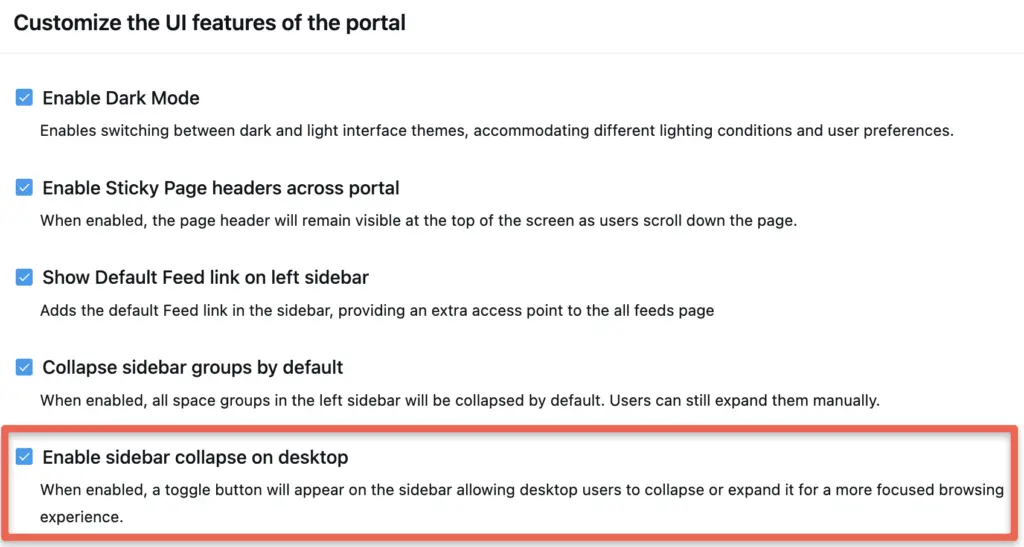
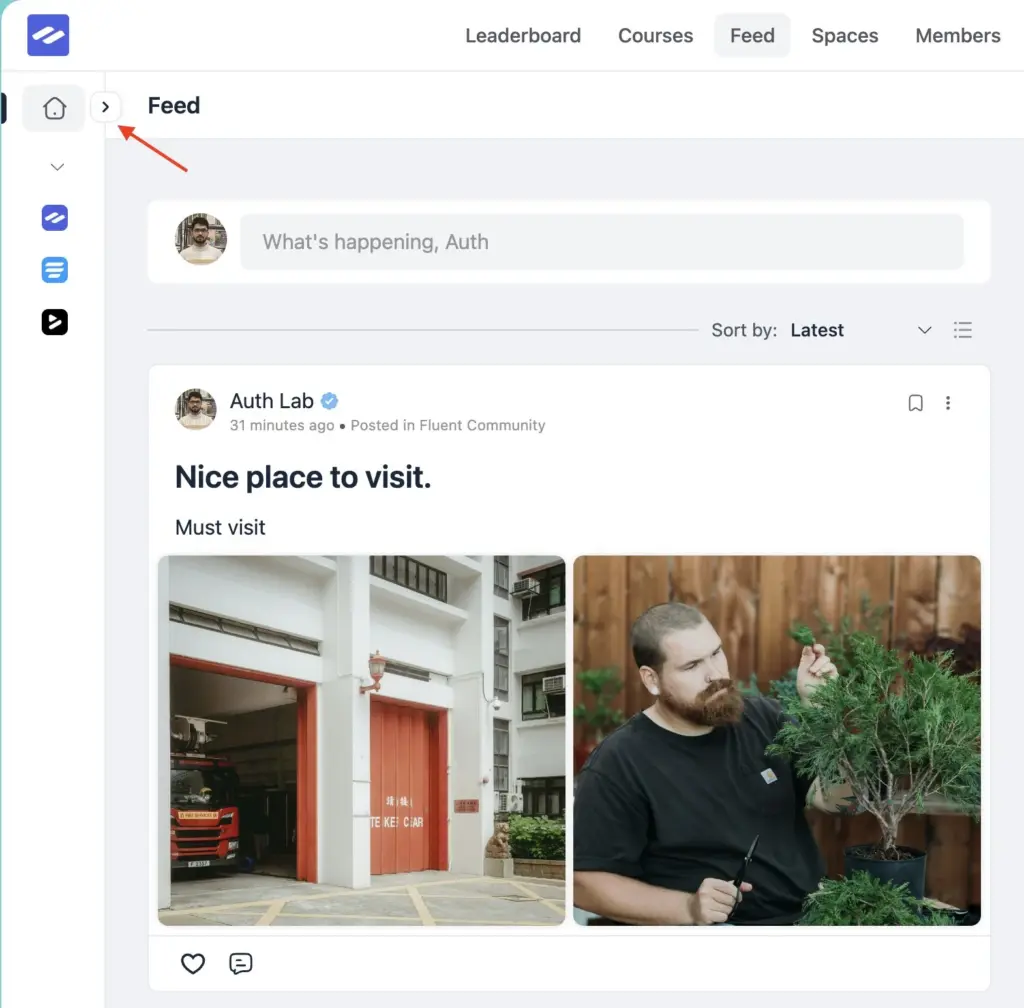
Sometimes you just want more room to read and write. You can now collapse the desktop sidebar (pro) with a single click, giving your feed and courses more breathing space.
Your choice is remembered across visits, and the portal now loads in the right state from the very first paint — no flash, no layout jump. Enable it once in your customization settings and it is there whenever you need it.
Invite Members by Email
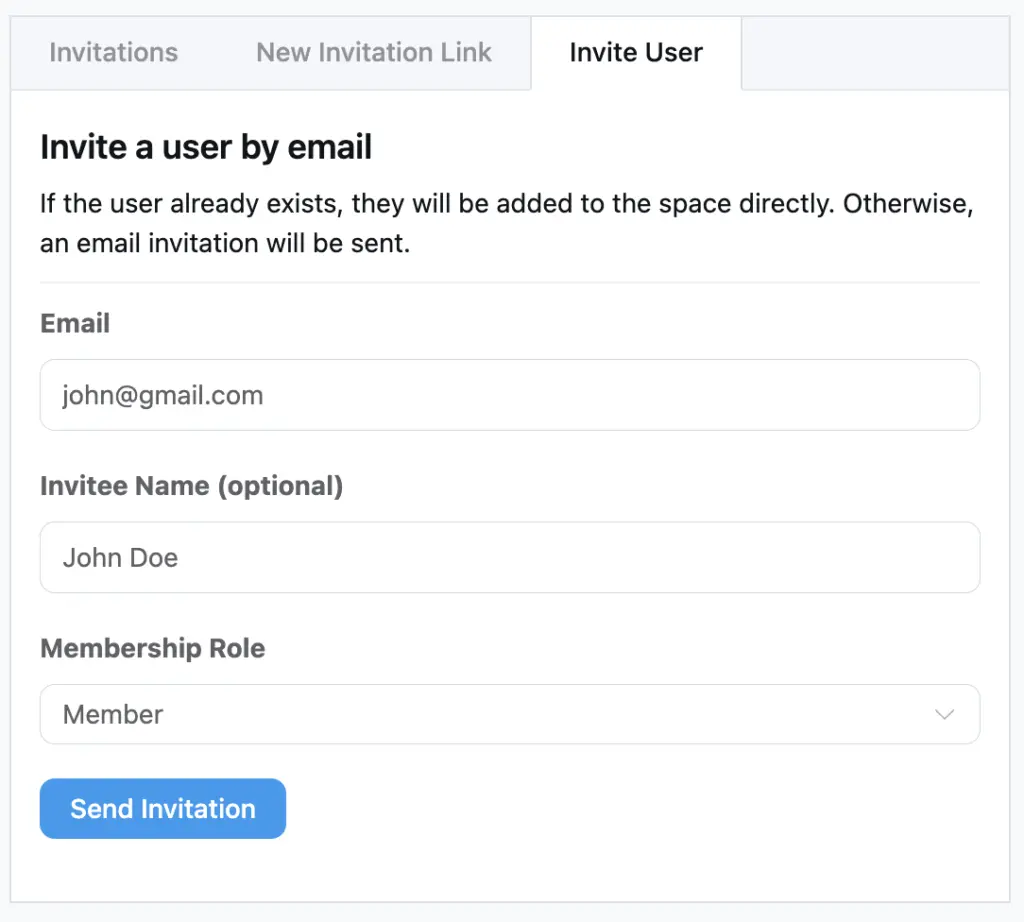
Growing a space is now easier. From the Add Member and Space Invitations screens, you can invite people straight by email (pro) — with an optional name so the invitation feels personal. Existing members are added right away, and anyone new gets an email invite to join.
Say More on Your Profile
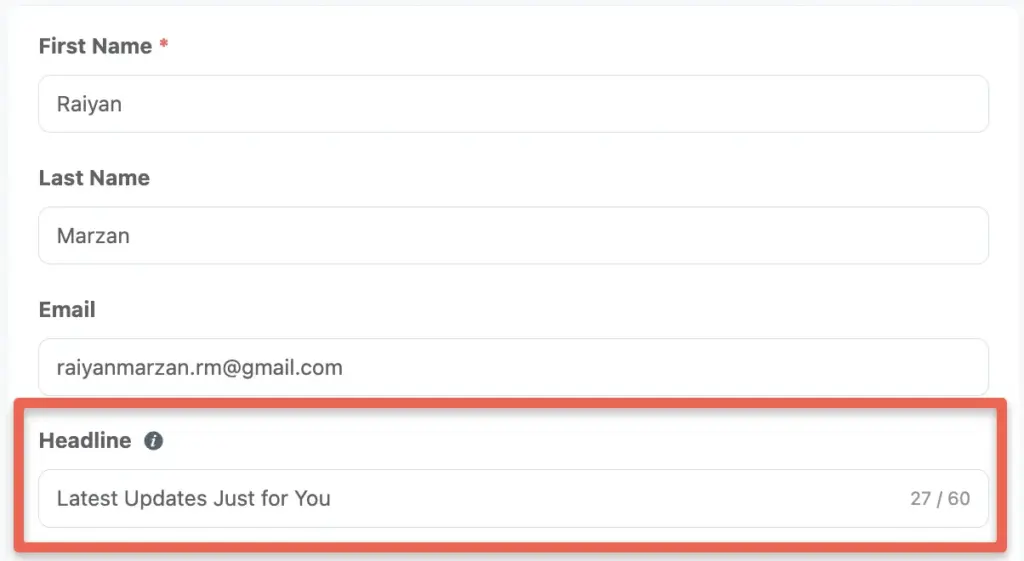
Members can now add a short headline to their profile — a quick line about who they are or what they do. It shows up right on the members directory, so people get a sense of each other at a glance and it is easier to connect.
More Ways to Keep Things Smooth
Faster, lighter feeds. Feed caching now refreshes in the background and keeps its memory use in check, so browsing stays quick even in busy communities.
Better-looking emails. Community emails now inline their styles before sending, so they render consistently across more email clients.
Everyday polish. Link previews are smarter about detecting URLs and pre-fetching them, times across schedules and the UI now follow your site’s time format, the notification and FluentCRM tag mapping list is easier to read, and the custom lock screen background now matches the page. We also removed a couple of jumpy auto-scrolls after saving settings and updating your profile.
Bug Fixes and Stability
Privacy and access. We tightened access checks across spaces, feeds, and comments, gated portal access before new profiles are created, fixed private space descriptions leaking into view, corrected notification settings scope on other members’ profiles, and removed a member’s name from an access URL.
Courses and lessons. Sequential lessons now unlock in the right order, lesson bodies can be cleared again in the editor, new section and lesson order no longer sticks at zero, course creators are notified about lesson comments, and a video block no longer shifts to the left. Videos also fall back gracefully when FluentPlayer stalls.
Documents and posts. Scheduled documents no longer show up early, scheduled posts with documents publish on time, and long titles with non-Latin characters are trimmed correctly.
Everyday details. We fixed sidebar layout shifts on first paint, feed scroll position on back navigation, an “all spaces” screen that could load forever without access, notifications being marked read too early, clearing a single-select profile field, a first name saved into the last name, a leaderboard permission message, “Show More” always expanding, follow and unfollow toasts, RTL customizer and lightbox glitches, the search dialog background, and a divider that ignored your theme color.
Wrapping Up
FluentCommunity 2.7.0 gives you richer media, lesson controls with FluentPlayer, calmer moderation, and a portal that feels lighter to use — plus dozens of fixes that make daily community management smoother.
Update FluentCommunity today and enjoy a faster, cleaner, and more engaging community experience.
Full Changelog
- Introduced: Space Media Gallery
- Added: Sidebar Collapse Toggle with Persistence
- Added: Invite Members by Email and Name
- Added: Auto-Flag User Threshold Moderation
- Added: Per-User Moderation Flag in Admin Actions
- Added: FluentPlayer Block as Lesson Feature Media
- Added: Required Video Completion to Complete Lesson
- Added: Auto-Complete Lesson When the Feature Video Ends
- Added: Profile Headline Field on Members Listing
- Added: Upload Progress for Inline Images
- Added: Missing Translation Strings
- Improved: Email CSS Inlining for Better Rendering
- Improved: Feed Cache Refresh and Memory Cap
- Improved: Link Preview Detection and Pre-Fetch Hook
- Improved: Notification and CRM Tag Mapping List UI
- Improved: Site Time Format Across Schedule and Time UI
- Improved: Auto-Scroll After Settings and Profile Updates
- Improved: Comment and Reaction Cleanup on Feed Delete
- Improved: Custom Lockscreen Background to Match Page
- Security: Hardened Space, Feed, and Comment Access Authorization
- Security: Gated Portal Access Before Profile Provisioning
- Fixed: Sidebar First-Paint Layout Shifts
- Fixed: External Redirect URL for Portal Access Restriction
- Fixed: Feed and Cross-Space Scroll Restore on Back Navigation
- Fixed: All Spaces Infinite Loading Without Access
- Fixed: Private Space Description Visibility
- Fixed: Notification Settings Space Scope on Other Profiles
- Fixed: Notification Auto-Marked Read on Feed Visit
- Fixed: Clearing a Single-Select Custom Profile Field
- Fixed: Profile First Name Saved to Last Name
- Fixed: Leaderboard Permission Message for Unauthorized Users
- Fixed: Feed Video Fallback When FluentPlayer Stalls
- Fixed: Lesson Video Block Shifting Left
- Fixed: Lesson Body Cannot Be Cleared in Editor
- Fixed: New Section and Lesson Priority Stuck at Zero
- Fixed: Course Creator Not Notified on Lesson Comments
- Fixed: Sequential Lessons Not Unlocking in Order
- Fixed: Scheduled Documents Showing in Documents List
- Fixed: Scheduled Post with Documents Publishing Immediately
- Fixed: Multibyte Title Truncation in Posts
- Fixed: Checklist Bullets Missing in Custom Lockscreen
- Fixed: Show More Always Expanding Inline
- Fixed: Follow/Unfollow Toast Ignoring API Message
- Fixed: RTL Customizer Overlap and Reversed Lightbox Arrows
- Fixed: Search Input Background in Search Dialog
- Fixed: Divider Not Using Theme Color
- Fixed: User Name Included in Access URL

Shahjahan Jewel
Hello, this is Jewel, CEO & Head of Ideas at WPManageNinja. I am obsessed with WordPress since 2009. My aim is to be a user-centric developer first, and a serial entrepreneur second. You will find me discussing various tech issues and trying to come up with scalable solutions on different forums when I am not busy coding.


Leave a Reply