


7 Best WordPress Groups Plugins to Build and Manage Your Community

Table of Content
Subscribe To Get
WordPress Guides, Tips, and Tutorials


Building an online community around your brand, course, or membership site is one of the smartest moves you can make as a creator or business owner. And if your website runs on WordPress, you already have a massive advantage. Because WordPress gives you the flexibility to create exactly the kind of group experience your audience wants, without locking you into expensive SaaS platforms that charge you more as you grow.
But here’s the challenge. Not every WordPress group plugin is built the same way. Some are lightweight and simple, while others pack in powerful features like member management, real-time chat, leaderboards, and advanced privacy controls. Choosing the right one depends on your goals, your audience size, and how much customization you need.
That’s exactly why this guide exists. Whether you’re building a private membership community, a course-based group hub, or a large-scale social network, there’s a WordPress plugin on this list that fits your needs. We’ve rounded up the 7 best WordPress group plugins available right now, breaking down what each one does, who it’s best for, and why it stands out. Let’s dive in.
Why WordPress Groups Plugins Are Important for Your Community?
Before jumping into the list, it’s worth taking a moment to understand why WordPress groups matter in the first place, and why more creators and businesses are choosing them over traditional SaaS community platforms.
At their core, WordPress groups plugins give you the ability to segment your audience into meaningful spaces. Instead of throwing all your members into one big feed, groups allow you to create focused environments where people with shared interests, goals, or membership levels can connect and collaborate. This kind of structure makes your community feel more intentional, more organized, and ultimately more valuable to the people inside it.
Beyond organization, groups drive engagement. When a member belongs to a specific group that reflects their identity or interests, they feel a stronger sense of belonging. That emotional connection is what keeps people coming back, participating, and ultimately sticking around long-term. Communities without structure tend to feel chaotic and overwhelming, which leads to churn. Communities with well-defined groups feel purposeful, and purposeful communities grow.
There’s also a powerful business case for using WordPress group plugins specifically. Unlike platforms like Circle, Mighty Networks, or Facebook Groups, a WordPress-based community is something you fully own and control. Your member data lives on your server. Your content isn’t subject to algorithm changes or platform policy shifts. And as your community grows, you’re not paying a percentage of your revenue or a per-seat fee to a third-party platform. That kind of long-term cost savings and independence is simply not possible when you build on someone else’s platform.
Finally, WordPress groups plugins integrate naturally with the tools you’re already using on your LMS, your CRM, your payment gateway, and your email marketing software. This means your community doesn’t live in a silo.
Instead, it becomes a connected layer of your entire business ecosystem, feeding data into your funnels, your courses, and your customer relationships in ways that SaaS platforms can never fully support. For all of these reasons, choosing the right WordPress groups plugin is one of the most important decisions a community builder can make.
WordPress Group Plugins to Grow Your Online Community
Building a successful online community takes more than just a website. You need the right tools to create groups, encourage discussions, manage members, and keep users engaged. With the right WordPress group plugin, you can turn your website into an interactive community hub where people connect, collaborate, and grow together. In this guide, we’ll explore some of the best WordPress group plugins to help you build and grow your online community with ease.
FluentCommunity: The Best All-in-One WordPress Groups Plugin
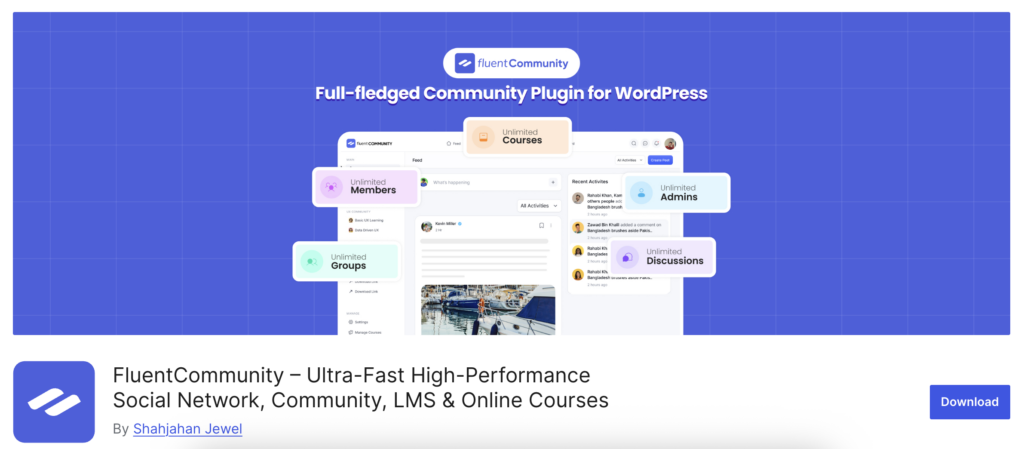
If you’re serious about building a thriving online community directly on your WordPress site, FluentCommunity is the plugin you’ve been waiting for. It’s not just a group’s plugin. It’s a complete community platform built natively for WordPress, giving you full ownership of your data, your members, and your experience. Unlike SaaS platforms that nickel-and-dime you as your community grows, FluentCommunity runs entirely on your own hosting, which means no per-member fees and no platform dependency.
What makes FluentCommunity stand out from everything else on this list is its depth of features combined with its ease of use. You can create multiple groups within your community, set privacy levels, manage member roles, and even enable real-time chat inside each group. Members can interact through posts, comments, reactions, and polls. Making it feel like a full social network rather than a static forum. On top of that, FluentCommunity includes leaderboards, gamification features, and a community dashboard that keeps members engaged long after they first join.
FluentCommunity is a complete community platform designed for businesses. Download now to create and manage your community.
FluentCommunity also integrates seamlessly with other popular tools in the WordPress ecosystem, including FluentForms, FluentCRM, and popular LMS plugins like LearnDash and LifterLMS. This means you can connect your groups directly to your course content or email marketing workflows without needing extra plugins or custom code. For creators, coaches, and SaaS businesses looking to replace Mighty Networks, Circle, or Facebook Groups with something they actually own, FluentCommunity is the clear winner.
Pricing: FluentCommunity offers a free version with solid core features. The Pro plan starts at $129/year for a single site, which includes advanced group features, real-time messaging, gamification, and premium integrations. Considering what SaaS alternatives charge per member per month, it’s an exceptional value.
MemberPress: Groups Tied Directly to Paid Memberships
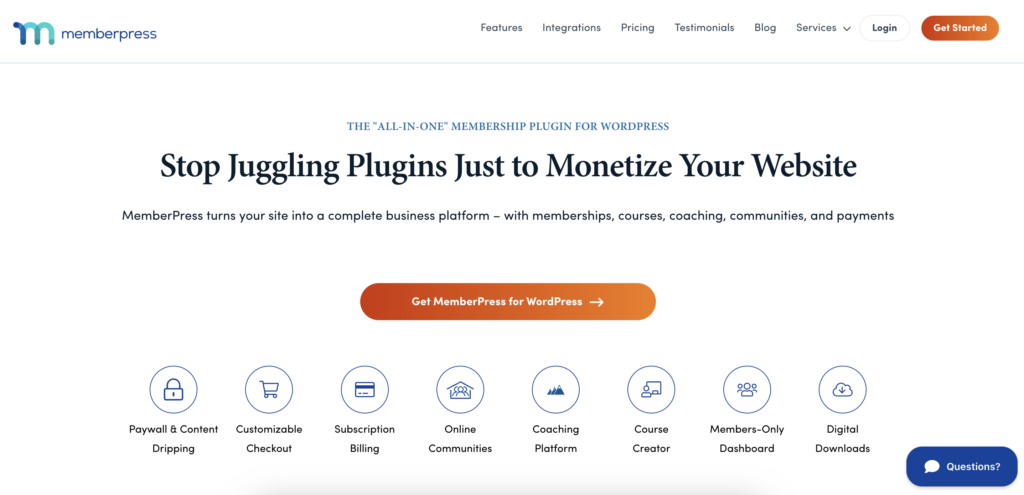
MemberPress is one of the most trusted and widely used membership plugins in the entire WordPress ecosystem, and its group management capabilities make it a natural fit for this list. While it’s primarily known as a membership and access control plugin, MemberPress has expanded significantly over the years, and today it offers robust tools for organizing members into groups that align with their subscription level or purchase history.
What makes MemberPress particularly powerful is how seamlessly it connects group access to payment workflows. When someone purchases a membership plan, they can be automatically added to the appropriate group, granted access to protected content, and enrolled in a specific course, all without any manual intervention on your part. This level of automation is a huge time-saver for site owners managing large or fast-growing communities. The experience feels smooth and professional from the member’s perspective, which matters more than most people realize.
MemberPress also integrates with some of the most popular tools in the WordPress space, including LearnDash, WooCommerce, Zapier, Mailchimp, and ConvertKit. This makes it an especially strong choice for course creators and digital product sellers who want their community groups to feel like a natural extension of their existing business systems rather than a separate, disconnected tool. If monetization and access control are at the center of your community strategy, MemberPress gives you one of the most reliable and battle-tested foundations available.
Pricing: MemberPress does not offer a free version. Pricing starts at $399/year for the Launch plan, which includes core membership features but comes with a 4.9% transaction fee per payment. The Growth plan is priced at $699/year and removes all transaction fees while adding community and coaching features. For larger operations, the Scale and Elite plans go up to $999+/year. All plans come with a 14-day money-back guarantee, and first-year discounts of up to 50% are available for new customers.
Groups by itthinx: Simple and Powerful Access Control

Moving away from full community platforms, the Groups plugin by itthinx takes a more focused approach. Rather than trying to be a social network, this plugin is specifically designed to help you manage group memberships and control content access based on those groups. It’s lightweight, clean, and does exactly what it promises, nothing more, nothing less.
With Groups, you can create unlimited groups, assign users to multiple groups, and then restrict access to specific posts, pages, or custom post types based on group membership. This makes it a particularly strong choice for membership site owners who want fine-grained control over what content different members can see. For instance, you might have a “Free Members” group and a “Pro Members” group, each with access to different parts of your site.
The plugin works especially well in combination with WooCommerce, allowing you to sell group access as a product. It also supports automatic group assignment based on user registration or purchase events. While it doesn’t offer social features such as activity feeds or messaging, the Groups plugin is a reliable, developer-friendly solution for anyone focused on access management rather than community interaction.
Pricing: The core Groups plugin is completely free on WordPress.org. The premium Groups for WooCommerce add-on, which enables selling group memberships as products, is available for around $79/year. For the level of access control it provides, the free version alone delivers tremendous value for most use cases.
PeepSo: A Social Network Experience for WordPress
PeepSo is a premium-leaning WordPress plugin that transforms your site into a Facebook-style social network, complete with groups, activity feeds, user profiles, and private messaging. If you’ve ever wanted to give your members a social media-like experience without sending them off to an external platform, PeepSo is one of the closest solutions you’ll find in the WordPress ecosystem.
The Groups feature in PeepSo allows members to create and join groups, post content within those groups, and interact with each other in a familiar social format. Group administrators have solid control over membership settings, and the overall user interface feels modern and intuitive. PeepSo also supports a range of add-ons for features like geolocation, events, video, and badges, making it highly expandable.
One thing to keep in mind is that PeepSo’s most useful features come through its premium add-on bundles, which can add up in cost over time. Nevertheless, for community builders who want a polished, social-network feel and are willing to invest in the right tools, PeepSo delivers a compelling experience that’s hard to replicate with free alternatives alone.
Pricing: PeepSo offers a free core plugin. Premium bundles range from $99/year for the basic bundle up to $399/year for the complete all-access bundle with all add-ons included. If you plan to use multiple extensions, the all-access bundle is typically the smarter long-term investment.
Ultimate Member: Groups with a Modern Profile System

Ultimate Member is widely known as one of the best user profile and membership plugins for WordPress, but its Groups add-on extends that power into full community territory. With Ultimate Member, you get beautifully designed user profiles, a powerful role and permission system, and a clean frontend experience that feels nothing like a typical WordPress plugin.
The Groups add-on allows you to create group spaces where members can connect, post, and share content. Groups can be public or private, and group owners have control over who can join and what can be posted. Because Ultimate Member already handles user registration, login, and profiles so elegantly, adding groups feels like a natural extension of the platform rather than a bolted-on feature.
What sets Ultimate Member apart from many competitors is how seriously it takes design and frontend user experience. Everything looks great out of the box, and the plugin works well with popular page builders, making it easy to customize without touching a single line of code. The Groups add-on is a premium feature, but it pairs so naturally with the free core plugin that the upgrade is usually well worth it for anyone building a member-driven WordPress site.
Pricing: The core Ultimate Member plugin is free. The Groups add-on is available for $49/year as a standalone extension. For access to all premium extensions, the All Access pass is priced at $249/year, a worthwhile investment if you plan to use multiple add-ons like Social Activity, Forums, or Private Messages alongside Groups.
ProfilePress: Membership and Groups Made Simple

ProfilePress started as a user registration and profile plugin, but it has grown significantly over the years into a full-featured membership platform. Its Groups functionality, available through its membership plans, allows site owners to create structured group spaces tied directly to subscription levels, making it a smart choice for paid community builders.
One of the more interesting things about ProfilePress is how cleanly it handles the relationship between payments, memberships, and group access. You can set up a flow where a member purchases a plan, automatically gets added to a specific group, and immediately gains access to the content and community features associated with that group. This kind of automated workflow saves a tremendous amount of time for community managers who would otherwise have to handle these assignments manually.
Additionally, ProfilePress integrates with popular payment gateways like Stripe, PayPal, and Razorpay, and it supports recurring subscriptions, making it a practical all-in-one solution for creators who want to monetize their community without managing five different plugins. It’s beginner-friendly, well-documented, and actively maintained, which makes it a dependable long-term investment for growing membership sites.
Pricing: ProfilePress has a free version available on WordPress.org. The Pro plan starts at $99/year for a single site and includes membership management, payment integrations, group access controls, and content restriction features. Higher-tier plans are also available for agencies and developers managing multiple sites.
WPForo: Forum-Based Group Communities

Rounding out the list is WPForo, a feature-rich forum plugin that also supports group-based community structures. While it approaches community from a discussion-forum angle rather than a social-network angle, WPForo is surprisingly powerful and flexible, especially for communities where deep, threaded conversations are more valuable than short social posts.
WPForo allows you to create multiple forum categories and boards that can function like group spaces, each with its own moderation rules and access controls. You can assign user groups with specific permissions, making it easy to distinguish between admins, moderators, regular members, and guests. The plugin also includes a built-in member reputation system, which naturally encourages participation and rewards active contributors.
What makes WPForo worth including on this list is its performance. It’s built with speed in mind and handles large volumes of posts and users more efficiently than many alternatives. If your community is heavily discussion-driven, think support forums, debate communities, or Q&A hubs. WPForo gives you a structured and scalable environment that other plugins on this list simply aren’t designed for.
Pricing: WPForo’s core plugin is completely free and already packed with impressive functionality. Premium add-ons such as Private Messaging, Ads Manager, and Question & Answer layouts are available individually or through a premium bundle starting at around $59/year. For a forum-first community, the free version alone can take you very far before you ever need to upgrade.
Final Thoughts
Choosing the right WordPress groups plugin really comes down to understanding what kind of community experience you want to create. If you need a simple access control system, Groups by itthinx does the job cleanly. If monetization is your priority, MemberPress or ProfilePress are both excellent choices. And if a social, interactive experience is what your members expect, PeepSo or Ultimate Member is worth a close look.
But if you’re looking for the most complete, modern, and ownership-first solution, one that gives you real-time chat, group management, gamification, and deep integrations all in one place, FluentCommunity is the plugin that checks every box. It’s built for creators and businesses who are serious about community, and it grows with you without the sky-high platform fees that SaaS alternatives charge.
No matter where you’re starting from, the good news is that WordPress gives you the freedom to build exactly the community you envision. Choose the plugin that fits your goals today, and you’ll have the flexibility to scale it into something truly remarkable tomorrow.

Prema Anjum
My full name is Anzuman Ara Chowdhury. But people know me as Prema Anjum. I’m a Digital Marketer by profession, a WordPress community contributor, and a travel enthusiast by heart.







Add your first comment to this post