

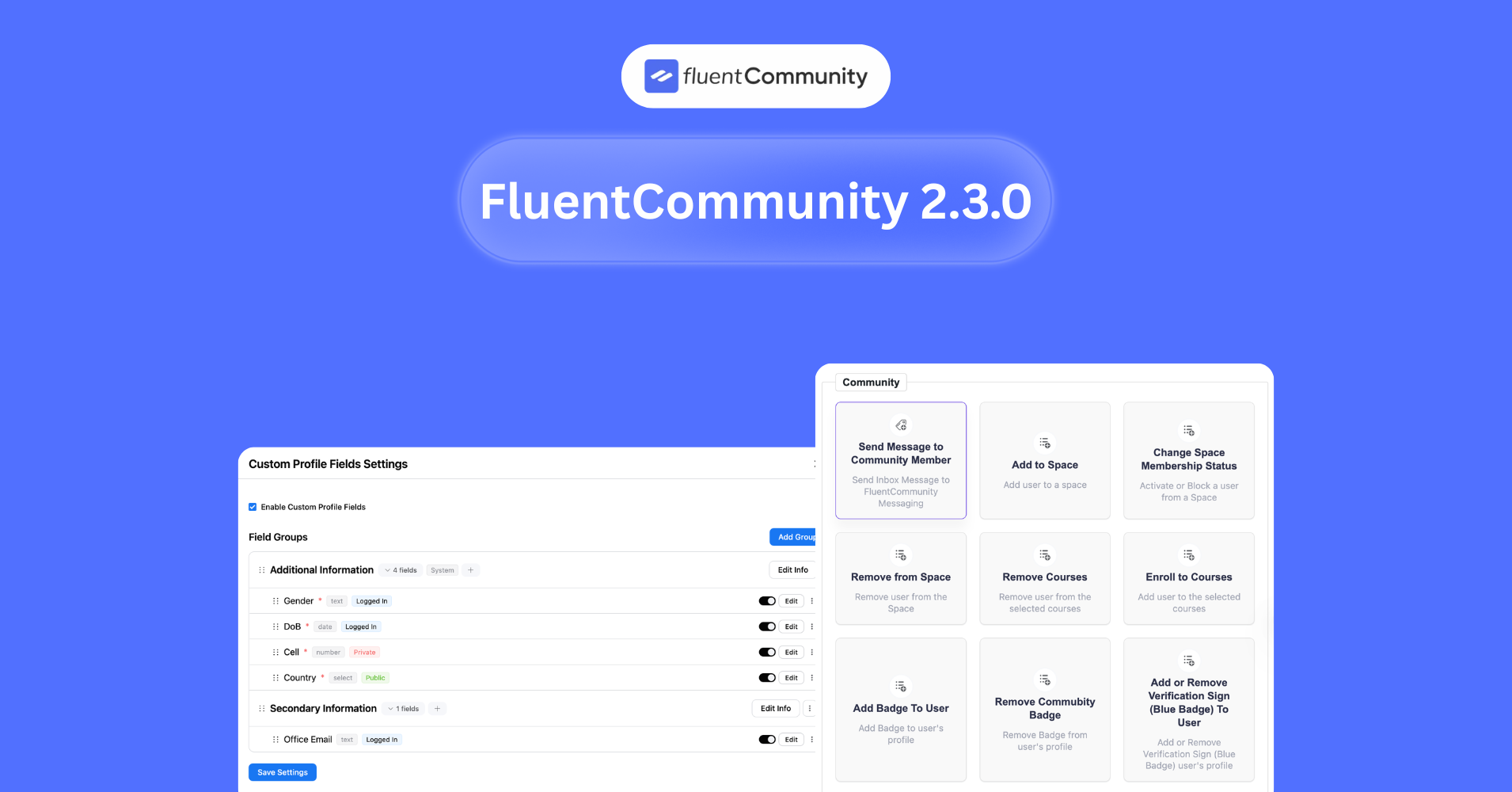
FluentCommunity 2.3.0: Introducing Custom Profile Fields & More

Table of Content
Subscribe To Get
WordPress Guides, Tips, and Tutorials


FluentCommunity 2.3.0 brings a set of meaningful improvements designed to give community owners more control, better data access, and enhanced user experience. In this release, we’re introducing several powerful Pro features, including CSV Export for Course Members and Quiz Results, Custom Profile Fields, and the 12h/24h Time Display Format for Messaging. These additions make it easier to manage member data, customize user profiles, and adapt the messaging experience to your community’s preferences.
Along with these highlights, this update also includes improvements and enhancements to improve stability and usability across the platform.
As always, our goal is to keep FluentCommunity flexible, powerful, and easier to manage for growing communities. Let’s take a look at what’s new in FluentCommunity 2.3.0.
Introduced: Custom Profile Fields (Pro)
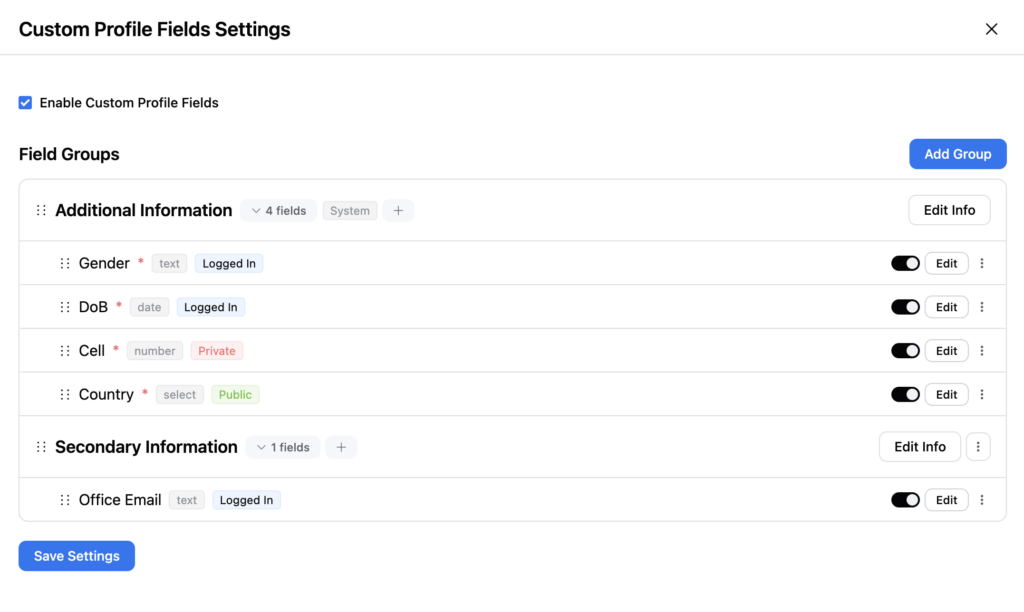
FluentCommunity 2.3.0 introduces Custom Profile Fields (Pro), giving community admins more control over the information members can add to their profiles. With this feature, you can create and organize additional profile fields beyond the default ones, making it easier to collect relevant information from your members and personalize the community experience.
Admins can enable custom profile fields and group them into structured sections such as Additional Information or Secondary Information. Within each group, you can add multiple field types like text, select, radio, date, and URL, allowing you to capture different kinds of member data. For example, you can create fields for Gender, Country, Company, Portfolio links, Date of Birth, or Office Email, depending on what information is important for your community.
Each field can also be configured with visibility and access controls. You can decide whether a field is visible to logged-in users, admins only, or publicly displayed, helping you manage privacy and profile customization effectively. Additionally, fields can be marked as required and easily edited, reordered, or grouped directly from the settings panel.
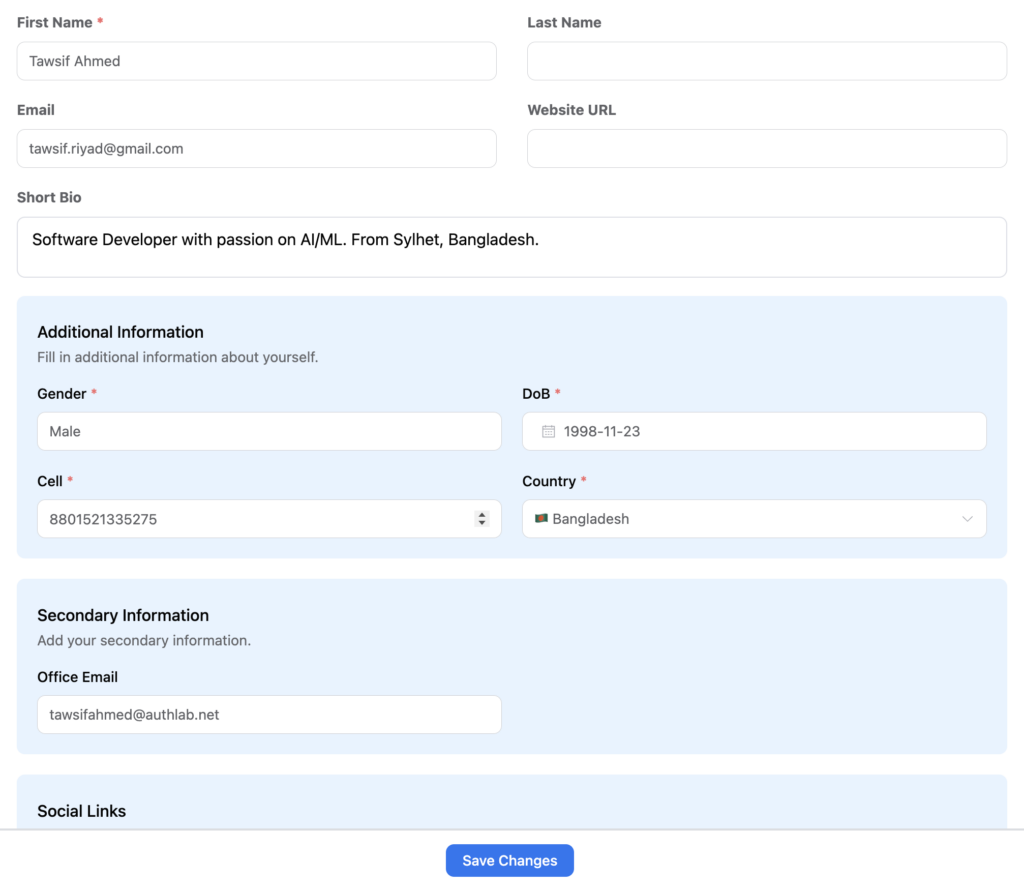
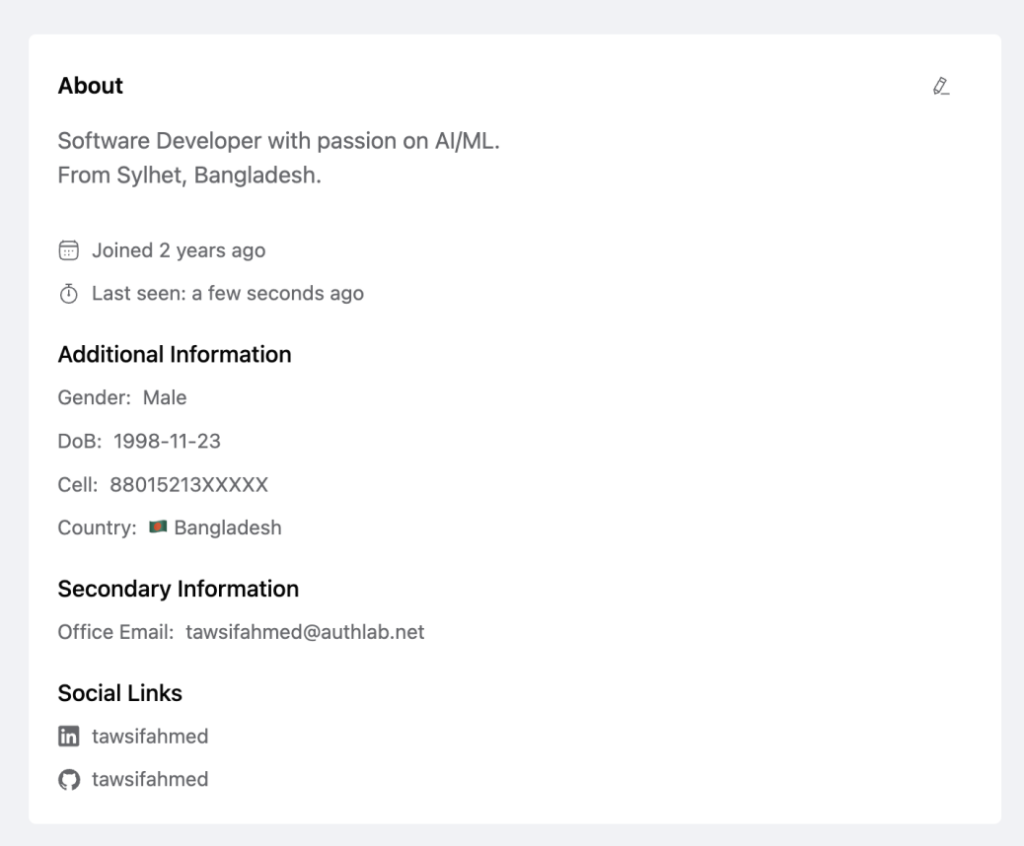
This feature allows community owners to build richer member profiles, improve member discovery, and tailor the platform to the specific needs of their community. With Custom Profile Fields (Pro), FluentCommunity makes it easier to collect meaningful user data while maintaining flexibility and control.
Search Option to Profile Following/Followers
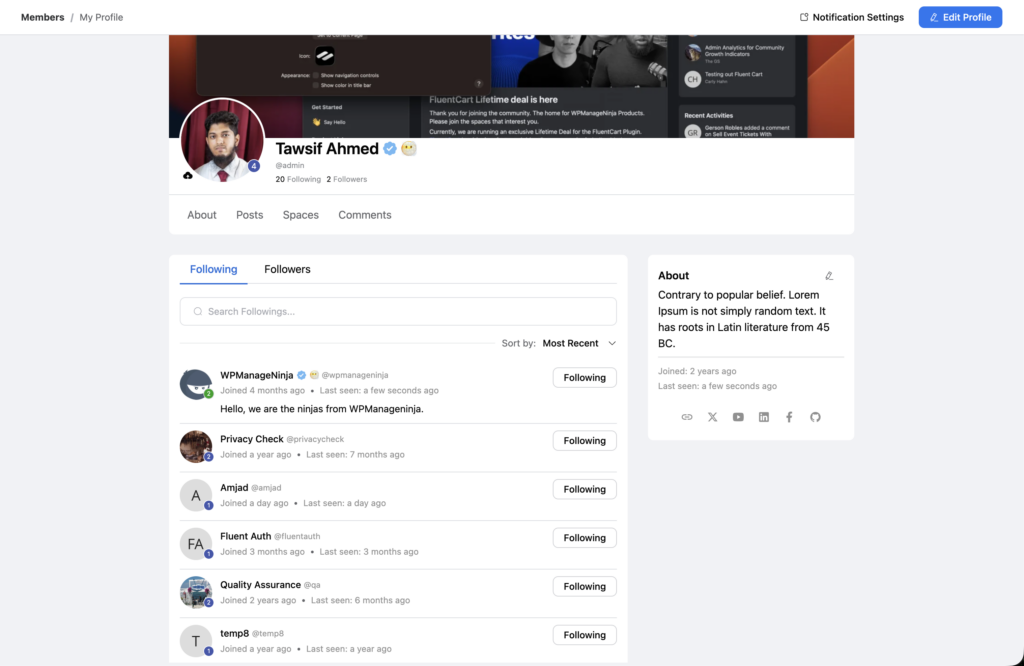
In FluentCommunity 2.3.0, the user profile interface has received a significant quality-of-life upgrade with the introduction of the Following/Follower Search and Sort functionality. This addition makes managing large networks within a community much more efficient.
Here is a breakdown of how this new search option works and why it matters:
The most prominent feature is the dedicated search bar located directly above the member list in the “Following” and “Followers” tabs.
- Real-time Filtering: As you type, the list filters instantly to match names or handles.
- Context-Specific: The search bar intelligently adapts its placeholder text based on the tab you are viewing (e.g., “Search Followings…” or “Search Followers…”).
- Efficiency: For users who follow hundreds of community members, this eliminates the need for endless scrolling to find a specific person.
To complement the search bar, a new “Sort by” dropdown menu has been added to the right side of the interface. This allows you to organize your network based on:
- Most Recent: See the people you’ve followed most recently (or who recently followed you).
- Alphabetical (A-Z / Z-A): Quickly organize the list by name for easier browsing.
Added: Synced Time Format with WordPress Settings
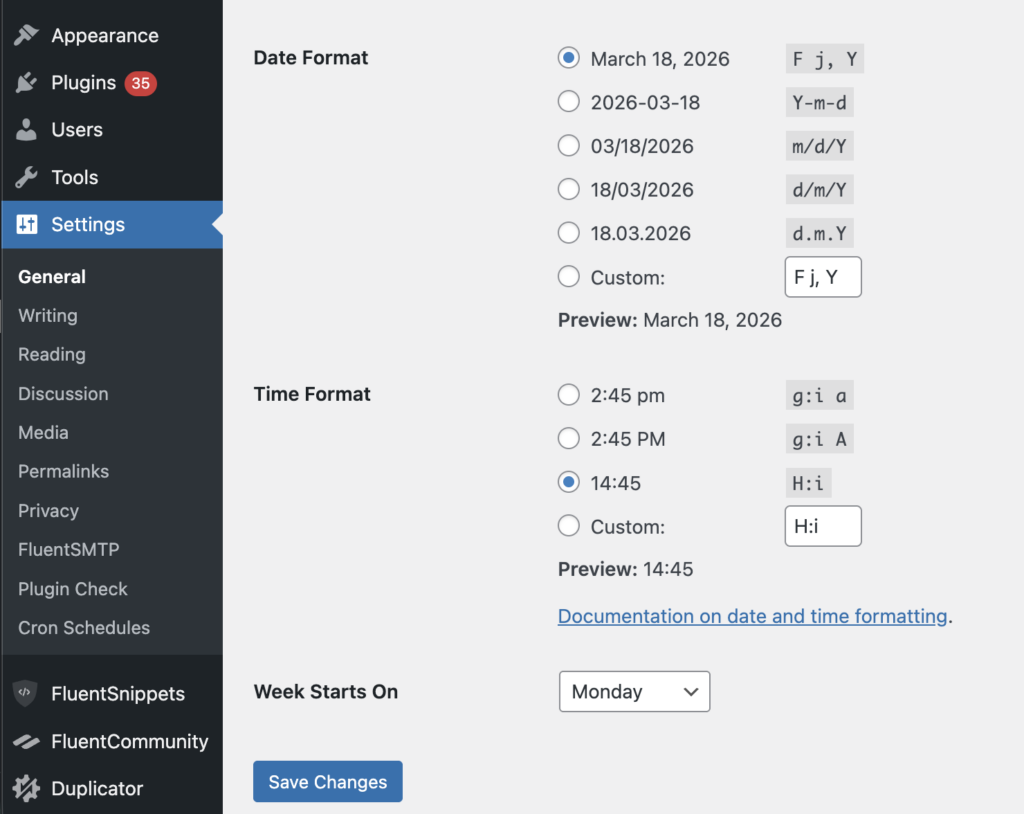
The new Time Format Sync ensures that your community now follows the exact time format set in your WordPress General Settings. No extra configuration needed.
How it works
Inside WordPress Settings, you can choose how time is displayed across your site, such as:
- 12-hour format (e.g., 2:45 pm or 2:45 PM)
- 24-hour format (e.g., 14:45)
- Or even a custom format
With this update, FluentCommunity automatically adopts that same format everywhere inside your community.
What this means for you
Consistent User Experience
Your users will see the same time format across your website and community, reducing confusion.
No Manual Setup Needed
You don’t have to configure time settings separately inside FluentCommunity—it follows WordPress by default.
Better Localization
Whether your audience prefers 12-hour or 24-hour time, everything stays aligned with your site’s regional settings.
Cleaner Admin Workflow
Manage time format in one place (WordPress), and it reflects everywhere automatically.
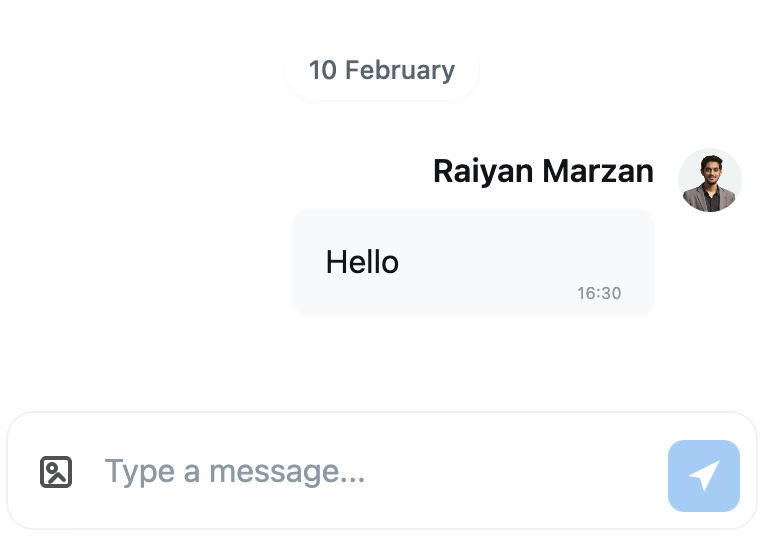
This small but useful improvement helps communities align the messaging interface with regional preferences and improves readability for members who are accustomed to a specific time format.
Added: CSV Export for Course Members and Quiz Result (Pro)
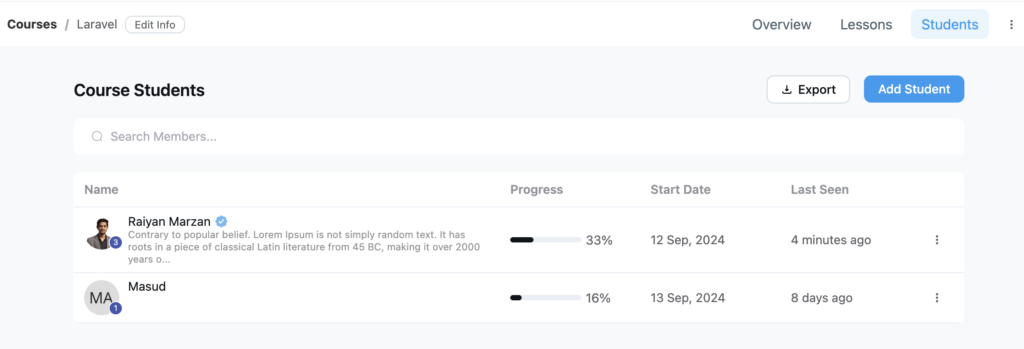
In this update, we’ve also introduced CSV Export for Course Members and Quiz Results, making it easier for administrators to download and manage course-related data outside the platform.
From the Course Students section, admins can now export the list of enrolled members using the Export button. The exported CSV file includes key information such as student names, course progress, start date, and last seen activity, allowing you to analyze participation and track learner engagement more effectively.
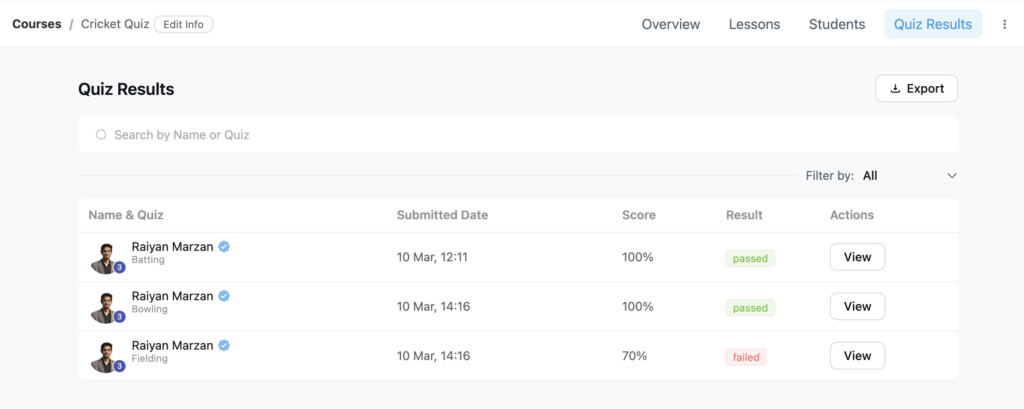
This feature is particularly useful for reporting, record-keeping, and sharing course data with external tools like spreadsheets or analytics platforms. In addition to course members, quiz results can also be exported as CSV, enabling admins to review student performance, monitor learning outcomes, and maintain structured records of assessments.
With CSV Export for Course Members and Quiz Results (Pro), FluentCommunity provides a simple way to access and analyze course data while giving community managers more flexibility in how they manage and report on their learning programs.
Added: Send Message Action in FluentCRM
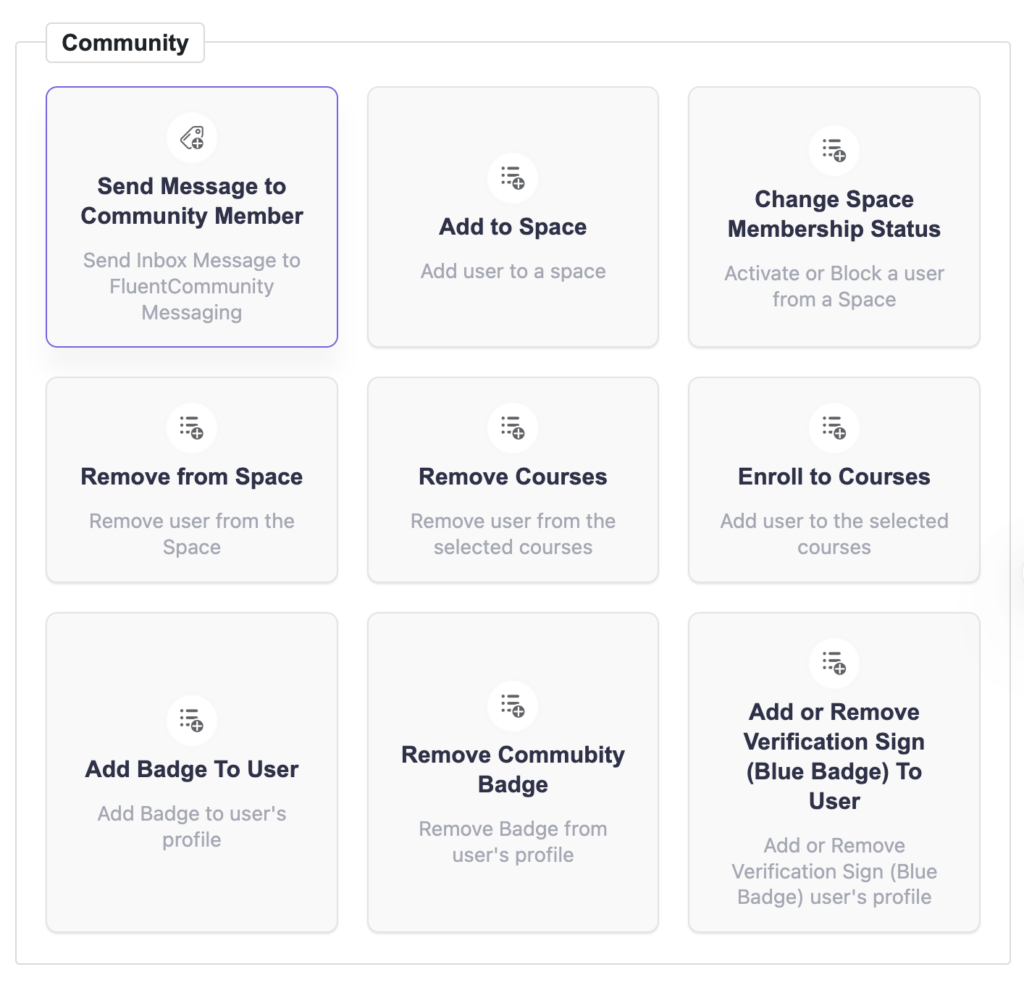
The new FluentMessaging Action inside FluentCRM brings direct, personalized communication into your automation workflows by connecting seamlessly with FluentCommunity.
With this feature, you can now trigger community actions automatically based on user behavior, making your CRM much more powerful and engagement-focused.
What you can do with this action:
Send Message to Community Member
Instantly send inbox messages to users inside your community. Perfect for onboarding, announcements, or personalized follow-ups without relying on email
Improvements and bug fixes
- Improved: Content Reporting and Review
- Fixed: Issue with User Recent Activities
- Fixed: Issue with Single Feed Delete
- Fixed: Issue with Fluentform Activation
- Fixed: Space HTML Description Render Issue
- Fixed: Cart Checkout Not Working with Root Portal
- Fixed: Link Visibility Issue with Public Space Access
- Fixed: Different Space Layout View Issue
- Fixed: Redirect Issue After Login/Registration
- Fixed: Issue with BuddyBoss Follower Migration
- Fixed: Excluded Course from Sitemap When Disabled
- Fixed: Customizer Panel Not Working with Root Portal
- Fixed: Lesson Content Verse Block’s Text Contrast in Dark Mode
- Fixed: Social Media Link Preview for Twitter
- Fixed: Join Button on Spaces Card Redirects to Broken/Empty Page
- Fixed: Restore Space View Preference when Navigating between Spaces
- Fixed: Issue with FluentPlayer Disabling
- Fixed: FluentPlayer Issue with Youtube Short Video
- Fixed: Vimeo URLs with Query Params Unrecognized by FluentPlayer
To the end
This update focuses on improving how community owners manage their platforms while making the overall experience smoother for both admins and members. With better control over data, clearer organization of member information, and improvements to the messaging experience, managing an active community becomes more efficient and flexible.
These improvements are designed to reduce manual work, make important information easier to access, and provide a more consistent experience across different parts of the platform. As communities grow, having the right tools to organize members, track activity, and manage interactions becomes increasingly important.
With this release, FluentCommunity continues to move toward a more powerful and streamlined community management experience, helping you run and scale your WordPress community with greater confidence and ease.

Shahjahan Jewel
Hello, this is Jewel, CEO & Head of Ideas at WPManageNinja. I am obsessed with WordPress since 2009. My aim is to be a user-centric developer first, and a serial entrepreneur second. You will find me discussing various tech issues and trying to come up with scalable solutions on different forums when I am not busy coding.


Leave a Reply