

Running a Customer Support Community in WordPress with FluentCommunity

Table of Content
Subscribe To Get
WordPress Guides, Tips, and Tutorials


Your help desk isn’t broken, it’s just doing everything alone. Every SaaS founder knows the math. As your customer base grows, support tickets grow with it. You hire more agents. Costs climb. Response times slow. And through it all, the same twenty questions keep getting asked over and over, by different people, in different words.
What if those customers could find answers themselves? Better yet, what if they could answer each other?
That’s the premise behind customer support communities. Not as a replacement for your help desk, but as its force multiplier. And with FluentCommunity, a WordPress-native community plugin starting at $159/year, you can build one on the infrastructure you already own, without the recurring per-seat costs of platforms like Circle or Discourse.
Here’s how to build a community that reduces support tickets by 20-40%, while making your customers happier in the process. This guide walks through the strategy, the setup, and the ecosystem integrations that make community-driven support genuinely work.
Why Support Communities Work (The Business Case)?
Let’s start with the numbers, because this decision needs to survive a spreadsheet.
Ticket deflection is real. Companies that implement community-based support consistently report 20-40% reductions in direct support ticket volume. Higher Logic’s research shows organizations dropping from 5,000 tickets/month to 3,500 after launching a community, a 30% reduction. Glossier reduced ticket volume by 25% through community support alone.
Self-service costs a fraction of agent support. Industry data puts self-service interactions at roughly $1.84 per contact. Assisted support? $13.50. When a customer finds an answer in a community thread instead of opening a ticket, your cost-per-resolution drops by over 85%.
But the value goes beyond cost savings:
- Customers help each other. Your power users know your product inside out. Give them a space to share that knowledge, and they will enthusiastically. Peer-to-peer answers often come with practical context that official documentation misses.
- 24/7 availability without 24/7 staffing. Communities don’t sleep. A developer in Tokyo can answer a question posted by a freelancer in São Paulo, hours before your support team starts their day.
- Your knowledge base builds itself. Every answered question becomes a searchable resource. Over months, you accumulate a living library of solutions indexed by the exact language your customers use, not the language your technical writers chose.
- Product intelligence flows freely. Community discussions surface bugs you didn’t catch, use cases you didn’t imagine, and feature requests ranked by real demand.
Traditional Support vs. Community-Augmented Support
Understanding the difference isn’t about choosing one over the other. It’s about understanding what each does best.
Help Desk Alone
A traditional help desk operates on a one-to-one response model. Every question that comes in requires an agent to answer it. The knowledge generated stays locked inside closed tickets, making it nearly impossible to search or reuse. Coverage is limited to business hours unless you’re willing to pay for expensive round-the-clock staffing. Costs scale linearly, meaning every new wave of customers demands proportionally more agents. And the customer relationship stays purely transactional: a problem surfaces, a ticket gets opened, someone resolves it, and the interaction ends there.
Replaced the “Help Desk Alone” table with a flowing paragraph that hits all five dimensions naturally. The “Community + Help Desk” table is kept as-is since only the first one was requested.
Community + Help Desk
A community-augmented help desk flips every constraint of the traditional model. Responses become many-to-many. Customers and staff both contribute, so no single question waits on a single agent. Knowledge lives in public threads that anyone can search, and it grows organically with every new discussion.
The community is always on, with a global member base that naturally covers time zones your team never could. Costs scale sublinearly because the community absorbs growing demand without requiring proportional headcount. And the customer relationship stops being transactional. People become invested participants, not just ticket numbers.
The magic is in the combination. Your community handles the common, repeatable questions. Your help desk handles the complex, account-specific issues that require private investigation. Neither replaces the other. But together, they transform your support economics.
Setting Up a Support Community with FluentCommunity
FluentCommunity is a WordPress plugin that gives you a full-featured community platform, activity feeds, spaces (groups), a course builder, leaderboards, private messaging, polls, and more, all running on your own WordPress installation. No external dependencies. No per-member pricing. Just a single annual license starting at $159/year for a single site. Here’s how to structure it for customer support.
Space Architecture: Your Community’s Backbone
Spaces in FluentCommunity function as dedicated topic areas. Think of them as channels in Slack, but designed for threaded, searchable, persistent discussions. For a support community, start with these five:
General Discussion: The town square. Product conversations, tips, integrations, workflows. Low friction, high engagement. This is where your community culture forms.
Feature Requests: Give customers a place to propose and discuss features. Use FluentCommunity’s built-in polls to let the community vote on priorities. This does double duty: it channels feature requests out of your support queue and gives your product team a real-time signal on demand.
Bug Reports: A structured space for reporting issues. Set expectations with a pinned post outlining what to include (version number, steps to reproduce, screenshots). Community members often chime in with workarounds before your team even responds.
How-To Guides: Curated by your team but contributed to by your community. Step-by-step walkthroughs, configuration tips, integration tutorials. This becomes your most valuable SEO asset and ticket deflector over time.
Announcements: One-way communication from your team: product updates, maintenance windows, new releases, policy changes. Keep the signal clean. No discussion noise. As your community grows, you can add product-specific or use-case-specific spaces. We at WPManageNinja, the company behind FluentCommunity, run our own community at community.wpmanageninja.com with dedicated spaces for each of our products: FluentCRM, FluentForms, FluentSupport, FluentBoards, FluentBooking, FluentCart, and more. The structure is worth studying as a real-world blueprint.
Using the Course Builder for Onboarding and Education
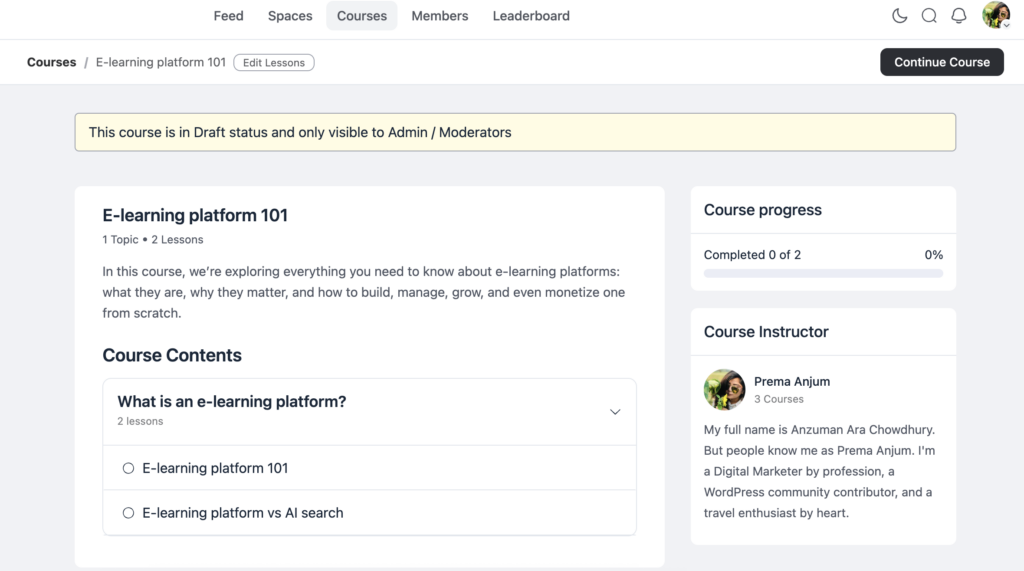
Here’s where FluentCommunity goes beyond typical community plugins. It includes a native course builder with modules, lessons, progress tracking, student management, and per-lesson discussion threads.
For a support community, this is powerful:
- Onboarding courses walk new customers through setup, configuration, and first-use scenarios. Structured learning reduces “getting started” tickets — often the highest-volume category.
- Product walkthroughs cover specific features in depth. Record a video, add written steps, and let users mark their progress.
- Troubleshooting curricula turn your most common support issues into guided self-service. Instead of a KB article that customers may or may not find, you have a sequenced learning path they can follow.
The course builder uses the Gutenberg editor, so your team doesn’t need to learn a new interface. And the built-in lesson discussion feature means students can ask questions in context, right alongside the content that confused them.
Activity Feeds for Real-Time Pulse
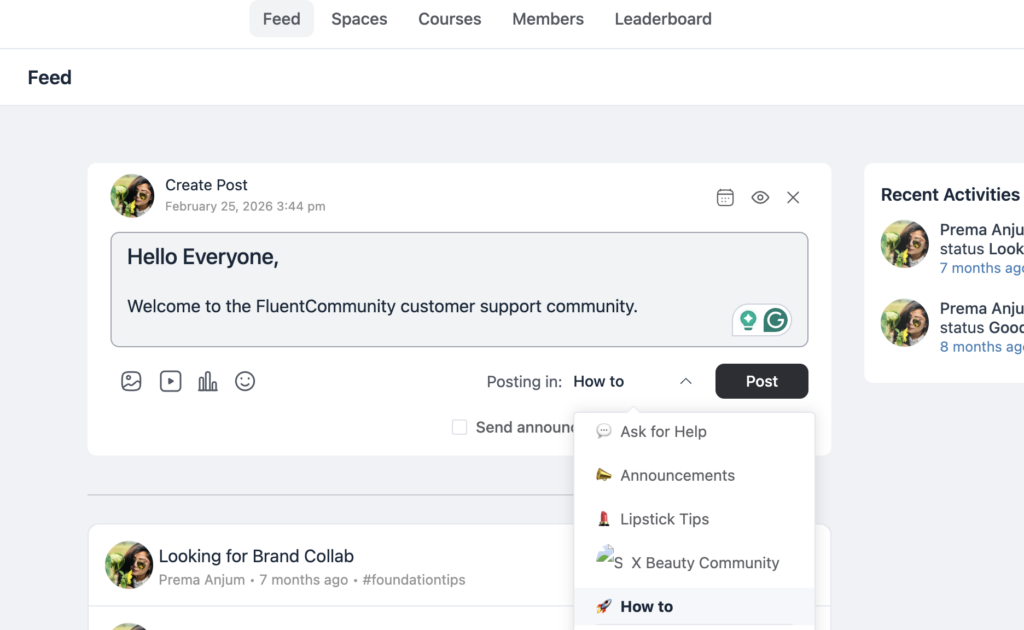
FluentCommunity’s activity feed is the heartbeat of your community. Every post, reply, course enrollment, and new member shows up in a real-time stream. For a support community, the feed lets you:
- Spot trending issues before they become ticket floods.
- Celebrate active contributors publicly.
- Surface new discussions that need staff attention.
- Keep casual visitors engaged. People who came for one answer stay because the feed is alive.
Gamifying Support: Turn Customers Into Champions
People don’t contribute to support communities out of obligation. They do it because it feels good. FluentCommunity gives you the tools to make it feel really good.
Leaderboards
FluentCommunity’s leaderboard ranks members based on their activity, posts, replies, reactions, and course completions. Display it prominently. For a support community, the leaderboard becomes a public recognition system for your most helpful members.
The psychology is straightforward: visible contribution creates visible status. When a customer sees their name climbing the ranks, they’re motivated to keep helping. When a newcomer sees active contributors being recognized, they understand the community values participation.
Badges and Power User Programs
Build on the leaderboard with a tiered recognition program:
- Community Helper: Answered 10+ questions
- Power User: Consistent monthly contributor
- Community Champion: Recognized by staff for exceptional contributions
- Product Expert: Completed all product courses and maintains active contributions
These labels carry weight. A “Community Champion” answering a question has implicit credibility that a support agent doesn’t. They’re a fellow customer who chose to help, not someone whose job requires it.
What Makes Gamification Stick?
The key isn’t the badges themselves, it’s the loop. A member helps someone, gets recognized via the leaderboard, feels rewarded, and helps someone else. Over time, your top contributors become an unpaid (but deeply valued) extension of your support team.
Consider offering tangible perks to your champions: early access to betas, direct line to your product team, exclusive community events, or even affiliate partnerships. WPManageNinja’s own community demonstrates that active members get visibility and influence that casual users don’t.
Moderating Effectively: Keep It Clean, Keep It Useful
A support community without moderation becomes a complaint board. A support community with heavy-handed moderation feels corporate and sterile. The sweet spot is structured engagement.
Mentions and Tagging
FluentCommunity’s @mentions system with auto-suggest lets community members tag each other and your team members directly. In a support context, this is invaluable:
- Customers can tag known experts when they have a specific question
- Staff can tag each other to escalate complex threads
- Community managers can tag relevant team members to jump into product discussions
Polls for Feature Prioritization
When feature requests pile up, use FluentCommunity’s polls and surveys to let the community prioritize. Instead of your product team guessing which features matter most, you get data straight from the people who’ll use them. This has a secondary benefit: customers who vote on features feel heard. Even if their preferred feature doesn’t win, the act of participating builds investment in your product’s direction.
Moderation Best Practices
- Pin solved threads in each space so common answers are always visible
- Set a welcome message for new members with community guidelines and links to key resources
- Use role management to give trusted members moderation permissions — they’ll catch spam and off-topic posts faster than your team
- Create a “Say Hello” space (like WPManageNinja does) for introductions. it builds culture and gives new members a low-stakes first post
Integrating with FluentSupport: When Community Meets Help Desk
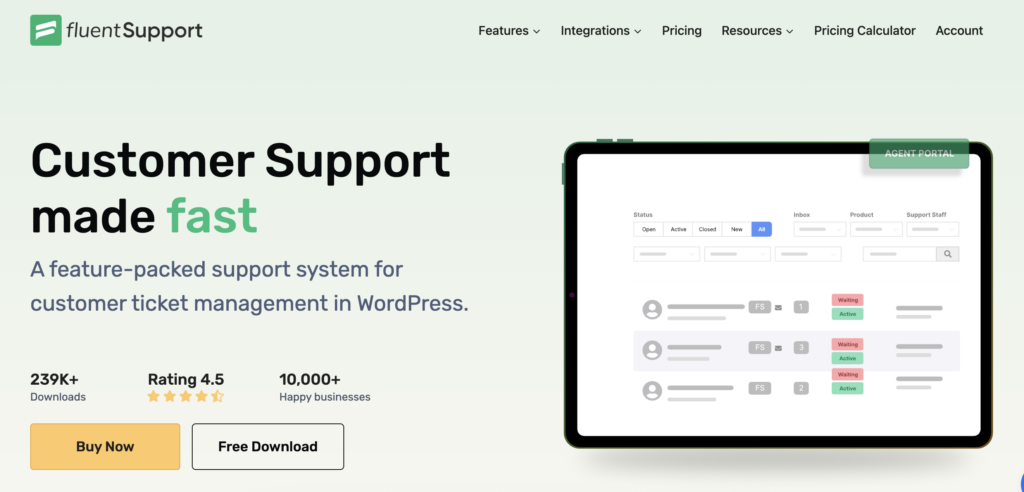
FluentSupport is WPManageNinja’s help desk plugin, a full ticketing system that runs inside WordPress. When paired with FluentCommunity, you create a smooth escalation path. Community-first, ticket-when-needed. Most questions get answered in the community. When an issue requires private investigation (account-specific bugs, billing problems, security issues), members can escalate to a FluentSupport ticket without leaving your WordPress ecosystem.
This workflow captures the best of both models:
- Customer posts in the community. Other members or staff respond publicly.
- Issue is complex or private. Staff member advises creating a support ticket.
- Ticket is created in FluentSupport. Full context from the community thread travels with it.
- Resolution is shared back (where appropriate) as a community post, creating reusable knowledge.
Because both plugins live on the same WordPress installation, there’s no data fragmentation. Customer profiles, interaction history, and engagement data stay unified.
The FluentCRM Connection: Turning Engagement Into Intelligence
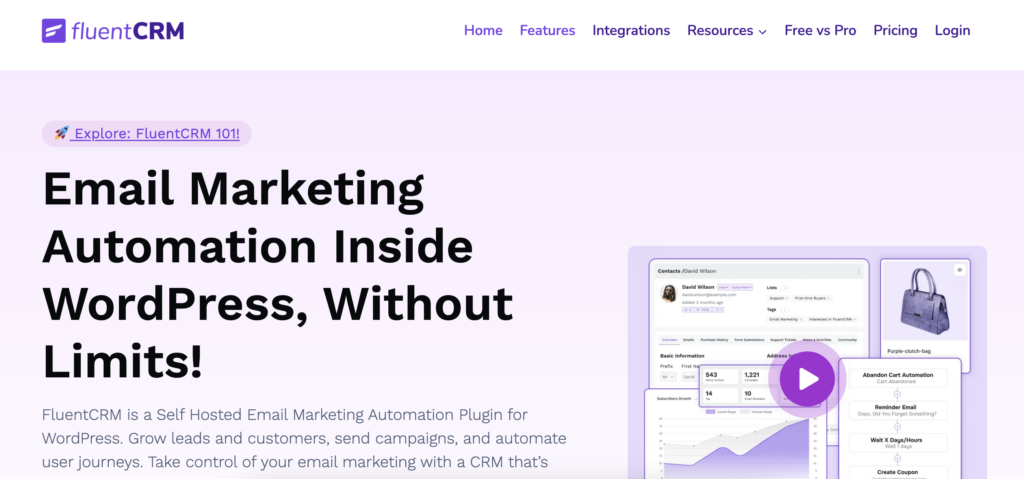
The third piece of WPManageNinja’s ecosystem, FluentCRM transforms your community from a support tool into a customer intelligence platform.
Segment by Engagement Level
FluentCRM’s automation triggers integrate with FluentCommunity events: space joins, course enrollments, and leaderboard status changes. Use these signals to segment your customer base:
- Highly engaged: Active community members, course completers, leaderboard contributors. These are your advocates. Treat them accordingly.
- Moderately engaged: Occasional visitors. They’re getting value but aren’t invested. Targeted campaigns can deepen the relationship.
- Silent/Inactive: Registered but not participating. These may be at-risk customers. Proactive outreach can prevent churn.
Targeted Product Communication
Instead of blasting every customer with every update, you can use community engagement data to send more relevant and personalized information. For example, when announcing a new feature, send it specifically to members who requested it in your Feature Requests space.
If you publish an advanced tutorial, share it with members who have already completed the beginner course. For renewal reminders, tailor the message based on engagement level. Highly engaged customers can receive a simple renewal link, while inactive members can get a “here’s what you’ve been missing” style campaign to re-spark their interest.
Identify At-Risk Customers
A customer who stops visiting the community, stops engaging with courses, and drops off the leaderboard is showing disengagement signals. FluentCRM automations can catch these patterns early and trigger retention workflows a personalized check-in email, a special offer, or an invitation to a feedback call. This is customer success intelligence that would cost thousands per month from a dedicated platform. Here, it’s built into your WordPress stack.
Measuring Impact: Proving the ROI
Measuring impact is about proving the real ROI of your efforts. Track engagement, retention, support cost reduction, and revenue growth. When you connect community activities to clear business outcomes, you can confidently show stakeholders the measurable value your strategy delivers.
Key Metrics to Track
Ticket Deflection Rate: The north star. Compare your average monthly ticket volume before and after the community launch. Account for customer growth, the real metric is tickets per 100 customers, not total tickets.
Community Response Time: How quickly are questions getting answered? In healthy support communities, peer responses come within hours, not days. Track the median time-to-first-response.
Resolution Without Escalation: What percentage of community questions get resolved without ever becoming a support ticket? This is your pure deflection number.
Member Satisfaction: Use periodic polls to gauge how members feel about the community. Are they finding answers? Do they feel supported? NPS surveys within the community itself work well here.
Top Contributed Content: Which threads get the most views? Which how-to guides get the most engagement? This tells you what to formalize into documentation or courses.
Active Contributor Ratio: What percentage of your community members are actively contributing (posting, replying) vs. lurking? A healthy ratio is 10-20% active contributors, with the remaining 80-90% getting value from reading.
Calculating Dollar Value
Here’s a simple model:
- Average cost per support ticket (total support costs ÷ total tickets) = let’s say $15
- Monthly tickets deflected (estimated community-resolved questions) = let’s say $200
- Monthly savings = $200 × $15 = $3,000/month
- Annual savings = $36,000/year
- FluentCommunity cost = $159/year
That’s a 226x return on software cost alone before counting the benefits of customer advocacy, organic knowledge base growth, and reduced churn.
Real-World Example: WPManageNinja’s Own Community
The most credible endorsement of any community platform is the company eating its own cooking. WPManageNinja does exactly this at community.wpmanageninja.com. Their community, powered by FluentCommunity, serves as the support and discussion hub for their entire product suite. Here’s what their structure reveals:
- Dedicated product spaces for each plugin: FluentCRM, FluentForms, FluentSupport, FluentBoards, FluentBooking, FluentCart, FluentCommunity itself, FluentAffiliate, and WP Social Ninja
- A General space for cross-product discussions and community culture
- A “Say Hello” space for new member introductions
- Public roadmaps linked directly from the community navigation, showing product development priorities
- Product links in the sidebar connect community discussions to product pages
This isn’t a demo site. It’s a production support community handling real customers with real questions. The space structure mirrors exactly the approach described in this guide, organized by product/topic, with clear navigation and purpose for each space.
When evaluating any community platform, always check whether the company behind it uses its own product for real support. WPManageNinja passes this test convincingly.
Getting Started Checklist
Ready to build? Here’s your action plan.
Week 1: Foundation
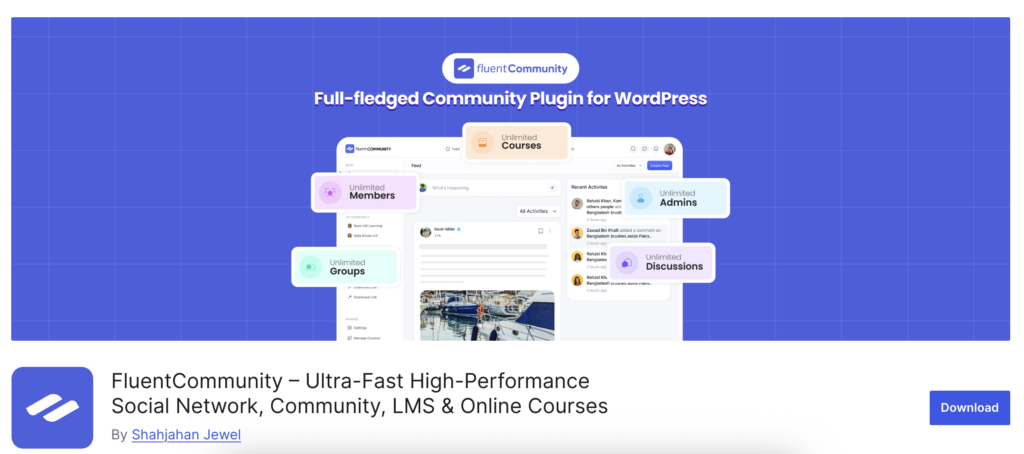
Start by installing FluentCommunity on your WordPress site, using the free version if you’re just getting started or upgrading to Pro at $159 per year for full features.
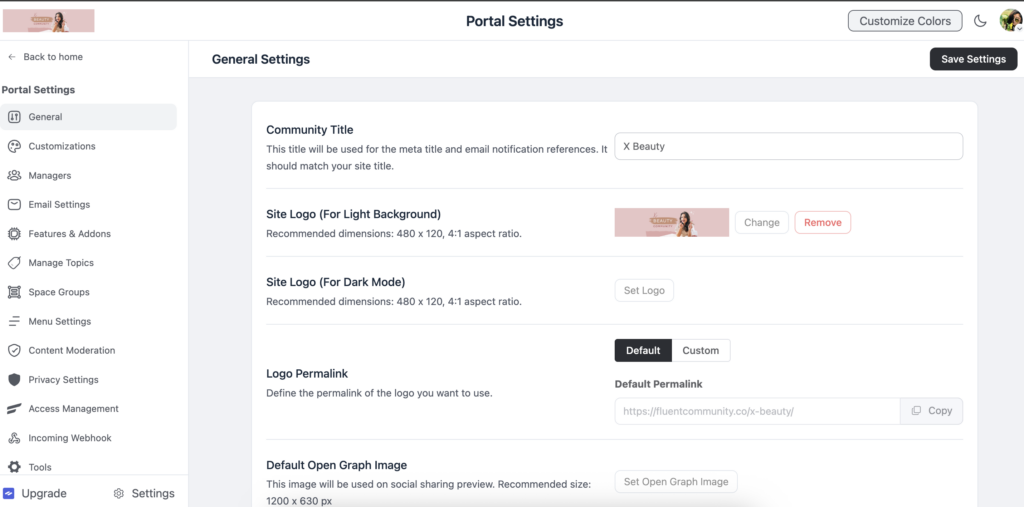
Next, configure your branding by adding your logo, choosing brand colors, and setting a portal slug that matches your product. Create your five core spaces, General Discussion, Feature Requests, Bug Reports, How-To Guides, and Announcements to organize conversations clearly.
Write and pin community guidelines in each space so members understand the rules. Finally, set up a warm welcome message to greet and guide new members as they join.
Week 2: Content Seeding
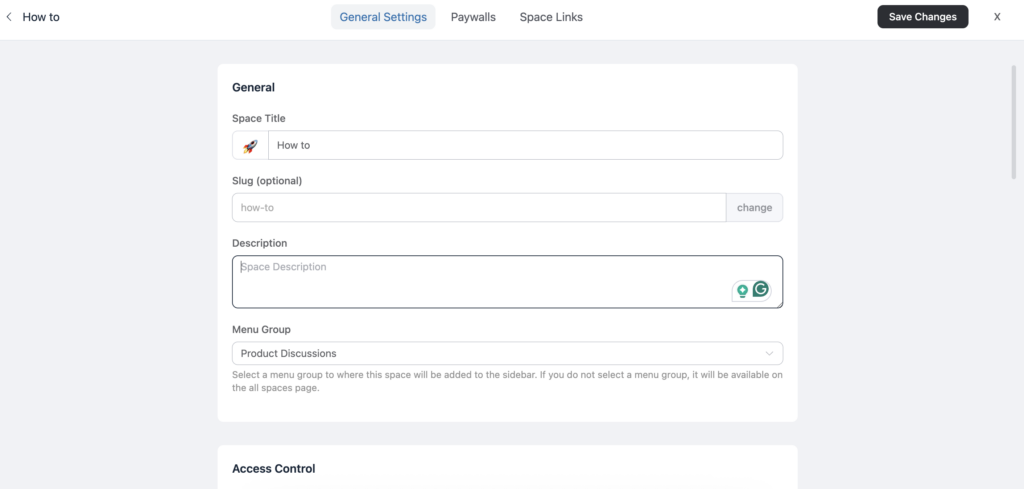
Start by populating your How-To Guides space with your top 10 most common support questions, pulling them directly from your existing ticket data to ensure they address real user needs.
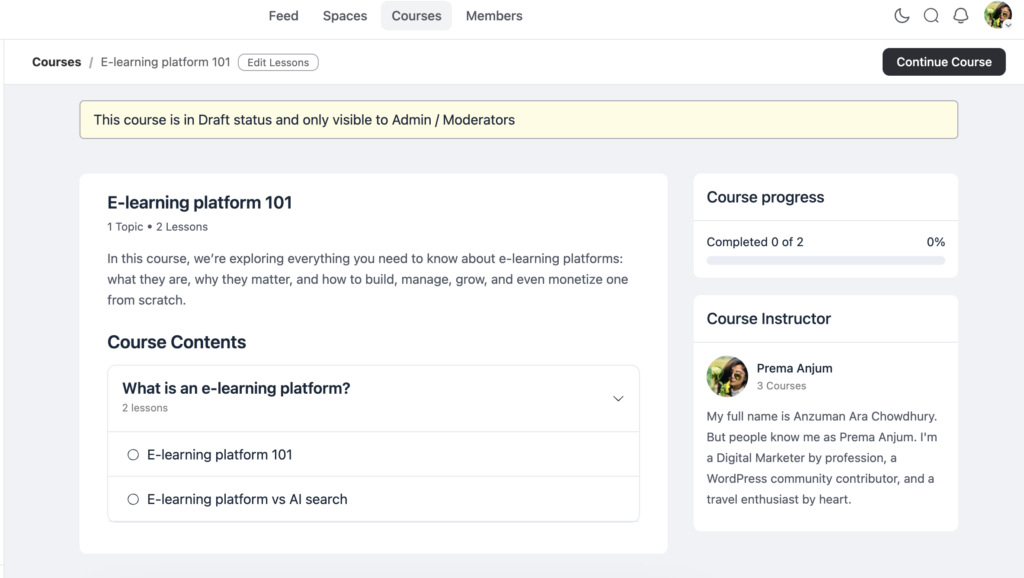
Next, create your first onboarding course using the course builder to help new members get up to speed quickly. Post three to five discussion starters in the General Discussion space to set the tone and encourage engagement from day one.
Finally, invite your internal team to join the community and establish an active, supportive presence early on.
Week 3: Soft Launch
Invite your most engaged customers, such as power users, beta testers, and vocal fans, to join the community so they can help shape discussions and provide valuable feedback.
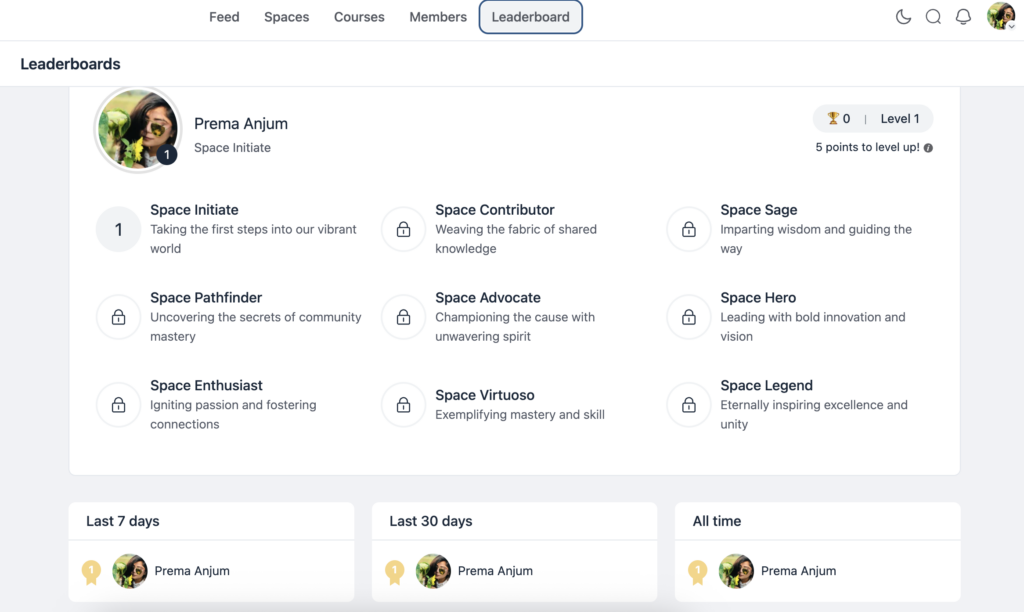
Activate the leaderboard and clearly explain how it works to encourage participation and recognition among members. If you haven’t already, install FluentSupport and define your escalation workflow so support issues are handled efficiently and routed to the right team.
Finally, set up FluentCRM segments based on community engagement levels so you can personalize messaging and outreach according to how active or engaged each member is.
Week 4: Public Launch
Announce the community to your full customer base so everyone knows it exists and can join the conversation.
Add a community link to your product’s navigation and support pages to make access easy and encourage participation. Set up email digests so members receive periodic updates and reminders, helping them return and stay engaged.
Finally, establish a moderation schedule that defines who monitors which spaces and when, ensuring discussions remain healthy, supportive, and well-managed over time.
Ongoing
Review community metrics monthly, including ticket deflection, response times, and active contributors, so you can measure impact and identify opportunities for improvement. Recognize and reward top contributors on a quarterly basis to encourage participation and build loyalty.
Create new courses based on common community questions so members can self-learn and reduce support demands. Use polls to drive feature prioritization and let customers shape the product roadmap. Connect CRM automations to community engagement triggers so messaging and workflows respond to user behavior. Finally, expand spaces as new products or use cases emerge to keep the community organized and relevant as your business grows.
You can also check out how to build a course community with FluentCommunity.
The Bottom Line
A customer support community isn’t a project. It’s an asset that appreciates. Every answered question makes the next answer easier to find. Every active contributor reduces the load on your support team. Every public discussion builds trust that private ticket conversations never can.
FluentCommunity gives you a WordPress-native way to build this asset on your own infrastructure, at a price point that makes the ROI argument trivial. When you add FluentSupport for help desk escalation and FluentCRM for engagement intelligence, you’ve built a customer support ecosystem that scales sublinearly with your customer base.
That’s the math that changes the game: your customers grow, your community grows with them, and your support costs don’t. Start with the five spaces. Seed with your top questions. Invite your best customers. Let the compound effect do the rest.

Prema Anjum
My full name is Anzuman Ara Chowdhury. But people know me as Prema Anjum. I’m a Digital Marketer by profession, a WordPress community contributor, and a travel enthusiast by heart.

Add your first comment to this post