

FluentCommunity 2.2.0: New Media Player, Real Time Chat & Better Controls

Table of Content
Subscribe To Get
WordPress Guides, Tips, and Tutorials


FluentCommunity 2.2.0 is a feature-rich release focused on improving content discovery, conversation clarity, admin control, and writing safety, all while keeping the experience clean and intuitive for your community members.
This update introduces the Card Layout View, a modern and visually engaging way to browse posts that makes important updates stand out and helps members quickly discover what’s new. Alongside this, Comment Pinning ensures critical information stays visible at the top of discussions, bringing more structure and clarity to conversations.
The release also brings FluentPlayer integration, allowing you to embed and manage secure videos directly inside your community. If you’re using FluentPlayer, you can now deliver courses, tutorials, or exclusive video content within Spaces or Courses without relying on external platforms. This creates a smoother learning experience, keeps members engaged inside your community, and gives you better control over your premium content.
Managing members is now easier than ever with the ability to add users directly to Spaces or Courses from their profile, streamlining onboarding and access control for growing communities. On the usability side, Tooltips for Badge Titles add instant clarity to roles and achievements, while Editor Draft Guard protects users from losing unfinished posts or comments, making writing more reliable and stress-free.
In addition to new features, this release includes several improvements and important bug fixes to ensure better performance, stability, and overall experience. Read the post for the detailed idea about the features. Now, let’s check out the features in detail.
Introduced: Card Layout View
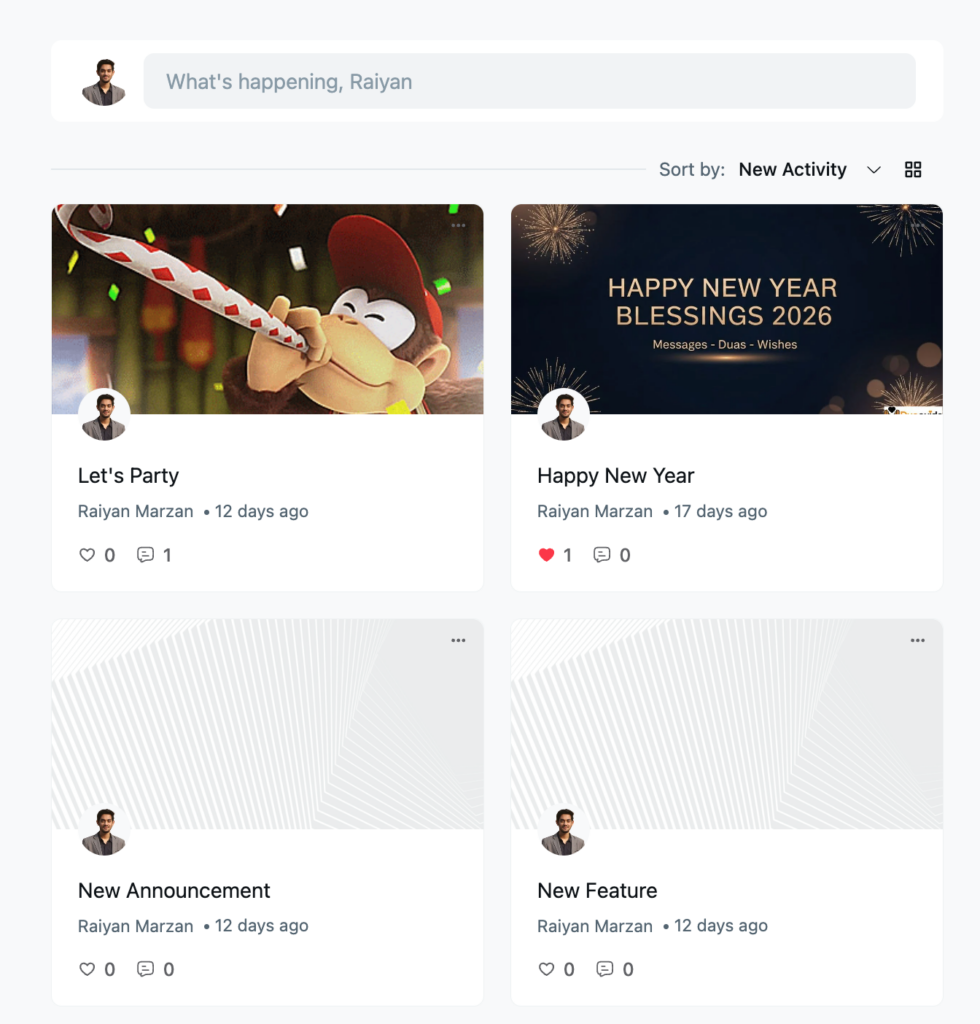
FluentCommunity 2.2.0 introduces the Card Layout View, a modern and visually engaging way to browse community posts. With this new layout, posts are displayed as individual cards in a clean grid format, making the activity feed easier to scan and more enjoyable to explore.
Each card highlights key information at a glance, including the post title, cover image (if available), author details, post time, and engagement metrics like likes and comments.
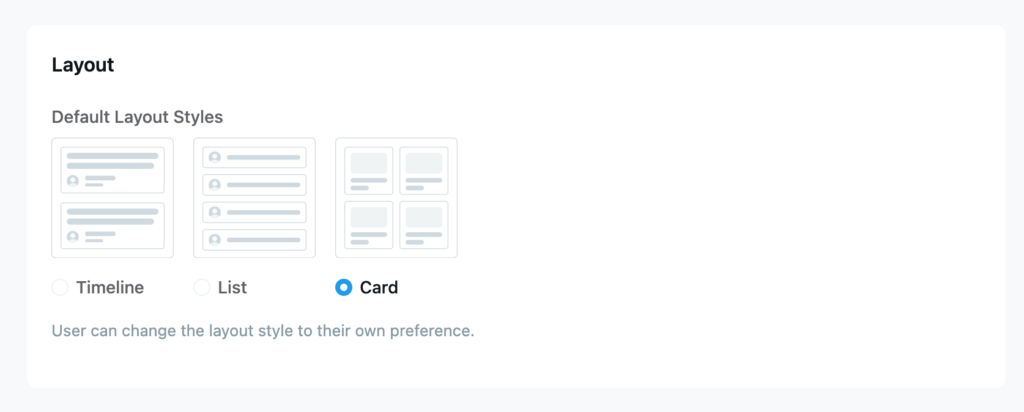
You can also select the layout view for your community or space from the settings option.
The Card Layout View is especially useful for announcements, feature updates, celebrations, and image-based posts, helping important content stand out without overwhelming users with long text feeds. Combined with sorting by New Activity, members can quickly discover what’s fresh and relevant in the community.
This update boosts:
- Content visibility and discoverability
- Visual clarity and organization
- Overall user engagement and browsing experience
The Card Layout View brings a more social, modern feel to FluentCommunity, making communities more inviting, interactive, and easy to navigate.
FluentCommunity is a complete community platform designed for businesses. Download now to create and manage your community.
Introduced: Comment Pinning Feature
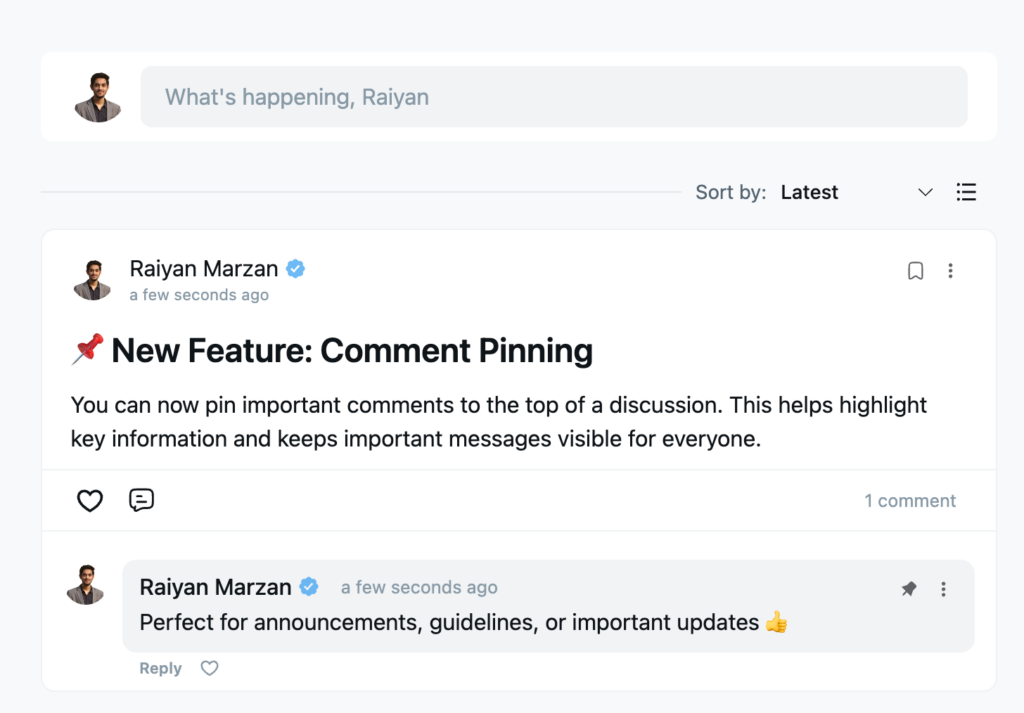
In addition to visual improvements, FluentCommunity 2.2.0 introduces Comment Pinning, making conversations clearer and more organized.
With this feature, moderators and admins can pin important comments to the top of a discussion. As a result, key information, such as announcements, guidelines, clarifications, or critical updates, remains visible to everyone, even as new replies are added.
Moreover, Comment Pinning helps reduce repeated questions and ensures that essential messages don’t get lost in long discussion threads. This is especially useful for feature announcements, community rules, and time-sensitive updates where visibility matters most.
Overall, this update improves:
- Clarity in discussions
- Accessibility of important information
- Community communication and moderation
All in all, Comment Pinning helps create more structured, meaningful, and user-friendly conversations across your community.
FluentPlayer Integration with FluentCommunity
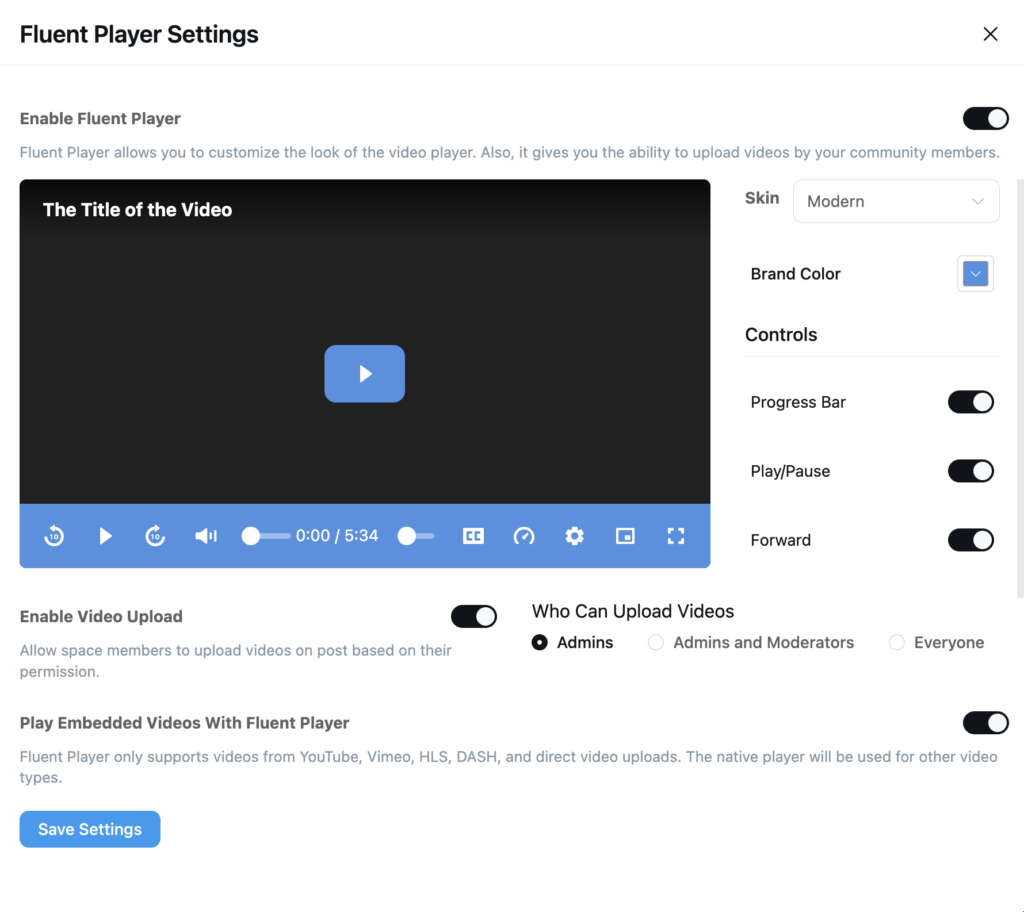
FluentCommunity now includes smooth integration with FluentPlayer, giving you a powerful and fully customizable video experience directly inside your community. With FluentPlayer, you can easily enable or disable the player, choose a modern skin, apply your brand color, and control which playback options are visible, such as the progress bar, play/pause button, and forward controls.
This allows you to create a clean, distraction-free, and fully branded video environment for your members. In addition, you can manage who is allowed to upload videos, whether it’s only admins, admins and moderators, or everyone in the community.
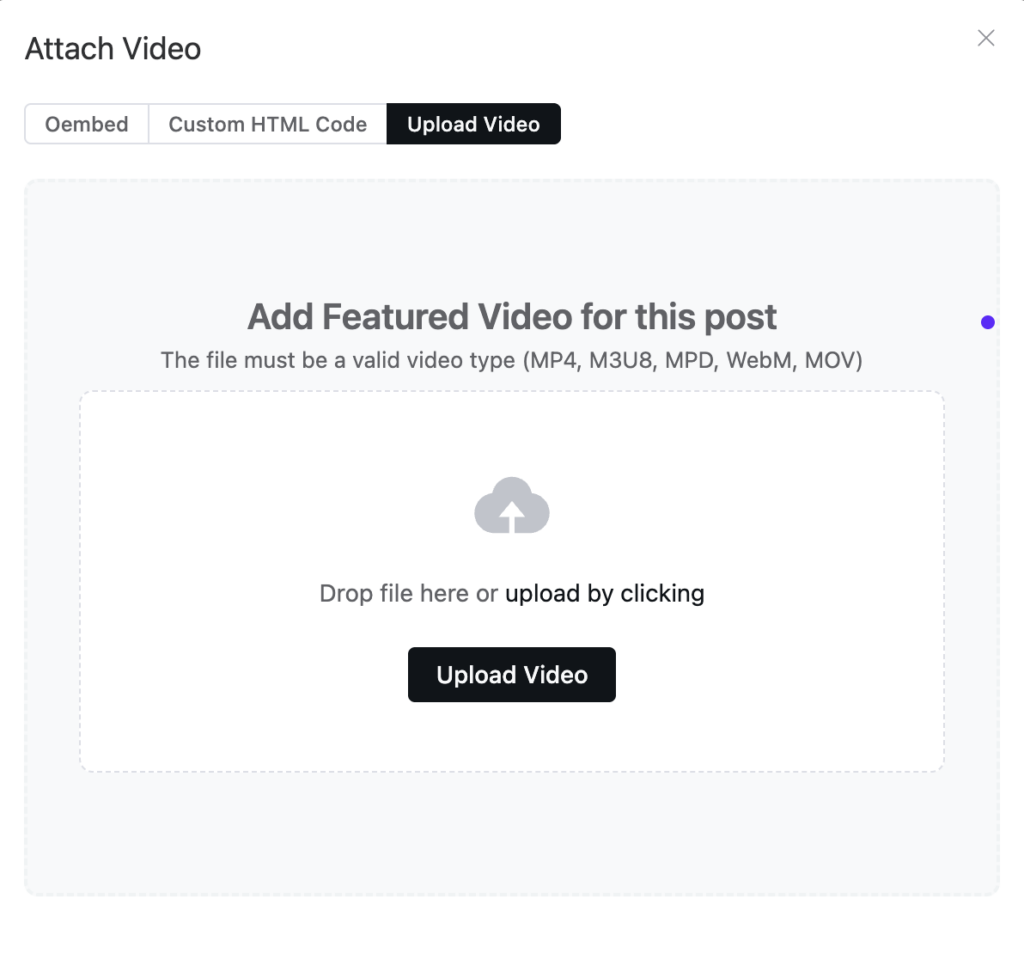
Members can upload videos in popular formats like MP4, M3U8, MPD, WebM, and MOV, and you can also play embedded videos from platforms like YouTube, Vimeo, HLS, and DASH. If a format is not supported, the native player will automatically handle playback to ensure a smooth experience.
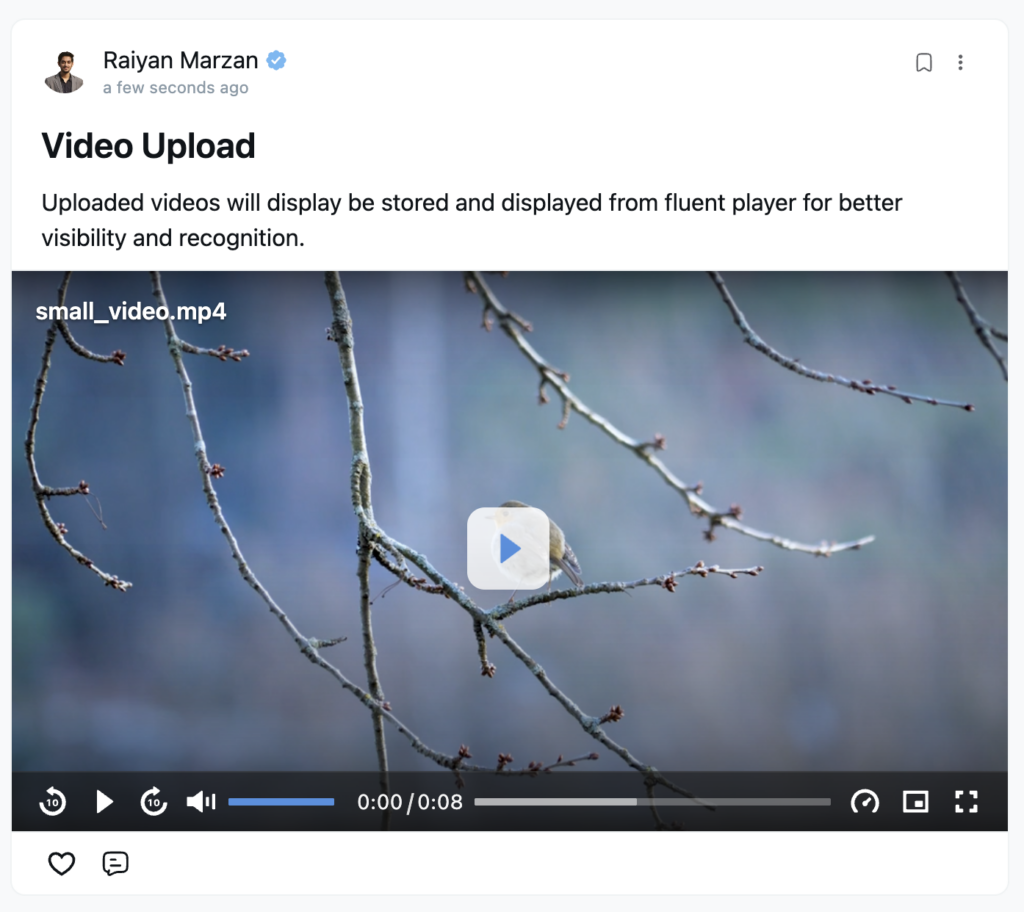
Overall, the FluentPlayer integration makes video sharing, learning, and engagement inside FluentCommunity simple, flexible, and professional.
Redesigned Message Module
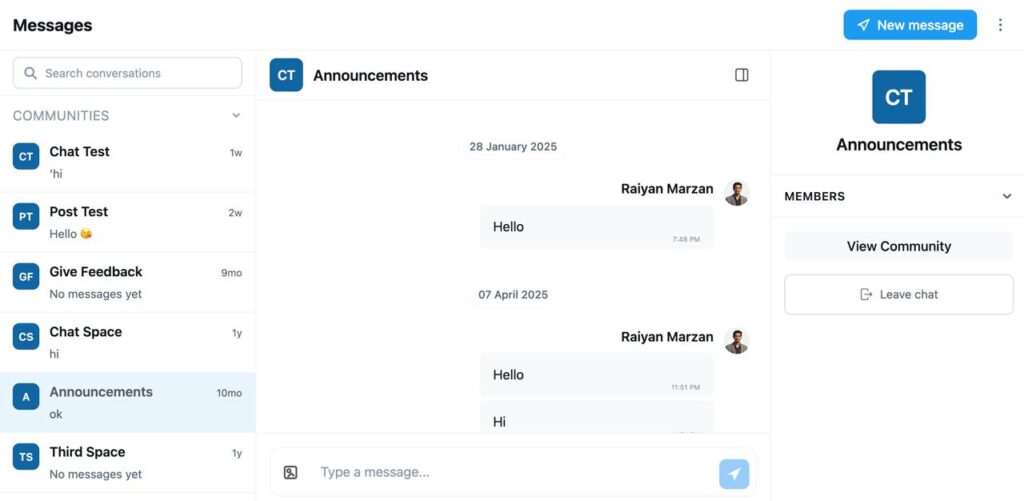
We’ve redesigned the Messaging Module to make communication faster and more reliable.
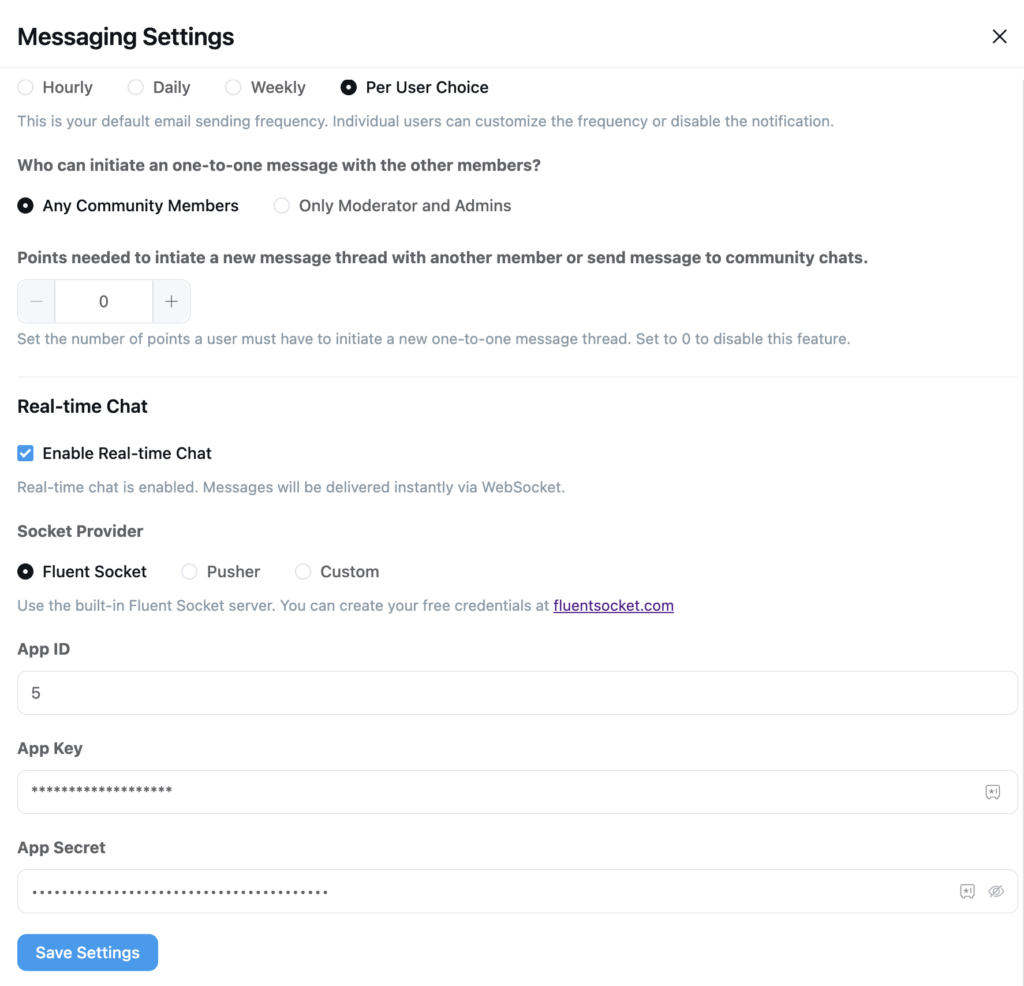
Now, with real-time chat powered by FluentSocket, Pusher, and our own custom socket system, messages are delivered instantly so conversations feel smooth and live. This means members can send and receive messages without delays, which makes collaboration and support much easier.
In addition, the improved system ensures better stability and performance. Overall, this redesign creates a more modern and responsive messaging experience for your community.
Introduced Profile Page Privacy Settings
In this update, we’ve also introduced the Profile Page Privacy Settings Feature in FluentCommunity. This feature gives users better control and transparency while creating and sharing posts within the community.
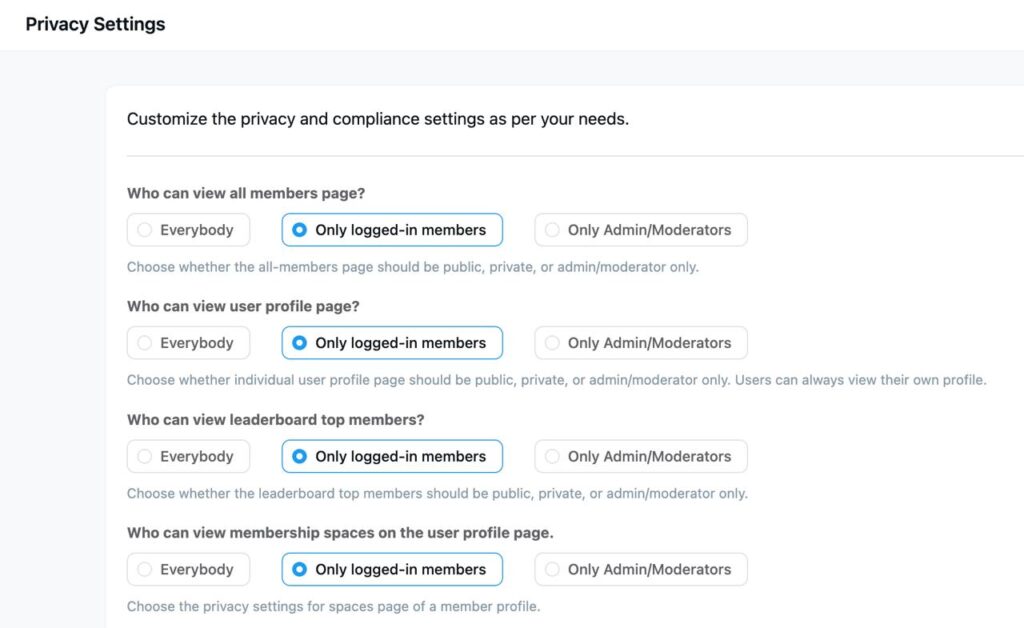
To begin with, administrators can now define global visibility rules from the main settings panel, choosing whether the member directory is accessible to the public, restricted to logged-in users, or reserved exclusively for moderators. Furthermore, we’ve introduced a more personalized experience at the user level; members can now independently manage who views their “Followers” and “Following” lists, as well as utilize a robust block/unblock feature to safeguard their interactions.
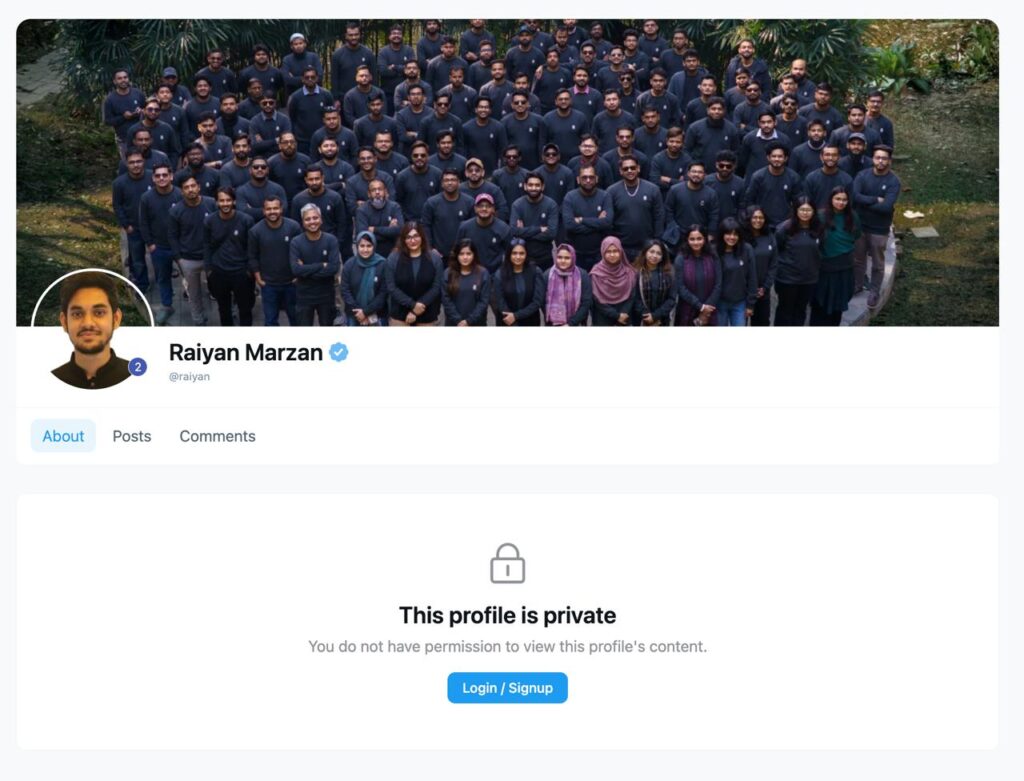
Consequently, these settings ensure that profile activity remains protected within specific Spaces, maintaining a secure environment for private or secret groups. Ultimately, these enhancements bridge the gap between social connectivity and data security, ensuring your community remains a safe and compliant space for all users.
Introduced: Add Users to Spaces/Courses from Profile
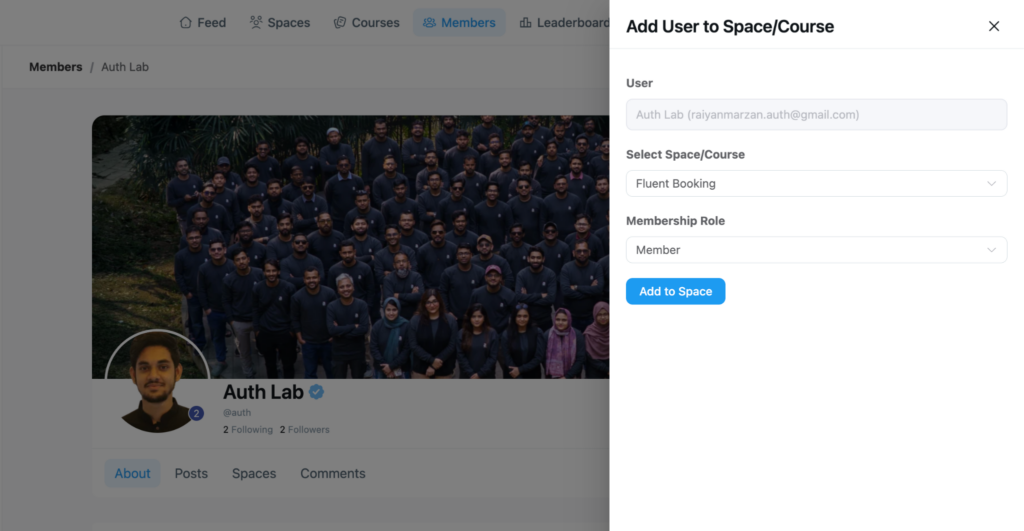
Now you can add users directly to Spaces or Courses with just a few clicks. From the Members area, admins can now open a simple modal, select a specific Space or Course, assign a membership role, and instantly add the user without requiring manual navigation or extra steps. As a result, onboarding becomes faster and far more efficient, especially for growing communities.
Moreover, this feature is ideal for granting access to premium spaces, enrolling members into courses, or organizing users based on roles and interests. It gives admins greater control while keeping the experience smooth and intuitive.
Overall, this update makes managing members more flexible and scalable, allowing you to place the right people in the right spaces at the right time.
Added Enlarge Course Image on Click
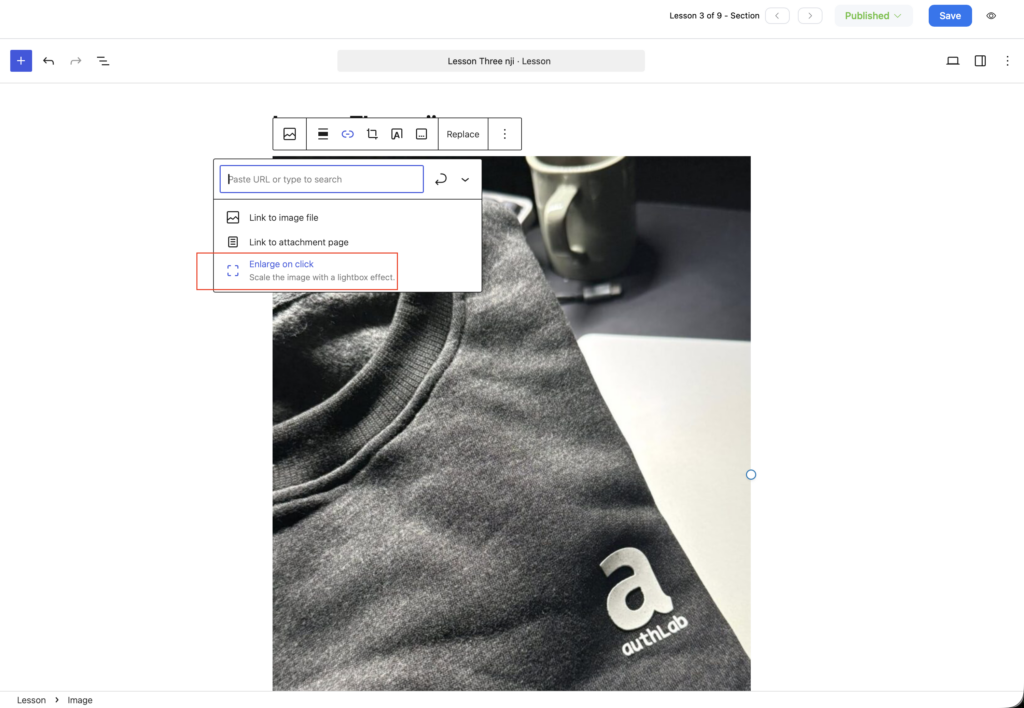
We’ve added a new Enlarge Course Image on Click feature to make course browsing more comfortable and visual. Now, when a learner clicks on a course image, it smoothly opens in a larger view, helping them see details more clearly. This means users can better view thumbnails, lesson previews, or branded visuals without leaving the page.
As a result, courses look more engaging and professional. Overall, this small but helpful update improves the learning experience by making images easier to explore and enjoy.
Added Inline Image support in Feed
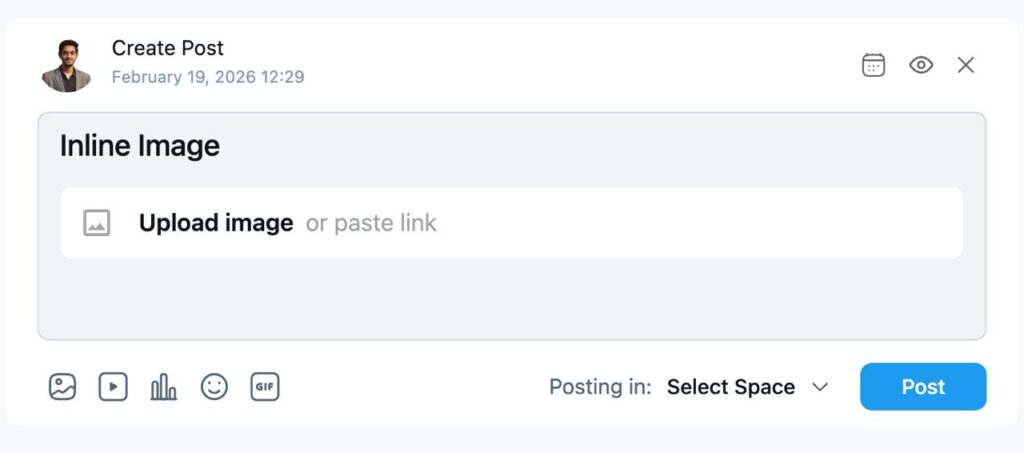
FluentCommunity now supports Inline Image uploads directly inside the feed, making it easier than ever to share visual content while creating a post. When writing a post, users can simply click on the Inline Image option to upload an image or paste an image link instantly.
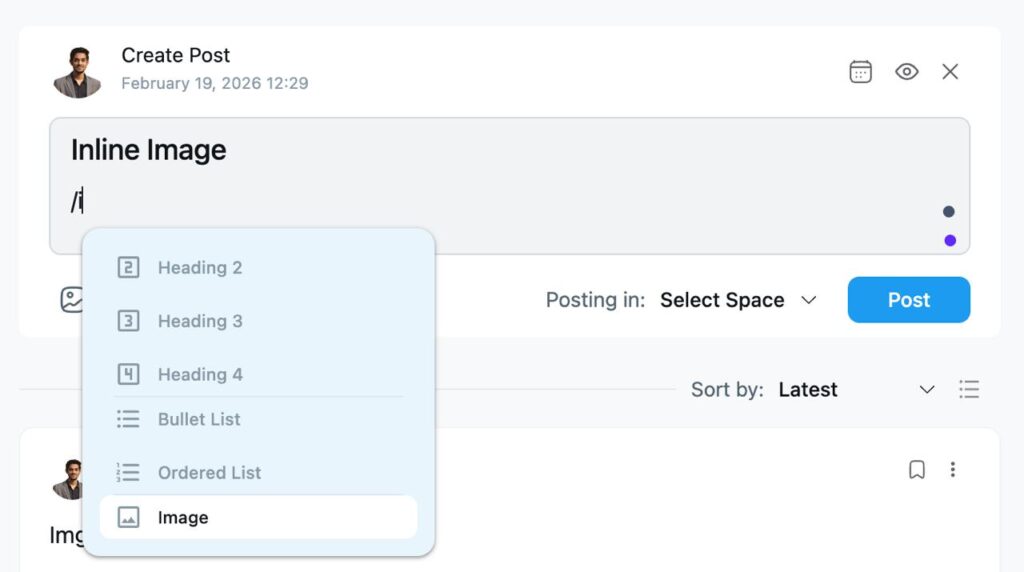
As shown in the editor, users can simply type “/” inside the post to open a quick command menu. From there, they can choose different content elements such as Heading 2, Heading 3, Heading 4, Bullet List, Ordered List, and Image. This means images are not just attachments, they can be inserted exactly where needed within the content flow.
With this slash-command option, members can structure their posts professionally by adding headings for sections, using bullet or numbered lists for clarity, and placing images inline to support explanations. This makes tutorials, announcements, case studies, and educational posts much more organized and visually engaging. Overall, the enhanced inline image options give users more control over formatting, helping them create clean, well-structured, and interactive feed content inside FluentCommunity.
Added: Mentioned User Profile Popover
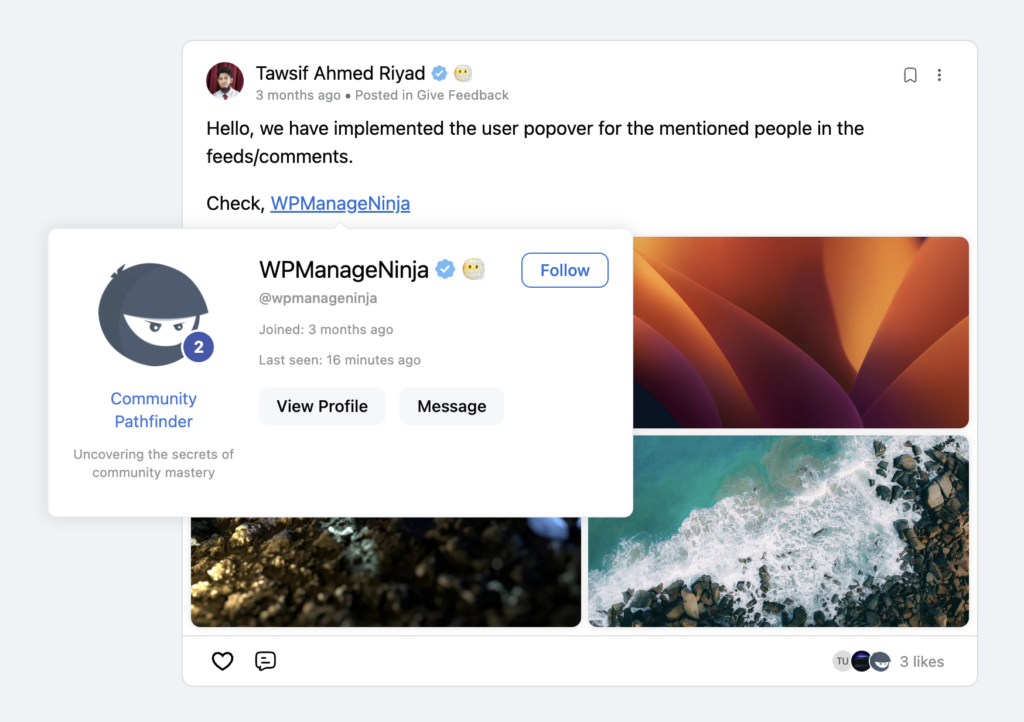
In this update, we’ve also introduced a new Mentioned User Profile Popover feature to make interactions more informative and convenient. Now, when someone mentions a user in feeds or comments, you can simply hover or click on the name to see a quick profile preview. This popover shows helpful details like the user’s basic info, profile access, and messaging options.
As a result, members can recognize and connect with others more easily without leaving the conversation. Overall, this update makes community engagement smoother and more interactive.
Added: Default Comment Sorting Option
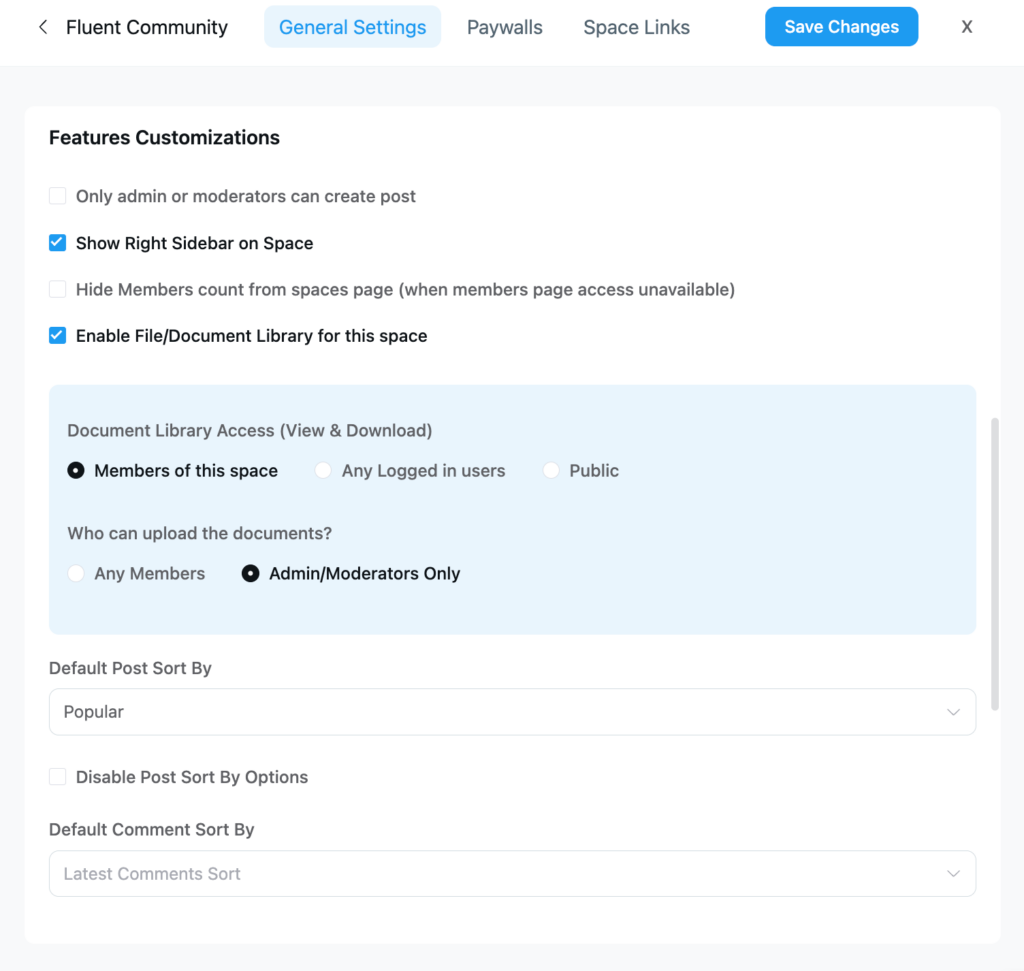
In this update, we’ve introduced enhanced Space feature customization to give admins more control over how content is accessed and managed. Space owners can now decide whether only admins or moderators can create posts, toggle the right sidebar visibility, and hide member counts when the members page isn’t accessible.
The update also adds more flexible Document Library controls, allowing admins to enable or disable the library per space, define who can view or download documents (space members, logged-in users, or the public), and restrict document uploads to admins and moderators if needed. Additionally, default sorting options for posts and comments can now be configured, with the ability to lock post sorting to maintain a consistent content experience across the space.
Added: Tooltip for Badge Title
With Tooltips users can now hover over a badge title to see additional context or explanation in a tooltip. As a result, badges become more meaningful, and users instantly understand what a badge represents without needing extra descriptions or documentation.
Moreover, this is especially helpful for role-based badges, achievement indicators, or custom labels where the title alone may not fully explain its purpose. The tooltip adds clarity while keeping the interface clean and uncluttered.
Added: Editor Draft Guard
To prevent accidental content loss, FluentCommunity 2.2.0 now shows a smart warning message when a user tries to leave the page while writing a post. If someone attempts to navigate to another link, refresh the page, or close the tab before publishing, they will receive a prompt asking them to confirm their action.
This simple but effective safeguard helps ensure that users don’t unintentionally lose their progress. It’s especially helpful when writing longer posts, announcements, or detailed discussions, giving members extra confidence while creating content in your community.
Added: Automattic comment/reaction append
In FluentCommunity 2.2.0, we’ve added an Automatic Comment/Reaction Append feature to keep conversations flowing smoothly. Now, when new comments or reactions come in, they automatically appear in the thread without needing a page refresh. This means members can see updates in real time and stay part of the discussion more easily.
As a result, interactions feel faster and more natural. Overall, this improvement helps create a lively and responsive community experience where no update is missed.
Redesigned Lesson Editor for Better UX
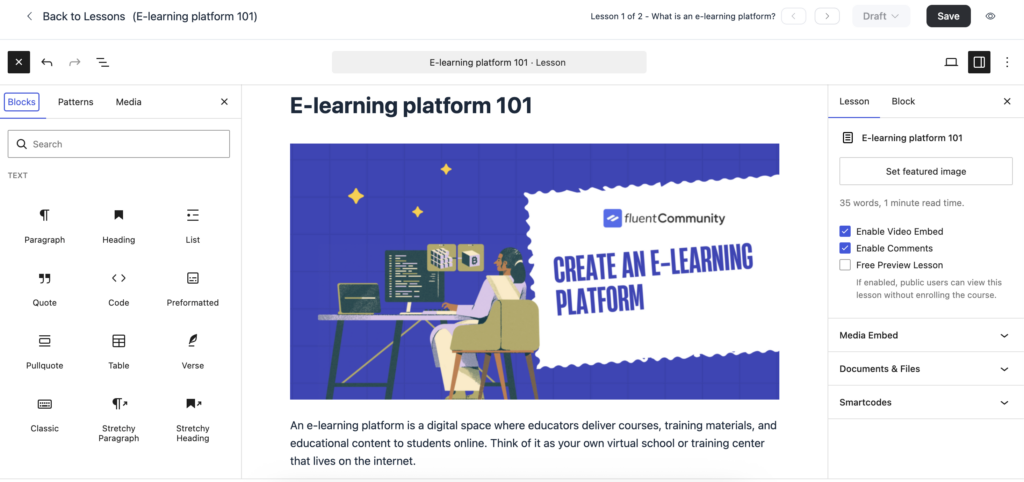
The redesigned lesson editor in FluentCommunity provides a streamlined, block-based experience by integrating the Gutenberg editor directly into the course creation workflow. This allows educators to design interactive lessons using standard WordPress blocks to add video, audio, text, and multimedia patterns without needing custom code.
The editor features a centralized dashboard where creators can easily structure their curriculum by adding sections and lessons, with the ability to drag and drop to reorder them or move lessons between different sections.
Beyond simple content creation, the redesigned editor includes several powerful functional enhancements:
- Interactive Elements: A new Quiz Module allows for testing student knowledge with features like passing grades, video attachments, and the ability to enforce passing before continuing to the next lesson.
- File Management: A dedicated Documents & Files section enables secure uploading of resources like PDFs that are accessible only to enrolled students.
- Collaborative Tools: Built-in lesson discussion forums can be enabled for each individual lesson to foster peer-to-peer support and engagement.
- Flexible Delivery: Creators can choose between Self-Paced, Structured (dripped), or Scheduled content release methods to suit different learning styles.
- Visual Customization: The editor supports Modern and Classic layouts, allowing for high-impact visual elements like featured images or embedded videos at the top of course pages.
Added: Media Upload Rate Limit
This update also brought the Media Upload Rate Limit feature to help communities stay secure and run smoothly. Now, you can control how many media files a user can upload within a certain time. This helps prevent spam uploads and reduces unnecessary server load. As a result, your platform stays faster and more organized.
At the same time, genuine users can still share media comfortably within the set limits. Overall, this update gives you better control while maintaining a balanced and reliable community experience.
Improvements and bug fixing
- Improved Course Comments with Filtering Capability
- Enhanced Bookmark Listing with Filter, Layout View, and Search
- Merged Feed Commenters App Notification
- Fixed: Cloudflare Issue with Specific Region
- Fixed: Feed Document Delete issue
- Fixed: Mention not working in Course Comment
- Fixed: Unable to Copy Course Comment Link
- Fixed: oEmbed Issue with External Providers
- Fixed: User Name Not Updating Issue
- Fixed: XML Sitemap Showing 404 When Portal is Root
- Fixed: Feed Icon Not Updating in SideMenu
- Fixed: Prevent Portal Rendering for Other Root Requests
Conclusion
FluentCommunity 2.2.0 is a well-rounded update that focuses on what matters most, such as clarity, control, and confidence. With visual enhancements like the Card Layout View, conversation-focused features such as Comment Pinning, and admin-friendly improvements for managing spaces, courses, and content, this release makes communities easier to navigate and manage. Combined with multiple improvements and critical bug fixes, FluentCommunity 2.2.0 delivers a more polished, reliable, and engaging community platform for everyone.

Shahjahan Jewel
Hello, this is Jewel, CEO & Head of Ideas at WPManageNinja. I am obsessed with WordPress since 2009. My aim is to be a user-centric developer first, and a serial entrepreneur second. You will find me discussing various tech issues and trying to come up with scalable solutions on different forums when I am not busy coding.






Add your first comment to this post